• 开源镜像
  • 开源沙龙
  • 媛宝
  • 猿帅
  • 注册
  • 登录
  • 息壤开源生活方式平台
  • 加入我们

开源日报

  • 开源日报第702期:《Heroicons》

    29 2 月, 2020
    开源日报 每天推荐一个 GitHub 优质开源项目和一篇精选英文科技或编程文章原文,坚持阅读《开源日报》,保持每日学习的好习惯。
    今日推荐开源项目:《Heroicons》
    今日推荐英文原文:《Make the most of Leap Day with the Google Assistant》

    今日推荐开源项目:《Heroicons》传送门:GitHub链接
    推荐理由:用于 UI 开发的一组免费的高质量 SVG 图标, 让您在web开发项目中的页面显得颜值更高.
    今日推荐英文原文:《Make the most of Leap Day with the Google Assistant》作者:Ashley Thompson
    原文链接:https://www.blog.google/products/assistant/make-most-leap-day-google-assistant/
    推荐理由:这篇文章将使您可以充分利用Google Assistant去更好的完成自己的日常工作或者在工作之余进行娱乐放松.

    Make the most of Leap Day with the Google Assistant

    How many times have you wished for an extra day or even just an extra hour to get things done or simply relax?. Lucky for us, we’re getting that extra day this year–Leap Day is this Saturday, February 29th. If you’re looking for things to do, here are 11 ways the Google Assistant and Nest can help you make the most out of your bonus day:
    1. Play your favorite television game show: Just say, “Hey Google, play Jeopardy” to test your knowledge.

    2. Explore new eats nearby: Ask your Assistant, “Hey Google, find a Moroccan restaurant nearby” to discover new places to try. And you can see how long it’ll take to walk to the restaurant by saying, “Hey Google, how long will it take to walk to [restaurant] near me?”

    3. Have a killer at-home sweat session: Enjoy your favorite YouTube fitness videos on your Smart Display, like Nest Hub and Nest Hub Max. Just say, “Hey Google, show me cardio workout videos.”

    4. Finally learn to cook that new recipe: “Hey Google, show me recipes for spanakopita.” And if you need help learning a new technique, like making homemade puff pastry, ask the Assistant on your Nest Hub Max to put on a YouTube video by saying “Hey Google, show me videos for how to make puff pastry dough.”

    5. Get started on that book you’ve been meaning to read: Curl up on the couch or go for a walk and ask your Assistant to read an audiobook on Google Play. Just make sure to log into your Google Play Books account and say, “Hey Google, read [audiobook title],” and you’ll hear a free sample if you don’t already own the audiobook.

    6. Pick up a new hobby: First, learn a bit about your chosen activity by saying “Hey Google, find a podcast about painting.” Then, find the supplies you’ll need to get started. Just ask, “Hey Google, where can I buy watercolors nearby?”

    7. Enjoy story time as a family: Just ask your Nest Mini, “Hey Google, let’s read along” to access great books from Disney and Little Golden Books, powered by Family Link.

    8. Go see a movie: Say, “Hey Google, buy movie tickets” to see what movies are playing nearby. When you select a showtime that works best, the Assistant can then help complete your purchase in only a few steps with the help of Duplex technology.

    9. Find local events: Ask your Assistant, “Hey Google, what events are happening today near Phoenix?” for ideas on what to do.

    10. Take a mini road trip: The Assistant can help you get things done in the car whether you’re using Google Maps for Android and iOS, Waze for Android, Android Auto, or through the car accessory Anker Roav Bolt. Try asking, “Hey Google, find the nearest gas station” when you need to refuel–or send text messages with your voice so you can keep your eyes on the road.

    11. Catch up on a little R&R … uninterrupted: Silence calls and notifications on your phone or Nest devices by asking your Assistant, “Hey Google, silence my phone,” or “Hey Google, set the kitchen display to Do Not Disturb.”


    下载开源日报APP:https://opensourcedaily.org/2579/
    加入我们:https://opensourcedaily.org/about/join/
    关注我们:https://opensourcedaily.org/about/love/

  • 开源日报第701期:《人工智能课程 AI_Curriculum》

    28 2 月, 2020
    开源日报 每天推荐一个 GitHub 优质开源项目和一篇精选英文科技或编程文章原文,坚持阅读《开源日报》,保持每日学习的好习惯。
    今日推荐开源项目:《人工智能课程 AI_Curriculum》
    今日推荐英文原文:《Is Competitive Programming Helpful for Tech Interviews?》
    (这里放日报封面) (请检查,本文勾上了且只勾了《开源日报》这一个分类,请检查,有添加文章 Tag,请检查,有添加文章摘要,请检查,有添加特色图像,有添加bigger图片,有选中头图“布局设置”为占满屏幕的那张“第3张”) (请检查,预览时候,所有图片和文字显示正常,且勾上了百度熊掌号-原创提交) (请检查,本文的信息已经添加到 https://pm.openingsource.org/projects/daily/wiki日报摘要里,每个月的摘要信息单独发一个page,格式参照 https://opensourcedaily.org/daily-index/2018-5/,标题,URL,正文等格式均需保持一致) (检查上述都完成之后,请删掉括号里的字,包括这一句,每天发布时间为早晨8点左右)
    今日推荐开源项目:《人工智能课程 AI_Curriculum》传送门:GitHub链接
    推荐理由:该项目为开放的深度学习和强化学习课程,来自斯坦福大学、麻省理工学院、加州大学伯克利分校等顶尖大学。
    今日推荐英文原文:《Is Competitive Programming Helpful for Tech Interviews?》作者:Dhananjay Trivedi
    原文链接:https://medium.com/better-programming/is-competitive-programming-helpful-for-tech-interviews-e3d7ae1ba0b4
    推荐理由:打比赛对我们的帮助还是挺大的

    Is Competitive Programming Helpful for Tech Interviews?

    Can CP help you get your dream job?

    (Photo by Kaleidico on Unsplash)
    In this piece, we will try to understand the importance of competetive programming (CP) and how it may or may not be helpful for your tech interview.

    Competitive programming, for those of you who don’t know, is a type of mind-sport where you have to solve some programming problems with time and memory constraints and come up with an algorithm to do so.

    It’s mostly about passing the test scenarios within the time and memory constraint — this sometimes requires you to think outside the box.

    For example, there’s a problem — you read the problem, you understand it, you code it, you debug it and you finally successfully submit it. It might take you 10 minutes.

    Meanwhile, some guy in the leaderboard has submitted the solution in 30 seconds. It’s simply because he was able to come up with a simple idea for the solution.

    What makes some programmers so fast?
    • He didn’t have to go through the whole dataset making sure it’s correct.
    • He didn’t need to get more clarity about the problem statement.
    • He didn’t have to think of edge cases.
    With some simple, logical assumptions, he was able to come up with a simple solution, code it and submit it.

    People don’t check your code in competitions, they want you to pass all the decided test scenarios.

    Sometimes, for very complex problems, all the test cases can’t be predicted so the competition might miss a test case and you don’t have to worry about it.

    That’s the beauty of competitive programming.

    At the same time, competitive programming problems are harder than interview questions and they involve more advanced algorithms and data structures.

    (Photo by Nik MacMillan on Unsplash)
    In a coding interview, you can’t afford to assumptions. When you are given a coding problem in your interview, before you jump into actually coding it, you are expected to:
    • Ask good questions to get a better understanding of the problem.
    • Think of all the edge cases and be sure to cover them.
    • Be able to optimize your solution according to the specified requirements.
    • Write clean, solid code.
    Coding interviews can ask questions that can’t be only solved by one computer, for example, parallel or distributed systems.

    Interviews can also ask you to come up with some specialized algorithms for special cases — this might not be the best fit solution for a competitive programming problem but fits perfectly for the scenario of your interview.

    Does Competitive Programming make Good Software Engineers?

    (Photo by Phil Hearing on Unsplash)
    Competitive programming helps sharpen your brain for programming and people at the top of the competitive programming domain are really smart. Also, some of their exceptional qualities like their maths and coding skills might be overkill for some SDE jobs.

    But not all competitive programmers make good software engineers. There are a lot of other skills that competitive programming doesn’t teach you (and yes, you’re supposed to learn them on your own).

    For example:
    • The art of writing clean code.
    • S.O.L.I.D principles.
    • Asking the right questions around the problem statements.
    • Scalable system designs.
    The above-mentioned skills don’t help in CP. If your goal is to become the god of CP, you don’t have to worry about acquiring these skills.

    But if you see yourself as a software engineer, then these are must-have qualities.

    Should You do CP or Not?

    This depends on where you are in your career.

    1. If you’re a student at school/college.

    Yes. You should invest as much time as you can to do competitive programming. It’s one of the best investments you can make in yourself.

    It will sharpen your brain and you’ll learn some really strong computer science fundamentals, which are essential in programming jobs.

    The companies interviewing you right after college won’t really look for the above mentioned SDE qualities. You’ll learn these as you progress into your career — it’s a cherry on top if you can learn some of them.

    You can use the CP contents to attract your potential employers and even win the good prize money. But you don’t have to win those contests to get a job offer from the big tech companies — you just have to be amongst the top performers to attract them.

    2. If you’re a working professional

    Yes. You should at least practice one problem a day, to keep your programming mind sharpened. Working on projects doesn’t really push your brain and skills to the required extent. Over time you will lose your problem-solving abilities.

    But you shouldn’t invest all your time and skills into competitive programming as you are already a professional. Invest time in upskilling your professional qualities as well.

    CP will help you stay at the top of your problem-solving abilities and will give you the confidence to be interview-ready.

    You can use the CP contests to get your next great job offer, earn some extra prize money.

    Where Can You Practice Competitive Programming?


    There are some popular coding competitions that you can practice and compete in:
    • Top Coder
    • Hackerrank (personal suggestion for beginners)
    • Codeforces
    • HackerEarth
    • Codechef
    • Leet Code
    • Google Codejam
    • Facebook hacker cup
    I hope this has brought some value to you!

    Have I missed anything? I would love to learn more from you.

    Happy Hacking!


    下载开源日报APP:https://opensourcedaily.org/2579/
    加入我们:https://opensourcedaily.org/about/join/
    关注我们:https://opensourcedaily.org/about/love/
  • 开源日报第700期:《需求带动发展 FaceMaskDetection》

    27 2 月, 2020
    开源日报 每天推荐一个 GitHub 优质开源项目和一篇精选英文科技或编程文章原文,坚持阅读《开源日报》,保持每日学习的好习惯。
    今日推荐开源项目:《需求带动发展 FaceMaskDetection》
    今日推荐英文原文:《You Don’t Need a JavaScript Framework》

    今日推荐开源项目:《需求带动发展 FaceMaskDetection》传送门:GitHub链接
    推荐理由:众所周知,人类有不少需求就来自于懒惰,正是因为懒才会有那么多方便的小玩意;现在有不少需求则来自于疾病正在蔓延的现状——关于口罩的需求自然就出现了。这个项目是人脸识别的口罩特化版,实现了识别人脸是否佩戴口罩的功能,毕竟这种时候比起谁是谁的问题,大家更关心他们有没有防护措施,出去的时候还是注意保护自己为好。
    今日推荐英文原文:《You Don’t Need a JavaScript Framework》作者:Dev by RayRay
    原文链接:https://medium.com/better-programming/you-dont-need-a-javascript-framework-df2a36c2dd0a
    推荐理由:杀鸡焉用宰牛刀

    You Don’t Need a JavaScript Framework

    Sometimes React, Angular, or Vue.js might be too much

    Do we suffer from JavaScript frameworks fatigue? Or are we ignoring the performance and data bundles of our users?

    Let’s Go Back to the jQuery Era

    Do you remember those days when everyone used jQuery for everything! jQuery before, jQuery after, everything smelled like jQuery. Every website or web application included jQuery.

    Why?

    Developers found Vanilla JavaScript was too difficult or complex to handle. There where a lot of big differences between browsers.

    Thank God those days are over! jQuery fixed a big problem for the JavaScript community. But it made most of us lazy because we didn’t understand what was going on under the hood.

    For me, it all ended when this website(http://youmightnotneedjquery.com/) launched.

    The JavaScript Fatigue Era

    Right now, 2020 is just starting but we are making overweight websites and web applications. We can choose Angular, React, Vue.js, Svelte, or Polymer. Sorry, I won’t name all of them…

    Maybe you’re thinking: “Well, go ahead and judge for yourself.” Well, that is also what I’m doing with this article. I’m very critical about my own JavaScript fatigue.

    But let’s be honest. It has never been easier to start a website or web app from scratch with a single command. For Angular, we use ng new project name, for React we use …, etc.

    Most of the time, we are picking what suits us the best. But we have to decrease our JavaScript weight some more and be more thoughtful on what we load into our application.

    Because, maybe HTML, CSS, and JavaScript are enough.

    When I talk about the JavaScript framework, I also mean the JavaScript library. Angular, React, Vue.js and Svelte are for me in this category. (Yes, there are a lot more…)

    Pros and Cons of Using a JavaScript Framework

    Using a JavaScript framework has some pros and cons. Because it’s about good and evil. It’s more like one’s better in one situation than the other.

    I’m using Angular in my day job and like to experiment with React or Vue.js. Or trying some small JavaScript micro-library that does only one thing very well.

    When You Shouldn’t Use a JavaScript Framework

    There are a few situations I won’t recommend using a JavaScript framework, but rather recommend using a JavaScript micro-library or use Vanilla JavaScript.
    • Your application is simple or small. If you’re building a small project, such as experimenting with a new JavaScript API.
    • Tight on performance. When your application needs to be of very high performance, even on a low-bandwidth connection.
    Every byte that is sent over the line counts. Then, it’s not smart to use a big framework. Because a JavaScript framework comes with a cost because of its overhead.

    Well, there are many tools to make this more manageable. It’s better to prevent problems than to solve them.

    When Would a JavaScript Framework Be a Smart Choice

    There are situations where it is smart to use a JavaScript framework. But still, we need to be careful with everything.

    1. Your application is big

    When you’re building a big application, it could be smart to use a JavaScript framework. A framework, most of the time, comes with great support from a community.

    Most of the time, a community will provide a lot of learning material that helps to build an application for long-term support.

    2. You or the company values open source

    The best thing about open source is that everyone can use it how they want (if the license allows it of course).

    A lot of the elements of that framework are built by people that spent their free time on it. This doesn’t cost the developer or the company that is using it any money.

    If a company/developer likes to contribute to a JavaScript framework, other people can benefit from that too.

    3. High speed development for new features

    Because most frameworks offer a lot of tools they make it easier for the developer to build new features in shorter times, they can rest on the shoulders of smart engineers that did a lot of testing for them.

    Conclusion

    In my story, I have more pros in comparison to cons when we talk about JavaScript frameworks.

    But even though it sounds so good to use a framework, we have to be very careful with what we load onto our websites and application.

    Always ask the question: “Why do I need this framework? What benefit would we have from building it ourselves or using something that already exists?”

    “What consequences does it have for the user? Is a low-end mobile phone also able to use the application with the same user-experience as a high-end mobile phone?”

    Thanks

    Thanks for reading all this way! I hope that after reading this story you will be more careful picking a JavaScript framework, or not picking one.

    Because, in the end, our goal should be building an application that has great user experience and is scalable.
    下载开源日报APP:https://opensourcedaily.org/2579/
    加入我们:https://opensourcedaily.org/about/join/
    关注我们:https://opensourcedaily.org/about/love/
  • 开源日报第699期:《UI设计 ant-design》

    26 2 月, 2020
    开源日报 每天推荐一个 GitHub 优质开源项目和一篇精选英文科技或编程文章原文,坚持阅读《开源日报》,保持每日学习的好习惯。
    今日推荐开源项目:《UI设计 ant-design》
    今日推荐英文原文:《A day in the life: how a frontend developer solves a “simple” bug》

    今日推荐开源项目:《UI设计 ant-design》传送门:GitHub链接
    推荐理由:Ant Design 是一套企业级 UI 设计语言和 React 组件库,服务于企业级产品的设计体系,基于确定和自然的设计价值观上的模块化解决方案,让设计者和开发者专注于更好的用户体验。
    今日推荐英文原文:《A day in the life: how a frontend developer solves a “simple” bug》作者: Abou Kone
    原文链接:https://medium.com/code-divoire/a-day-in-the-life-how-a-frontend-developer-solves-a-simple-bug-565292ec2c31
    推荐理由:一个看似简单的 bug 说不定能给我们上一课

    A day in the life: how a frontend developer solves a “simple” bug

    I have been working lately with junior front end developers, as well as mentoring aspiring developers and one of the questions that they ask me is how to become a better/senior developer. That’s a question that is hard for me to answer quantitatively but the one quality that I know about senior developers is their ability to solve problems, in a timely fashion. In this post I wanted to illustrate that aspect, but also to give an anecdotal insight into what a day might look like in the life of a front end developer, and the twists and turns that it can take to solve a seemingly simple problem.
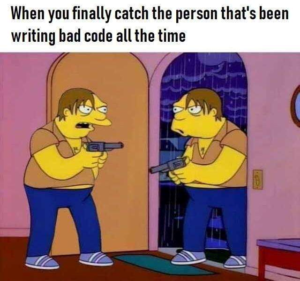
    The Bug


    I had implemented a new report page for one of our applications, where the user can create a spreadsheet like report by setting a few parameters. I say spreadsheet like because although it visually looks like a spreadsheet to the user, I implemented it as a flexbox based grid of individual grids, due to other requirements that made it difficult to achieve with a regular table. So far so good, except that to maintain the table appearance, I really need pixel perfect coherence between the individual grids which after a little tweaking with padding and margins I achieved on Chrome on my Macbook. The code is deployed, everything looks good except for my colleagues running on Windows, they observed a slight shift one some of the columns, breaking the table illusion. To give you an idea, this is what they were observing:
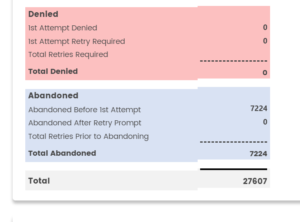
    (Wrong alignment!)
    Easy enough I told myself 8:30ish AM that morning, it’s just another rendering issue, I just need to reproduce it and fix it.

    Lesson 1: “It works on my machine” should never be a valid developer’s answer to a bug. Unless you believe that other people at delusional, you should use it as a basis to start your investigation knowing that at least it works somewhere. It should never be from your perspective the end of it.

    Reproducing the issue on Chrome/Mac


    Like i said, my colleagues on Windows 10 were definitely seeing that bug so I first tried changing the resolution on my Chrome browser to see if it might be related to a responsiveness issue, no dice that way. Next I changed my focus to the operating system and thought that maybe the issue was related to a difference in the Chrome rendering depending on the OS.

    Reproducing the issue on Chrome/Windows 10 with BrowserStack

    Next then was trying it in Chrome on a Windows 10 instance of BrowserStack. After many tries, again no dice. Let’s try something else. I remembered I had a IE11/Windows 10 VM lying around for my (non Chrome) Edge. By this time, with standup included, it’s 12:00ish PM.

    Reproducing the issue on Chrome/Windows 10 with VirtualBox


    I fired up the VM and tried to reproduce the issue, still no luck. I further probe with my colleagues and it became clear that the issue was resolution related. Their laptop was running on a 1920×1280 resolution and they were easily able to reproduce. i spent the next hour or so trying to get VirtualBox to render my Windows 10 VM guest using that same resolution to no avail. Somewhere in my Googling somebody mentioned using Parallels, which I had already installed.

    Reproducing the issue on Chrome/Windows 10 with Parallels

    With Parallels fired up, I was quickly able to fire up a Windows 10 VM with the correct resolution, install Chrome, which led me to one of my favorite snark for my Windows colleagues:

    https://twitter.com/abookone/status/1230929236082425859

    and lo and behold on accessing our dev server, the bug was there as soon as the page loaded. After a quick debugging session, I found the culprit behind the rendering issue.

    Lesson 2: Be good at accepting when it’s time to fold. If you’re going down one road and it’s not working, learn to quickly re-assess and try something different that will get you closer to your goal.

    The Problem


    While defining one of the borders for a particular grid, I had used the following code:
    border-top: dashed
    
    On Chrome Mac, this translated actually to:
    border-top: dashed 3px;
    
    Basically creating a 3px dashed border by default. I naively assumed that this was the default border with in Chrome. I found that in Windows, leaving Chrome to make the decision actually rendered as:
    border-top: dashed 1px;
    
    So there was always a 2px difference between the grids. Easy enough, now that I knew the problem, I wanted to switch back to my local env to fix and test the issue. It’s around 3:00PM.

    Lesson 3: With CSS, be as specific as possible when creating your rules and don’t assume.

    The Fix

    Here again, while trying to work on the fix, I ran into another snag. Our Angular app runs on port 4200, and our API on 8080, which means that even after setting Parallels to be able to access my Mac localhost from my Windows VM, I was still unable to launch the app because of CORS issues. There are many different ways of solving this issue, i quickly tried:
    • Editing my /etc/hosts
    • ngrok
    but I decided to make use of the built-in Angular proxy configuration which we had previously used but discarded after enabling CORS on the API. What I thought would be a 1 minute affair turned into an hour when i realize the proxy configuration was not working!

    The Angular Proxy


    I was defining the different api proxy paths in proxy.conf.json as:
     “/api”: {
     “target”: “http://localhost:8080/api",
     “secure”: false,
     “logLevel”: “debug”,
     “changeOrigin”: true
     },
    
    When the application was running, trying to hit for example /api/reports would proxy to http://localhost:8080/api instead of http://localhost:8080/api/reports. WTF? After re-reading the documentation many times, it finally jumped at me what I was doing wrong and the Angular/Webpack-dev-server people will correctly point out that ,y target was wrong, I should not add the context path in the target url but just the host. After changing the configuration to:
     “/api”: {
     “target”: “http://localhost:8080",
     “secure”: false,
     “logLevel”: “debug”,
     “changeOrigin”: true
     },
    
    everything was peachy again and I was able to work and fix the issue properly. Psych! In the meantime, one of the Junior developers submitted a PR for which I had to do a code review, which lead to a video call to go over the code implication in depth since unbeknownst to the dev, his code as implemented would introduce a couple of regression bugs in the code. With that out of the way I was finally able to get back to the issue to fix and deploy, it’s around 5:00PM now.

    Lesson 4: Pay attention to details, especially syntax and spelling. That’s why practices like pair programming and code reviews are important. Having a second set of eyes going over your code will help catch these little errors that we make that take too long for us to catch because we are used to our own code.

    Summary


    What looked like a simple visual CSS bug created a journey that involved of course Google, VirtualBox and Parallels Desktop VMs, Browserstack, Angular and some high level networking (etc/hosts). I’ve learned a few things during that process and here are some of the advice from that experience in that day that I would share with aspiring front end developers:
    • Whoever told you that as a front end developer, you would only be dealing with HTML, CSS and Javascript lied. As you have seen, producing applications require a lot more knowledge that usually, you can’t teach directly. It’s something that you pick up with experience.
    • As a developer, your number one skill to develop is your problem solving. As illustrated here, solving code issues is sometimes not a straightforward affair. You will have to solve problems within problems.
    • Take ownership of your work. You are ultimately responsible for the code you produce and it is your duty to ensure that it is of the highest quality.
    • Embrace the process. This is what makes our industry so fun but so frustrating at the same time. Things will not always run right, even if (you think) you’re doing everything right. Things will break or malfunction, even with your best efforts and part of your job is to figure out how to get them working again.
    • For non-coders on the team, it’s important to understand that things that look “simple” can turn out not to be so simple, either in implementation or in correcting when it comes to estimations.
    • For my non English speaking friends, up your English skills. Like i said, navigating those issues required a lot of Googling and I can’t imagine how much slower I would have gone had I not been proficient in English. There is a lot of good information out there and the absolute majority of it is in English, so having a good grasp of the language definitely helps.
    With hindsight now, I went back to BrowserStack and it looks like you can launch a VM with a particular resolution, which would have saved me a couple of hours maybe if I had paid attention. At the end of the day, I found the whole experience funny but not atypical, and I learned some things from it. This is why wanted to share it with others, especially, more junior developers dealing with impostor syndrome to show you that being senior does not mean being all knowing and perfect, it just means that you’re gonna “mess up in style” and usually be able to recover from those mess-ups quicker. What about you, , do you have any interesting bug or experience that you could share?
    下载开源日报APP:https://opensourcedaily.org/2579/
    加入我们:https://opensourcedaily.org/about/join/
    关注我们:https://opensourcedaily.org/about/love/
←上一页
1 … 83 84 85 86 87 … 262
下一页→

Proudly powered by WordPress