• 开源镜像
  • 开源沙龙
  • 媛宝
  • 猿帅
  • 注册
  • 登录
  • 息壤开源生活方式平台
  • 加入我们

开源日报

  • 开源日报第810期:《表格 vxe-table》

    21 6 月, 2020
    开源日报 每天推荐一个 GitHub 优质开源项目和一篇精选英文科技或编程文章原文,坚持阅读《开源日报》,保持每日学习的好习惯。
    今日推荐开源项目:《表格 vxe-table》
    今日推荐英文原文:《The Future of Code Is in Your Browser》

    今日推荐开源项目:《表格 vxe-table》传送门:GitHub链接
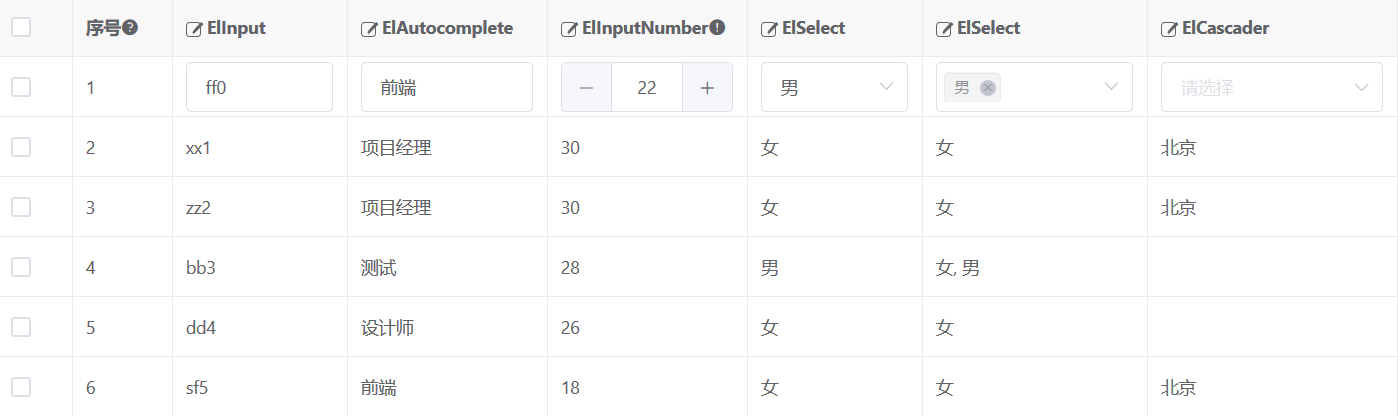
    推荐理由:这个项目是一个 vue 的表格组件,提供了在使用表格的场景中常用的高亮,排序等功能。除此之外还提供了表格编辑方面的功能,以及支持跨组件的合作(诸如与 element-ui 一同食用)等方便的特性,值得作为一种表格的解决方案。
    今日推荐英文原文:《The Future of Code Is in Your Browser》作者:Owen Williams
    原文链接:https://onezero.medium.com/the-future-of-code-is-in-your-browser-2c51a08e8ab2
    推荐理由:随着技术的发展,浏览器作为主要代码编辑器的时代也将来临

    The Future of Code Is in Your Browser

    Cloud-based coding environments like GitHub’s new Codespaces make programming more accessible

    Over the past decade, desktop software has gradually been eaten by the web browser: Music moved from iTunes to Spotify and Pandora, word processing moved online to Google Docs and Office 365, and design moved from Photoshop to Figma.

    Web development, though, has remained loyal to the desktop, requiring increasingly powerful computers to handle modern programming. While code editing tools like Glitch and CodePen have allowed developers to do some work on the web, more complex development languages have remained stubbornly connected to desktop software.

    The popular software development hosting platform GitHub may be about to change that status quo. The Microsoft-owned company unveiled a new code editor called Codespaces last week that works entirely in the web browser, regardless of the device you’re using. Based on the same codebase as Microsoft’s Visual Studio Code editor — which runs on Windows, Linux, and macOS — Codespaces creates a button on the GitHub website that is a one-click route to your entire development environment online. Since GitHub is where many developers are already accessing and storing their code regardless of which coding environment they use, it’s a convenient place to launch a code editor. And there’s no need to install anything on your device.

    To be clear, Codespaces isn’t just a code editor—it’s also an entire “containerized” version of your servers, meaning it allows you to preconfigure whatever resources you need, like a PHP server and a Redis cache, to work on a project.

    Made popular by a company called Docker, containers allow server functionality to be packaged into tiny, lightweight slices, which can be mix-and-matched together to build a development environment. If you’re working on a PHP-based Laravel project, for example, you’ll need a PHP server, MySQL, and a Redis cache. With containerization, you specify that you need each of these technologies, and they’re set up every time you open your codebase, making it easier to move between machines and reproduce your development environment without reconfiguring it on each device.

    Each Codespaces environment contains a Dockerfile, which specifies the containers and configuration of your environment, as well as a file that tells Codespaces how you want your development environment set up.

    Unlike development environments of the past, with Codespaces there is no need to configure local servers and applications to start coding. If a developer needs to quickly get up to speed on a project, it’s a single click to have all of your servers and configuration ready for development.

    Moving coding to the cloud also opens the door for connected developer experiences. A Live Share feature that works similarly to a shared Google doc allows remote developers to work together on a programming problem, with built-in audio and text chat.

    The master stroke of Codespaces, however, is a “remote” feature that allows developers to use their existing desktop installs of Microsoft Visual Studio Code whenever they want to, even if they don’t have a heavy-duty computer capable of running their actual codebase with them. When they’re on the go, they can connect to their Visual Studio Code environment using the feature and use the web editor in the cloud, with all the same setup, extensions, and even color schemes, as if they were working on their local machine.

    While cloud-based products similar to Codespaces, like Coder and Amazon’s Cloud9, have existed for three years, Codespaces’ advantage is that it’s directly integrated into GitHub.

    It’s worth acknowledging that getting Codespaces set up just right takes an investment the first time around: You need to figure out which technologies your project needs and ensure that it all comes together just right. But with little effort up front, when you click “code” on GitHub in the future, it’s all set up in the cloud a matter of seconds, ready to go.

    The debut of Codespaces is the latest in a series of efforts by Microsoft to build out the best developer experience in the industry. That started with the 2016 decision to add Linux support to Windows, a move that surprised the entire industry. Nobody expected Microsoft to add support for an open source operating system to its own proprietary system.

    Then, in 2018, Microsoft acquired code hosting service GitHub, followed by an acquisition this year of the code distribution service npm. In the meantime, the company developed Visual Studio Code into the most popular code editor, used by more than 50% of developers, according to the latest Stack Overflow Developer Survey.

    Presumably Microsoft hopes to monetize all of these products by winning over developers, who are likely to eventually host their projects on its cloud-hosting platform, Azure.

    But products like Codespaces a boon for people using lightweight devices like Chromebooks, or even the iPad, which limit the type of software their users are able to install. Cloud-based software circumvents those restrictions and means that the machine you’re using to write code is basically irrelevant, as long as you have an internet connection.

    For me, that’s what’s exciting about shifting software development into the cloud: freedom to use the computer I want to use, even if it’s not technically a great developer device (like the Surface Pro X, which uses a limited ARM-based processor). All I need is a modern web browser, nothing more.

    To that end, Codespaces may be the great equalizer for new developers — if your development environment is in the cloud, it doesn’t matter whether you’re writing code on a $5,000 MacBook Pro or a $300 Chromebook.
    下载开源日报APP:https://opensourcedaily.org/2579/
    加入我们:https://opensourcedaily.org/about/join/
    关注我们:https://opensourcedaily.org/about/love/

  • 开源日报第809期:《变成壁纸 lively》

    20 6 月, 2020
    开源日报 每天推荐一个 GitHub 优质开源项目和一篇精选英文科技或编程文章原文,坚持阅读《开源日报》,保持每日学习的好习惯。
    今日推荐开源项目:《变成壁纸 lively》
    今日推荐英文原文:《7 Ways to Limit Scope in Your Code》

    今日推荐开源项目:《变成壁纸 lively》传送门:GitHub链接
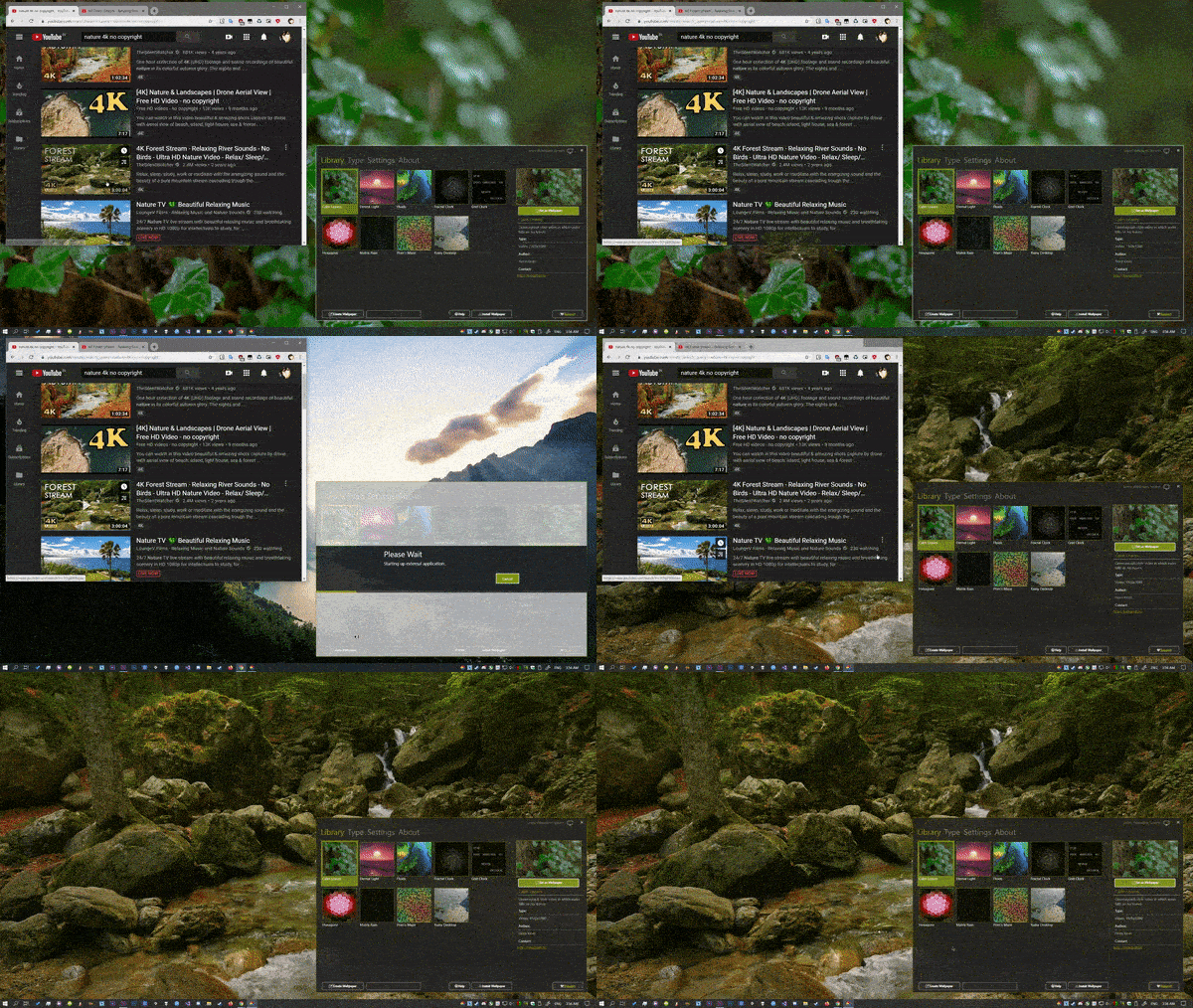
    推荐理由:该项目为生成壁纸的应用,能够将许多东西转换成动态壁纸,包括视频文件、gif文件、html和web页面、着色器,甚至包括游戏和游戏模拟器。当全屏运行其他应用或游戏时,壁纸将停止播放,完全不占用cpu和显卡。
    今日推荐英文原文:《7 Ways to Limit Scope in Your Code》作者:Nick Hodges
    原文链接:https://medium.com/better-programming/7-ways-to-limit-scope-in-your-code-e3052cdb91a4
    推荐理由:代码的精简和可读性始终都是重要的问题。本文给了一些建议,主要针对变量和类的设计。

    7 Ways to Limit Scope in Your Code

    Easy methods you can adopt to keep your code clean, concise, and testable

    As a general rule, developers should limit the scope of variables and references as much as possible. Limiting scope in every way possible, from the big things (never, ever use global variables) to the subtle little things a language can do (declare const whenever possible), can contribute to clean, easy-to-test code.

    The limiting of scope has all kinds of benefits. First, limiting the scope of a variable reduces the number of places where a given variable can be modified. The reason we rightfully abhor global variables is there is no telling where or when a global variable might be changed. A global variable hangs out there like that last donut in the break room. You know you shouldn’t touch it, but it’s so tempting and easy just to grab that variable and use it for whatever you need to do. Limiting the scope of a changeable thing reduces the chances that it will be changed in a way that it shouldn’t be — or worse, in a way you don’t even know about.

    By definition, limiting scope is also a main feature of object-oriented programming. Encapsulation is probably the first thing you think of when you think of OOP, and its basic purpose — its whole reason for existing — is to formalize the process of limiting scope. They don’t call it “information hiding” for nothing. The term “information hiding” really means “Hide the scope of your variables so much that they can’t be changed except in the exact way you let them be.” Encapsulation enables you to ensure that data you don’t want to be exposed isn’t exposed. And if it isn’t exposed, it can’t be changed.

    Limiting scope also limits the ability for people to depend on code that they shouldn’t be depending on. Loose coupling — the limiting of the dependencies within a system — is a good thing. Tight coupling is a bad thing. Limiting scope makes it harder for one class to latch on to another class and create dependencies that make code hard to test and difficult to maintain. It also makes it harder for changes in one area of code to have secondary effects in other, coupled areas. There is nothing worse than changing code in (metaphorically speaking) New York City and having that change cause a bug in code all the way over in Los Angeles. This is commonly called “Action at a distance” and is something that should be avoided like a bad burrito.

    7 Ways to Limit Scope

    There are big, well-known ways of limiting scope (objects, making a variable local to a method, etc.), but there are a lot of smaller, subtler ways to limit scope as well. I’ve tried to list some ways that you can limit scope in your code:
    1. No global variables. None. Zero. This one isn’t so subtle, but it’s essential. It’s really easy to make sure that you never declare a variable as global. You can do it in many languages, but you never should. In languages like C# and Java, you actually can’t, strictly speaking, declare a global variable — everything has to be in a class — but you can create a field on your main class that is pretty much the same thing. Just because you can doesn’t mean you should. So don’t.
    2. Don’t create anything. Instead, ask for what you need. This topic is a big one unto itself and gets into the question of dependencies and dependency injection. But if you try to never actually create anything in the constructor of your class and instead pass the constructor existing instances of what it needs, you can limit the scope of a given class. Better yet, if you use a full-blown dependency injection container, you can very severely limit the scope of your classes and still fully benefit from their functionality.
    3. If a variable can be local to a routine, do it. This goes along with “No global variables ever,” but it needs to be said. If you can declare a variable in the scope of a single method, do it.
    4. Use constants whenever possible. If you are never going to change the value you assign to a variable, why make it a variable at all? Get in the habit of making something a constant and then only making it a variable if it needs to be. Do this even inside your methods.
    5. If you can make a variable private, do it. If you can’t, make it protected. If you can’t do that, make it public. This one is a little trickier because there are OOP principles to be considered. But generally, make field variables private and give access to them through public setter methods. This way, while the data can be changed, the actual storage device itself is not directly accessible. Also, you can control the ability to change the internal data through a setter method.
    6. Provide notification systems in your setters to monitor changing data. Sometimes, you might have data that needs to be changeable but is sensitive for some reason. As a result, you want to monitor and maybe even prevent the changing of your internal data. You can use something as simple as an event in the setter method or something more robust and flexible, such as the Observer pattern.
    7. Don’t reach into another class. Or even better, don’t create classes that someone else can reach into. This gets into the Law of Demeter, which I’ve discussed before.

    Conclusion

    That’s a short and probably incomplete list of ways to limit scope. What are other little methods and techniques that you all use to limit the scope of your variables?


    下载开源日报APP:https://opensourcedaily.org/2579/
    加入我们:https://opensourcedaily.org/about/join/
    关注我们:https://opensourcedaily.org/about/love/
  • 开源日报第808期:《终端:terminal》

    19 6 月, 2020
    开源日报 每天推荐一个 GitHub 优质开源项目和一篇精选英文科技或编程文章原文,坚持阅读《开源日报》,保持每日学习的好习惯。
    今日推荐开源项目:《终端:terminal》
    今日推荐英文原文:《Google says it will increase diversity in leadership 30 percent by 2025》

    今日推荐开源项目:《终端:terminal》传送门:GitHub链接
    推荐理由:Windows Terminal是一个新的,现代的,功能丰富的,高效的终端应用程序,适用于命令行用户。 它包含Windows命令行社区最常需要的许多功能,包括对选项卡,富文本,主题和样式等的支持。
    今日推荐英文原文:《Google says it will increase diversity in leadership 30 percent by 2025》作者:Richard Nieva
    原文链接:https://www.cnet.com/news/google-says-it-will-increase-diversity-in-leadership-by-30-percent-by-2025/
    推荐理由:谷歌CEO表示谷歌公司会增加更多黑人雇员,并承诺在未来5年内将改善30%,该承诺是谷歌宣布的关于种族平等的承诺的一部分.

    Google says it will increase diversity in leadership 30 percent by 2025

    Google CEO Sundar Pichai on Wednesday said the search giant will add more black employees, as well as employees from other “underrepresented groups,” to its leadership ranks. The company vowed a 30% improvement over the next five years.

    The promise is part of a broader slew of commitments Google announced regarding racial equity. It comes as people all over the world have protested systemic racism, after the killings of several black people at the hands of police, including George Floyd, Breonna Taylor and Rayshard Brooks.

    “Over the past several weeks, violent and racist attacks against the black community have forced the world to reckon with the structural and systemic racism that black people have experienced over generations,” Pichai wrote in a blog post. “My own search for answers started within our own walls.”

    Pichai said Google will try to reach its diversity goal for leadership by posting job listings both internally and externally, and increasing investments in places including Atlanta and Washington, DC — cities with large black populations. At Google, black employees only make up 3.7% of its US workforce, up incrementally from 3.3% a year earlier.
    下载开源日报APP:https://opensourcedaily.org/2579/
    加入我们:https://opensourcedaily.org/about/join/
    关注我们:https://opensourcedaily.org/about/love/

  • 开源日报第807期:《落雨了 RainEffect》

    18 6 月, 2020
    开源日报 每天推荐一个 GitHub 优质开源项目和一篇精选英文科技或编程文章原文,坚持阅读《开源日报》,保持每日学习的好习惯。
    今日推荐开源项目:《落雨了 RainEffect》
    今日推荐英文原文:《4 Tips for Giving Great Tech Presentations》

    今日推荐开源项目:《落雨了 RainEffect》传送门:GitHub链接
    推荐理由:这个项目使用 WebGL 实现了雨水落下的效果,这个效果与 demo 里面的天气预报结合起来效果的确更上一层楼,配合不同的天气改变显示效果或许是以后天气预报类的应用的一种发展方向了。

    今日推荐英文原文:《4 Tips for Giving Great Tech Presentations》作者:Akshay Kapoor
    原文链接:https://medium.com/better-programming/4-tips-for-giving-great-tech-presentations-58375dde44c4
    推荐理由:进行技术演讲时的一些技巧,显著减少出现事故的可能性

    4 Tips for Giving Great Tech Presentations

    Tip 1. Automate your terminal, but still have control

    Technical presentations can be tricky. Delivering a talk in a stipulated time frame, with reliable Wi-Fi connection completely by your side, your terminal font size visible to all, and a live seamless demo is like denying Murphy’s Law.

    However, you can still manage all of that with some simple tips that have helped me a lot in my IT career over the past many years, and this is what I intend to share in this article today.

    Speaking about technical presentations, there are two major goals:
    • You deliver an engaging talk that finishes in time, including Q&A
    • The audience leaves with a better understanding of the topic
    Let’s begin with what could help you achieve them.

    1. Automate Your Terminal, but Still Have Control

    You don’t want to waste any precious seconds mistyping something or even worse, contributing to the dead air while the audience watches you type that lengthy, error-prone command. On the flip side, it’s rather important to use every single second of the presentation duration to strike meaningful conversations.

    Script your demo with controlled command triggers

    Wouldn’t it be great if your scripted commands are automatically typed in on the console in real time as you talk? This gives the advantage of showing live commands in execution, as well as doing them right every single time. Also, this is a much better alternative than recorded demos.

    An awesome project which I highly recommend is demo-magic. It supports features like:
    • Simulated typing
    • Hiding commands from the presentation, but actually running them in the background
    • Running real commands or just pretending to do so
    #!/bin/bash
    
    ########################
    # include the magic
    ########################
    . demo-magic.sh
    
    # hide the evidence
    clear
    
    # this command is typed and executed
    pe "cd my-app"
    
    # this command is merely typed. Not executed
    p "npm install"
    
    # this command runs behind the scenes
    ln -s cached_node_modules node_modules
    
    # cat out a log file that captures a previous successful node modules install
    cat node-modules-install.log
    
    # now type and run the command to start your app
    pe "node index.js"
    
    demo-magic scripted example (faking network connections)

    pe prints and executes the command. p prints but doesn’t execute, and wait waits for the user to press <Enter>.

    Use ‘watch’ to run arbitrary commands at regular intervals

    Sometimes you want to keep running a command to highlight the always-changing output. Avoid the usual loop of “type, execute command, talk,” and start using the watch command instead. Available in most of the Linux, Mac, and Windows environments, it’s a must-have for such scenarios.
    watch -n <interval_in_seconds> <command>
    

    Automatically running arbitrary command at pre-defined intervals

    Some utilities like kubectl (utility to interact with your Kubernetes clusters) already support a built-in watch-like capability which you can use: kubectl get pods –watch.

    Plan your terminal layout

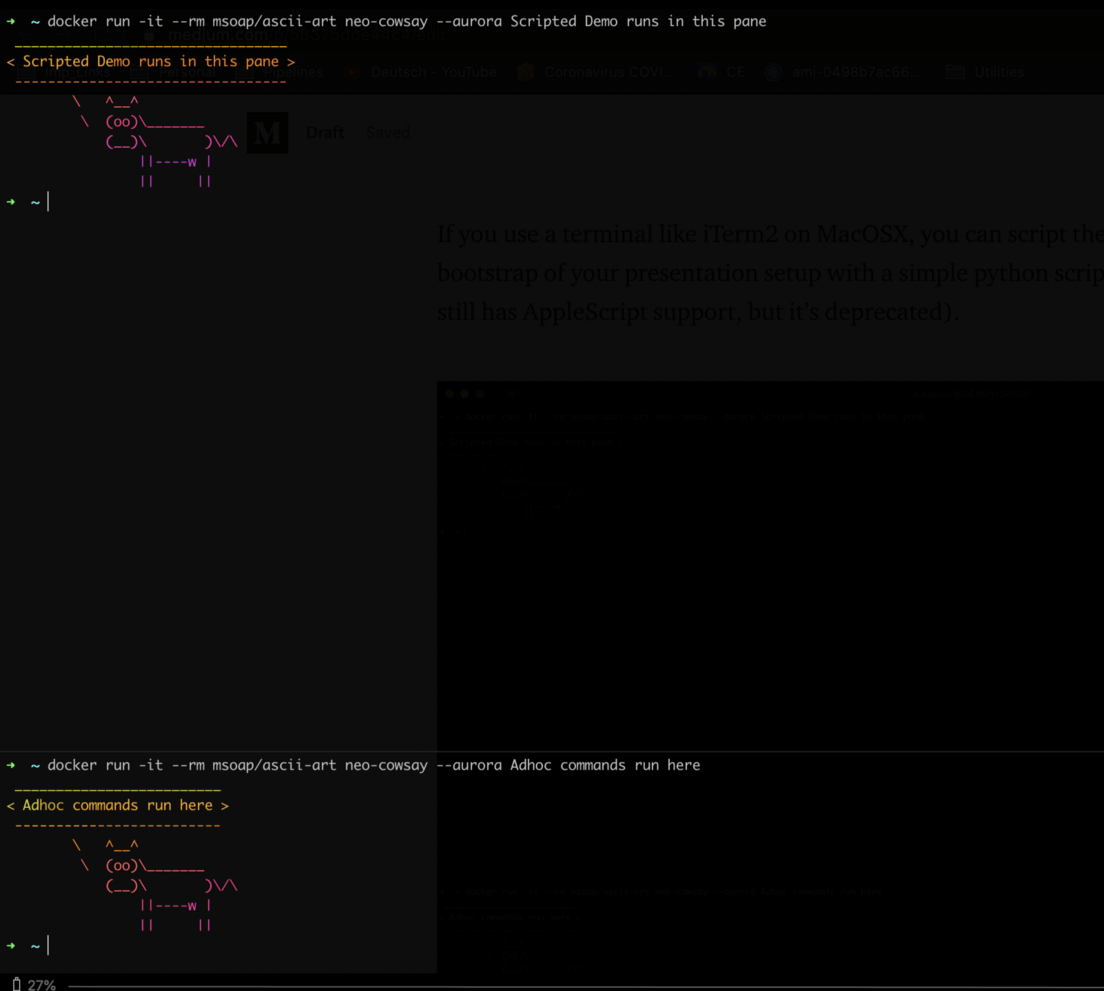
    Avoid toggling across different terminal windows/tabs. An approach that has worked well for me is to have an 80/20 horizontal split with scripted commands in the main pane and a secondary smaller pane. This helps to have a dedicated demo area and a smaller pane, which is basically a playground for any ad hoc command you might want to run, while the demo is on. This comes in handy to answer any doubts during the presentation without interrupting the script executions at the same time.

    Using different panes during demos

    If you use a terminal, such as iTerm2 on MacOSX, you can bootstrap your entire presentation setup (windows, tabs, panes, sessions, font-size, etc.) with simple Python scripts (FYI: AppleScript’s support in iTerm2 is now deprecated).

    Avoid aliases

    Using command aliases like kgp for kubernetes get pods -n default might make you look cool, but doesn’t help the audience in any way. Instead, running full commands on the screen is always better as it helps with more clarity. With scripted demos using demo-magic, you need not type the full command anyway.

    2. Do Not Trust the Wi-Fi — Provision Everything Locally

    It’s always a good practice to not depend on an internet connection at all unless you have a requirement that you cannot run/mock locally. With ample innovations in technology, it is super simple to create environments on your local machine. Let’s go through some examples:

    Need AWS Cloud on your local machine?

    With projects like localstack, it’s very easy to locally run a fully functional AWS cloud stack. You should no longer need real access to services like S3, EC2, SSM, Lambda, etc., for presentations or demos.

    Running AWS Cloud Stack locally

    Need virtualised repeatable stacks?

    Docker Compose makes it very easy to define and spawn custom application stacks as containers in your local environments. From databases to application servers to messaging brokers — you name it, and in all probability, you will have a Docker Image already available on Docker Hub.

    The benefit with such virtual environments is that your entire demo stack becomes repeatable, which means you can very easily tear down everything and rebuild from scratch. Moreover, moving across different machines is then just a matter of copying this template file, and then you can spin up the entire environment elsewhere — imagine your laptop refusing to start just before the presentation!

    Running something like WordPress on your local machine, for example, is as easy as having the template file below:
    version: '3.3'services:
       db:
         image: mysql:5.7
         volumes:
           - db_data:/var/lib/mysql
         restart: always
         environment:
           MYSQL_ROOT_PASSWORD: somewordpress
           MYSQL_DATABASE: wordpress
           MYSQL_USER: wordpress
           MYSQL_PASSWORD: wordpresswordpress:
         depends_on:
           - db
         image: wordpress:latest
         ports:
           - "8000:80"
         restart: always
         environment:
           WORDPRESS_DB_HOST: db:3306
           WORDPRESS_DB_USER: wordpress
           WORDPRESS_DB_PASSWORD: wordpress
           WORDPRESS_DB_NAME: wordpress
    volumes:
        db_data: {}
    
    and running the command: docker-compose up -d.

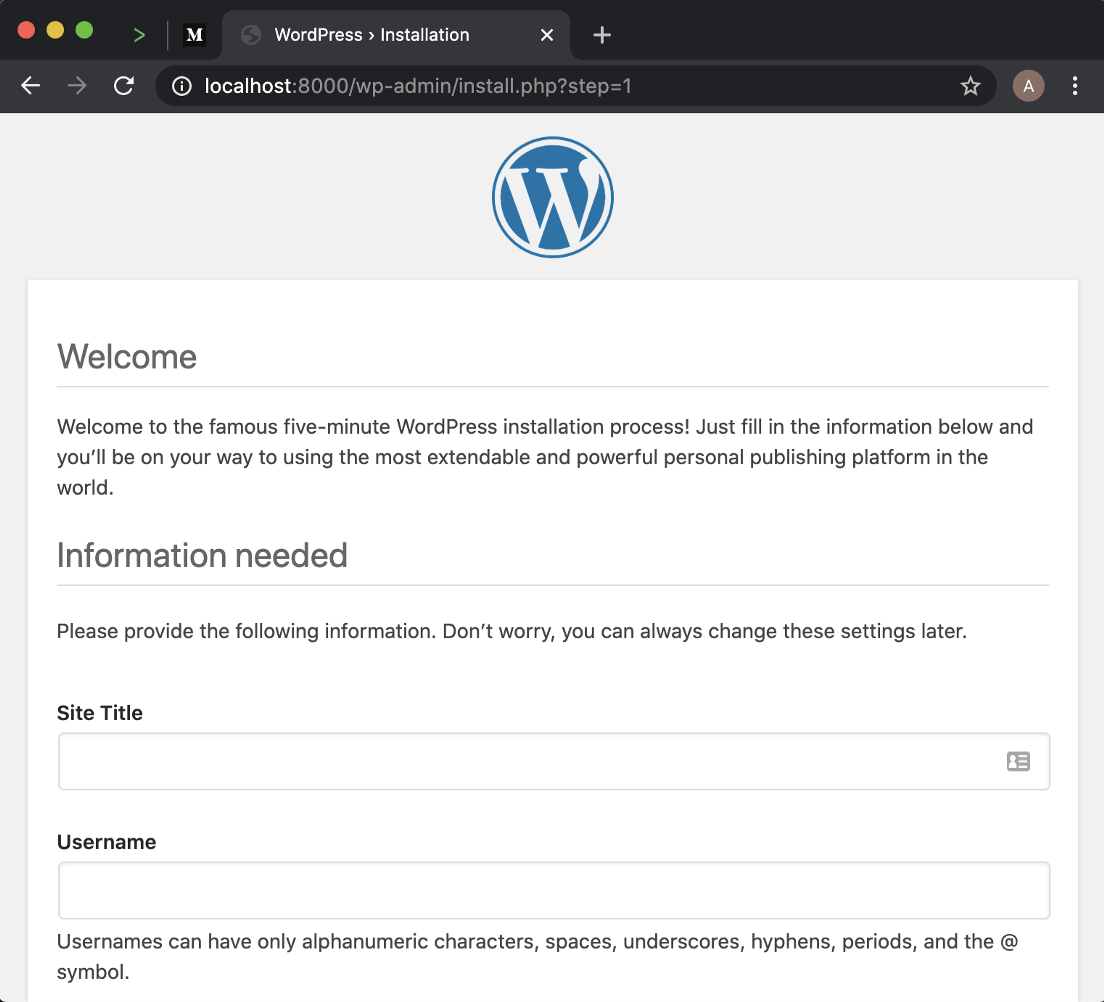
    Within seconds, you can use WordPress on your browser, with a MySQL database running locally:

    Wordpress installation — with Docker Compose

    Things might still behave differently, so have reset scripts handy

    It always helps to have a reset script handy on your machine. Add it to your system PATH to be able to trigger it from anywhere. You could further extend it to take arguments like ./reset-demo kill-containers or ./reset-demo restart-mysql, for example.

    3. The Visual Connect

    iTerm profiles

    You might be used to a different working setup for iTerm or other terminals on your laptop for your day-to-day work. For a demo, however, it would be better to create a temporary profile instead. Profiles give you the flexibility to set additional properties like font-size, background, etc.

    For creating a new profile, go to Preferences > Profiles > and then click on the + button. Later you can just activate the profile from Menu Bar > Profiles > <Profile_Name>.

    The audience on the last row will thank you for these terminal configurations:
    • Font (any): Consolas , Lucida Consoleor Monaco (Bold)
    • Font size : 14pt — 18pt
    • Background: White

    Font and colors layout for better readability

    Remember, every second is precious and you need not waste any time on questions like “can everyone in the last row read this ?”

    Tip: If you plan to share the slides after your presentation, limit your font usage to ones that are commonly found on all machines.

    Less is more

    Something to avoid at all costs is to have lots of text on your slide and then read it. Rather, focus on important data points and highlights of your demo which are worth sharing. If you need to include text-heavy content at all, it’s better to share it with the audience after the presentation and just skim through the content quickly.

    Code snippets

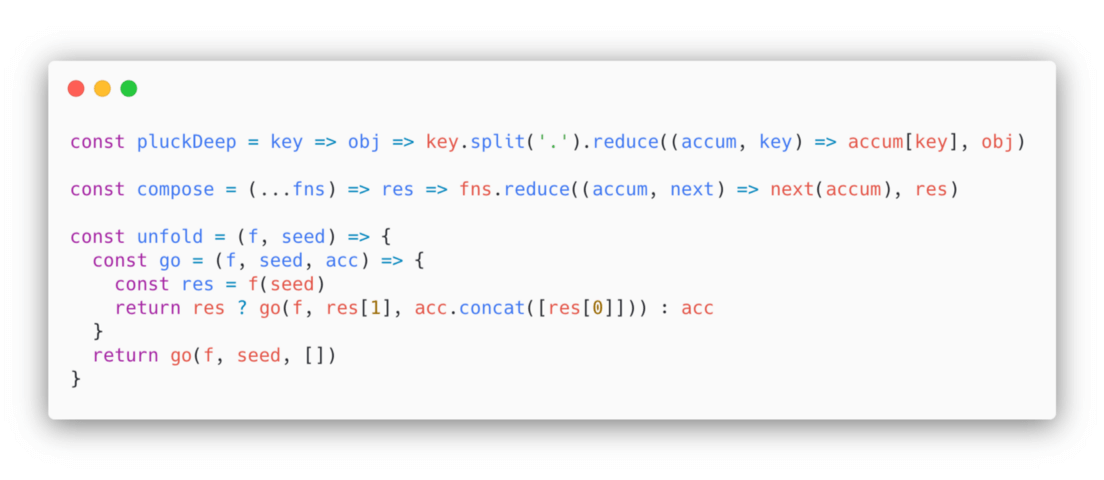
    You might have a requirement to include code snippets for discussion. If you are not using an IDE and rather just wish to have some images/embedded content, I can highly recommend Carbon.

    Code snippets with Carbon

    4. Lastly, Backups Are Good

    Anything that can go wrong will go wrong, hence backups will always help you out.

    In addition to not depending on Internet availability, remember to do the following:
    • Have a PDF copy of your slides handy
    • Record your terminal demos with tools like asciinema.
    I hope the tips above add to your existing knowledge and help you conduct presentations effectively in the future. As always, it would be great to hear about your experiences or other tools you might have used.
    下载开源日报APP:https://opensourcedaily.org/2579/
    加入我们:https://opensourcedaily.org/about/join/
    关注我们:https://opensourcedaily.org/about/love/

←上一页
1 … 56 57 58 59 60 … 262
下一页→

Proudly powered by WordPress