• 开源镜像
  • 开源沙龙
  • 媛宝
  • 猿帅
  • 注册
  • 登录
  • 息壤开源生活方式平台
  • 加入我们

开源日报

  • 开源日报第914期:《表情包 gitmoji》

    10 10 月, 2020
    开源日报 每天推荐一个 GitHub 优质开源项目和一篇精选英文科技或编程文章原文,坚持阅读《开源日报》,保持每日学习的好习惯。
    今日推荐开源项目:《表情包 gitmoji》
    今日推荐英文原文:《4 Reasons Why Now Is the Best Time to Start With Quantum Computing》

    今日推荐开源项目:《表情包 gitmoji》传送门:项目链接
    推荐理由:Github的专属表情包,经常能在项目的 Commit 里面见到,使用也十分简单,只要在 Commit 记录的开头填上对于表情的代码即可。并且,为了尽量规范 emjois 的使用,每种表情都有其特定用法,如闪电(⚡️)代表提升性能,虫子(?)代表修复 bug 等。
    今日推荐英文原文:《4 Reasons Why Now Is the Best Time to Start With Quantum Computing》作者:Sara A. Metwalli
    原文链接:https://medium.com/better-programming/4-reasons-why-now-is-the-best-time-to-start-with-quantum-computing-753437487ef4
    推荐理由:量子计算机现在似乎还处于发展期,但是随着各个国家机构对它研究的深入,这样的状态恐怕不会持续很久。

    4 Reasons Why Now Is the Best Time to Start With Quantum Computing

    A field that’s very welcoming for newcomers

    Today’s major companies (IBM, Google, Microsoft) are racing towards building a fully functioning quantum computer. Quantum technology has gained so much attention in recent years, even though quantum computing’s origins go back to the early 1980s.

    This major attention has led companies and universities to build and develop resources for those curious to get into the quantum realm. Moreover, those curious souls have formed groups on different platforms to share knowledge and support each other in their learning journey.

    As a person who recently joined the field (about two years ago), I can assure you that now — despite everything else — is the absolute best time for you to join this exciting, rapidly developed field.

    In this article, I will give the four reasons why I think that now is the best time to jump in and start your quantum journey.

    Let’s get right to it.

    The Current Stage of the Field

    Quantum technology is not a new field. The recent attention in the media and the different companies may have made it seem that way, but the truth is the development of quantum computing started sometime around the early 1980s.

    Since then, the field has come a long way. Today, you can use Python to program an actual quantum computer and get some results back.

    Yes, the results won’t be very accurate because the hardware’s current stage is very faulty, but the fact that you can get results moves the field from theory to practice. This is a very encouraging fact to start programming and running codes on actual quantum hardware.

    In 2017, IBM released the Python library Qiskit (Quantum Information Science Kit). This library allows you to write Python code that can be executed on one of IBM’s machines on the cloud. This means you can implement many popular quantum algorithms, such as Shor and Grover, for real-life application and test them on the simulator provided by Qiskit as well.

    In addition to programming language add-ons, there has been a lot of effort devoted to developing quantum circuit simulators that allow you to build actual circuits without the need to write any code.

    The Supporting Community

    The development of programming language libraries and circuit simulators eased the process of getting into the field. Moreover, these advancements have encouraged the curiosity of many high schoolers and undergrads to try these technologies and grow their knowledge bases.

    Those students formed many communities on different platforms, such as Discord, Facebook, and Slack, to communicate with each other and share their knowledge.

    These communities are not only for students in schools and universities. For example, Qiskit has its own Slack workspace that includes people from the development team, professors, and researchers in the field, to curious people from all ages and backgrounds. This Slack workspace is very active and supportive of beginners.

    Away from Slack, there are many Facebook groups that share the latest research papers in the field and any upcoming webinars from all around the world. The authors of the technical papers are often very welcoming to questions and comments from the readers and are happy to help out any way they can.

    The Available Resources

    Due to the increasing attention of people of all ages and backgrounds, many materials have been developed and are being developed to simplify the complex concepts and deliver them in an easy-to-grasp way.

    Most of these resources are available for free and can be accessed from anywhere. Qiskit has its own YouTube channel that contains videos for how to use the library and videos covering basic concepts of quantum computing for different applications.

    Back in August 2020, IBM offered a two-week-long virtual summer school that covered everything from the basics of quantum computing to its applications in the field of chemistry. The recordings of this summer school are now available for everyone online.

    IBM is not the only source of quantum computing learning materials. You can find many courses offered on edX, Coursera, and FutureLearn that you can audit for free and learn so much about the basics and even advanced topics in quantum computing.

    MIT also provides lecture notes for various topics on quantum computing on its OpenCourseWare.

    The Near-Future Demand

    Quantum computing is a rapidly developing field, with everyone trying to build the perfect hardware, find new applications for current algorithms, or even develop new algorithms. Because of that, the near-future demand for quantum programmers and researchers will increase shortly.

    Many governmental and industrial institutions have set aside substantial funds to develop quantum technologies. The Quantum Daily (TQD) estimated the current market for quantum computing to be around $235 million. This number is predicted to grow substantially to $6.25 billion by 2025.

    This incredible amount of funds leads to an increase in the number of academia, government, and industry positions. Almost all technology companies are changing their business model to adapt to when quantum technology makes an impact.

    TQD also adds that the U.S. Bureau of Labor Statistics estimates that in 2020 so far, there are around 1.4 million more quantum software development jobs than applicants who can fill them.

    In 2019, MIT published an article called “Q&A: The talent shortage in quantum computing” that addressed the different challenges the field faces right now. Afterward, it developed MIT xPRO, a group addressing the reality that students aren’t the only people interested in learning about the different aspects of quantum information.

    Final Thoughts

    Quantum technology is now in its golden phase — not quite at the beginning, yet not fully developed. It’s currently moving from theory to practice, opening up so many jobs and opportunities for those interested in quantum technology.

    If you have ever wondered how a quantum computer works, how to program it, or were even curious to learn more about it, now is the time for you to get involved and join the field.

    The field is very open and welcoming to new talents and curious people who want to jump in but are worried that they might not have the needed background or just think that they are not smart enough to get into quantum computers.

    From a person who has been there and had all these doubts, I am telling you that the community has never made me feel like an imposter and everyone was always welcoming and supportive of me and my questions.

    So, there’s nothing to fear. If you want to do it, then you can. All you have to do is take a leap of faith.


    下载开源日报APP:https://opensourcedaily.org/2579/
    加入我们:https://opensourcedaily.org/about/join/
    关注我们:https://opensourcedaily.org/about/love/

  • 开源日报第913期:《Jackson》

    9 10 月, 2020
    开源日报 每天推荐一个 GitHub 优质开源项目和一篇精选英文科技或编程文章原文,坚持阅读《开源日报》,保持每日学习的好习惯。
    今日推荐开源项目:《Jackson》
    今日推荐英文原文:《WeChat may be hit with US ban after Justice Department request》

    今日推荐开源项目:《Jackson》传送门:项目链接
    推荐理由:在软件开发中,你必须处理各种格式化的数据,诸如你需要以不同的格式加载或保存数据,或者需要以不同的格式传输数据。JSON是现代软件开发中事实上的数据交换格式,其他常见的数据格式是Avro、 XML、 YAML、 Protobuf、 CSV、 BSON、 CBR。 Jackson是一套用于Java的数据处理库,Jackson JSON实际上是流JSON解析器/生成器库。它还支持其他数据格式,如Avro、BSON、CBOR、CSV、Smile、Protobuf、XML或YAML,以及数据类型,如Guava、Joda、pcollection等等。Jackson是高度模块化的,具有提供基本功能的核心模块和各种扩展模块。
    今日推荐英文原文:《WeChat may be hit with US ban after Justice Department request》作者:Carrie Mihalcik
    原文链接:https://www.cnet.com/news/wechat-may-be-hit-with-us-ban-after-justice-department-request/
    推荐理由:美国特朗普政府先前对微信颁布禁令, 要求谷歌和苹果下架wechat应用, 现在美国的联邦法院就禁令是否施行进行裁决. 美国的wechat用户表示该禁令严重损害了他们的利益, 可能违反了美国的相关法律.

    WeChat may be hit with US ban after Justice Department request

    The Justice Department is asking a federal judge in San Francisco to allow the government to immediately bar downloads of WeChat in the US, saying the Chinese-owned messaging is a threat to national security. The request from the DOJ comes after US Magistrate Judge Laurel Beeler on Sunday temporarily blocked a Trump administration order requiring Apple and Google to remove WeChat from their app stores.

    In a filing on Thursday, the Justice Department asked Beeler to put a stay on her preliminary injunction. If approved, it would essentially allow the US to ban WeChat while the case makes it way through court. The injunction issued on Sunday blocked a Commerce Department order that would have barred downloads of WeChat and put in place other restrictions, potentially making the app unusable in the US.

    Beeler’s earlier ruling came as part of a lawsuit filed in August by a group of WeChat users who aren’t affiliated with the company behind the app and argued that President Donald Trump’s ban is unconstitutional. WeChat, which is owned by Chinese tech giant Tencent, combines messaging, social media and mobile payment functions. An attorney representing the WeChat user group said it plans to oppose the government’s call for a stay.

    “Judge Beeler’s preliminary injunction found substantial Constitutional issues and irreparable harm to WeChat users in the United States if the ban was allowed to be implemented while the important First Amendment rights implicated by the ban are fully litigated in her court,” Michael Bien, counsel for US WeChat Users Alliance and other plaintiffs, said in a statement Friday. “The preliminary injunction must stay in place to preserve the rights of WeChat users, especially the millions who depend on it for communications in Chinese.”

    Trump issued sweeping bans on Aug. 6 against WeChat and fellow Chinese tech app TikTok, citing concerns that data that the apps collect “vast swaths of information” from their US users. There is also concern that Chinese companies may be unable to reject requests from China’s ruling Communist Party to access that data.

    The Justice Department asked for a ruling from Beeler no later than Oct. 1 on its request.

    Tencent didn’t respond to a request for comment.
    下载开源日报APP:https://opensourcedaily.org/2579/
    加入我们:https://opensourcedaily.org/about/join/
    关注我们:https://opensourcedaily.org/about/love/
  • 开源日报第912期:《框架学习 30-Days-Of-React》

    8 10 月, 2020
    开源日报 每天推荐一个 GitHub 优质开源项目和一篇精选英文科技或编程文章原文,坚持阅读《开源日报》,保持每日学习的好习惯。
    今日推荐开源项目:《框架学习 30-Days-Of-React》
    今日推荐英文原文:《“I Am Not Smart Enough to Be a Programmer”》

    今日推荐开源项目:《框架学习 30-Days-Of-React》传送门:项目链接
    推荐理由:这个项目是一个 React 框架的教程,不过即使是对 JS 没有经验的新人,这个项目也提供了 JS 基础知识的介绍,可以用作入门教程。教程中主要通过理论与代码示例结合的方式进行介绍,在完成一段学习后也提供了一些练习用于个人尝试,足以作为假期结束后学习新知识的第一步。
    今日推荐英文原文:《“I Am Not Smart Enough to Be a Programmer”》作者:Szymon Adamiak
    原文链接:https://medium.com/better-programming/i-am-not-smart-enough-to-be-a-programmer-9a342480b635
    推荐理由:学习编程的优缺点总结

    “I Am Not Smart Enough to Be a Programmer”

    Yes, you are. But it doesn’t mean you should become one. Read this before starting to learn to code

    You can learn to code. If you’re able to follow an average Medium article, you are smart enough. What’s more, you also speak English, which is of great help because almost all documentation is in English.

    You may think I’m exaggerating, but I’m not. Many children can learn to program. They even have programming languages designed especially for them (Scratch being the most famous).

    If children can do it, you can too. It doesn’t mean you’ll become a programming superstar, but you are skilled enough to learn to program.

    But should you learn to code? Well… that depends on your goals. Programming is not a get-rich-quick scheme or easy career to follow if you don’t know what to do with your life. But with the right attitude and realistic expectations, programming can bring joy, help you change your career, or facilitate your life.

    So if you’re wondering whether to learn to code, let me help you by pointing out some advantages and disadvantages of programming.

    Advantages of Learning to Code

    The advantages are countless, and everyone can find something that draws them to coding. Here are some of my favorites.

    You can become a professional software developer

    It’s the most popular reason to start programming. It was also my reason.

    Five years ago, I quit my job as a lawyer and looked for some other career path. Programming seemed like a perfect choice — I could learn it at home, at my own pace. And I didn’t need a degree to find a job. The market for programmers is as close to a meritocracy as possible.

    In many countries, programmers can make a decent living. The market for developers is booming and the salaries are high, so becoming a programmer is an excellent motivation for learning to code.

    It may help you in your current job

    How much time do you spend doing repetitive and mindless things in your job? I bet it’s quite a lot. If you know how to code, you can automate many of those things.

    I don’t mean only spreadsheet data manipulation. You can automate much more, from creating or renaming multiple files to getting the data from the web. To get some inspiration on the things you can do, read a classical book about Python: Python Automate the Boring Stuff with Python.

    Even if you don’t have anything you can automate (and you probably do), you can benefit from learning to code. You can simplify or automate the work of others and get a promotion or even create a new job position — especially for yourself.

    Programmers can create their tools, and it makes your possibilities endless.

    It can provide additional income

    Do you have an idea for an app? If you know how to code, you can make this idea a reality. It may not become the new Facebook or TikTok, but you can easily add it to the App Store and Google Play and start earning.

    The chances are your idea isn’t all that great, but it doesn’t matter. Earning even a little bit of money by creating things is delightful. And who said you could only build one app? With a few of them, you can create a nice additional income stream that doesn’t require too much work to maintain.

    It’s fun

    Some people like to solve puzzles. Programming is excellent for them, as many problems are just that. Some people like building things. Programming is also perfect for them, as programmers create software daily. Some people like to help others. Being a programmer facilitates that. You can build an app someone needs and make a difference in the world.

    Whatever your reasons, you can find fun in programming. The ability to create something out of nothing is exhilarating. Learning to code is also a reward in itself. You can almost feel your mind growing when you familiarize yourself with new concepts and tools.

    Disadvantages of Learning to Code

    Programming is not for everyone. Its disadvantages make it the wrong choice for many people.

    Programming requires time and effort

    I mean it. Programming is hugely time-consuming. To understand the basics, you need to study for weeks. To become competent enough to create something non-trivial, you’ll need at least 300-400 learning hours — and that’s if you’re lucky.

    Let’s say you’ve got five hours a week to spare and you decide to devote that time to programming. So to spend 400 hours learning, you would need 18 months. During that time, you’ll face many challenges and hit many setbacks.

    Are you ready for such a sacrifice?

    Programming can be unhealthy

    Programming is basically sitting and staring at a screen for hours. Software developers often have a sedentary lifestyle, which may cause serious health problems like obesity, Type 2 diabetes, or cardiovascular disease.

    When working with a computer a lot, you’re also exposed to orthopedic problems — especially with your back and wrists.

    So if you’re not taking programming at least a bit seriously, you may be much better off taking a walk or hitting the gym. And even if you decide to learn to code, don’t forget about your health. Take breaks every so often, try changing positions during your work, exercise, and take care of your sleep.

    You’ll have to learn all the time

    Do you know the famous Red Queen’s quote from Through the Looking-Glass, and What Alice Found There?
    “Now, here, you see, it takes all the running you can do, to keep in the same place. If you want to get somewhere else, you must run at least twice as fast as that!”
    Being a programmer often feels like that. Technologies and languages change all the time. In my specialty (front-end development), things move incredibly fast. But the landscape changes in every programming field. It doesn’t matter if you create embedded systems or mobile apps.

    What’s more, new fields arise. Cloud computing and data science were practically non-existent a decade ago, and now they’re amongst the hottest specialties for programmers. If you want to be a programmer, you have to be ready to become a lifelong learner. Otherwise, your skills will become obsolete fast.

    Competition is fierce

    Thousands of people are trying to enter the programming industry. Dozens of free tutorials, bootcamps, and universities help aspiring programmers. Additionally, lots of programming work is outsourced overseas, so you have to compete with programmers from all over the world.

    All of this means two things:
    • Firstly, it’s getting harder to find a job — especially your first job. But even programmers with some experience can have difficulty finding a new employer.
    • Secondly, salaries may decrease. There is an influx of skilled developers and the demand for them may not grow fast enough.
    Additionally, AI may take some easier programming jobs, making the job market even harder. You have to be ready for this before you decide to make programming a career.

    Conclusion

    Learning to code can be an incredible journey or an uphill battle. You must decide if it’s worth it for you. But one thing is sure: You can learn to program if you want to and put in the necessary effort. Good luck!
    下载开源日报APP:https://opensourcedaily.org/2579/
    加入我们:https://opensourcedaily.org/about/join/
    关注我们:https://opensourcedaily.org/about/love/

  • 开源日报第911期:《放假 date-holidays》

    30 9 月, 2020
    开源日报 每天推荐一个 GitHub 优质开源项目和一篇精选英文科技或编程文章原文,坚持阅读《开源日报》,保持每日学习的好习惯。
    公告:因为日报组从十月一号到七号都在放假,日报的下一次更新将在十月八号进行。
    今日推荐开源项目:《放假 date-holidays》
    今日推荐英文原文:《Did Touch Typing Improve My Productivity?》

    今日推荐开源项目:《放假 date-holidays》传送门:项目链接
    推荐理由:马上就要国庆假期啦,那自然应该看一些有假期风格的项目。这个项目记录了不同国家未来十年有假放的日子,不过数据里的假期大都比实际上的假期要短就是了。如果切到中国往后面几年翻一翻,就会发现中秋节甚至可以比国庆节晚上五六天……顺带一提日报组也会从十月一号到十月七号开始放假七天,难得的国庆中秋长假各位也要好好休息。
    今日推荐英文原文:《Did Touch Typing Improve My Productivity?》作者:Simdi Jinkins
    原文链接:https://medium.com/better-programming/perspectives-on-productivity-why-did-i-go-hunting-and-pecking-after-4-years-of-touch-typing-677669125545
    推荐理由:作者亲身体验触屏打字时发现的不足之处

    Did Touch Typing Improve My Productivity?

    My experience hunt and pecking after 4 years of touch typing

    Back in 2016, I made the decision to learn touch typing. I felt it was a necessary step to improve my productivity as a programmer.

    Typing less would mean more time doing the work that mattered: solving problems. It would also mean being able to focus my full attention on the monitor instead of dividing it by looking at the keyboard.

    Muscle memory of the keys made my informal typing style manageable, but there was still room for improvement.

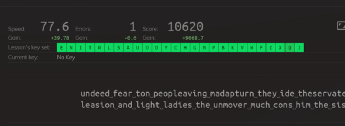
    So I practiced by spending 15 minutes each day doing lessons on keybr. It was a slow process and took me about a month to get up to an average of 35wpm.

    My brain eventually developed a mental map of all the keys and I could type increasingly quicker and accurately.

    Motivation

    So now, four years later, with my average wpm hovering around 60 wpm, I got curious about how much impact I had made on my productivity by transitioning away from the traditional hunt-and-peck method.


    All the points written below are my observations as I progressed with the draft of this article.

    Quick disclaimer: All the points are my sole subjective experiences that may not apply to everyone. It’s also probable that I’m not a good representative of a proper hunt-and-pecker. I might have needed to take more time to grow accustomed to that style of typing.

    1. I Found It Difficult Typing Using Two Fingers

    After years of continuous touch typing, my hands refused to adapt. My fingers would unconsciously revert to positioning themselves on the home row keys. As a result, typing with my two fingers needed constant attention.

    2. I Had to Switch Between Looking at the Screen and Keyboard

    There’s a context switch looking back and forth between screen and keyboard. This was headache-inducing and made me queasy and tired.

    I imagine it gets worse when copy typing, as you now have to switch attention between the screen, keyboard, and additionally the source of text being copied.

    I tried reducing this context switch by spending more time on the keyboard, but it doesn’t work for copy typing and leads to another of my points.

    3. I Made a Lot More Mistakes and Spent More Time Correcting Them

    Because I spent a lot of time searching for keys on the keyboard, I wouldn’t be aware of mistakes I made a few words or even lines previously. This meant extra time positioning the cursor at the error — it’s headache-inducing.

    4. I Made a Lot More Spelling Errors

    Another issue I had was… spelling. I made more mistakes with my spelling. Even with being fully conscious of every keystroke, it seemed my brain had trouble spelling common words while touch typing.

    The (Almost) Great Equalizer: Code Editors

    The typical code editor includes features like code completion, automatic brace pairing, and syntax highlighting. These help bridge the gap, albeit only slightly.

    Conclusion

    I see a lot of excuses shifting the performance bottleneck from typing to decision-making. Yes, you might not make decisions faster than typing, but touch typing frees up mental load for other tasks — it becomes unconscious (just think and words come up on the screen).

    So I believe touch typing’s major advantage isn’t speed but cognitive automaticity.

    The benefits of typing without looking seem to even transfer to operating my phone’s keyboard.

    Bottom line: Most hunt-and-peckers will never type as efficiently as the average touch typist who’s subconsciously using all ten digits.

    It may become workable to harness brain-computer interfaces for typing at speeds impossible at present. This is a long way forward, but this is highly probable and could make touch typing irrelevant.

    For now, touch typing remains one of the best ways to improve your productivity.
    下载开源日报APP:https://opensourcedaily.org/2579/
    加入我们:https://opensourcedaily.org/about/join/
    关注我们:https://opensourcedaily.org/about/love/

←上一页
1 … 30 31 32 33 34 … 262
下一页→

Proudly powered by WordPress