推荐理由:如果你关心机器学习的话,可以试着上手这篇教程,大家都知道 Google 在机器学习领域耕耘颇深,站在巨人的肩膀上,自然能让你前行更快,而这篇文章就是带你在 Google GPU 上训练你的机器学习模型,记得,看完文章后,动手试一试哟。
Train Your Machine Learning Models on Google’s GPUs for Free — Forever
Training your model is hands down the most time consuming and expensive part of machine learning. Training your model on a GPU can give you speed gains close to 40x, taking 2 days and turning it into a few hours. However, this normally comes at a cost to your wallet.
The other day I stumbled upon a great tool called Google Colab. I would describe Colab as the google docs equivalent of Jupyter notebooks. Colab is aimed at being an education and research tool for collaborating on machine learning projects. The great part is, that it’s completely free forever.
There is no setup to use it. I didn’t even need to log in. (I was already logged into my google account)
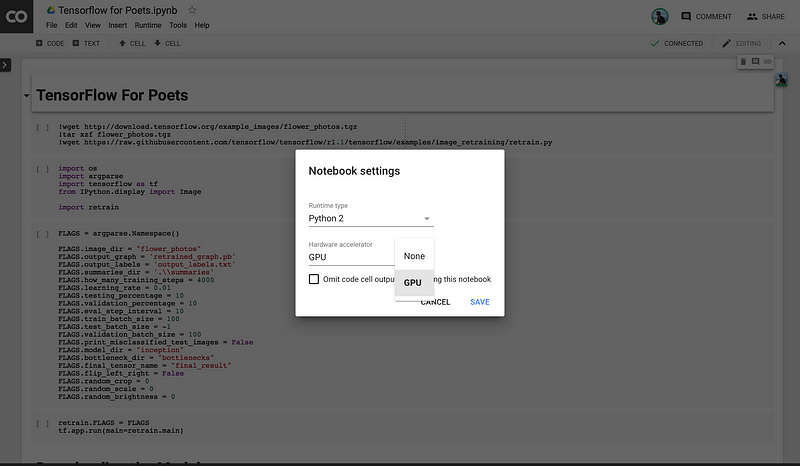
The best part is that you get an unlimited supply of 12 hours of continuous access to a k80 GPU, which is pretty powerful stuff. (You get disconnected after 12 hours, but you can use it as many times as you want)
I want our focus to be training on a GPU and Colab specific so the notebook is extremely bare bones.
The first step is to download the notebook(or another notebook of your choice)
Then, head over to Google Colab, sign into your google account (or create one if you somehow made it this far through life without one)
Now you should be able to run your notebooks how you normally would. The only difference is the very last part at the end. If you want to download your model or any other files via the browser, you can use their python library:
from google.colab import files
files.download("PATH/TO/FILE")
Final Thoughts
This was a pretty short post, but hopefully it ends the painful days of training your models on your poor little old laptop for days at a time or dropping a ton of ? on AWS bills.
Like many designers, I started my career as a Graphic Designer. I dealt in picas, carried Pantone books, and swore to measure twice and cut once. Then the web came along and with it came Web Designers. We had to become acquainted with HTML, CSS, Javascript and we’re still trying to keep up with the right way to build for it.
These websites quickly demanded more interaction from us when Flash entered the scene and conquered our hearts. We turned our attention to animation to convey expressive user flows through interaction design. Then, the iPhone showed up and forced us to think smaller. We got excited about skeuomorphism, learned about pixel density, and made a vow to design mobile first.
After a while, we tried to combine all of the above into a holistic practice that would buy us “a seat at the table,” where we could think not just about aesthetics, interactions, and user needs, but also business needs. And so, the modern Product Designer was born.
I’m willing to bet that, like many designers before it, the Product Designer is approaching extinction, and setting the stage for the Immersive Designer.
Virtual Reality (still) matters
Over the last decade, we’ve seen content move from newsstands, to desks, to our laps, and then into our hands. It seems clear that the next step is to remove the device altogether and place the content in the world itself, eliminating the abstraction between the content and it’s audience. We call the process of designing for this Immersive Design, which includes VR/AR/MR/XR — basically all the Rs.
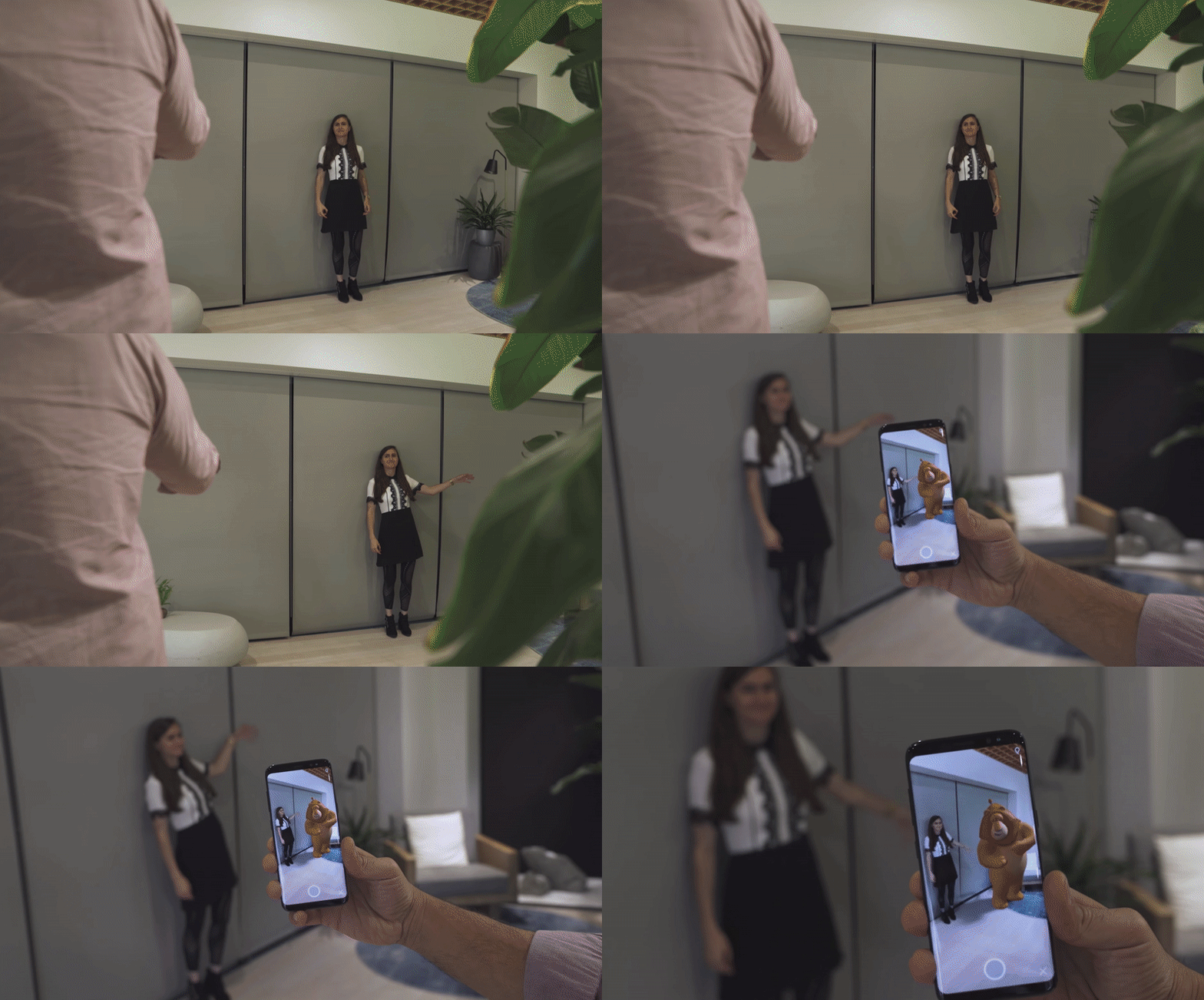
We are seeing this realized today in phones through Augmented Reality. Tech giants like Apple, Google, and Samsung are rushing to conquer the AR space like a modern Christopher Columbus in search of spices. We’re seeing identity transfer setting a trend in animojis and virtual characters walk around our videos like a Roger Rabbit fever dream. However, designing for mobile Augmented Reality today feels like developing for the Commodore 64 in 1982; investing in a platform that’s novel but filled with practices that will be rendered obsolete before they’re relevant. I’ve found that Augmented Reality in 2018 has two major limitations when it comes to Immersive Design: field of view and input.
So far, Augmented Reality is still restricted to a rectangle in your hands. Content can only aspire to be a window into another world; it hasn’t quite inhabited our own yet. Users feel trapped outside in the mundane world while all the fun is happening inside the phone in their hands as if A-ha’s Take on Me never made it to the first chorus.
Input
In 2018, we’ve developed a language for using facial gestures like opening our mouth or raising our eyebrows to control Augmented Reality masks, other experiences rely on the now primitive touch interaction, while the ambitious ones rely on voice commands to interact with the world inside the screen. The input available on the market limits these interactions. However, once we inevitably obviate the phone and achieve immersion through AR glasses, we’ll have to go back to the drawing board and try to answer the billion-dollar question: how do you interact with content in space?
This is where Virtual Reality comes in.
The jury is still out on whether Virtual Reality belongs in your living room or as a museum-like destination that you plan for. We’re still experimenting with the medium to find the adequate cadence for virtual experiences and navigating worlds in the much-adored metaverse. If you think about it, it took film quite a bit of time to arrive at the standard 90-minute duration, which is about as long as it takes your bladder to digest a liter of Coke at the cinema.
Today, Virtual Reality has found a fit as the best way to explore Immersive Design problems present in the Augmented Reality future we crave by taking advantage of a more immersive field of view and using natural gestural interactions. Challenges like thinking in 3D and using volumetric UI that reacts to the environment and the people in it.
Not only can Virtual Reality improve our quality of life by providing great escapism, but it can also open up a bunch of questions around how people could interact with technology if it were all around us. Among other things, I’ve found that Immersive Design invites designers to question the line between content and UI and rethink the process for creating digital products.
Content is changing
As designers we’re often told to get out of the way. To be “content first” and make room for the reason people are using your product in the first place. However, Immersive Design poses an interesting question: where does the line between content and UI start and end?
Game designers have been asking themselves this question for decades. As they envision a world to be inhabited by players, the interface to navigate it can often be abstracted into menus that live outside the world’s logic. For example, the interface to start a game often lives in this weird in-between software that acknowledges the existence of the world inside the game by using the game’s characters and aesthetics, but operates based on the rules of the player’s world.
And so, video game companies draw a line between UI and Game Designers. There’s logic to this decision: Game Designers are often proficient in 3D tools while UI designers generally work in 2D. This decision can sometimes lead to immersion-breaking solutions that require players to suspend their disbelief when the game reminds them they’re in a video game with video game systems.
The explicit line between UI and content is tolerable in a video game, but as we step into the world of Immersive Design, we won’t necessarily have the luxury of flat menu trees that exist outside our reality. We are tasked with finding solutions for UI that follows the rules of our augmented world; where do the menus come from and how do we interact with them?
As they’ve matured, video games have given us examples of how design can be woven into the environment and blur the line between content and interface.
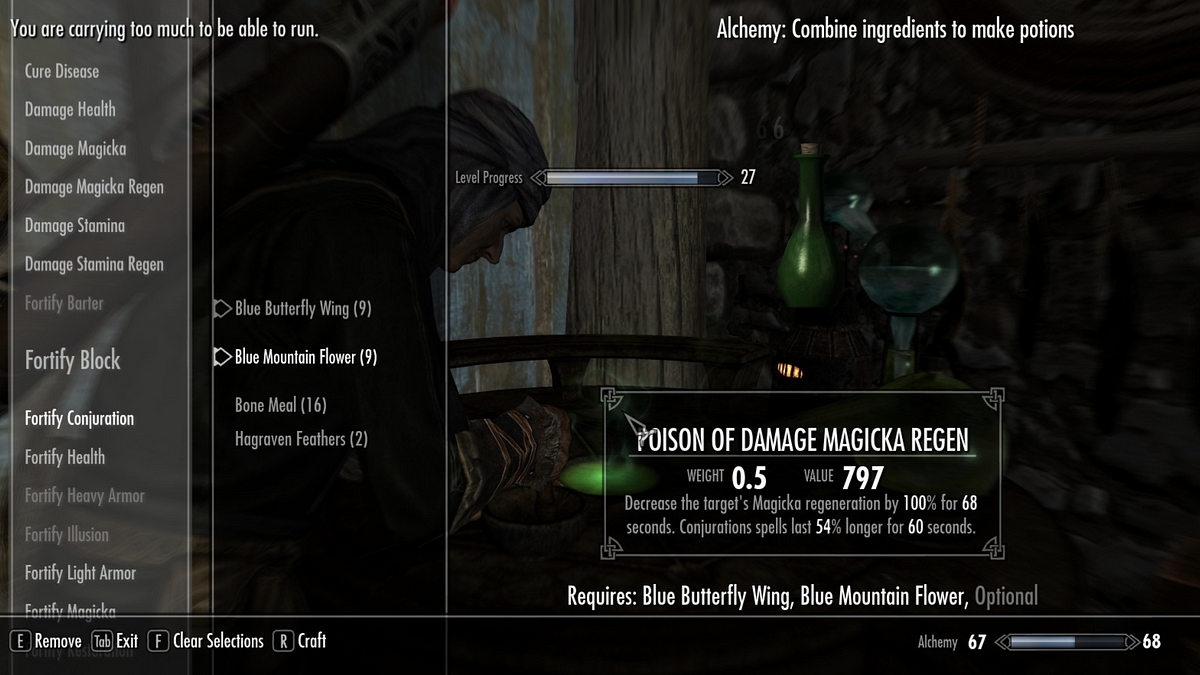
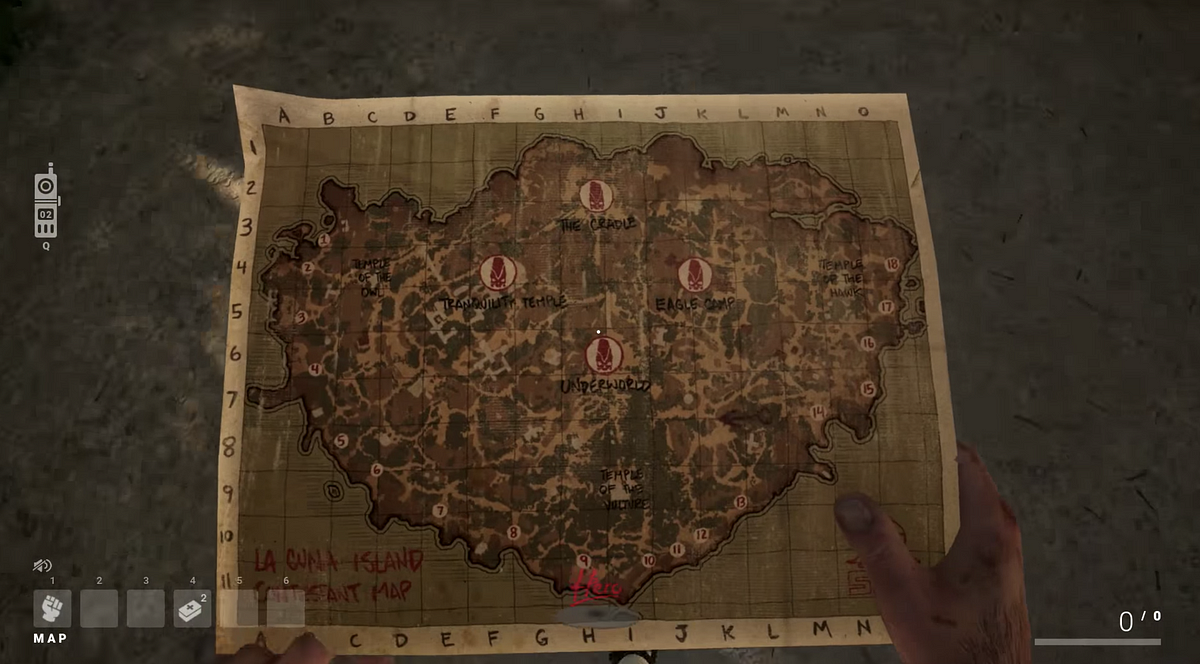
On the left image above, 2011’s Skyrim shows UI to manage inventory plagued with floating text alerts around the screen, using the typeface Futura for a game that takes place in medieval times. Although the menu is intuitive and efficient, it grossly breaks immersion and reminds the player that dragons aren’t real. On the right, 2018’s S.O.S. relies on a more immersive schema that pulls out a physical map in the player’s point of view and requires the use of a radio (with radio channels and static) to communicate with other players.
We are seeing similar practices arise in Virtual Reality games. Although some games rely on the traditional 2D menu systems, others place cues in the environment to educate the user. This is important because, in VR, the player has fewer abstractions to escape to. VR controllers are often shaped around a player’s hand to promote natural interactions that don’t typically lend themselves to menu trees.
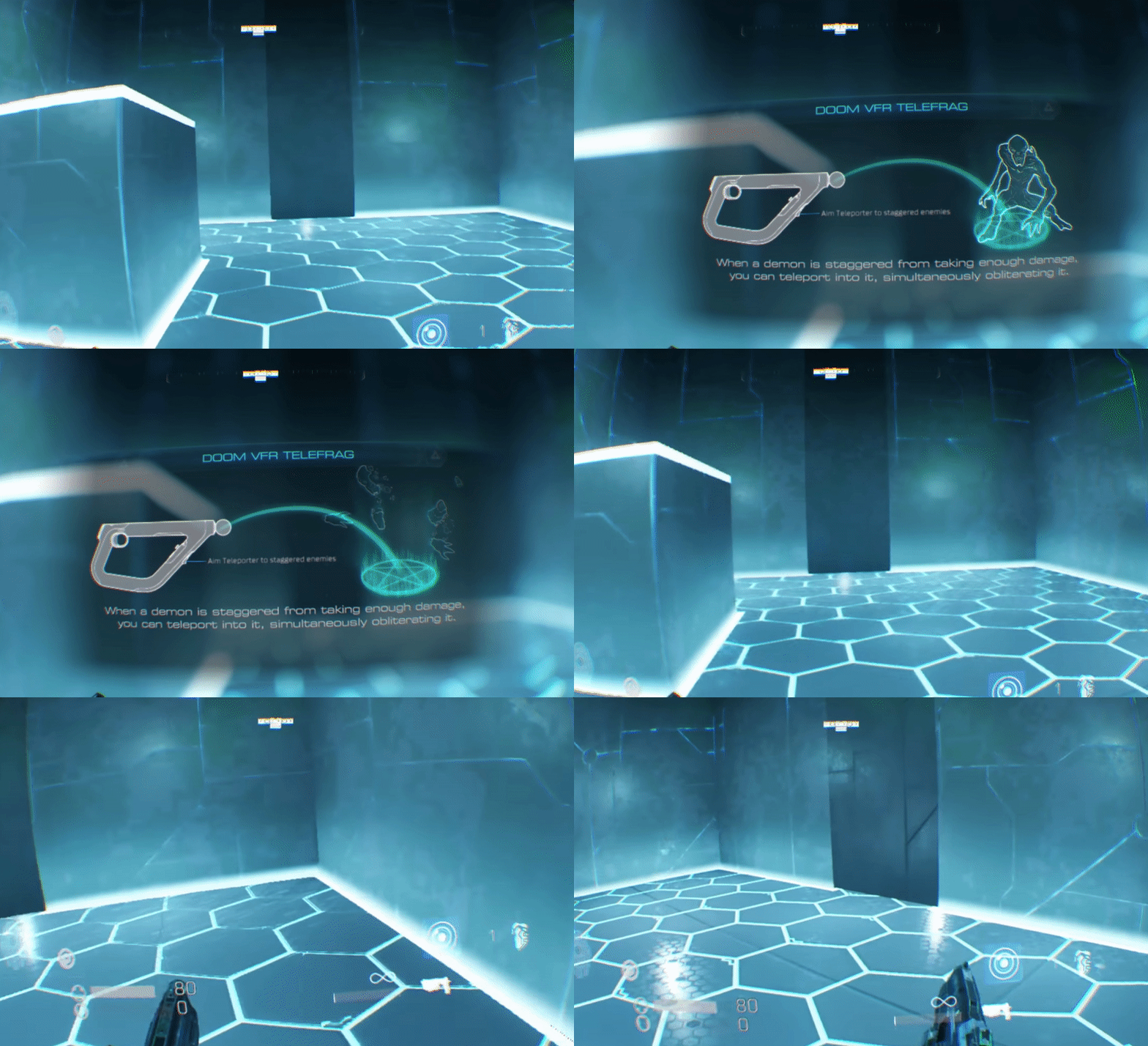
On the left, Doom VFR uses a traditional approach to user interface — a 2D panel of information floating in space. On the right, Winston’s Heart places the UI in the world as a clipboard that can be grabbed and reacts to the lighting in the environment. Doom doesn’t seem concerned with reminding users that they’re in a video game, which of course needs to provide you with text cues for learning how to play the game. However, Winston’s Heart makes an effort to insert those cues as a plausible element in the environment, further enhancing the immersion of that experience.
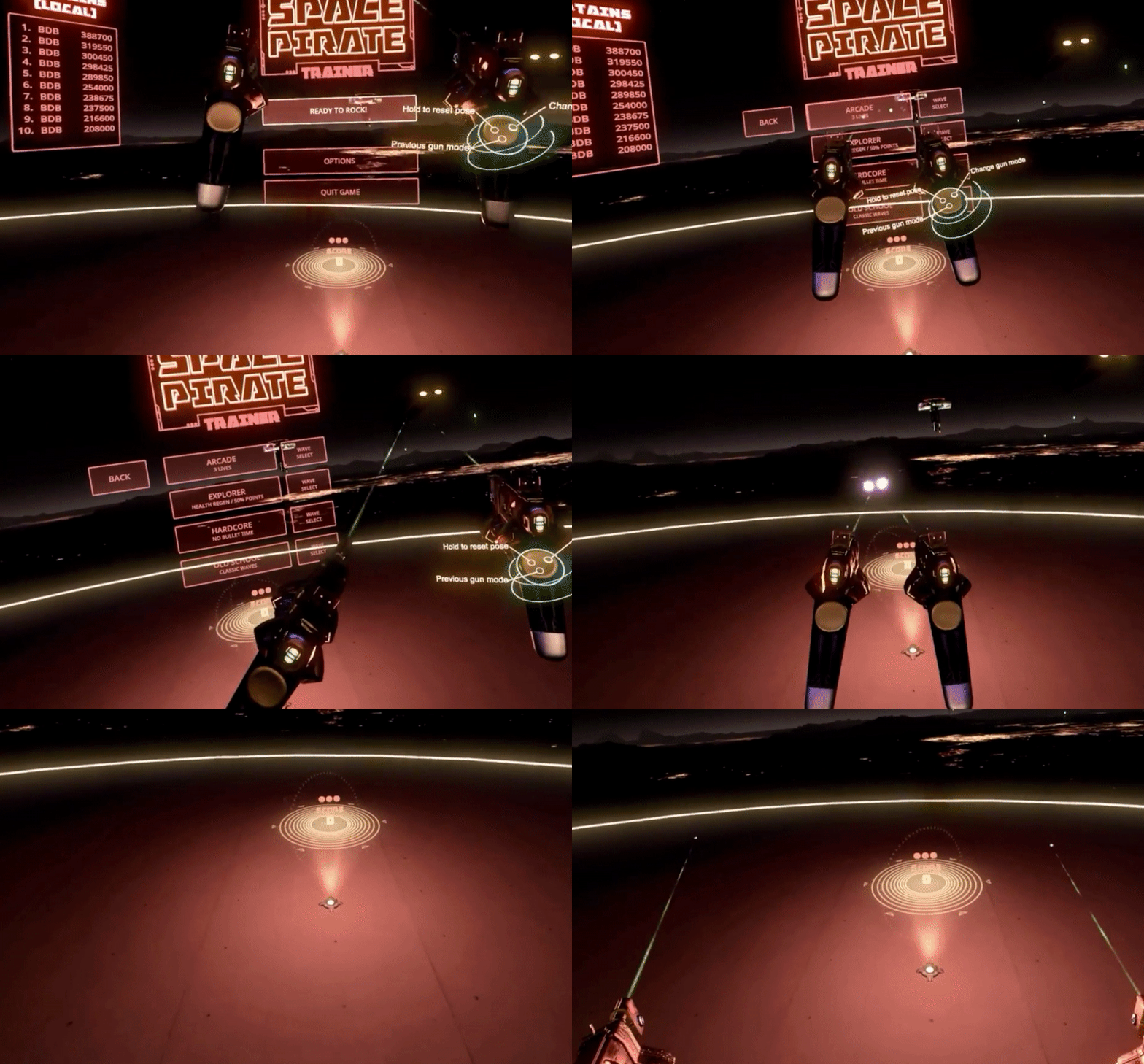
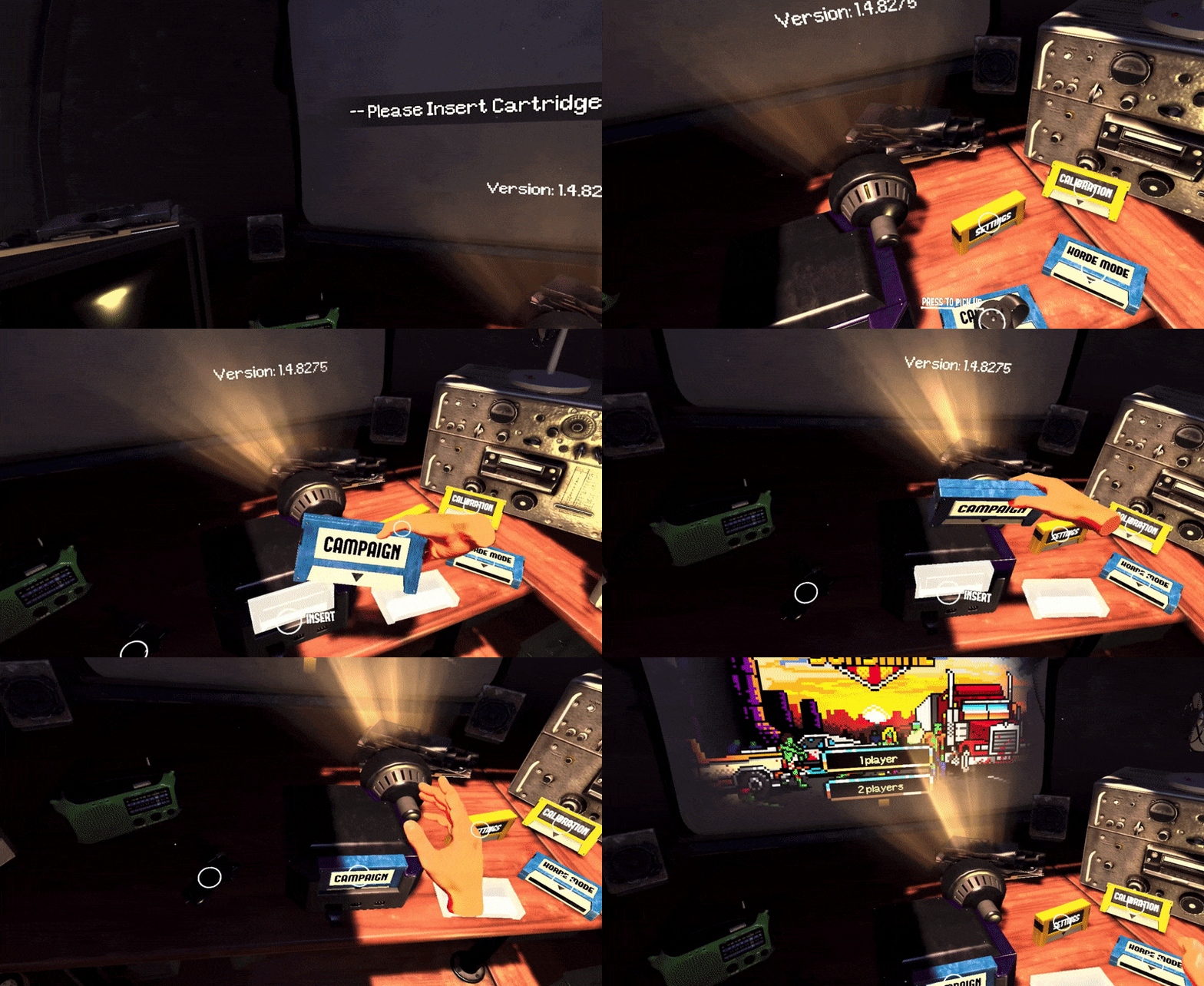
On the left, Space Pirate Trainer asks the user to literally shoot menu items to select the game mode. On the right, Arizona Sunshine lets the user grab and insert cartridges into a retro console to pick a game mode. The point-and-shoot interaction is carried over from the mouse and keyboard era and ported into the context of the Space Pirate Trainer while using cartridges to select a game mode fits perfectly within the tone of Arizona Sunshine and evokes a feeling of nostalgia that many VR players crave.
Arktika 1 applies a clever, mind-bending technique to enter a tutorial: the user is handed a VR headset inside the VR experience. By putting the headset on, the user agrees to suspend their disbelief and enter a virtual world that doesn’t follow the same rules as the Arktika world. It’s a tongue in cheek moment that ambitiously aspires to create not one but two alternate worlds. By contrast, the Arktika world feels much more real because it appears self-aware and higher fidelity than the training environment.
These are a few examples of the great Immersive Design work happening in Virtual Reality right now. For many of us, stepping into Immersive Design means placing a bet that content won’t be confounded to the boundaries of a screen. We see that as an opportunity to invent interactions that are so intuitive they become invisible — like pinch to zoom or pull to refresh. Today, our work consists in finding those interaction patterns, which will seem obvious in retrospect.
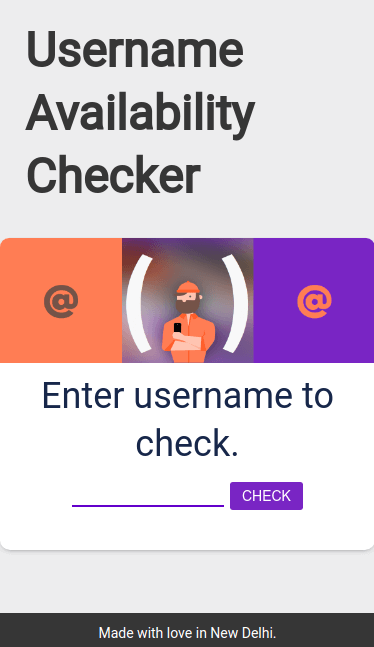
About two years ago, my friend Gyan and I built a small web app which checked whether or not a given username was available on a few popular social media websites. The idea was simple: judge availability of the username on the basis of an HTTP response. Here’s a pseudo-code example:
website_url = form_website_url(website, username)# Eg: form_website_url('github', 'manu-chroma') returns 'github.com/manu-chroma'if website_url_response.http_code ==404:
username available
else:
username taken
Much to our delight, it worked! Well, almost. It had a lot of bugs but we didn’t care much at the time. It was my first Python project and the first time I open sourced my work. I always look back on it as a cool idea, proud that I made it and learned a lot in the process.
But the project had been abandoned until John from coala approached me. John suggested we use it for Google Code-in because one of coala’s tasks for the students was to create accounts on a few common coding related websites. Students could use the username availability tool to find a good single username–people like their usernames to be consistent across websites–and coala could use it to verify that the accounts were created.
I had submitted a few patches to coala in the past, so this sounded good to me! The competition clashed with my vacation plans, but I wanted to get involved, so I took the opportunity to become a mentor.
Over the course of the program, students not only used the username availability tool but they also began making major improvements. We took the cue and began adding tasks specifically about the tool. Here are just a few of the things students added:
Regex to determine whether a given username was valid for any given website
I had such a fun time working with students in Google Code-in, their enthusiasm and energy was amazing. Special thanks to students Andrew, Nalin, Joshua, and biscuitsnake for all the time and effort you put into the project. You did really useful work and I hope you learned from the experience!
I want to thank John for approaching me in the first place and suggesting we use and improve the project. He was an unstoppable force throughout the competition, helping both students and fellow mentors. John even helped me with code reviews to really refine the work students submitted, and help them improve based on the feedback.
Kudos to the Google Open Source team for organizing it so well and lowering the barriers of entry to open source for high school students around the world.
from django.db import models
class Article(models.Model):
    title = models.CharField(max_length=32,default='Title')
    content = models.TextField(null=True)
    pub_time = models.DateTimeField(auto_now_add=True)
from django.contrib import admin
from django.urls import path
from django.urls import include
urlpatterns = [
    path('admin/', admin.site.urls),
    path('HelloDjango/',include('HelloDjango.urls')),
]
在HelloDjango中新建urls.py
from django.conf.urls import url
from . import views
urlpatterns = [
    url(r'^$',views.index),
]
在views.py中
from django.shortcuts import render
from . import models
def index(request):
    return render(request,'index.html')
推荐理由:这篇文章的副标题其实叫做 10 Ways to be a Better Teammate;成为一个好搭档的10种方法。一个好的球星不仅自己是一个很棒的球员,同时也一定是一个很好的助攻,以团队协作来看,好的搭档可谓难得,现在的软件工程以及开源协作都对互相配合提出了很高的要求,好的互助事半功倍、互相拆台则事倍功半,不仅学会自己成为一个好程序员,同时学会成人之美,成为一个好的搭档,也各位重要。
Becoming a 10x Developer
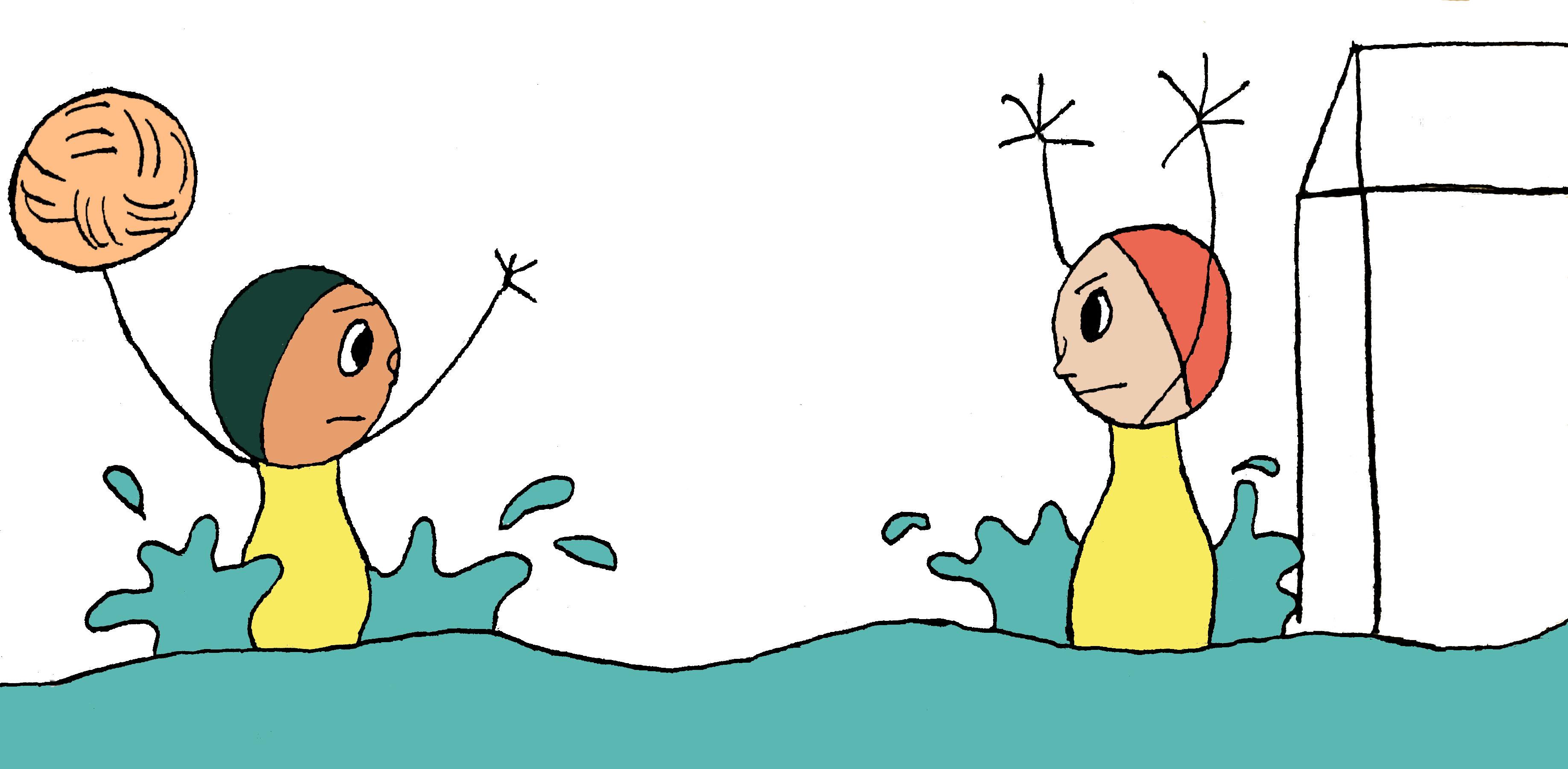
When I was first learning to play water polo, a coach told me something I’ve never forgotten. He said, “Great players make everyone around them look like great players.” A great player can catch any pass, anticipating imperfect throws and getting into position. When they make a return pass, they throw the ball so that the other person can make the catch easily.
Software engineering today is a team sport; like water polo, you can’t build incredible software systems alone. So when I first heard the concept of the 10x engineer, I was confused. How could someone be so talented that it overshadows the power of teamwork? In my experience, individual excellence is necessary, but not sufficient, for greatness. Focusing purely on individual achievement misses the larger picture that teams are required to build great software. So I decided to change the definition of a 10x engineer to this:
A 10x engineer isn’t someone who is 10x better than those around them, but someone who makes those around them 10x better.
Over the years I’ve combined my personal experience with research about building and growing effective teams and turned that into a list of 10 ways to be a better teammate, regardless of position or experience level. While many things on this list are general pieces of advice for how to be a good teammate, there is an emphasis on how to be a good teammate to people from diverse backgrounds.
10 Ways to be a Better Teammate
Create an environment of psychological safety
Encourage everyone to participate equally
Assign credit accurately and generously
Amplify unheard voices in meetings
Give constructive, actionable feedback and avoid personal criticism
Hold yourself and others accountable
Cultivate excellence in an area that is valuable to the team
Educate yourself about diversity, inclusivity, and equality in the workplace
Maintain a growth mindset
Advocate for company policies that increase workplace equality
1. Create an environment of psychological safety
In 2012, Google launched Project Aristotle to study hundreds of Google teams and figure out why some teams performed better than others [1]. The study found that there were only two key differences between more productive teams and less productive teams. One of those two the key components was something researchers call Psychological Safety. Harvard Business School professor Amy Edmondson described it as a “shared belief held by members of a team that the team is safe for interpersonal risk-taking” and “a sense of confidence that the team will not embarrass, reject or punish someone for speaking up.” [1] Creating an environment of psychological safety creates a space where team members can trust one another and share their opinions and ideas about work freely. Here are some ways to foster an environment of psychological safety within your own workplace.
Acknowledge people’s ideas and feelings in a non-judgemental way. Acknowledgment is a separate step from judging or assessing.
Respond to ideas with a “yes and” attitude to build off what your teammates say (like in improvisational comedy!) [2].
Give people the benefit of the doubt. Believe them until proven otherwise, as opposed to making them prove themselves until you believe them.
2. Encourage everyone to participate equally
Project Aristotle, the research study on effective teams at Google [1], found one other important component for productive teams. It’s a phenomenon that the academic world has named ‘‘equality in distribution of conversational turn-taking.’’ Basically, this just means that people on effective teams participate equally. This doesn’t mean that people have to speak equally in every meeting, but that, over time, everyone on a team will contribute equally. So how can you foster a team culture in which everyone participates equally?
Ask people their opinions in meetings.
Invite discussion with your language by using words like “I think” and “maybe”. (I call this conversational style: “Maybe you should talk more like a woman?”)
Notice when someone else might be dominating a conversation and make room for others to speak.
3. Assign credit accurately and generously
Giving credit to people accurately for their work is an important part of establishing trust in a team and organization [4]. Many of us have had a personal experience where we felt like we didn’t receive credit for our work, or credit was given to the wrong person.
One of the great things about giving other people credit is that it doesn’t just make the other person look good, it also makes you look good. People who acknowledge others are seen as both smarter and more likable by other people. Basically, it’s a win-win and there’s no reason to hold back in your praise of others.
What can you do to help foster a culture where people assign credit to others for their work?
Make sure you take time at the end of each project to thank the people who helped you.
Especially try to notice people who are quiet and don’t do much self-promotion, or people who are new and lack confidence.
Be honest, specific, and genuine when assigning credit and praising others’ work.
4. Amplify unheard voices in meetings by repeating what they say
In 2009, a group of President Obama’s female staff banded together and devised a strategy they called “amplification” [5]. They were experiencing a lot of the things women face in male-dominated workplaces—they were having trouble getting into important meetings and, when there, were often overlooked or unheard. So they would amplify each other’s voices. When a female staffer made a key point, the other women would repeat it and give credit to the author, which forced everyone to notice where the idea came from. President Obama himself noticed this and made a point to call on more female staffers more. By his second term, there was an even gender split and half the departments were headed by women.
This is such a simple, concrete thing that any person on any team can do for their teammates. Notice when people are overlooked or unheard and amplify what they say. While it’s common for women to be spoken over [6], it can also happen to people who are soft-spoken, shy, or introverted.
5. Give constructive, actionable feedback and avoid personal criticism
People pretty universally dislike being criticized and, when not given thoughtfully or constructively, criticism can actually damage people’s performance [8]. I’ve talked about this before, but making sure that your feedback is thoughtful and constructive is a really important way you can be a great teammate. Additionally, the way we give feedback can be biased, so spending time learning to give feedback well is important for diverse teams.
For example, there’s a common perception that women receive criticism that men don’t. Women report being called “bossy”, “pushy”, and “aggressive” more than their male peers. In 2014, Kieran Snyder, founder and CEO of Textio, decided to test that idea [7]. She collected 248 reviews from 180 people, 105 men and 75 women, and analyzed the contents of those reviews. What she found was surprising, even if you know it’s there. Of the women’s reviews, 87.9% percent contained criticism or negative feedback as opposed to 58.9% of men. Furthermore, the criticism given to men and women wasn’t the same. Of the criticism women received, 76% of it was personal in nature as opposed to 2% of criticism given to men.
Here are some ways you can give better feedback.
Ask people if they’re open to feedback before giving feedback.
Focus your feedback on the person’s work as much as possible.
Tell people how they can make things better. Clearly identify the issue as you see it and explain how you think the person can make things better.
Avoid personal criticism. If you feel that you need to give someone feedback on their person, work with a manager or HR to make sure that you have your thoughts organized.
6. Hold yourself and others accountable
Recently I met with a friend of mine, James, who was a football player in college. He’s now the COO of a startup, and he mentioned that he was spending a lot of his time teaching what he considered basic teamwork to employees, especially around accountability. As I thought about it more, I realized that James has spent thousands and thousands of hours practicing being a good teammate. Things that are obvious to him about working well as a team might not be obvious to others, especially when it comes to accountability. Football has a strong culture of accountability, and some of the ways football players hold each other accountable are through being on time to practice, having a positive attitude, encouraging teammates, and holding each other to a standard of excellence. Here are some ways you can hold yourself and others accountable.
Get your work done as on-time as you can (I know as engineers estimates are one of our biggest challenges, but smaller projects with more accurate estimates help foster accountability).
Jeff Lawson once told a group of founders that the most important thing is “doing what you say you’ll do”.
Help others, and ask for help when you need it.
For big projects or issues, stay present until your team’s work is finished [9] (whether that presence is in-person or through remote tools like Slack).
7. Cultivate excellence in an area that is valuable to the team
When we talk about being a 10x engineer, this is usually what people are referring to—individual excellence. Individual excellence is a necessary part of being a good teammate. After all, you need to do something for your team. What you choose to become excellent at is really about what motivates you; it should be something that gives you energy and fits your skills and interests. Excellence takes a lot of time and energy to cultivate, especially as our individual knowledge base is becoming more and more specialized [10], so pick something you enjoy doing because you’ll probably be at this a while. I feel that individual excellence is harped on a lot in our society, so I’ll let you read the slew of self-help books and blog posts out there on how to be more excellent at your craft.
8. Educate yourself about diversity, inclusivity, and equality in the workplace
Diversity and Inclusion is a team sport—we need everyone at every level to participate. One of the number one things you can do to be a good teammate is to educate yourself about how gender and race discrimination take form in the workplace. In the same way that you need to stay educated on programming languages and tooling, it’s important to stay up to date on all the amazing writing and research about how to create more egalitarian work environments.
There is a joke that “behind every woke man is an exhausted feminist”, and probably behind every woke white person is an exhausted person of color. Let’s change that. Anyone can read and do research.
Read everything
Ask people for reading suggestions or join mailing lists
Listen as much as you can
Your opinion is as valuable as your education, so if you have not educated yourself, your opinion is not valuable.
9. Maintain a growth mindset
Thirty years ago, psychologist Carol Dweck was interested in the concept of failure and resilience [11]. She and her research team noticed that some students rebounded from failure while others were demoralized even by small setbacks. She wanted to know why. After studying thousands of children, she coined the term Growth Mindset, which refers to the belief that abilities and intelligence can be developed. Students who believe that they can increase their abilities and intelligence rebound from failure, while students who believe intelligence is fixed are more likely to be demoralized by setbacks.
Remember you can learn anything given time, effort, and the internet.
Be prepared for feedback on how you can improve.
There is no finish line; being a great engineer and a great teammate is a lifelong, daily practice.
10. Advocate for companies policies that increase workplace equality
Finally, speak up about ways you think your company can create a more egalitarian, inclusive workplace for every member of your team. No matter what your level within the organization, you can advocate for policies that will improve your work environment. Reading and doing research per recommendation #8 will make this step a lot easier. Some examples of organizational changes that have proven effects are:
The Rooney Rule: for any key position, you have to interview at least one person of color for the role [12]