• 开源镜像
  • 开源沙龙
  • 媛宝
  • 猿帅
  • 注册
  • 登录
  • 息壤开源生活方式平台
  • 加入我们

开源日报

  • 2018年6月11日:开源日报第95期

    11 6 月, 2018

    每天推荐一个 GitHub 优质开源项目和一篇精选英文科技或编程文章原文,欢迎关注开源日报。交流QQ群:202790710;微博:https://weibo.com/openingsource;电报群 https://t.me/OpeningSourceOrg


    今日推荐开源项目:《用 Vue.js 开发小程序 mpvue 》GitHub链接

    推荐理由:和 Vuido 一样,mpvue 也是让你可以用 Vue.js 写点别的东西,比如小程序。mpvue 不仅可以让你写个小程序,而且还可以让你把网页上的代码改一改就丢到小程序上接着用。如果你不懂 Vue.js 也不懂小程序,它也有新手教程来简单入门,对小程序感兴趣的 Vue.js 使用者可千万不能错过。

    今日推荐英文原文:《What is “this” in JavaScript?》作者:Rajat S

    原文链接:https://blog.bitsrc.io/what-is-this-in-javascript-3b03480514a7

    推荐理由:顾名思义,这篇文章介绍的是在各种地方 JavaScript 中的 this 究竟是什么。虽然这算是比较细节的部分,但是有的时候这些细节可以帮助我们或者是带给我们麻烦,推荐使用 JavaScript 的朋友一读。

    What is “this” in JavaScript?

    If you have been building things using JavaScript libraries, you might have noticed a particular keyword called this.

    this is quite a common thing in JavaScript, but there are a quite a few developers who have taken quite some time to fully understand what this keyword exactly does and where should it be used in your code.

    In this post I will help you understand this and its mechanism, in depth.

    Before diving in, make sure you have Node installed on your system. Then, open a command terminal and run the node command.


    “this” in Global Environment

    The working mechanism of this is not always easy to understand. To understand how this works, we will start looking at this in different environments. Let’s start by looking at the global environment first.

    At the global level, this is equivalent to a global object called global.

    > this === global
    true

    But this is true only inside node. If we try to run this same code inside a JavaScript file, we will get the output as false.

    To test this, create a file called index.js with the following code inside it:

    console.log(this === global);

    Then run this file using the node command:

    $ node index.js
    false

    The reason for this is that inside a JavaScript file, this equates to module.exports and not global.


    “this” inside Functions

    The value of this inside a function is usually defined by the function’s call. So, this can have different values inside it for each execution of the function.

    In your index.js file, write a very simple function that simply checks if this is equal to the global object.

    function rajat() {
      console.log(this === global)
    }
    rajat()

    If we run this code using node, we will the output as true. But we add "use strict" at the top of the file and run it again, we will get a false output because now the value of this is undefined.

    To further explain this, let’s create a simple function that defines a Superhero’s real name and hero name.

    function Hero(heroName, realName) {
      this.realName = realName;
      this.heroName = heroName;
    }
    const superman= Hero("Superman", "Clark Kent");
    console.log(superman);

    Note that this function is not written in strict mode. Running this code in node will not get us the value of “Superman” and “Clark Kent” as we expected, but it will instead just give us an undefined.

    The reason behind this is that since the function is not written in strict mode, this refers to the global object.

    If we run this code in strict mode, we will get an error because JavaScript does not allow us to assign properties realName and heroName to undefined. This actually is a good thing because it prevents us from creating global variables.

    Lastly, writing the function’s name in uppercase means that we need to call it as a constructor using the new operator. Replace the last two lines of the above code snippet with this:

    const superman = new Hero("Superman", "Clark Kent");
    console.log(superman);

    Run the node index.js command again, and you will now get the expected output.


    “this” inside constructors

    JavaScript does not have any special constructor functions. All we can do is convert a function call into a constructor call using new operator as shown in the above section.

    When a constructor call is made, a new object is created and set as the function’s this argument. The object is then implicitly returned from the function, unless we have another object that is being returned explicitly.

    Inside the hero function write the following return statement:

    return {
      heroName: "Batman",
      realName: "Bruce Wayne",
    };

    If we run the node command now, we will see that the above return statement overwrites the constructor call.

    The only scenario where the return statement doesn’t overwrite the constructor call is if the return statement tries to return anything that is not an object. In this case, the object will contain the original values.


    “this” in Methods

    When calling a function as a method of an object, this refers to the object, which is then known as the receiver of the function call.

    Here, I have a method dialogue inside an object called hero. The dialogue‘s this value then refers to hero itself. So hero here will be know as the receiver of the dialogue method’s call.

    const hero = {
      heroName: "Batman",
      dialogue() {
        console.log(`I am ${this.heroName}!`);
      }
    };
    hero.dialogue();

    This is very simply example. But in the real-world cases it can get very hard for our method to keep track of the receiver. Write the following snippet at the end of index.js.

    const saying = hero.dialogue();
    saying();

    Here, I am storing the reference to dialogue inside another variable and calling the variable as a function. Run this with node and you will see that this returns an undefined because the method has lost track of the receiver. this now refers to global instead of hero.

    The loss of receiver usually happens when we are passing a method as a callback to another. We can either solve this by adding a wrapper function or by using bind method to tie our this to a specific object.


    call() and apply()

    Though a function’s this value is set implicitly, we can also call function with explicit this argument call() and apply().

    Lets restructure the previous sections code snippet like this:

    function dialogue () {
      console.log (`I am ${this.heroName}`);
    }
    const hero = {
      heroName: 'Batman',
    };

    We need to connect the dialogue function with the hero object as a receiver. To do so, we can either use call() or apply() like this:

    dialogue.call(hero)
    // or
    dialogue.apply(hero)

    But if you are using call or apply outside of strict mode, then passing null or undefined using call or apply will be ignored by the JavaScript engine. This is one of the reasons why it is usually suggested to always write our code in strict mode.


    bind()

    When we pass a method as a callback to another function, there is always a risk of losing the intended receiver of the method, making the this argument set to the global object instead.

    The bind() method allows us to permanently tie a this argument to a value. So in the below code snippet, bind will create a new dialogue function and set its this value to hero.

    const hero = {
      heroName: "Batman",
      dialogue() {
        console.log(`I am ${this.heroName}`);
      }
    };
    setTimeOut(hero.dialogue.bind(hero), 1000);

    By doing so, our this cannot be changed by even call or apply methods.


    Catching “this” inside an Arrow Function

    Using this with an arrow function is quite different from using it with any other kind of JavaScript function. An arrow function uses the this value from its enclosing execution context, since it does have one of its own.

    An arrow function permanently captures the this value, preventing apply or call from changing it later on.

    To explain how this works with regards to the arrow functions, let’s write the arrow function shown below:

    const batman = this;
    const bruce = () => {
      console.log(this === batman);
    };
    bruce();

    Here, we are storing the value of a this in a variable and then comparing the value with a this value that is inside an arrow function. Running node index.js in our terminal should give us true as output.

    An arrow function’s this value cannot be set explicitly. Also, the arrow function will ignored any attempt from us at passing a value to this using methods like call, apply, and bind. An arrow function will refer to the this value that was set when the arrow function was created.

    An arrow function can also not be used as a constructor. Hence, we cannot assign properties to this inside an arrow function.

    So what can arrow functions do in regards to this?

    Arrow functions can help us access this within a callback. To explain how this is done. Take a look at the counter object that I have written below:

    const counter = {
      count: 0,
      increase() {
        setInterval(function() {
          console.log(++this.count);
        }, 1000);
      }
    }
    counter.increase();

    Running this code using node index.js will only give an increase list of NaNs. This is because this.count is not referring to the counter object. It actually refers to the global object.

    To make this counter work, lets rewrite it using an arrow function.

    const counter = {
      count: 0,
      increase () {
        setInterval (() => {
          console.log (++this.count);
        }, 1000);
      },
    };
    counter.increase ();

    Our callback now uses this binding from the increase method, and the counter now works as it should.

    Note: Do not try to write this.count + 1 instead of ++this.count. The former of these two will only increase the value of count once, and return the that value on each iteration.


    “this” in Classes

    Classes are one of the most important parts of any JavaScript apps. Lets see how this behaves inside a class.

    A class generally contains a constructor, where this would refer to any newly created object.

    But in case of methods, this can also refer to any other value if the method is called as an ordinary function. And just like a method, classes can also lose track of the receiver.

    Let’s re-create the Hero functions that we have seen earlier as a class. This class will contain a constructor and a dialogue() method. Finally, we create an instance of this class and call the dialogue method.

    class Hero {
      constructor(heroName) {
        this.heroName = heroName;
      }
      dialogue() {
        console.log(`I am ${this.heroName}`)
      }
    }
    const batman = new Hero("Batman");
    batman.dialogue();

    this inside the constructor refers to the newly created instance of that class. When we call batman.dialogue(), we invoke dialogue() as a method with batman as a receiver.

    But if we store a reference to the dialogue() method, and later invoke it as a function, we once again lose the receiver of the method and the this argument now refers to undefined.

    const say = batman.dialogue();
    say();

    The reason for error is that JavaScript classes are implicitly in strict mode. We are invoking say() as an function without any autobinding. To solve this, we will need to manually bind() to tie this dialogue() function to batman.

    const say = batman.dialogue.bind(batman);
    say();

    We can also do this binding inside the constructor method.


    To sum it up…

    We need to use this in JavaScript like we need to pronouns in English. Take these two sentences.

    • Rajat loves DC Comics.
    • Rajat also loves Marvel movies.

    We use pronouns to combine these two sentences. so these two sentences now become:

    Rajat loves DC Comics, and he also loves Marvel Comics

    This short grammar lesson perfectly explains the importance of this in JavaScript. Just like how the pronoun he connects the two sentences, this acts as a shortcut to refer the same thing again.

    I hope this post helped you clear any confusions you had about this in JavaScript and you now where and how to use this simple but extremely important keyword in your JavaScript code.


    每天推荐一个 GitHub 优质开源项目和一篇精选英文科技或编程文章原文,欢迎关注开源日报。交流QQ群:202790710;微博:https://weibo.com/openingsource;电报群 https://t.me/OpeningSourceOrg


  • 2018年6月10日:开源日报第94期

    10 6 月, 2018

    每天推荐一个 GitHub 优质开源项目和一篇精选英文科技或编程文章原文,欢迎关注开源日报。交流QQ群:202790710;微博:https://weibo.com/openingsource;电报群 https://t.me/OpeningSourceOrg



    今日推荐开源项目:《各种各样各个方面的博客列表 awesome-podcasts 》GitHub链接

    推荐理由:这个项目收录了各个方面的博客,它有相当广泛的范围,Python,C++ 这些基础自不必说,Ruby 和 Kotlin 这些也没落下。正如项目里说的对软件工程师和程序员有帮助一样,相信每个人都能在里面找到需要的东西。


    今日推荐英文原文:《A Guide to CSS Animation — Part 1》作者:Jhey Tompkins

    原文链接:https://codeburst.io/a-guide-to-css-animation-part-1-8777f5beb1f8

    推荐理由:这篇文章主要是介绍入门级的 CSS 使用方法,虽然阅读者仍然需要对 HTML 和 CSS 有一点了解,但是教程还是很简单好懂的,适合刚开始学习CSS的同学们一读

    A Guide to CSS Animation — Part 1

    Hey! ? So you’re interested in making things move on your websites and in your apps? This guide should help you out ?

    This post assumes you’ve never created a CSS animation before. But even if you have, there may be things you were not aware of. It does assume you have some familiarity with HTML and CSS. We’ll explore creating your first animation through to things like chaining animations.

    CSS animation can be a quick concept to grasp but a big topic to cover once we really dig in. Therefore, this post is split over parts.

    • Part 1: Introduces CSS animation looking at things like performance and how to inspect animations. We will also create a basic animation and look at @keyframes composition.
    • Part 2: With the basics grasped, we dig into the different things we can do with the animation properties. This includes tips on things like using fill-mode and chaining animations.
    • Part 3: We wrap things up with some bonus topics like using CSS variables and hooking in from JavaScript. We also discuss whether you should even use CSS animation at all. That’s right, it’s not always the best option. But there’s benefit to understanding the foundations and alternatives.

    Before we get started

    All the code is available in this CodePen collection ?

    A Guide to CSS Animation – a Collection by Jhey on CodePen
    codepen.io

    This enables you to edit and fork live examples ?

    You can also grab the code on Github

    jh3y/a-guide-to-css-animation
    a-guide-to-css-animation – Demo code for “A Guide to CSS Animation”github.com

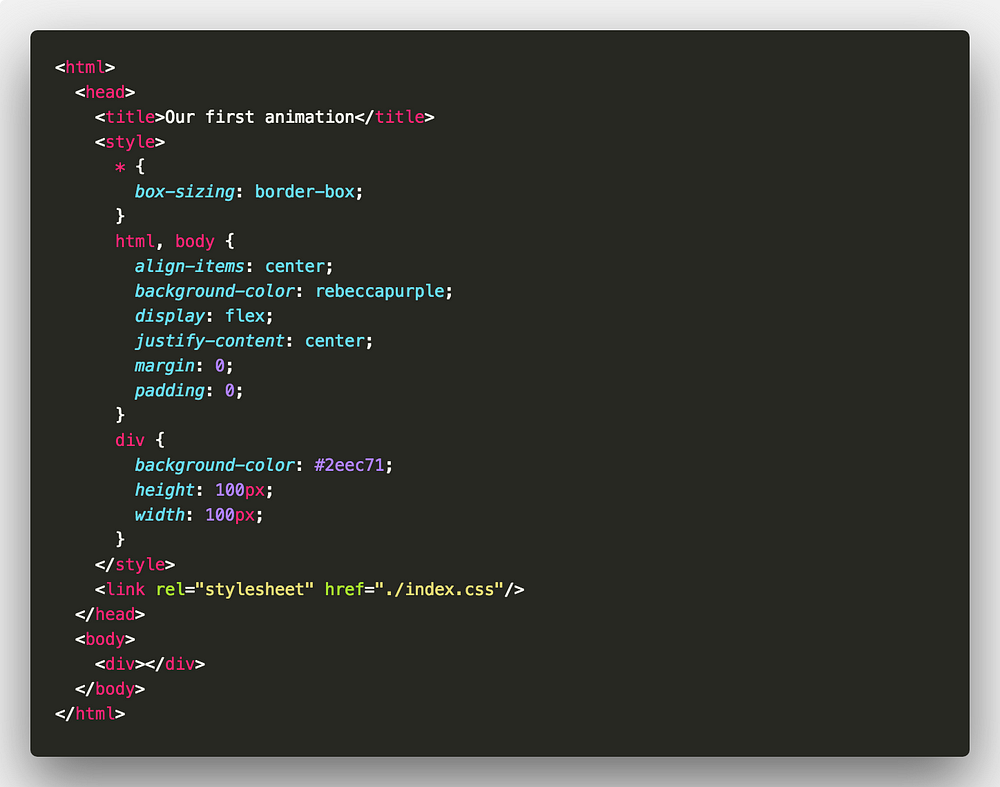
    For all animations we are using a single div element unless stated otherwise. The basic markup comprises of something like the following

    The goal of this guide is to make you comfortable with creating your own CSS animations from scratch! ?


    So, why animate?

    To improve usability and general user experience. But that does not mean animation should be everywhere in your sites. There’s a time and a place.

    With animation, we can do things such as draw a users attention to something or direct them through a flow. Consider loading animations or page transition effects for example.

    What can we animate?

    Before we start creating animations, we need to know which properties we can animate. We can’t animate every property. The following MDN article lists properties that we can animate.

    Animatable CSS properties
    Certain CSS properties can be animated using CSS Animations or CSS Transitions. Animation means that their values can…developer.mozilla.org

    Lea Verou also has a great demo page for animatable properties.

    Animatable: One property, two values, endless possibilities
    leaverou.github.io

    Property performance

    Of the properties we can animate we may choose to animate some over others due to performance.

    For example, animating element position will be better handled using transform. This is because the GPU can handle the heavy lifting when animating that property. Animating some properties will trigger layouts to take place ?

    The following article is great for understanding animation performance ?

    High Performance Animations – HTML5 Rocks
    We’re going to cut straight to the chase. Modern browsers can animate four things really cheaply: position, scale…www.html5rocks.com

    With all that out of the way, let’s get started ?

    Our first animation

    Let’s dig right in and create our first animation ⛏

    For this animation we will make an element spin 360 degrees. Riveting stuff I know ? But we need to start somewhere!

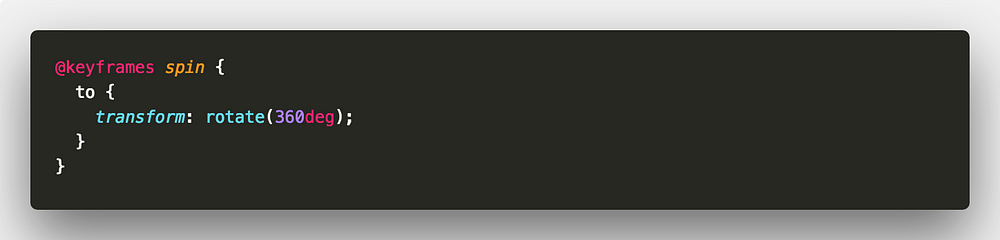
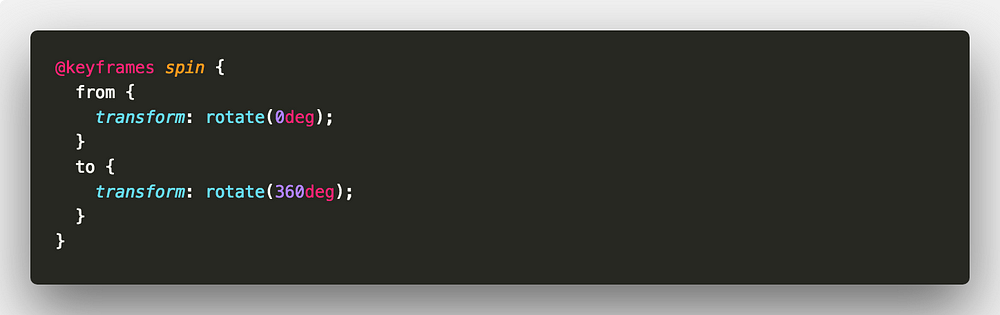
    First, we create our animation using the @keyframes rule. The @keyframes rule takes the following structure.

    animation-name is the name we give to our animation. You can have one or many keyframe selectors ?

    We will name our animation spin. To spin our element we can use the transform property and rotate from 0deg to 360deg. We use two keyframe selectors. One to define the start of our animation(from) and one for the end of our animation(to). from and to keywords are equivalent to 0% and 100%.

    We can take this a little further. The styles under the from keyframe selector don’t make any difference to our element. So, the from keyframe selector is redundant. We can remove it.

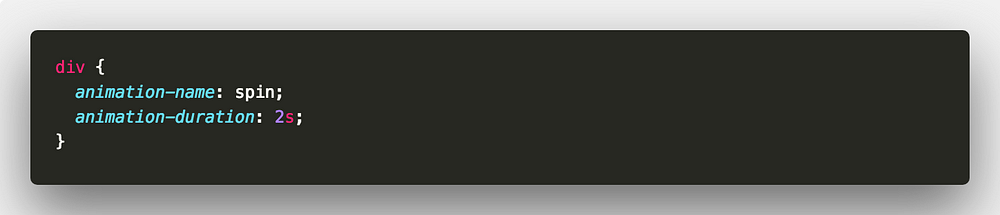
    Now, we need to apply that animation to our element. We use the animation-name and animation-duration properties ?

    Here we are telling our element to use the animation spin with a duration of 2 seconds. Duration can be set in either milliseconds(ms) or seconds(s).


    Animations inspector

    We have created our first animation. Now seems like a great time to introduce the Animations inspector in Google Chrome.

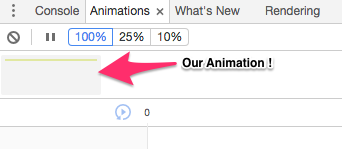
    Open up your animation in Google Chrome and open up the Developer Tools. Open up the Animations panel by going into More Tools. If the Animations panel says “Listening for animations…”, refresh the page.

    After refreshing, you should see something in the Animations panel, that’s our animation!

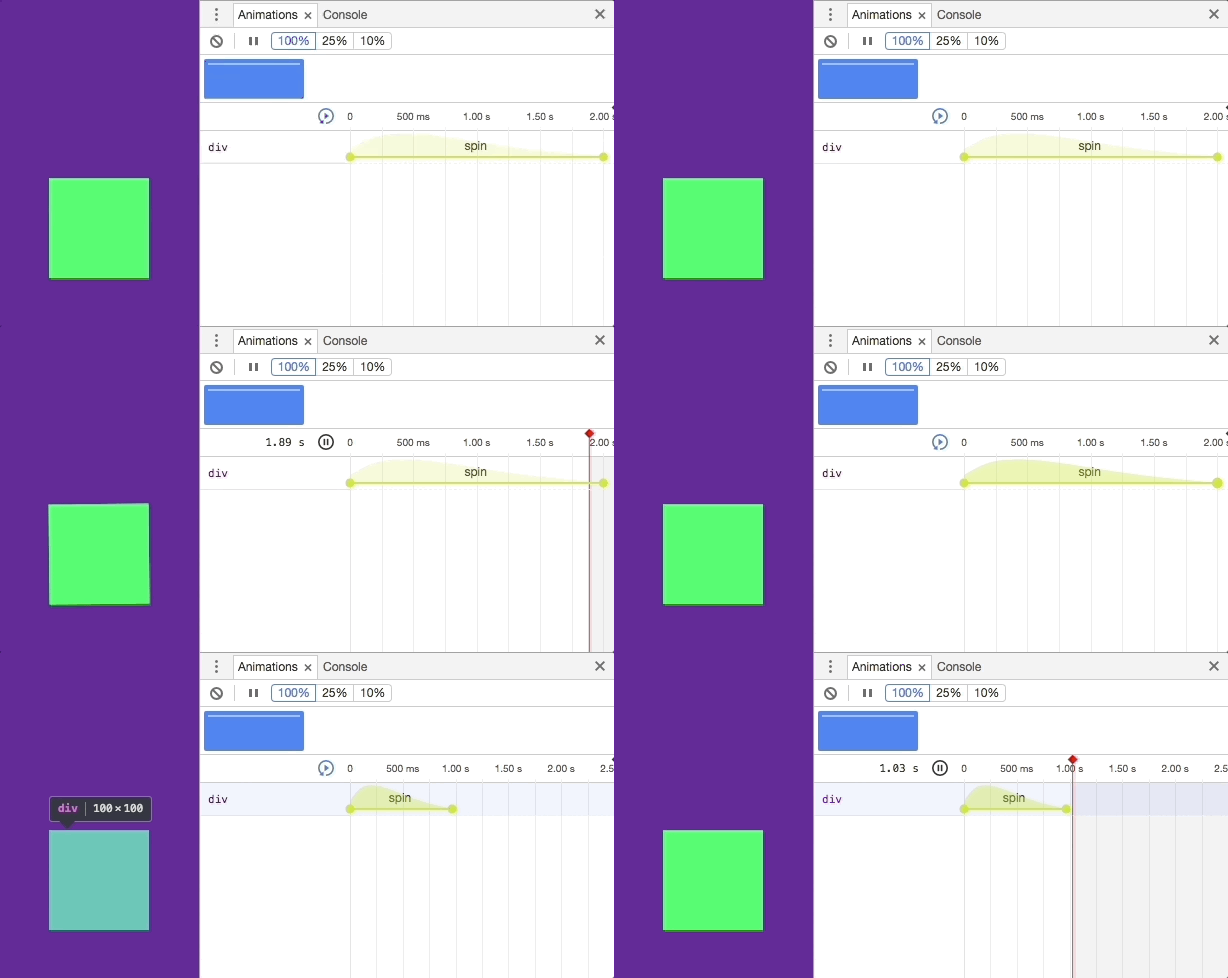
    Click the animation and we are able to inspect it. Now as our animation isn’t particularly complex, there isn’t much to inspect. But with the Animations inspector we can do various things. We can experiment with durations and delays as well as altering playback speed. Most importantly, we can replay our animations without having to refresh the entire page ?

    This becomes particularly useful when we have many animations. Whether it be for different elements or on one element.

    You can read more about the Animations inspector in the following article.

    Inspect animations | Tools for Web Developers | Google Developers
    Inspect and modify animations with the Chrome DevTools Animation Inspector.developers.google.com

    Throughout this guide I recommend using the inspector when checking out the demos. This will allow you to replay animations and tweak them without having the reload the page ?


    @keyframes

    We put together our first @keyframes rule in our spin animation.

    There isn’t much to @keyframes. After specifying an animation name, we specify animation within keyframe selectors. The keyframe selector specifies a percentage of the animation duration. Or, as mentioned before, we can use the from and to keywords that are the equal to 0% and 100%.

    Each selector defines styles that should apply at that point of the animation. If we have selectors that specify the same CSS styles, we can group them together.

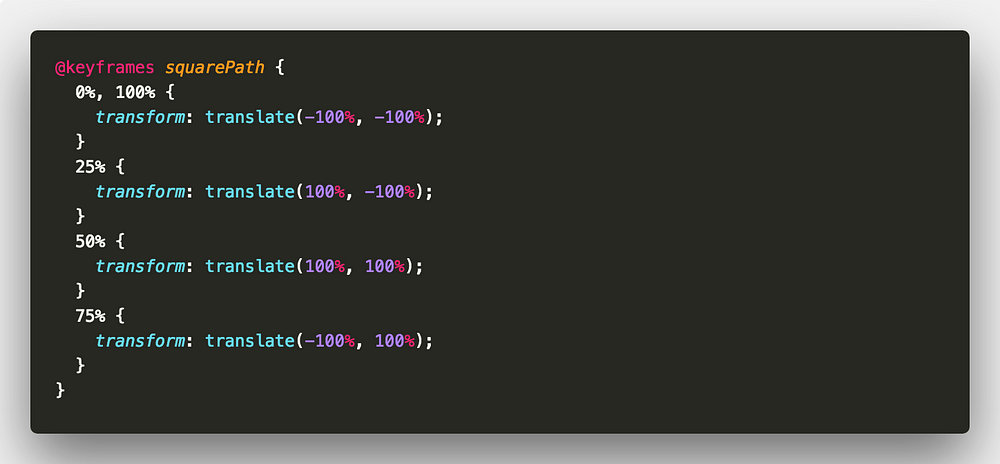
    Let’s start with a simple example. Consider the effect of an element moving around the path of a square.

    We will call our animation squarePath, very creative I know ?

    For this example, there will be four positions for our element. For every side of the square, we use a quarter of the animation. Because our start and finish position will be the same, we can group those keyframe selectors ?

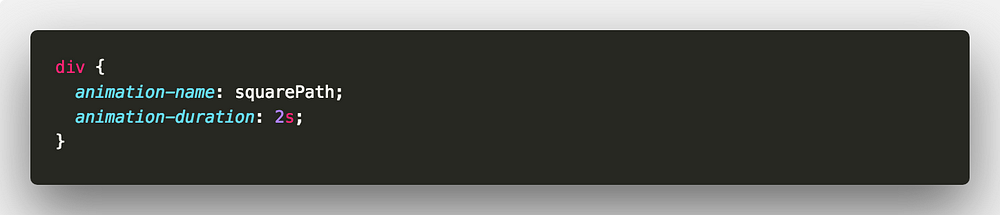
    Apply the animation and a duration to our element ?


    That’s it for Part 1 ?

    We’ve taken a look at the basics of creating and applying animations to our elements. Also we can inspect our animations and tweak them in the browser ?

    Although that will be enough to get you up and running with CSS animation, there’s a lot more to it! I hope you’ll join me in Part 2 where we dig deeper into applying animations and the associated tips and tricks.

    A Guide to CSS Animation — Part 2
    Applying animations. Let’s start tweaking things! ?medium.com

    Remember, all the code is available in the following CodePen collection ?

    A Guide to CSS Animation – a Collection by Jhey on CodePen
    codepen.io

    As always, any questions or suggestions, please feel free to leave a response or tweet me ?!


    每天推荐一个 GitHub 优质开源项目和一篇精选英文科技或编程文章原文,欢迎关注开源日报。交流QQ群:202790710;微博:https://weibo.com/openingsource;电报群 https://t.me/OpeningSourceOrg
  • 2018年6月9日:开源日报第93期

    9 6 月, 2018

    每天推荐一个 GitHub 优质开源项目和一篇精选英文科技或编程文章原文,欢迎关注开源日报。交流QQ群:202790710;微博:https://weibo.com/openingsource;电报群 https://t.me/OpeningSourceOrg


    今日推荐开源项目:《各种东西转PDF ReLaXed》GitHub链接

    推荐理由:这个项目正如标题所说可以把各种各样的东西转化为 PDF 文档,只要你给出文档和样式表,它就能给你一个把原来的内容全部写进去的 PDF 文档,甚至你可以印个幻灯片。虽然它看起来很魔法,但是实际上并不算太复杂,把提供的文档和样式表转化成一个 HTML ,然后通过 Puppeteer 把 HTML 再转化成 PDF ,这里顺便附上它的链接。

    Puppeteer:https://github.com/GoogleChrome/puppeteer


    今日推荐英文原文:《11 Javascript Animation Libraries For 2018》作者:Jonathan Saring

    原文链接:https://blog.bitsrc.io/11-javascript-animation-libraries-for-2018-9d7ac93a2c59

    推荐理由:又到了JavaScript的回合。这次要介绍的是JavaScript中好用的动画库,需要的朋友们千万别错过了。顺带一提,有的时候不只是动画库,纯CSS同样可以完成任务,而且兼容性更好,性能也不差。

    11 Javascript Animation Libraries For 2018

    While browsing the web looking for a neat Javascript animation library, I’ve found that many of the “recommended” ones were not maintained for a while.

    After some research, I’ve gathered 11 of the finest libraries around to use in your app. I’ve also added a few more, mostly unmaintained, useful libraries.

    When working with UI components, you can also use Bit to easily share these components between different apps instead of copy-pasting them, make changes from different projects and collaborate with your others.

    Bit – Share and build with code components
    Bit helps you share, discover and use code components between projects and applications to build new features and…bitsrc.io

    Using Pure CSS

    Before diving into these libraries, let’s not forget about using pure CSS. Why? because it’s standard, it can improve performance (GPU), provide backward and forward compatibility, and it just might be the most effective way to create animations. Here are 10 examples of neat pure CSS animations.

    1. Three.js

    At over 43K stars, this popular library is a great way to create 3D animations on the browser, using WebGL in an intuitive way. Providing <canvas>, <svg>, CSS3D and WebGL renderers, this library lets us create rich interactive experiences across devices and browsers. First introduced at April 2010, the library is still being developed by nearly 1,000 contributors.

    mrdoob/three.js
    three.js — JavaScript 3D library.github.com

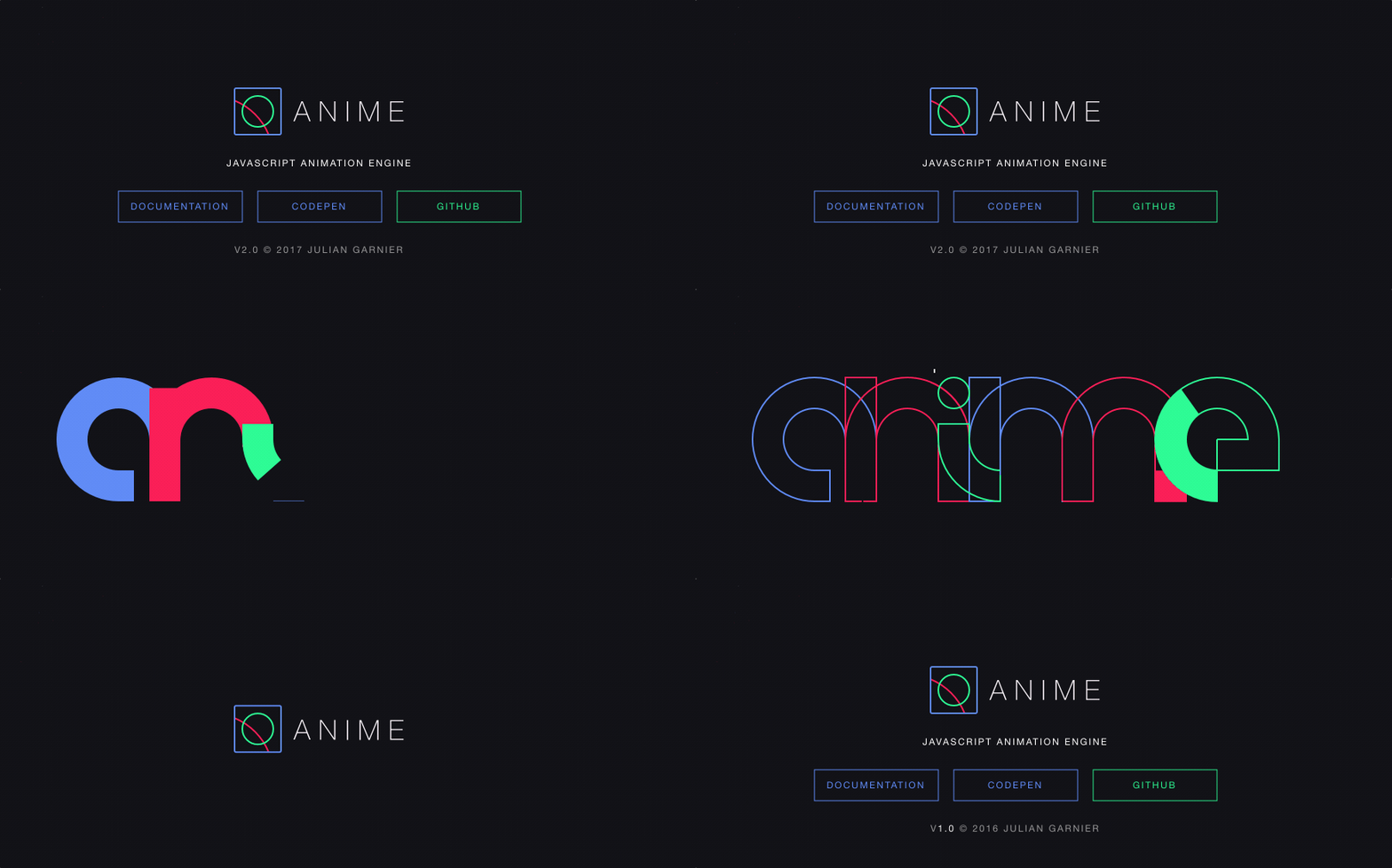
    2. Anime.js

    At over 20K stars, Anime is a JavaScript animation library that works with CSS Properties, individual CSS transforms, SVG or any DOM attributes, and JavaScript Objects. This library lets you chain multiple animation properties, synchronize multiple instances together, create timelines and more.

    juliangarnier/anime
    anime — JavaScript Animation Enginegithub.com

    3. Mo.js

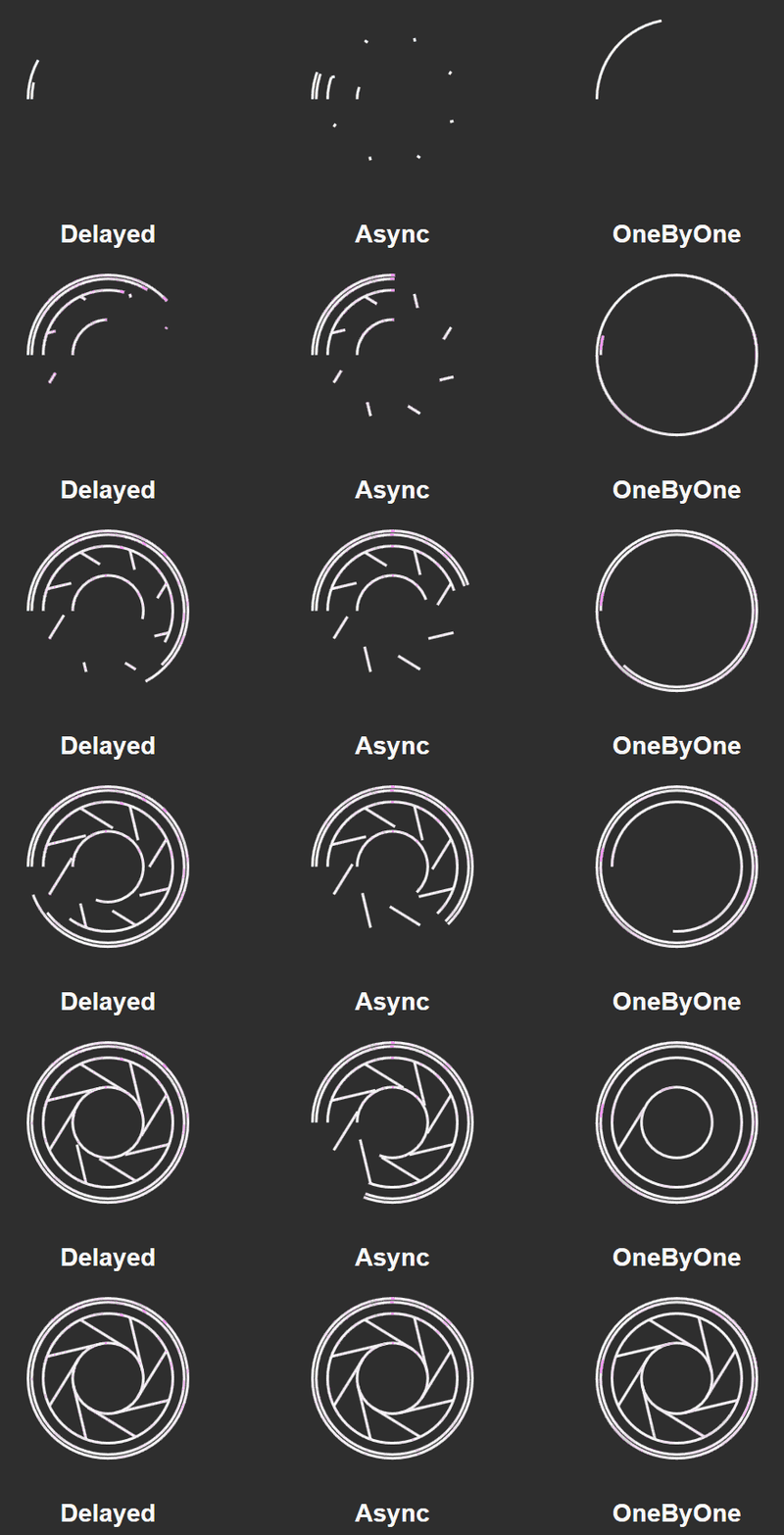
    At 14K stars, this library is a motion graphics toolbelt for the web, with simple declarative APIs, cross-device compatibility and over 1500 unit-tests. You can move things around the DOME or SVG DOME or create unique mo.js objects. Although documentation is somewhat scarce, examples are plentiful and here’s an introduction at CSS tricks.

    legomushroom/mojs
    mojs — motion graphics toolbelt for the webgithub.com

    4. Velocity

    At 15K stars, Velocity is a fast Javascript animation engine with the same API as jQuery’s $.animate(). It features color animation, transforms, loops, easings, SVG support, and scrolling. Here’s a breakdown of Velocity’s high performance engine, and here’s an intro to SVG animation using the library.

    julianshapiro/velocity
    velocity — Accelerated JavaScript animation.github.com

    5. Popmotion

    At 14K stars, this functional and reactive animation library weighs only 11kb. It allows developers to create animations and interactions from actions, which are streams of values that can be started and stopped, and created with CSS, SVG, React, three.js and any API that accepts a number as an input.

    Popmotion/popmotion
    popmotion — A functional, reactive animation library.github.com

    6. Vivus

    At over 10K stars, Vivus is a zero-dependencies JavaScript class that lets you animate SVGs, giving them the appearance of being drawn. You can use one of many available animations, or create custom script to draw you SVG. Check out Vivus-instant to get a live example, hands-on.

    maxwellito/vivus
    vivus — JavaScript library to make drawing animation on SVGgithub.com

    7. GreenSock JS

    GSAP is a JavaScript library for creating high-performance, zero dependencies, cross-browser animations which claims to be used in over 4 million websites. GSAP is flexible and works with React, Vue, Angular and vanilla JS. GSDevtools can also help dubug animations built using GSAP.

    greensock/GreenSock-JS
    GreenSock-JS — GreenSock’s GSAP JavaScript animation library (including Draggable).github.com

    8. Scroll Reveal

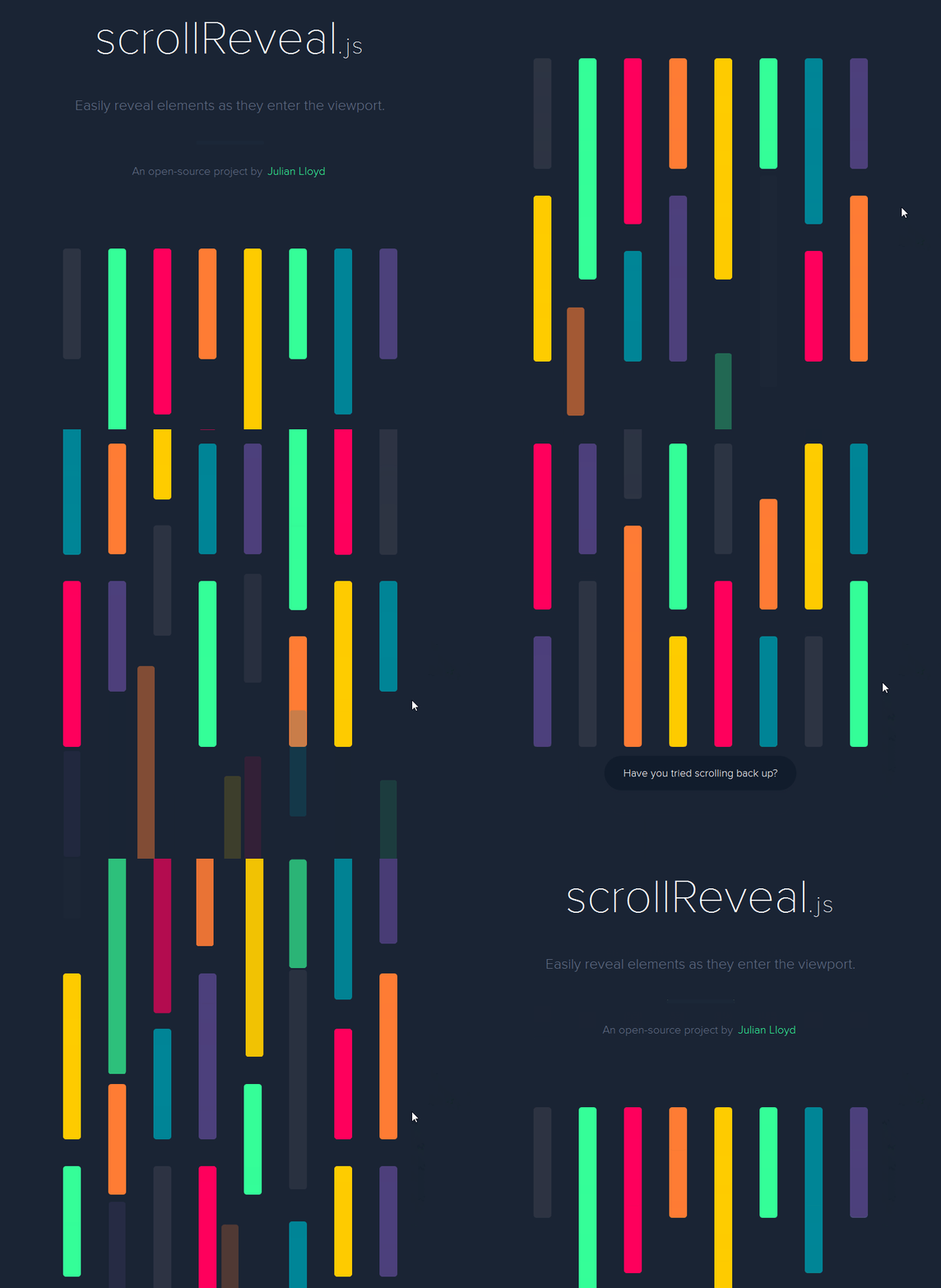
    With 15K stars and zero dependencies, this library provides easy scroll animations for web and mobile browsers, to reveal things on-scroll in an animated way. It supports multiple neat types of effects, and even lets you define animations using natural language. Here’s a short SitePoint tutorial.

    jlmakes/scrollreveal
    scrollreveal — Easy scroll animations for web and mobile browsers.github.com

    9. Hover (CSS)

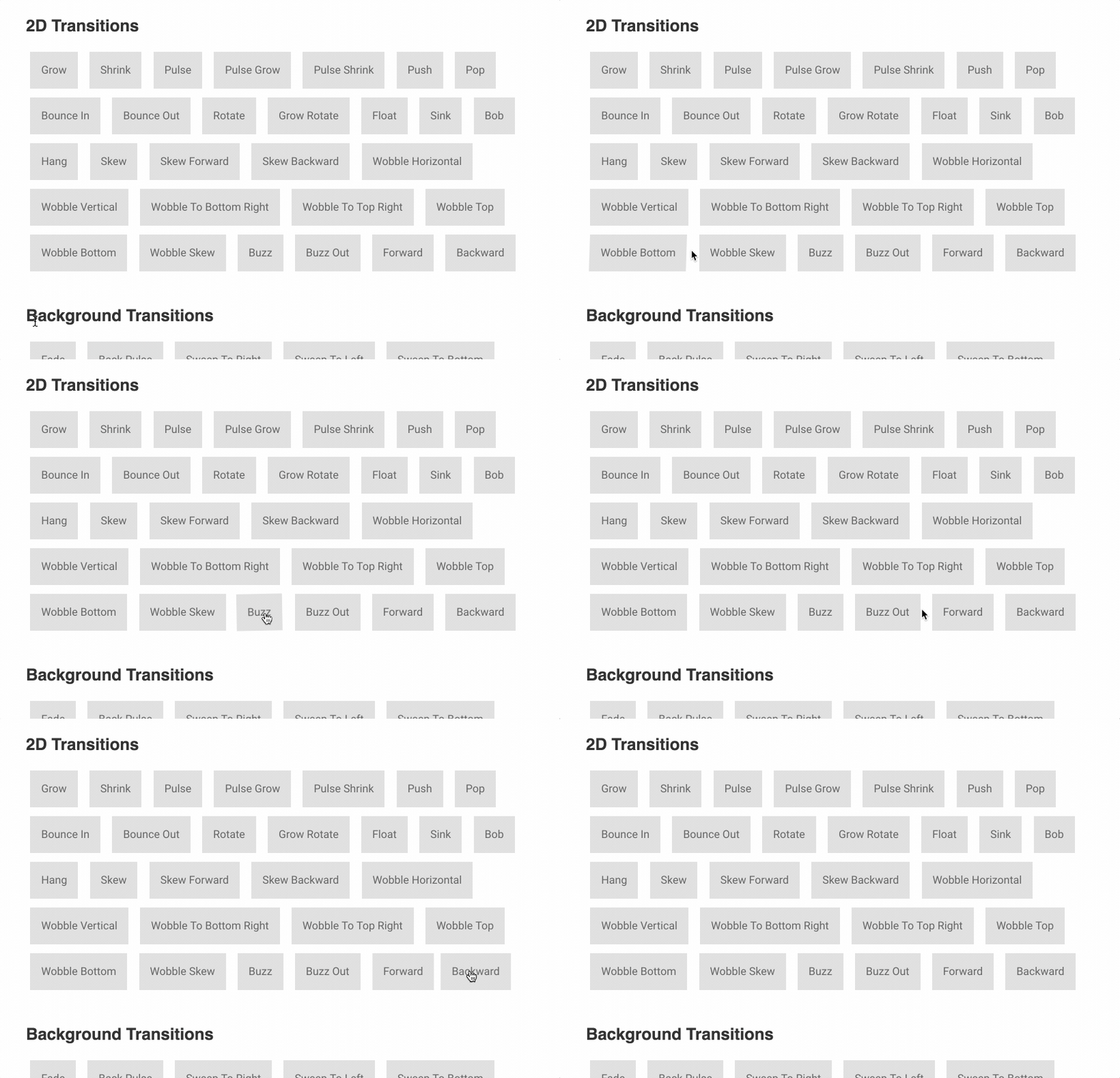
    Well, this is a CSS library. At 20K stars, Hover provides acollection of CSS3 powered hover effects to be applied to links, buttons, logos, SVG, featured images and more, available in CSS, Sass, and LESS. You can copy and paste the effect you’d like to use in your own stylesheet or reference the stylesheet.

    IanLunn/Hover
    Hover — A collection of CSS3 powered hover effects to be applied to links, buttons, logos, SVG, featured images and so…github.com

    10. Kute.js

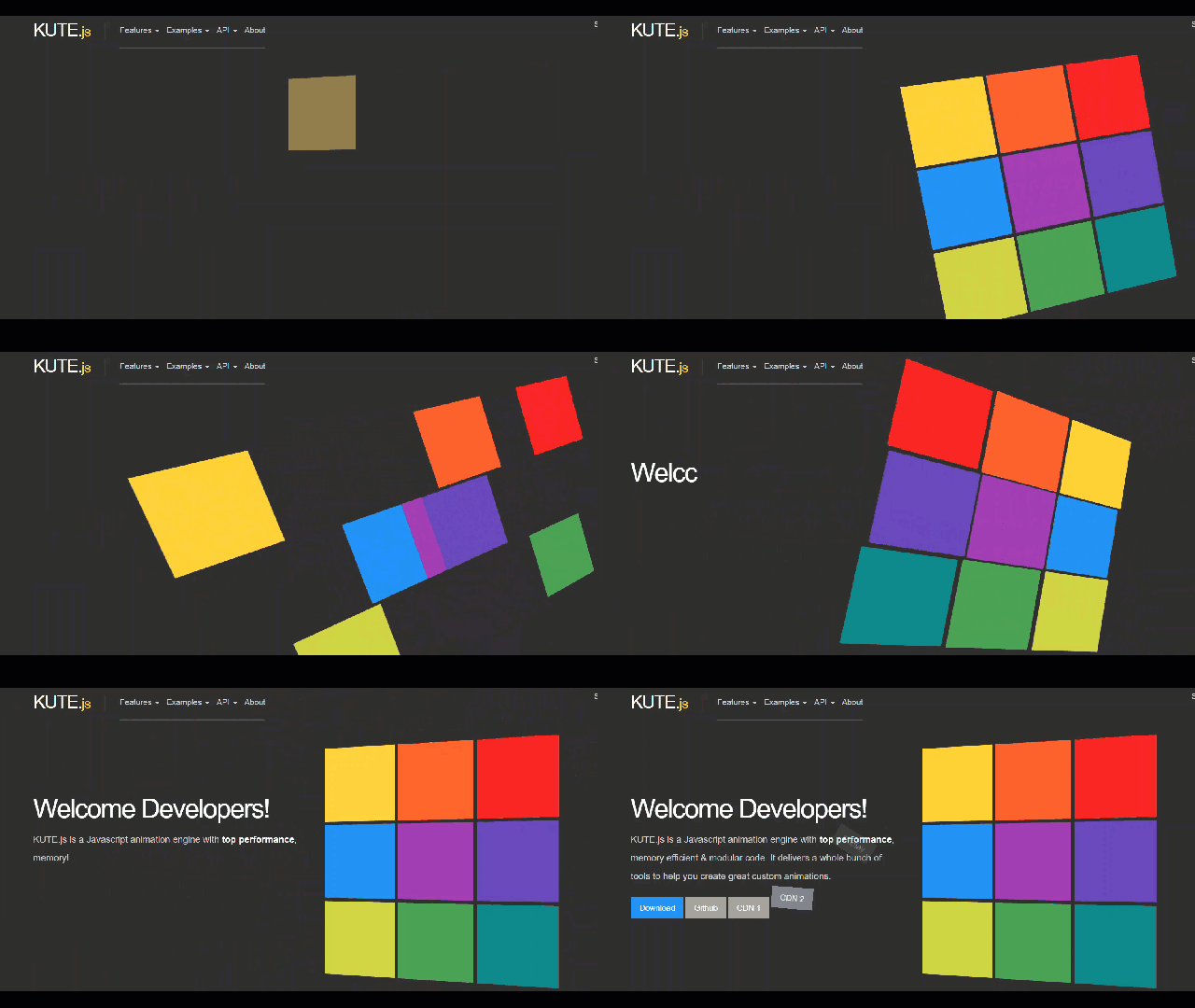
    A fully fledged native JavaScript animation engine with essential features for cross-browser animations. The focus is code quality, flexibility, performance and size (core engine is 17k min and 5.5k gzipped)- here’s a demo. The library is also extendable so you can add your own features.

    thednp/kute.js
    kute.js — KUTE.js is a native Javascript animation engine featuring great code quality, badass performance, SVG…github.com

    11. Typed.js

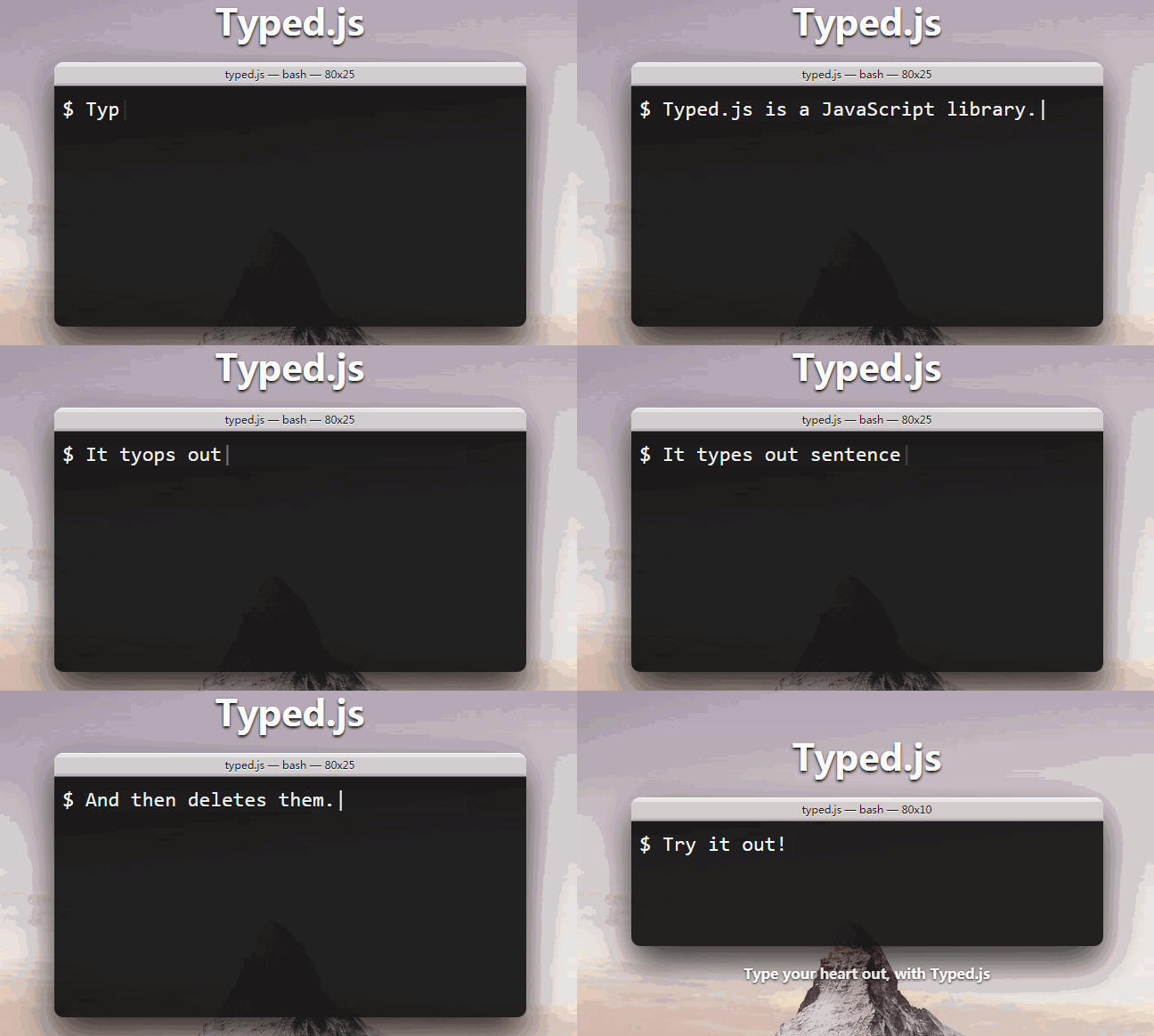
    This 6K stars library basically lets you create typing animations for strings at selected speeds. You can also place an HTML div on the page and read from it to allow access for search engines and users with JavaScript disabled. Used by Slack and others, this library is both popular and surprisingly useful.

    mattboldt/typed.js
    typed.js — A JavaScript Typing Animation Librarygithub.com
    • Also check out: iTyped

    Honorable mentiosns

    Note that these 8 libraries are mostly unmaintained, so use with care.

    • Particles
    VincentGarreau/particles.js
    particles.js – A lightweight JavaScript library for creating particlesgithub.com
    • Loaders
    ConnorAtherton/loaders.css
    loaders.css — Delightful, performance-focused pure css loading animations.github.com
    • Parallax JS
    wagerfield/parallax
    parallax – Parallax Engine that reacts to the orientation of a smart devicegithub.com
    • Bounce.js
    tictail/bounce.js
    bounce.js – Create beautiful CSS3 powered animations in no time.github.com
    • CTA JS
    chinchang/cta.js
    cta.js – Animate your ‘action-to-effect’ pathsgithub.com
    • Tooltips JS
    ytiurin/html5tooltipsjs
    html5tooltipsjs – Tooltips with smooth 3D animationgithub.com
    • Pace JS
    HubSpot/pace
    pace – Automatically add a progress bar to your site. #hubspot-open-sourcegithub.com
    • Anijs
    anijs/anijs
    anijs – A Library to Raise your Web Design without Coding.github.com

    每天推荐一个 GitHub 优质开源项目和一篇精选英文科技或编程文章原文,欢迎关注开源日报。交流QQ群:202790710;微博:https://weibo.com/openingsource;电报群 https://t.me/OpeningSourceOrg

  • 2018年6月8日:开源日报第92期

    8 6 月, 2018

    每天推荐一个 GitHub 优质开源项目和一篇精选英文科技或编程文章原文,欢迎关注开源日报。交流QQ群:202790710;微博:https://weibo.com/openingsource;电报群 https://t.me/OpeningSourceOrg


    今日推荐开源项目:《中国独立开发者项目列表 chinese-independent-developer 》 GitHub链接

    推荐理由:顾名思义,这是一个收集了中国独立开发者项目的列表。在这个列表里你可以看到许多由中国的其他独立开发者创造的项目,并且这个列表还在不断更新。这些项目大多都是中文的,所以不太需要英文功底。如果你想要看看别人都在开发些玩意,来看这个列表就是再好不过的选择了。


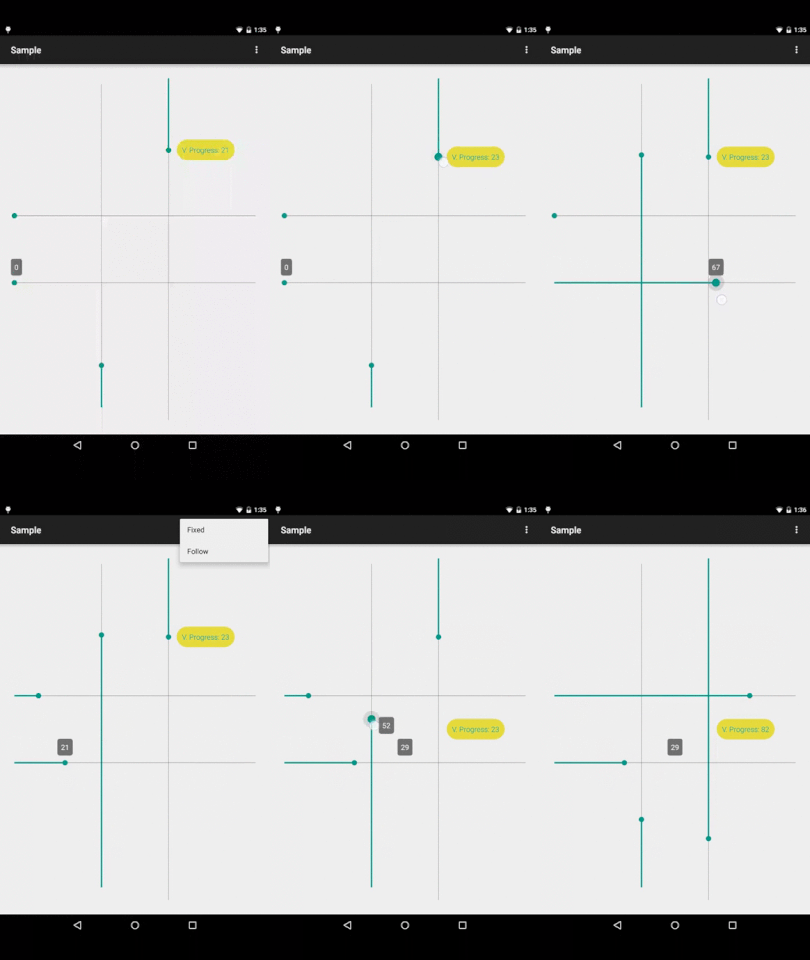
    今日推荐英文原文:《Top 15 Seekbar and Slider Github UI Libraries and Components [Java, Swift, Kotlin]》作者:They Make Design

    原文链接:https://uxplanet.org/top-15-seekbar-and-slider-github-ui-libraries-and-components-java-swift-kotlin-d0f6a9658be3

    推荐理由:介绍了GitHub上的滑动条UI库,它们都有着自己的特色,有需要的朋友们可以好好的看一看了

    Top 15 Seekbar and Slider Github UI Libraries and Components [Java, Swift, Kotlin]

    Lots of apps use the user interface elements like seekbar and slider these days. The function of them is pretty simple, but it could be implemented differently from the design perspective. User experience of the function can largely depend on the narrative and the idea of the app. Fortunately, there is a group of app developers who were generous enough to develop some open source UI libraries with these elements and they shared them on Github.

    We dig into the archives and find some UI libraries with seekbar and slider. Here they are:

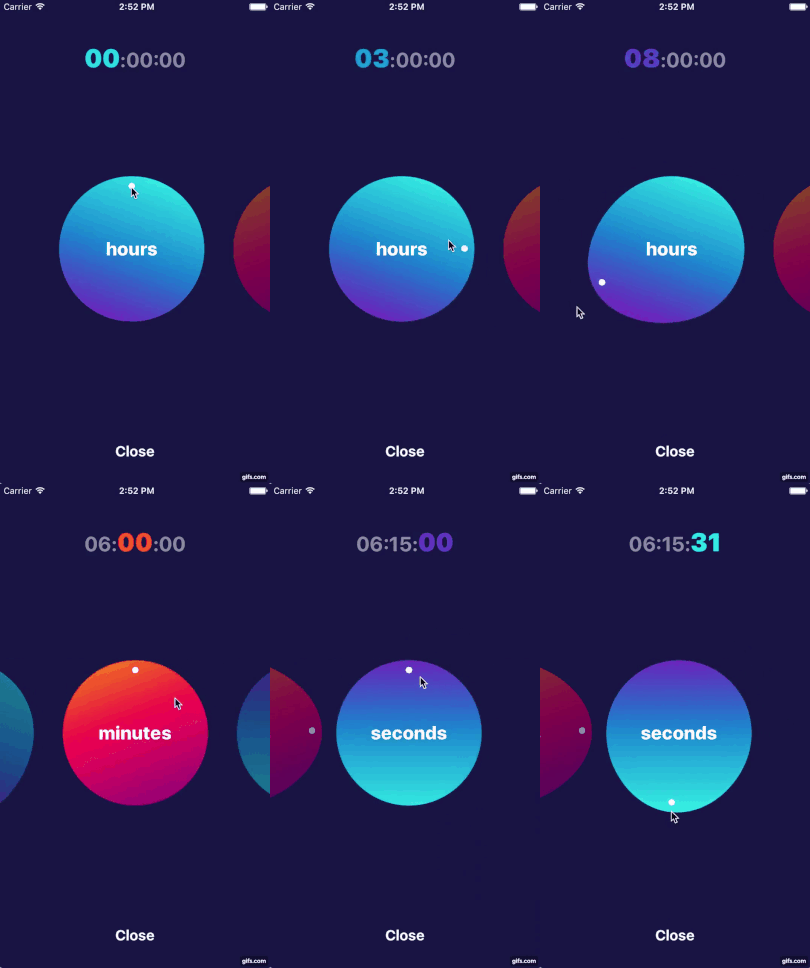
    1. AG Circlular Picker by Agilie (Agilie Team)

    CircularPicker is helpful for creating a controller aimed to manage any calculated parameter.

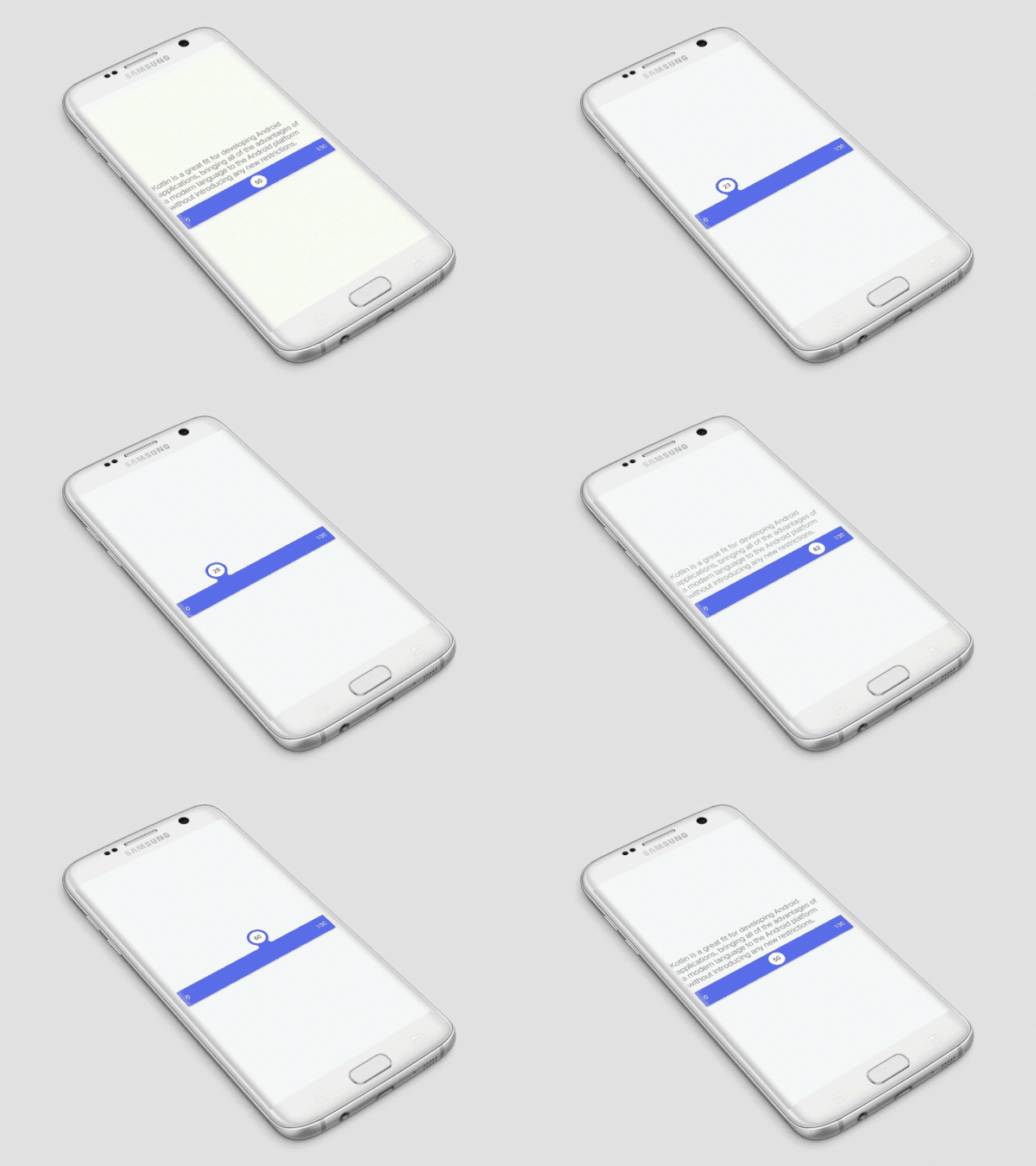
    2. Fluid Slider Android by Ramotion (Ramotion)

    A slider widget with a popup bubble displaying the precise value selected.

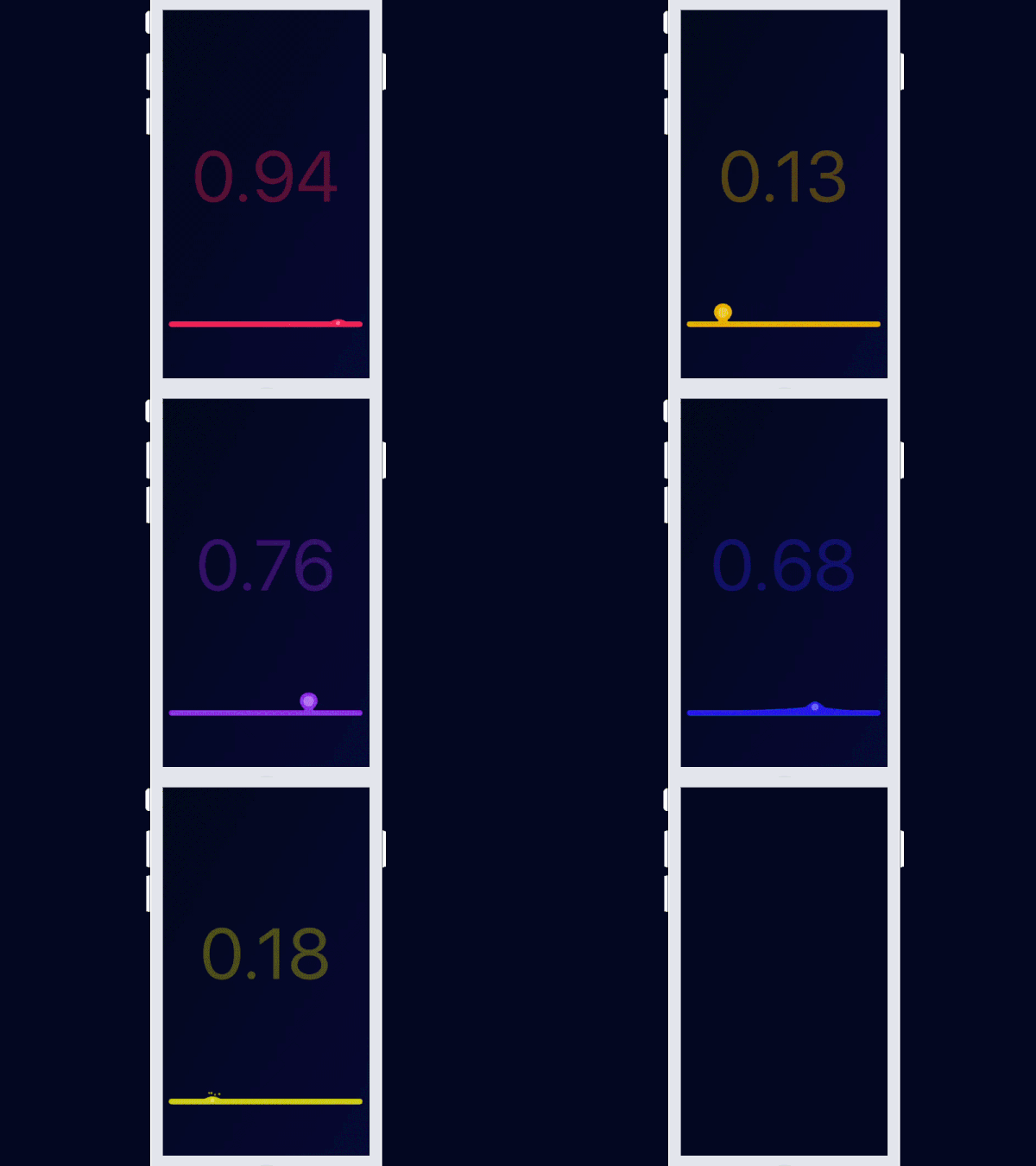
    3. Jelly Slider by Kyle Zaragoza (Kyle Zaragoza)

    A UISlider replacement made of jelly.

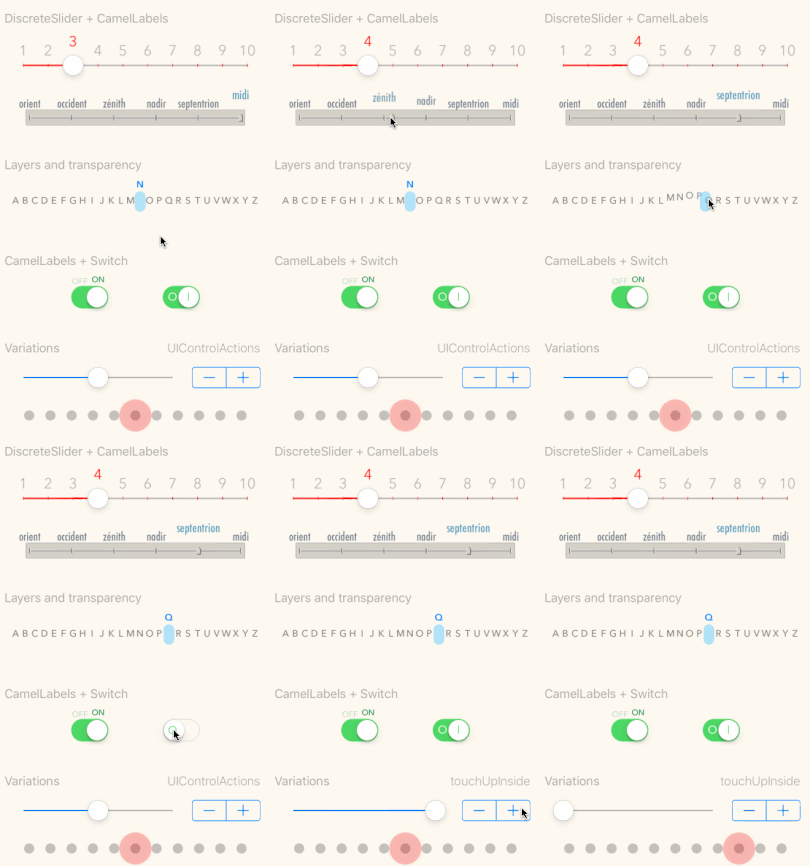
    4. TGP Controls by Xavier Schott

    Drop-in replacement for UISlider with ticks, images & animated labels

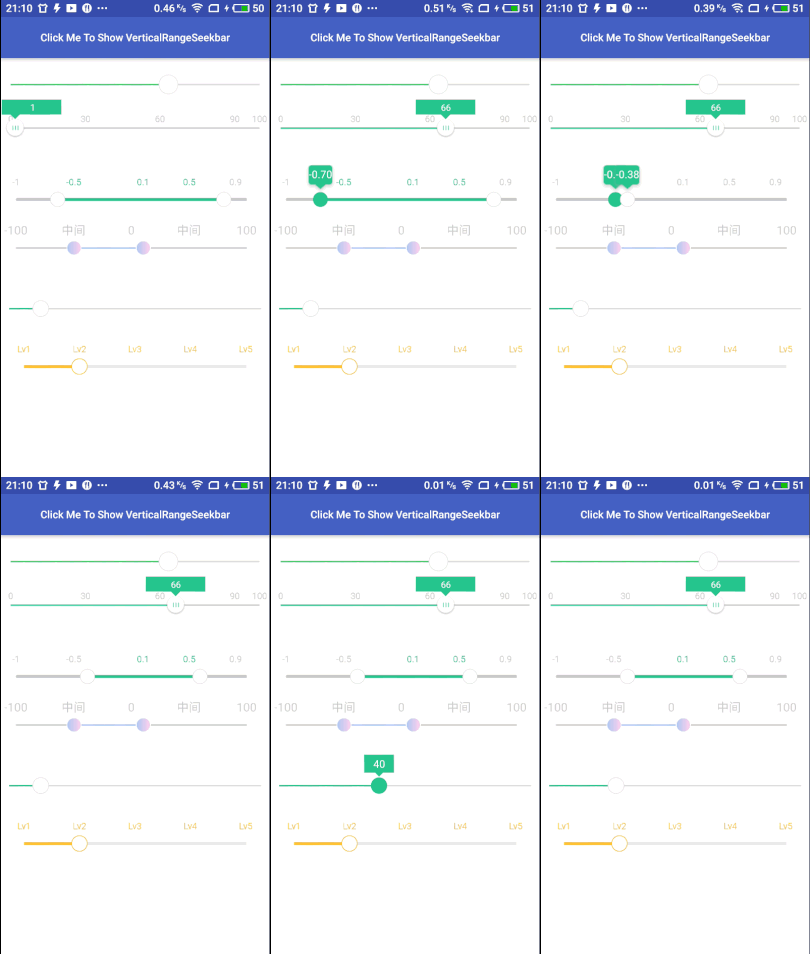
    5. Range Seek Bar by Jay-Goo

    A beautiful and powerful SeekBar that supports range and vetical

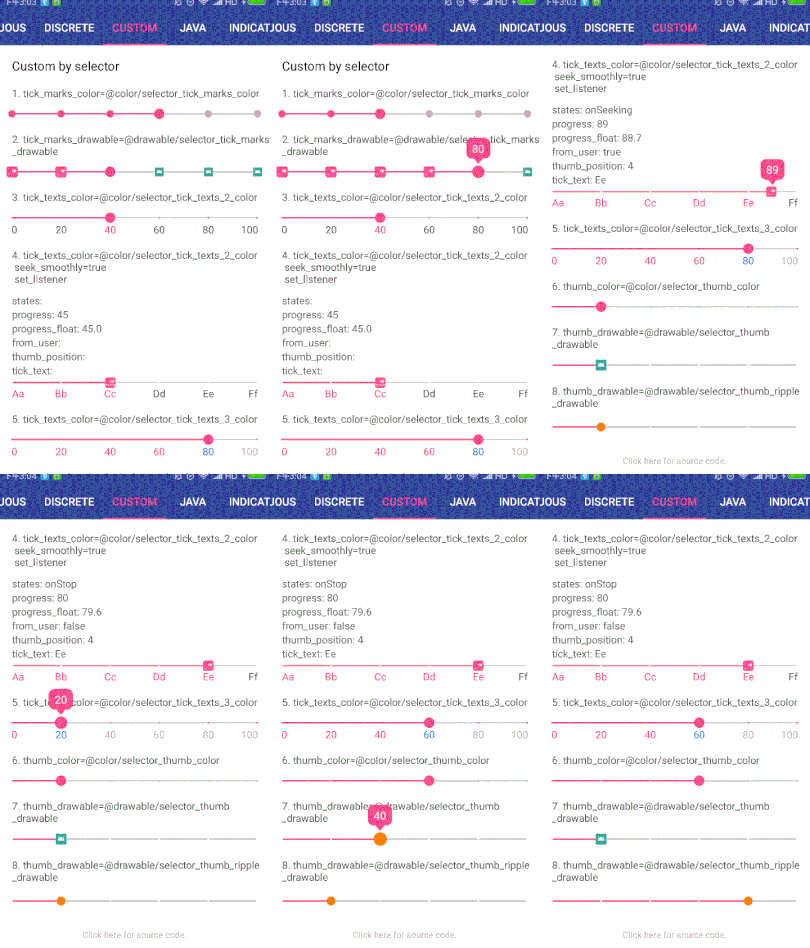
    6. Indicator Seek Bar by Chuang Guangquan

    A custom SeekBar on Android, which can be changed the size ,color , thumb drawable , tick drawable , tick text and indicator , also , will show an indicator view with progress above SeekBar when seeking.

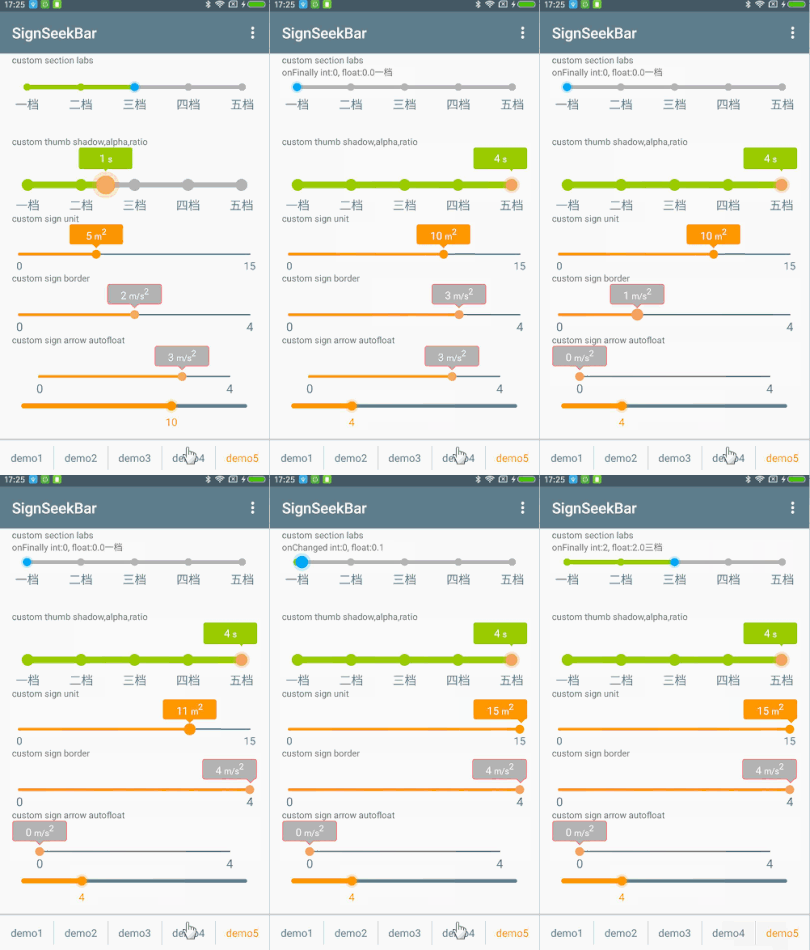
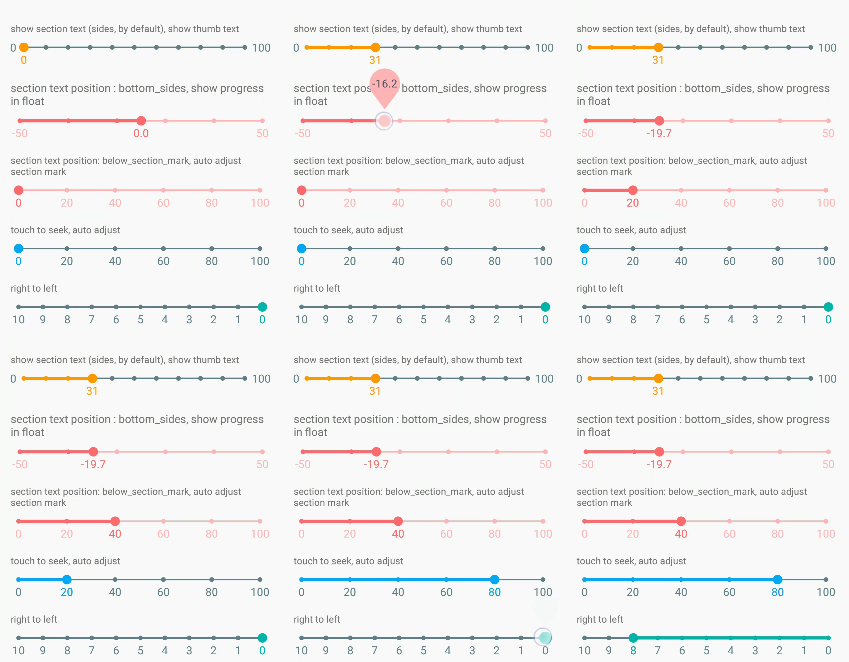
    7. Easy Sign Seek Bar by 周游

    This library mainly provides a beautiful and powerful custom SeekBar, the progress of change is displayed by the sign (sign), has a powerful property settings, support for setting the section (node), mark (mark), track (track), thumb (drag Block, progress, sign, etc.

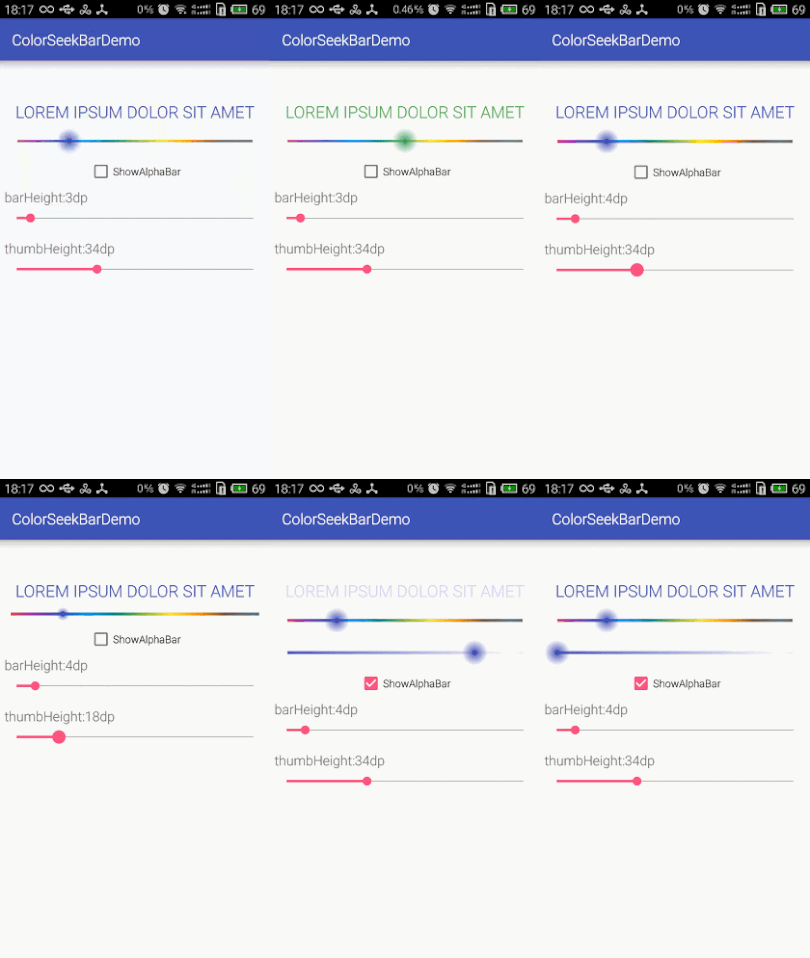
    8. Color Seek Bar by Jack Fu (叶伟成)

    A colorful SeekBar for picking color

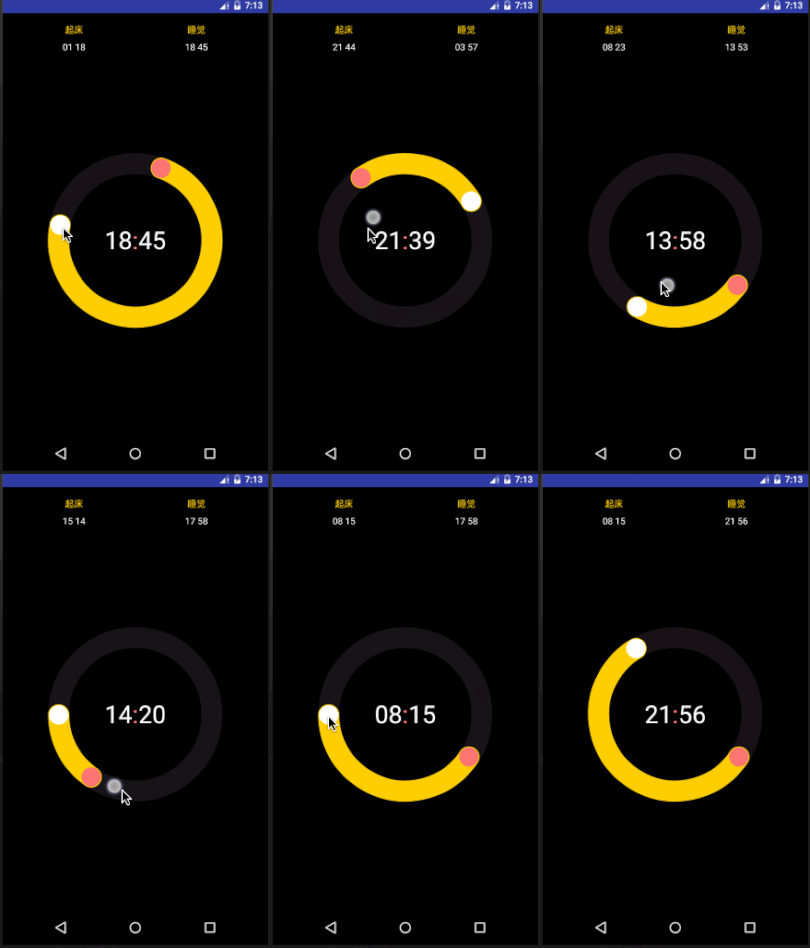
    9. Circle Alarm Timer View by yingLan

    A custom reusable circular slider control for Android application

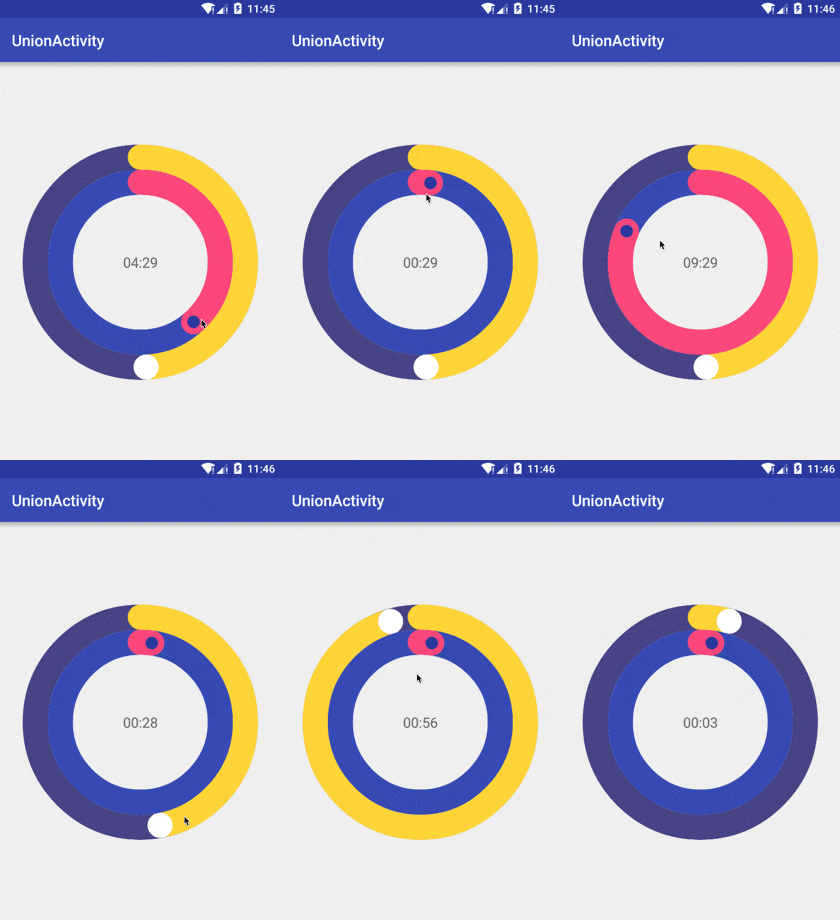
    10. Circle Seek Bar by feeeei

    an android circle seekbar library

    11. Bubble Seek Bar by Xiao

    A beautiful Android custom seekbar, which has a bubble view with progress appearing upon when seeking.

    12. Progress Hint by Techery

    ProgressBar/SeekBar delegate to show floating progress with style

    13. Protractor View by GoodieBag

    A semicircular seekbar view for selecting angle from 0° to 180° ✨

    14. Croller by Harjot Singh Oberai

    A circular seekbar for Android, with a control knob! (for the lack of a better word).

    15. Preview Seek Bar by Rúben Sousa (Rúben Sousa)

    A SeekBar suited for showing a preview of something. As seen in Google Play Movies.

    If you enjoyed this selection of UI libraries please recommend and share.


    每天推荐一个 GitHub 优质开源项目和一篇精选英文科技或编程文章原文,欢迎关注开源日报。交流QQ群:202790710;微博:https://weibo.com/openingsource;电报群 https://t.me/OpeningSourceOrg
←上一页
1 … 236 237 238 239 240 … 262
下一页→

Proudly powered by WordPress