• 开源镜像
  • 开源沙龙
  • 媛宝
  • 猿帅
  • 注册
  • 登录
  • 息壤开源生活方式平台
  • 加入我们

开源日报

  • 2018年7月28日:开源日报第142期

    28 7 月, 2018

    每天推荐一个 GitHub 优质开源项目和一篇精选英文科技或编程文章原文,欢迎关注开源日报。交流QQ群:202790710;微博:https://weibo.com/openingsource;电报群 https://t.me/OpeningSourceOrg


    今日推荐开源项目:《万物皆可 RSS RSSHub》传送门:GitHub链接

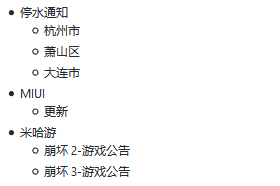
    推荐理由:正如标题所说,这玩意真的是给各种你想不到的东西生成 RSS 订阅源的,比如某个 B 站 UP 的动态,笔趣阁的小说章节,乃至崩崩和崩崩崩的游戏公告甚至还有停水通知……虽然最后一个对于常年不出门的人来说的确很管用就是了。如果这些奇奇怪怪的东西里刚好有你所需要的东西的话,不妨来试一下自己弄一个订阅源。

    今日推荐英文原文:《Intro to Gestures in React Native》作者:Spencer Carli

    原文链接:https://medium.com/handlebar-labs/intro-to-gestures-in-react-native-e9b63dd3305

    推荐理由:介绍了在 React Native 中如何添加手势操作,手势可是个好东西,电脑上还是手机上都很管用

    Intro to Gestures in React Native

    In this tutorial we’ll be learning to add gesture handling to a React Native app via PanResponder. In a previous tutorial I walked through building a basic JavaScript based navigator for React Native which will serve as the basis of this tutorial.

    Getting Started

    We’ll be using create-react-native-app to build our app. To get started run the following from your terminal:

    create-react-native-app rn-js-navigator
    cd rn-js-navigator

    Replace App.js with

    import React from 'react';
    import { StyleSheet, View, Button } from 'react-native';
    import { Navigator, Route } from './Navigator';
    
    const Screen1 = ({ navigator }) => (
      <View style={[styles.screen, { backgroundColor: '#59C9A5' }]}>
        <Button
          title="Screen 2"
          onPress={() => navigator.push('Screen2')}
        />
        <Button
          title="Pop"
          onPress={() => navigator.pop()}
        />
      </View>
    );
    
    const Screen2 = ({ navigator }) => (
      <View style={[styles.screen, { backgroundColor: '#23395B' }]}>
        <Button
          title="Screen 3"
          onPress={() => navigator.push('Screen3')}
        />
        <Button
          title="Pop"
          onPress={() => navigator.pop()}
        />
      </View>
    );
    
    const Screen3 = ({ navigator }) => (
      <View style={[styles.screen, { backgroundColor: '#B9E3C6' }]}>
        <Button
          title="Pop"
          onPress={() => navigator.pop()}
        />
      </View>
    );
    
    export default class App extends React.Component {
      render() {
        return (
          <Navigator>
            <Route name="Screen1" component={Screen1} />
            <Route name="Screen2" component={Screen2} />
            <Route name="Screen3" component={Screen3} />
          </Navigator>
        );
      }
    }
    
    const styles = StyleSheet.create({
      screen: {
        flex: 1,
        alignItems: 'center',
        justifyContent: 'center',
      },
    });

    and then create a new file, Navigator.js, with the following contents

    import React from 'react';
    import { View, StyleSheet, Animated, Dimensions } from 'react-native';
    
    const { width } = Dimensions.get('window');
    
    export const Route = () => null;
    
    const buildSceneConfig = (children = []) => {
      const config = {};
    
      children.forEach(child => {
        config[child.props.name] = { key: child.props.name, component: child.props.component };
      });
    
      return config;
    };
    
    export class Navigator extends React.Component {
      constructor(props) {
        super(props);
    
        const sceneConfig = buildSceneConfig(props.children);
        const initialSceneName = props.children[0].props.name;
    
        this.state = {
          sceneConfig,
          stack: [sceneConfig[initialSceneName]],
        };
      }
    
      _animatedValue = new Animated.Value(0);
    
      handlePush = (sceneName) => {
        this.setState(state => ({
          ...state,
          stack: [...state.stack, state.sceneConfig[sceneName]],
        }), () => {
          this._animatedValue.setValue(width);
          Animated.timing(this._animatedValue, {
            toValue: 0,
            duration: 250,
            useNativeDriver: true,
          }).start();
        });
      }
    
      handlePop = () => {
        Animated.timing(this._animatedValue, {
          toValue: width,
          duration: 250,
          useNativeDriver: true,
        }).start(() => {
          this._animatedValue.setValue(0);
          this.setState(state => {
            const { stack } = state;
            if (stack.length > 1) {
              return {
                stack: stack.slice(0, stack.length - 1),
              };
            }
    
            return state;
          });
        });
      }
    
      render() {
        return (
          <View style={styles.container}>
            {this.state.stack.map((scene, index) => {
              const CurrentScene = scene.component;
              const sceneStyles = [styles.scene];
    
              if (index === this.state.stack.length - 1 && index > 0) {
                sceneStyles.push({
                  transform: [
                    {
                      translateX: this._animatedValue,
                    }
                  ]
                });
              }
    
              return (
                <Animated.View key={scene.key} style={sceneStyles}>
                  <CurrentScene
                    navigator={{ push: this.handlePush, pop: this.handlePop }}
                  />
                </Animated.View>
              );
            })}
          </View>
        )
      }
    }
    
    const styles = StyleSheet.create({
      container: {
        flex: 1,
        flexDirection: 'row',
      },
      scene: {
        ...StyleSheet.absoluteFillObject,
        flex: 1,
      },
    });

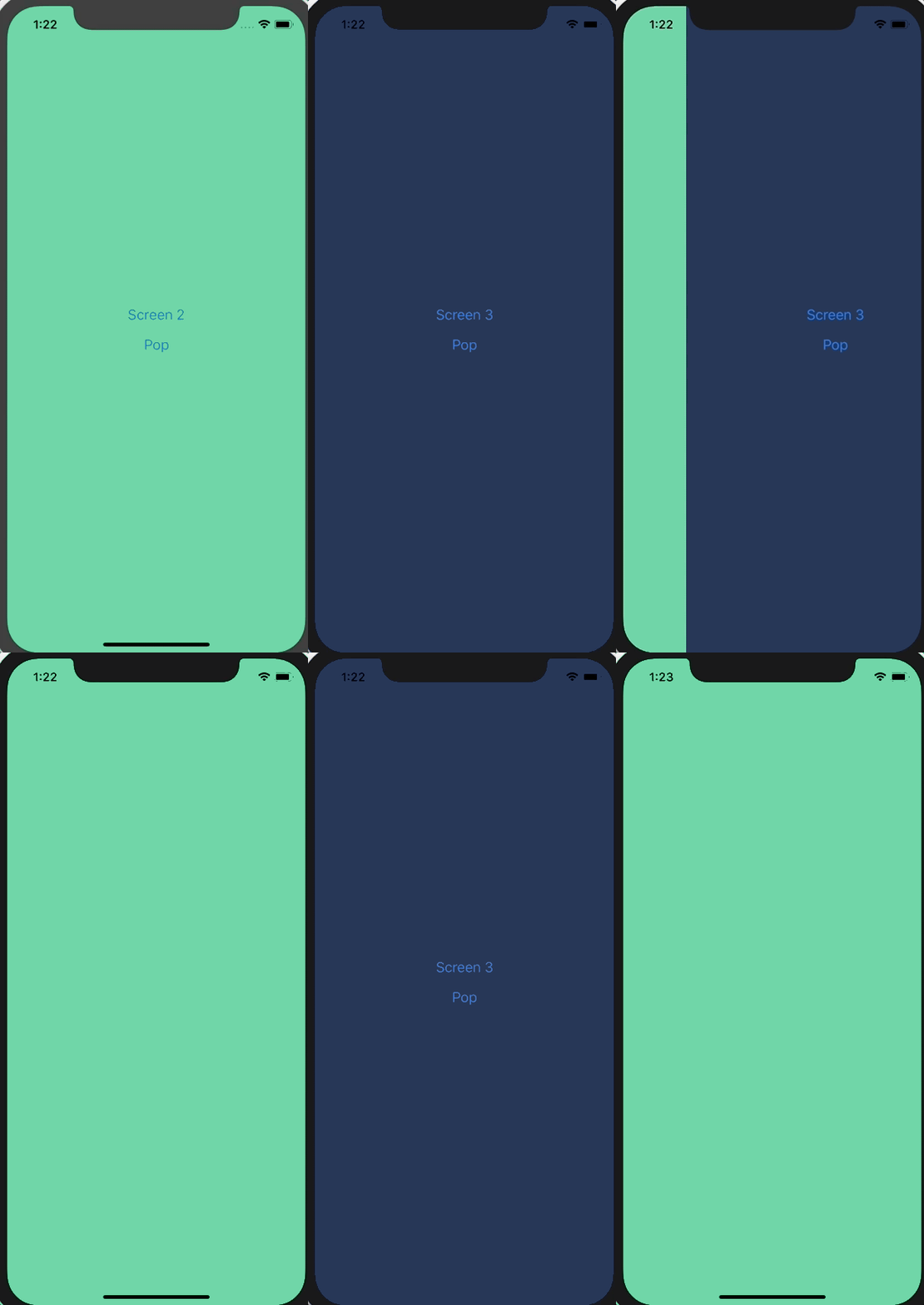
    We can now setup the gestures. The only gesture we’re going to have is, when you’ve got multiple screens in the stack, you can swipe back to the previous one.

    PanResponder Setup

    First we need to import PanResponder from React Native.

    We’ll then go ahead and initialize a new pan responder on our component.

    Navigator.js

    export class Navigator extends React.Component {
      // ...
    
      _panResponder = PanResponder.create({
        onMoveShouldSetPanResponder: (evt, gestureState) => {
    
        },
        onPanResponderMove: (evt, gestureState) => {
    
        },
        onPanResponderTerminationRequest: (evt, gestureState) => true,
        onPanResponderRelease: (evt, gestureState) => {
    
        },
        onPanResponderTerminate: (evt, gestureState) => {
    
        },
      });
    
      // ...
    }

    Let’s walk through what each of these functions does before we start defining them.

    • onMoveShouldSetPanResponder: This determines whether our pan responder should actuallly do anything. For this example we want the pan responder to be enabled on all but the first screen and only when the gesture started in the left most 25% of the screen.
    • onPanResponderMove: When the pan responder is enabled and the move is detected, what should happen? This one gets called a lot.
    • onPanResponderTerminationRequest: If something else wants to take over gestures, should it be allowed to?
    • onPanResponderRelease: When the gesture is released/completed, what should happen? For us, if the gesture took up more than 50% of the screen we’ll complete it, otherwise we’ll keep the user on the current screen.
    • onPanResponderTerminate: When the gesture is terminated (meaning another component became the responder) what should we do? We’ll reset to the current screen.

    Finally, we need to actually apply the pan handlers to our container component.

    Navigator.js

    Now to start the implementation.

    onMoveShouldSetPanResponder: (evt, gestureState) => {
      const isFirstScreen = this.state.stack.length === 1
      const isFarLeft = evt.nativeEvent.pageX < Math.floor(width * 0.25);
    
      if (!isFirstScreen && isFarLeft) {
        return true;
      }
      return false;
    },

    First we check if we’re on the first screen by analyzing this.state.stack, which represents the currently active screens. We then check where the gesture first started by looking at evt.nativeEvent.pageX and see if it’s within the left most 25% of the screen.

    We then check whether or not we should actually start responding to the gesture! We should only respond if we’re on screen 2+ and if the gesture started in the left quarter of the screen.

    onPanResponderMove: (evt, gestureState) => {
      this._animatedValue.setValue(gestureState.moveX);
    },

    Now, once the pan responder has been enabled we’ll update this._animatedValue, which drives our offset, to be whatever the value that is provided. gestureState.moveX is going to be wherever the user’s finger is on the x axis.

    You can actually go ahead and test it now. It’s working but when you let go/stop the gesture the screen just sticks there.

    onPanResponderRelease: (evt, gestureState) => {
      if (Math.floor(gestureState.moveX) >= width / 2) {
        this.handlePop();
      } else {
        Animated.timing(this._animatedValue, {
          toValue: 0,
          duration: 250,
          useNativeDriver: true,
        }).start();
      }
    },

    To fix that we need to implement onPanResponderRelease. In this function we’re going to check if wherever the user released the screen was in the right 50% of the screen. If it was then we’ll call the this.handlePop function to finish the animation and pop the screen off the stack.

    If the screen wasn’t in the right most 50% then we’ll reset the screen offset to 0.

    onPanResponderTerminate: (evt, gestureState) => {
      Animated.timing(this._animatedValue, {
        toValue: 0,
        duration: 250,
        useNativeDriver: true,
      }).start();
    },

    And when the pan responder is taken over we’ll reset the screen to a 0 offset.

    All of this leaves us with the following
    The final Navigator.js is

    import React from 'react';
    import { View, StyleSheet, Animated, Dimensions, PanResponder } from 'react-native';
    
    const { width } = Dimensions.get('window');
    
    export const Route = () => null;
    
    const buildSceneConfig = (children = []) => {
      const config = {};
    
      children.forEach(child => {
        config[child.props.name] = { key: child.props.name, component: child.props.component };
      });
    
      return config;
    };
    
    export class Navigator extends React.Component {
      constructor(props) {
        super(props);
    
        const sceneConfig = buildSceneConfig(props.children);
        const initialSceneName = props.children[0].props.name;
    
        this.state = {
          sceneConfig,
          stack: [sceneConfig[initialSceneName]],
        };
      }
    
      _animatedValue = new Animated.Value(0);
    
      _panResponder = PanResponder.create({
        onMoveShouldSetPanResponder: (evt, gestureState) => {
          const isFirstScreen = this.state.stack.length === 1
          const isFarLeft = evt.nativeEvent.pageX < Math.floor(width * 0.25);
    
          if (!isFirstScreen && isFarLeft) {
            return true;
          }
          return false;
        },
        onPanResponderMove: (evt, gestureState) => {
          this._animatedValue.setValue(gestureState.moveX);
        },
        onPanResponderTerminationRequest: (evt, gestureState) => true,
        onPanResponderRelease: (evt, gestureState) => {
          if (Math.floor(gestureState.moveX) >= width / 2) {
            this.handlePop();
          } else {
            Animated.timing(this._animatedValue, {
              toValue: 0,
              duration: 250,
              useNativeDriver: true,
            }).start();
          }
        },
        onPanResponderTerminate: (evt, gestureState) => {
          Animated.timing(this._animatedValue, {
            toValue: 0,
            duration: 250,
            useNativeDriver: true,
          }).start();
        },
      });
    
      handlePush = (sceneName) => {
        this.setState(state => ({
          ...state,
          stack: [...state.stack, state.sceneConfig[sceneName]],
        }), () => {
          this._animatedValue.setValue(width);
          Animated.timing(this._animatedValue, {
            toValue: 0,
            duration: 250,
            useNativeDriver: true,
          }).start();
        });
      }
    
      handlePop = () => {
        Animated.timing(this._animatedValue, {
          toValue: width,
          duration: 250,
          useNativeDriver: true,
        }).start(() => {
          this._animatedValue.setValue(0);
          this.setState(state => {
            const { stack } = state;
            if (stack.length > 1) {
              return {
                stack: stack.slice(0, stack.length - 1),
              };
            }
    
            return state;
          });
        });
      }
    
      render() {
        return (
          <View style={styles.container} {...this._panResponder.panHandlers}>
            {this.state.stack.map((scene, index) => {
              const CurrentScene = scene.component;
              const sceneStyles = [styles.scene];
    
              if (index === this.state.stack.length - 1 && index > 0) {
                sceneStyles.push({
                  transform: [
                    {
                      translateX: this._animatedValue,
                    }
                  ]
                });
              }
    
              return (
                <Animated.View key={scene.key} style={sceneStyles}>
                  <CurrentScene
                    navigator={{ push: this.handlePush, pop: this.handlePop }}
                  />
                </Animated.View>
              );
            })}
          </View>
        )
      }
    }
    
    const styles = StyleSheet.create({
      container: {
        flex: 1,
        flexDirection: 'row',
      },
      scene: {
        ...StyleSheet.absoluteFillObject,
        flex: 1,
      },
    });

    You can find a running example on Snack.


    I hope you found this example fun and valuable! If you’re interested in learning more about React Native checkout my free basics of React Native course! Or, if you’re further along, checkout my Production Ready React Native course!


    每天推荐一个 GitHub 优质开源项目和一篇精选英文科技或编程文章原文,欢迎关注开源日报。交流QQ群:202790710;微博:https://weibo.com/openingsource;电报群 https://t.me/OpeningSourceOrg
  • 2018年7月27日:开源日报第141期

    27 7 月, 2018

    每天推荐一个 GitHub 优质开源项目和一篇精选英文科技或编程文章原文,欢迎关注开源日报。交流QQ群:202790710;微博:https://weibo.com/openingsource;电报群 https://t.me/OpeningSourceOrg


    今日推荐开源项目:《一次收工一本万利 Taro》传送门:GitHub链接

    推荐理由:这个项目当然不是泰罗奥特曼,而是一个使用 React 开发方式的多端统一的开发框架。简而言之,就是你可以只编写一份代码,比如说写一份 HTML5 的代码,然后它能帮你转换成微信小程序的代码丢过去接着用,之后还会支持更多平台,可以期待今后使用它的便利性。


    今日推荐英文原文:《Pug.js to make your life easier with HTML templates》作者:Uday Hiwarale

    原文链接:https://itnext.io/pug-js-to-make-your-life-easier-with-html-templates-9c62273626e0

    推荐理由:介绍了一个 HTML 模版引擎 Pug.js ,有很多应用程序需要在服务器或浏览器上生成 HTML 代码,而它很适合做这样的工作。

    Pug.js to make your life easier with HTML templates

    Pug.js is a HTML templating engine, which means you can write much simpler Pug code, which Pug compiler will compile into HTML code, that browser can understand. But why not write HTML code in the first place?

    Pug has powerful features like conditions, loops, includes, mixins using which we can render HTML code based on user input or reference data. Pug also support JavaScript natively, hence using JavaScript expressions, we can format HTML code.

    An application of that would be Email Templates to send email customized to particular user. We can make an email template using Pug with variables that can be changed based on user to whom we are sending that email. Before sending email,we can compile Pug to HTML code with user data to fill the gaps where that dynamic information should go. Trust me, this will save you lot of time.

    There are lot of applications where HTML code needs to be generated on server or browser and Pug fits perfectly for those kind of environments. So let’s get started.

    Pug.js, as from its name is a JavaScript library. Hence, we can run it inside browser or on node.js. Here, I am using node.js to demonstrate few examples.

    Pug provides two npm packages viz.pug and pug-cli. pug is a general purpose package and pug-cli are command line interface to compile pug code into HTML code from command line without writing any JavaScript code. I am going to start with pug-cli because this is very easy to do.

    Hence, let’s install pug-cli package with command npm install -g pug-cli, -g because we need to install it globally as to access Pug commands from command prompt or terminal. Pug files ends with extension .pug and compiles to files with extension .html

    If you have index.pug file in a folder, you can open terminal there and execute command pug index.pug which should compile index.pug into index.html file. If you have a separate folder for all .pug files, let’s say src then you should use pug src command which should place all compiled .html files in the same folder. I like all compiled files to be located in separate folder, like dist. Hence I used pug src --pretty --out dist command. You can visit repo page on GitHub at https://github.com/pugjs/pug-cli to know more about pug CLI command flags.

    Let’s see how pug code looks like.

    doctype html
    html
        head
            //- Invisible comment in head section which will not appear in rendered html
            // Visible comment in head block which will appear in rendered html
            
            <!-- html comment will work fine too, but I don't get the idea! -->
        body
            //-
                Block invisible comment in body section
                which will not appear in rendered html
    
            //  "Comment can start from this line as well."
                Visible comment in head block 
                which will appear in rendered html.

    As you can see from above, for the beginner it doesn’t make any sense. But give me a chance to walk you through it. doctype html is a syntax which Pug compiles to <!DOCTYPE html> and html, head and body are regular tags which compiled to <html></html>, <head></head> and <body></body>. Like python, Pug uses tabs to make code blocks. Hence as head and body tags are inside html tabbed block, they will be included in html tag, while head and body will be siblings. Please read the code and comments carefully from here on, because most of the stuff is explained inside the code itself in form of comments.

    When you will compile above code, it will look like

    <!DOCTYPE html>
    <html>
      <head>
        <!-- Visible comment in head block which will appear in rendered html--><!-- html comment will work fine too, but I don't get the idea! -->
      </head>
      <body>
        <!--  "Comment can start from this line as well."
        Visible comment in head block 
        which will appear in rendered html.
        -->
      </body>
    </html>

    Take few moments to understand how it happened, because after this, everything is pretty simple.

    HTML code is mostly about tags, attributes and text. Hence Pug mostly focuses on that, making is injectable with dynamic data. Let’s see how tags and text works. Pug uses same HTML tags so no worry there.

    //- Simple inline paragraph text
    p I am inline text
    
    //- These two pipes will create 2 new lines
    |
    |
    //- This will add empty line between above code and below code
    //-  
        Literal html will also work.
        Pug will simply ignore any text starting with `<` left angle bracket.
        Hence you need to manually close tag.
    <p>I am literal html code </p>
    
    //-
        Unlike block comments, we can not add more text in new lines.
        Because any text inside a tag is valid pug code and pug will try to compile it.
        Hence, we need to use `.` dot or `|` pipe character.
    //- Using pipe character in every line, we can span text over multiple lines.
    //- Pipe character will treat text as normal text and add new line.
    //- But we can mix any valid pug code in new line using this style.
    p
        | Hello World!
        | I am Pug, your buddy to write simple HTML templates.
        em Let's explore the world, shall we?
        | Very nice to meet you :)
    
    //- To create block of text with auto line break, we can use `.` character.
    //- There should not be any space between tag name and `.` dot character.
    //- Any text in this block is not processed by Pug, hence you need to use HTML literal unline previous example.
    //- Dot character must start right after the tag name, 
        or after the closing parenthesis `)` if the tag has attributes.
    p.
        Hello World!
        I am Pug, your buddy to write simple HTML templates.
        <em>Let's explore the world, shall we?</em>
        Very nice to meet you :)
    //- Using `.` dot character, we can make use of block of text to write style or script code,
    //- since, all text in this block will not be processed by pug.
    script.
        if(window.navigator.geolocation){
            console.log("Geolocation available!")
        }
        else{
            console.warn("Geolocation not available!")
        }
    style(type="text/css").
        html, body{
            padding: 0;
            margin: 0;
        }
    
    //- We can also create a dot block of plain text after other tags within the parent tag.
    div
        p Hello World! I am in a paragraph. I am optional here :(
        .
            Hey there!
            I am in a block but in `div` tag.
            Because, dot without a tag will put me in parent tag.
    
    //- Pug provided tag interpolation.
    //- syntax for tag interploation is like `#[tagName content]`
    p
        b Hi there! I am #[strong John Doe].
    
    //- Pug provided `:` operator to make block expression into inline.
    p: b Hi there! I am inline #[strong John Doe].
    
    //- Pug automatically closes self closing tags like `img`, `br`, `link` etc.
    //- But to force pug to self close a custom tag is to put `/` forward slash at the end of the tag
    double-break/
    <p>I am inline text</p>
    <p>I am literal html code </p>
    <p>
      Hello World!
      I am Pug, your buddy to write simple HTML templates.<em>Let's explore the world, shall we?</em>Very nice to meet you :)
    </p>
    <p>
      Hello World!
      I am Pug, your buddy to write simple HTML templates.
      <em>Let's explore the world, shall we?</em>
      Very nice to meet you :)
    </p>
    <script>
      if(window.navigator.geolocation){
          console.log("Geolocation available!")
      }
      else{
          console.warn("Geolocation not available!")
      }
    </script>
    <style type="text/css">
      html, body{
          padding: 0;
          margin: 0;
      }
      
    </style>
    <div>
      <p>Hello World! I am in a paragraph. I am optional here :(</p>Hey there!
      I am in a block but in `div` tag.
      Because, dot without a tag will put me in parent tag.
      
    </div>
    <p><b>Hi there! I am <strong>John Doe</strong>.</b></p>
    <p><b>Hi there! I am inline <strong>John Doe</strong>.</b></p>
    <double-break/>

    Writing attributes in Pug can be little bit tricky. But I am sure, it won’t be too hard to understand after reading comments.

    //- An attribute but be added inside parentheses.
    //- They might look similar to plain HTML attributes but value of an attribute is actually a JavaScript exprssion.
    //- Below is string used as JavaScript expression.
    a(href="https://google.com") google.com
    
    //- An example of actual JavaScript expression.
    //- You can separate multiple attributes using `,` or ` ` space character.
    a(href="https://" + "google" +  ".com", target="_blank") google.com
    
    //- Using inline JavaScript variable
    //- Read more about inline JavaScript code in `inline JavaScript` topic below.
    //- Below, we used ` ` space character to separate multiple attributes
    - var srcLink = "https://design.google.com/logo.png"
    img(src=srcLink alt="google logo")
    
    //- using ES6 string interpolcation.
    - var size = "medium"
    img(src=`https://design.google.com/logo-${size}.png` alt="google logo")
    
    //- Using boolean value.
    input(type='checkbox' checked)
    input(type='checkbox' checked=true)
    input(type='checkbox' checked=false)
    
    //- If you have huge list of attributes, you can span attributes over multiple lines.
    //- We can also use single-quotes `''` or double-quotes `""` to wrap attribute name. 
    input(
        type="text"
        "name"="username"
        'placeholder'="Enter your username"
        readonly=false
        required
    )
    
    //- Pug.js escapes all attributes by default
    img(src="<code></code>")
    
    //- To prevent attribute value escape, use `!=` syntax instead of `=` for attribute value assignment
    img(src!="<code></code>")
    
    //- Adding style attribute is just like any other attribute using string value.
    a(href="some-link", style="color:red;font-size:12px;") Click Me!
    //- But Pug.js provides `Object` literal syntax as well.
    a(href="some-link", style={color: "Red", "font-size": "12px"}) Click Me!
    
    //- Adding class attribute is also just like any other attribute using string value.
    a(href="some-link", class="link special") Click Me!
    //- But Pug.js provides `Object` and `Array` syntax as well.
    a(href="some-link", class=["link", "special"]) Click Me!
    a(href="some-link", class=["link", "special"] class="general") Click Me!
    a(href="some-link", class={link: true, special: true, hidden: false}) Click Me!
    //- Class literal is also valid
    button.btn.btn-sm Click Me
    p.simple.
        Hello World!
        I am in a block
    .general.div I am in default tag is `div`.
    //- Like class literal, id literal is also valid.
    a#main-link Click Me!
    a.link#main-link Click Me!
    #main-link I am in default tag is `div`.

    From here on, I am formatting the code little bit so that you can compare Pug code with HTML.

    <a href="https://google.com">google.com</a>
    <a href="https://google.com" target="_blank">google.com</a>
    <img src="https://design.google.com/logo.png" alt="google logo" />
    <img src="https://design.google.com/logo-medium.png" alt="google logo" />
    <input type="checkbox" checked="checked" />
    <input type="checkbox" checked="checked" />
    <input type="checkbox" />
    <input type="text" name="username" placeholder="Enter your username" required="required" />
    <img src="&lt;code&gt;&lt;/code&gt;" />
    <img src="<code></code>" />
    <a href="some-link" style="color:red;font-size:12px;">Click Me!</a>
    <a href="some-link" style="color:Red;font-size:12px;">Click Me!</a>
    <a class="link special" href="some-link">Click Me!</a>
    <a class="link special" href="some-link">Click Me!</a>
    <a class="link special general" href="some-link">Click Me!</a>
    <a class="link special" href="some-link">Click Me!</a>
    <button class="btn btn-sm">Click Me</button>
    <p class="simple">
        Hello World! I am in a block
    </p>
    <div class="general div">I am in default tag is `div`.</div>
    <a id="main-link">Click Me!</a>
    <a class="link" id="main-link">Click Me!</a>
    <div id="main-link">I am in default tag is `div`.</div>

    The powerful thing about Pug is inline JavaScript code. This is where dynamic data comes from. Binding this dynamic data to HTML can be tricky using custom approach, but with Pug, it’s kind of no brainier.

    //- Pug.js allow writing inline JavaScript code.
    //- Unbuffered JavaScript code does not output any results.
    //- Unbuffered code must start with `-` hyphen.
    - var fieldName = "username"
    - var required = false
    input(type="text", name=fieldName, required=required)
    
    //- Pug.js also support block Unbuffered code.
    -
        // JavaScript comment inside the block
        var classes = [
            "general",
            "link",
            "active"
        ];
    a(href="some-link", class=classes)
        
    //- Buffered JavaScript code output results.
    //- Buffered code starts with `=`
    p= "Hello World! I am <b>Pug.js!</b>"
    
    //- Buffered code is escaped by default.
    //- Like attributes, you can use `!=` syntax to prevent that.
    p!= "Hello World! I am <b>Pug.js!</b>"
    
    //- Pug.js provided built in conditional `if-else` syntax.
    //- Paranthese are optional.
    - var gender = "MALE"
    if(gender == "MALE")
        p I am male.
    else if gender == "FEMALE"
        p I am female.
    else
        p I am special.
    
    //- Pug also provides `unless` conditional syntax which works like a negated if.
    //- This will work only when condition is true.
    - var loggedin = false
    unless loggedin
        p
            a.link(href="some-link") Click to log in.
    
    //- For loops, Pug has for, `for in`, `each in` and `while` loop.
    //- While, in case of `for` loop, `-` hyphen is necessary.
    ul
        - for (var i = 0; i < 3; i++)
            li= `current value is ${i}`
    
    
    - var i = 0
    ul
        while i < 3
            li= `current value using while is ${i++}`
    
    - var list = [0,1,2]
    ul
        for i in list
            li= `current value using for-in is ${i}`
    
    ul
        each i in list
            li= `current value using each-in is ${i}`
    
    //- Pug does not a `switch` statement but support similar `case-when` statement.
    //- You can also write when expression in single line or block.
    - var gender = "MALE"
    case gender
        when "MALE"
            p I am male.
        when "FEMALE": p I am female.
        default
            p I am special.
    
    
    //- Interpolation in Pug is very easy.
    //- Like ES6 uses `${variable}` syntax, Pug uses `#{variable}` syntax.
    - var name="John Doe"
    p Hi, My name is #{name}.
    
    //- Any code inside curly braces of `#{}` is valid javascript expression
    - var name="John <b>Doe</b>"
    p Hi, My name is #{name.toLowerCase()}.
    
    //- By default, value inside curely brace is escaped.
    //- To prevent that, use `!` operator.
    - var name="John <b>Doe</b>"
    p Hi, My name is !{name.toLowerCase()}.

    If you are familiar with Angular or React, then this must not make you crazy.

    <input type="text" name="username"/><a class="general link active" href="some-link"></a>
    <p>Hello World! I am &lt;b&gt;Pug.js!&lt;/b&gt;</p>
    <p>Hello World! I am <b>Pug.js!</b></p>
    <p>I am male.</p>
    <p><a class="link" href="some-link">Click to log in.</a></p>
    <ul>
      <li>current value is 0</li>
      <li>current value is 1</li>
      <li>current value is 2</li>
    </ul>
    <ul>
      <li>current value using while is 0</li>
      <li>current value using while is 1</li>
      <li>current value using while is 2</li>
    </ul>
    <ul>
      <li>current value using for-in is 0</li>
      <li>current value using for-in is 1</li>
      <li>current value using for-in is 2</li>
    </ul>
    <ul>
      <li>current value using each-in is 0</li>
      <li>current value using each-in is 1</li>
      <li>current value using each-in is 2</li>
    </ul>
    <p>I am male.</p>
    <p>Hi, My name is John Doe.</p>
    <p>Hi, My name is john &lt;b&gt;doe&lt;/b&gt;.</p>
    <p>Hi, My name is john <b>doe</b>.</p>

    You mostly won’t hardcode data in the Pug code. This data is mostly dynamic and can come from any source, like SQL Database or REST api. We will learn about how to inject data into Pug template in upcoming topic once we are done with all features of Pug.

    If you are used to PHP, then you must know that we can include other PHP files into the code. Pug also support including code from other Pug and non Pug files.

    //- Like PHP, we can include content of another file in a file.
    //- If another file extension is `.pug`, then it's content will be compiled.
    //- If another files is non-pug file, then it's content will be included as raw text.
    //- If no file extenstion is given, `.pug` is automatically appended to the file name.
    doctype html
    html
        head
            title Includes Example
            include includes/resources.pug
    
            style
                include includes/style.css
        body
    h1 Hello World
    //- located in includes folder
    link(rel="stylesheet", href="http://website.com/style.css")
    script(src="http://website.com/script.js")
    /* located in includes folder */
    html,
    body {
        padding: 0;
        margin: 0;
        font-size: 14px;
    }
    <!DOCTYPE html>
    <html>
    
    <head>
        <title>Includes Example</title>
        <link rel="stylesheet" href="http://website.com/style.css">
        <script src="http://website.com/script.js"></script>
        <style>
            /* located in includes folder */
            html,
            body {
                padding: 0;
                margin: 0;
                font-size: 14px;
            }
        </style>
    </head>
    
    <body>
        <h1>Hello World</h1>
    </body>
    
    </html>

    If you are wondering what if I need to use same piece of code over and over again, then don’t worry. If you are familiar with SASS, then you must know about mixin. Pug also provide similar kind of feature to add code re-usability in your program. Mixin in Pug is wrapper or functional wrapper around a block of Pug code.

    //- Mixin is used to create reusable block of code.
    //- Mixin is just a wrapper around proper Pug code.
    //- Mixin can also be a function with arguments.
    mixin notAllowed
        p: b You are not allowed here
    
    mixin user(data)
        li
            p.name= data.name
            p.city= data.city
    
    //- to use mixin, just use `+` plus operator with mixin name
    .critical-section
        +notAllowed
    
    -
        var users = [
            {name: "Ross Geller", city: "New York"},
            {name: "Monica Geller", city: "Little Rock"},
        ]
    ul.user-list
        for data in users
            +user(data)
    
    //- Mixin has a internal `block` variable which refers to the content of mixin.
    //- If mixin is used like a tag, then `block` variable will have that content, else it will be empty.
    mixin user(data)
        li
            p.name= data.name
            p.city= data.city
    
            .meta
                if block
                    block
                else
                    p This user has no meta information.
            
    ul.user-list
        +user({name: "Ross Geller", city: "New York"})
            p Ross likes Rachel.
    
        +user({name: "Monica Geller", city: "Little Rock"})
            
    //- Mixin has a internal `attributes` variable.
    mixin user(data)
        li(class!=attributes.class)
            p.name= data.name
            p.city= data.city
    
            .meta
                if block
                    block
                else
                    p This user has no meta information.
            
    ul.user-list
        +user({name: "Ross Geller", city: "New York"})(class="active")
            p Ross likes Rachel.
    
    +user({name: "Monica Geller", city: "Little Rock"})
    <div class="critical-section">
        <p>
            <b>You are not allowed here</b>
        </p>
    </div>
    <ul class="user-list">
        <li>
            <p class="name">Ross Geller</p>
            <p class="city">New York</p>
        </li>
        <li>
            <p class="name">Monica Geller</p>
            <p class="city">Little Rock</p>
        </li>
    </ul>
    <ul class="user-list">
        <li>
            <p class="name">Ross Geller</p>
            <p class="city">New York</p>
            <div class="meta">
                <p>Ross likes Rachel.</p>
            </div>
        </li>
        <li>
            <p class="name">Monica Geller</p>
            <p class="city">Little Rock</p>
            <div class="meta">
                <p>This user has no meta information.</p>
            </div>
        </li>
    </ul>
    <ul class="user-list">
        <li class="active">
            <p class="name">Ross Geller</p>
            <p class="city">New York</p>
            <div class="meta">
                <p>Ross likes Rachel.</p>
            </div>
        </li>
        <li>
            <p class="name">Monica Geller</p>
            <p class="city">Little Rock</p>
            <div class="meta">
                <p>This user has no meta information.</p>
            </div>
        </li>
    </ul>

    You probably want to define mixins in separate file and include them in the file when needed to make them truly resuable.


    So far we have seen inline JavaScript code, but trust me, you will be hardy using it. Instead, your data can come from any source and can be dynamic in nature. Hence, while running an application, for example, an email server, you want to get compiled email code with user data hard-coded when some event fires so that you could send that email to the user. Here, pug-cli can not help you. You need to use pug package to compile Pug code into HTML on the fly.

    But compilation is CPU and Memory intensive. Is it really wise to compile a template 1000 times per minute for 1000 email send requests of 1000 users? Don’t worry, Pug fixes that by caching the template.

    This is much well explained at https://pugjs.org/api/getting-started.html


    So far, we have explored many things in Pug and hopefully you are now comfortable to work with it. But there are many things to explore in Pug.js, hence you should check out their official documentation on https://pugjs.org


    每天推荐一个 GitHub 优质开源项目和一篇精选英文科技或编程文章原文,欢迎关注开源日报。交流QQ群:202790710;微博:https://weibo.com/openingsource;电报群 https://t.me/OpeningSourceOrg
  • 2018年7月26日:开源日报第140期

    26 7 月, 2018

    每天推荐一个 GitHub 优质开源项目和一篇精选英文科技或编程文章原文,欢迎关注开源日报。交流QQ群:202790710;微博:https://weibo.com/openingsource;电报群 https://t.me/OpeningSourceOrg


    今日推荐开源项目:《Java 知识汇总 Java-Interview》传送门:GitHub链接

    推荐理由:顾名思义,这个项目中汇集了关于 Java 的各种知识,包括数据结构与算法,JVM 和多线程这些,当然 Java 之外的常用的 MySQL 也有舍己,感兴趣的朋友可以去了解一下。


    今日推荐英文原文:《Kotlin: A Language for Modern Multi-platform Applications》作者: K S Kuppusamy

    原文链接:https://opensourceforu.com/2018/07/kotlin-a-language-for-modern-multi-platform-applications/

    推荐理由:顾名思义,介绍了多平台编程语言 Kotlin。

    Kotlin: A Language for Modern Multi-platform Applications

    Kotlin is a multi-platform programming language that is concise, safe, interoperable and tool-friendly. It is a statically-typed programming language that runs on the Java virtual machine and can also be compiled to the JavaScript source code or can use the LLVM compiler infrastructure.

    The choice of a programming language is a crucial factor in the effective implementation of any software project. In the modern multi-platform era, it is important that a language has the capabilities to address the specific needs of the platform being used. Kotlin is an emerging programming language with which you can build applications belonging to any of the following categories—native, browser-based, Android and JVM based. This article explores the rich array of features that Kotlin offers.

    Programming languages play an important role in deciding the speed at which the applications are built. Apart from deciding the development time, the optimality of the implementation is also affected by the choice of the programming language. These days, there are many programming languages to choose from. However, there are various factors that determine which language one selects, such as platform support, availability of support libraries, community help, documentation, etc. So let us explore Kotlin in this context.

    The Kotlin language was designed by JetBrains, and there are many open source developers who have contributed to its evolution. It was released in 2011 and its latest stable release, version 1.2.30, came out in March 2018. Kotlin is an actively maintained programming language with a growing developer support base. It is a statically typed programming language, and the licensing associated with it is Apache 2. Its design is influenced by other popular programming languages such as Java, Scala, etc. One of the design philosophies behind Kotlin is to develop a language that combines the feature set of Scala with the compilation speed of Java.

    Figure 1: Reasos to use Kotlin
    Figure 2: Kotlin – try it out online

    Reasons you should use Kotlin

    One of the first questions that developers ask themselves while selecting a programming language is, “Why use this language?” Here are some important reasons for why you should use Kotlin.

    • It is multi-platform: Kotlin can be used to build applications that target the following environments:
    1. Native code
    2. In-browser execution (through JavaScript trans-compilation)
    3. Android environment
    4. Java Virtual Machine
    • It is concise: One of the main advantages of using Kotlin is its ability to reduce the amount of boilerplate code considerably. So developers can focus on the task at hand, rather than worrying about the skeleton in which the code needs to be placed.
    • It is safe: Kotlin has lots of inbuilt mechanisms to prevent a large class of errors. One that will be liked by many developers is ‘null pointer exceptions’.
    • It is interoperable: It is a major advantage to be able to use libraries across JVM, Android and JavaScript environments.
    • It is tool-friendly: For many developers, the integrated development environment (IDE) is a factor that affects their productivity. Kotlin can be used with many popular IDEs (IntelliJ IDEA, Android Studio, Eclipse, etc). You can interact with it through the command line as well.

    Why Kotlin has been given this name

    Kotlin is the name of an island near St Petersburg in Russia. The Kotlin team chose this name since the name ‘Java’ also has a link to an island (apart from the connection with coffee).

    With the release of Android Studio 3.0, Kotlin is completely supported as a programming language for the Android OS. It can be used as an alternative to the standard Java compiler.

    Figure 3: Kotlin Android
    Figure 4: JavaScript transpiling

    Getting started

    The easiest way to get started with Kotlin is to use https://try.kotlinlang.org/. The environment provided here is intuitive. There are lots of sample programs provided in this environment. Let’s first write the ‘Hello World’ program, as follows:

    fun main(args: Array<String>) {
    
    println("Hello, world! Sample for OSFY")
    
    }

    After writing this code, select one of the following as the target:

    • JVM
    • JavaScript
    • JUnit

    Then click on the Run icon. The output appears in the output window.

    The input can be read from command line arguments.

    A sample code snippet is as follows:

    fun main(args: Array<String>) {
    
    if (args.size == 0) {
    
    println(“Please provide a name as a command-line argument”)
    
    return
    
    }
    
    println(“Hello, ${args[0]}!”)
    
    }

    It can be observed from the above code snippet that the semi-colons are optional in Kotlin. The newline is automatically inferred by Kotlin.

    Multiple arguments can be read from the command line using ‘for’, as shown in the following code snippet:

    fun main(args: Array<String>) {
    
    for (name in args)
    
    println("Hello, $name!")
    
    }

    If you want the object-oriented version of Hello World, here is the code snippet:

    class Greeter(val name: String) {
    
    fun greet() {
    
    println(“Hello, ${name}”);
    
    }
    
    }
    
    fun main(args: Array<String>) {
    
    Greeter(args[0]).greet()
    
    }

    It may be observed that the ‘new’ keyword is not used for creating an object.

    If you wish to install the Kotlin compiler in your system, try the following command from a terminal (for Ubuntu users):

    $ sudo snap install --classic kotlin

    Detailed instructions for command line installation for other OSs are available at https://kotlinlang.org/docs/tutorials/command-line.html.

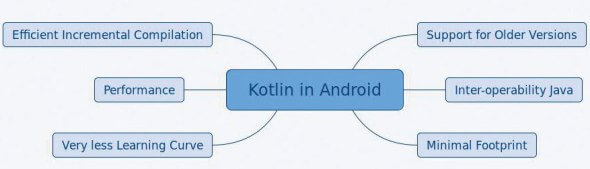
    Kotlin in Android

    The official Kotlin documentation lists the major features that Kotlin offers for Android development.

    • Compatibility: The compatibility with JDK 6 ensures that Kotlin based applications can run on older Android devices.
    • Kotlin is 100 per cent interoperable with Java: This means that all the existing Android libraries can be used in Kotlin applications.
    • A minimal footprint: This important feature is available because Kotlin has a very compact run-time library.

    If you are a Java developer, you can get started with Kotlin instantly. There is an automated Java-to-Kotlin converter available.

    Koltin has been used by major applications such as Pinterest, Basecamp’s Android app, etc. For sample Android apps built using Kotlin, you can go to https://developer.android.com/samples/index.html?language=kotlin. Google has provided some interesting applications built using Kotlin at this link.

    A detailed tutorial on getting started with Kotlin for Android app development is available at https://kotlinlang.org/docs/tutorials/kotlin-android.html.

    Kotlin in browsers

    As stated earlier, Kotlin enables the developer to transpile Kotlin code to JavaScript. The Kotlin-to-JavaScript compiler ensures that the code generated is optimal in size, and readability is also ensured.

    Some of the prime reasons for targeting JavaScript transpiling are given below.

    • DOM interaction: With the features provided by Kotlin, DOM can be handled. It is possible to update existing elements and create new elements too.
    • The graphics interaction can be managed through WebGL: This can be used to build graphical components in the Web pages.

    Kotlin can be adopted for browser-side use along with other JavaScript libraries or frameworks such as jQuery or React.

    The conversion from Kotlin to JavaScript can be done in multiple ways. The official documentation has listed the following methods:

    • Gradle approach
    • IntelliJ IDEA approach
    • Maven approach
    • Command line approach.

    In the ‘Kotlin – Try online’ tutorial, the ‘Hello World’ example produces the following JavaScript code:

    kotlin.kotlin.io.output.flush();
    
    if (typeof kotlin === ‘undefined’)
    
    {
    
    throw new Error(“Error loading module ‘moduleId’. Its dependency ‘kotlin’ was not found. Please, check whether ‘kotlin’ is loaded prior to ‘moduleId’.”);
    
    }
    
    var moduleId = function (_, Kotlin)
    
    { ‘use strict’;
    
    var println = Kotlin.kotlin.io.println_s8jyv4$;
    
    function main(args)
    
    { println(‘Hello, world! Sample for OSFY’); } _.main_kand9s$ = main; main([]); Kotlin.defineModule(‘moduleId’, _); return _; }(typeof moduleId === ‘undefined’ ? {} : moduleId, kotlin); kotlin.kotlin.io.output.buffer;

    The detailed instructions on how to handle the aforementioned approaches are given at https://kotlinlang.org/docs/tutorials/javascript/kotlin-to-javascript/kotlin-to-javascript.html.

    Native Kotlin

    Kotlin has a feature for compiling to native binaries, and can execute this feature without any virtual machine. The target platforms that native Kotlin supports are listed below:

    • Windows (x86_64)
    • Linux
    • iOS
    • Android
    • Web Assembly

    Kotlin on the server-side

    Kotlin can be used for building server-side applications as well. The following are some of the key advantages of using Kotlin on the server-side.

    • Scalability: Kotlin has the potential to handle a massive number of clients.
    • Migration support: There is inbuilt support for migrating large code bases from Java to Kotlin.

    For server-side development, there are many important frameworks like Vert.x and Ktor.

    Kotlin’s ability to support large server-side applications is already proven with some major implementations. For example, Corda, which is an open source distributed ledger platform supported by major banks, is built completely with Kotlin.

    Java interoperability

    As stated earlier, Kotlin supports interoperability with Java. The existing Java code can be called from Kotlin in a seamless manner. A comparative analysis of Kotlin and Java is provided at https://kotlinlang.org/docs/reference/comparison-to-java.html. Some of the prominent advantages of Kotlin are listed below:

    • Has a null safety feature
    • Has extension functions
    • Operator overloading is allowed
    • Implements coroutines

    The official documentation claims that Kotlin code is more compact than Java code. In fact, it shows an estimated 40 per cent reduction in the number of lines of code with Kotlin (https://kotlinlang.org/docs/reference/faq.html).

    To know more about Kotlin, refer to the many books available. A list is given at https://kotlinlang.org/docs/books.html.

    With its multi-platform support and concise code, Kotlin surely has the potential to evolve into one of the most popular programming languages for developers across the spectrum.


    每天推荐一个 GitHub 优质开源项目和一篇精选英文科技或编程文章原文,欢迎关注开源日报。交流QQ群:202790710;微博:https://weibo.com/openingsource;电报群 https://t.me/OpeningSourceOrg
  • 2018年7月25日:开源日报第139期

    25 7 月, 2018

    每天推荐一个 GitHub 优质开源项目和一篇精选英文科技或编程文章原文,欢迎关注开源日报。交流QQ群:202790710;微博:https://weibo.com/openingsource;电报群 https://t.me/OpeningSourceOrg

    今日推荐开源项目:《前端 UI 框架 lulu ui》传送门:GitHub链接

    推荐理由:这个前端 UI 框架是基于 jQuery 的,使用起来很简单,你可以直接引入所有 UI 组件,也可以像装插件一样单独引入按钮或者别的什么,官方文档里也有足够的示例,即使是初心者级别的萌新来使用也可以通过照葫芦画瓢来上手而不需要花费太多学习时间,如果你还没有学习 Vue 或者 React 这些有点复杂的框架的话,试试这个也是不错的选择。


    今日推荐英文原文:《8 books for sysadmins》作者:Jen Wike Huger

    原文链接:https://opensource.com/article/18/7/book-list-sysadmins

    推荐理由:给系统管理员的八本书,这篇文章肯定是推荐给系统管理员朋友们一读的

    8 books for sysadmins

    Sysadmins may feel underappreciated for most of the year, but come July, they’ve got a whole 24 hours dedicated to them on the last Friday of the month.

    At Opensource.com, we strive to celebrate them the whole year through, and in July we make a point to dedicate more days in a month than usual to publishing articles that speak to the system, network, and database admins.

    I asked our writer community to recommend their favorite books for admins: Here’s their list.

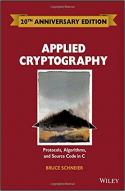
    Applied Cryptography: Protocols, Algorithms and Source Code in C

    By: Bruce Schneier

    This book has been incredibly useful in understanding the very basics of cryptography systems and algorithms all the way up to much more advanced concepts. Produced in the early days of public key encryption detailing the inner workings of encryption systems. An absolute must-read for anyone wanting to understand more about the privacy systems that protect our data. (Recommendation and review by Brian Whetten)

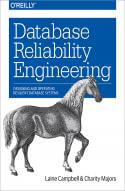
    Database Reliability Engineering

    By: Laine Campbell and Charity Majors

    The infrastructure-as-code revolution in IT is also affecting database administration. With this practical book, developers, system administrators, and junior to mid-level DBAs will learn how the modern practice of site reliability engineering applies to the craft of database architecture and operations. Authors Laine Campbell and Charity Majors provide a framework for professionals looking to join the ranks of today’s database reliability engineers (DBRE).

    You’ll begin by exploring core operational concepts that DBREs need to master. Then you’ll examine a wide range of database persistence options, including how to implement key technologies to provide resilient, scalable, and performant data storage and retrieval. With a firm foundation in database reliability engineering, you’ll be ready to dive into the architecture and operations of any modern database. (Recommendation by Chris Short | Review by Google Books)

    Mastering Ubuntu Server

    By: Jay LaCroix

    Disclaimer, this is my latest book, but I worked really hard to make the most relevant book possible for running Ubuntu on servers. Think of this book as a passion project of mine. It was expanded from the first edition to be up to date for Ubuntu 18.04, and cover additional topics, such as Ansible, LXD, and more.

    “For both simple and complex server deployments, Ubuntu’s flexible nature can be easily adapted to meet the needs of your organization. With this book as your guide, you will learn all about Ubuntu Server, from initial deployment to creating production-ready resources for your network.” (Recommendation and review by Jay LaCroix)

    The Container Commandos Coloring Book

    By: Dan Walsh and Mairin Duffy

    It’s summer, and you should take the time to do something fun and learn something new. Fortunately, you can do both with this book, clocking in at just over a dozen pages. How? By coloring as you read about how Linux containers and the tools that support them are saving the world.

    Introduce yourself to the superheroes of this story—Skopeo, Podman, Buildah, CRI-O, and OpenShift—and learn how the superpowers of each can protect the planet, or your data center, from disaster through the power of decentralization and resiliency.

    You can download the PDF or get the source on GitHub. (Recommendation and review by Jason Baker)

    The Information: A History, A Theory, A Flood

    By: James Gleick

    This book covers the history of information and how we have changed as a culture and consume information. From deciphering the language of talking drums in Africa and the introduction of Morse code to the development of the written word as a foundation of all information through social media, and how we consume and categorize information today.

    As much as the subject matter looks like it would make for a dull read, I found this to be thoroughly engaging. There are fascinating accounts of people who’s contribution to how we perceive and consume information. The story about the deciphering of talking drums was both memorable and made me smile.

    James Gleick also gives a talk on the subject. (Recommendation and review by Andy Thornton)

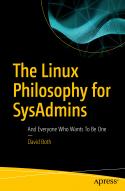
    The Linux Philosophy for SysAdmins

    By: David Both

    (This book is available September 21, 2018; Apress; ISBN 978-1-4842-3729-8)

    Linux has a strong historical connection with Unix, not just in terms of its technology but especially to its philosophy. My new book, The Linux Philosophy for SysAdmins, honors that connection while developing a new philosophy that is uniquely applicable to the Linux System Administrator. The Linux Philosophy for System Administrators is not about learning new commands, processes, or procedures. Rather it is about becoming a better SysAdmin through understanding the power of Linux as a function of the philosophies that built it.

    This book uses a relatively few common Linux commands to illustrate practical, usable aspects of the philosophy. Readers will learn a philosophical approach to system administration that will unlock the power of the knowledge they already have. This book takes place on the Linux command line, but it is not about the commands themselves. The commands are only the tools through which the beauty of the underlying structure of Linux is revealed with real-world experiments you can perform. Inspired by my real mentors, and dedicated to them, this book is a mentor to SysAdmins everywhere. (Recommendation and review by David Both)

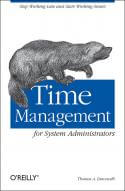
    Time Management for System Administrators

    By: Thomas Limoncelli

    There are a lot of great books that cover the various technical aspects and systems of being a system administrator, but we sometimes lose sight of the human side of it. This book covers time management with a specific focus on sysadmins and the common time issues they encounter. As the tagline puts it: “Stop working late and start working smart.”

    It covers how to deal with continual interruptions, managing calendars and creating routines, and how to focus and prioritize what’s important, among a host of other topics. It even gives a shout out to the often neglected art of documentation. It’s a great book for anyone who always finds themselves busy, but never feel like they are getting anything done. (Recommendation and review by David Critch)

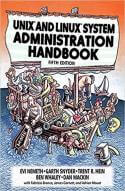
    Unix Linux System Administration Handbook

    By Evi Nemeth, Garth Snyder, Trent R. Hein, Ben Whaley, and Dan Mackin

    I think the latest edition of this book goes back to 2011, which seems like yesterday.

    One could argue the job of the sysadmin has evolved quite a bit in the past seven years with the growth of DevOps, cloud, and PasS, among other things. But, I think this book still has a lot of great information, some of which are best practices that transcend development models and technologies. It is a beast of a book, with 1500 pages, but it is one of the best sysadmin-oriented books I’ve ever read. (Recommendation and review by Anderson Silva)


    每天推荐一个 GitHub 优质开源项目和一篇精选英文科技或编程文章原文,欢迎关注开源日报。交流QQ群:202790710;微博:https://weibo.com/openingsource;电报群 https://t.me/OpeningSourceOrg

←上一页
1 … 224 225 226 227 228 … 262
下一页→

Proudly powered by WordPress