• 开源镜像
  • 开源沙龙
  • 媛宝
  • 猿帅
  • 注册
  • 登录
  • 息壤开源生活方式平台
  • 加入我们

开源日报

  • 2018年9月13日:开源日报第189期

    13 9 月, 2018

    每天推荐一个 GitHub 优质开源项目和一篇精选英文科技或编程文章原文,欢迎关注开源日报。交流QQ群:202790710;微博:https://weibo.com/openingsource;电报群 https://t.me/OpeningSourceOrg

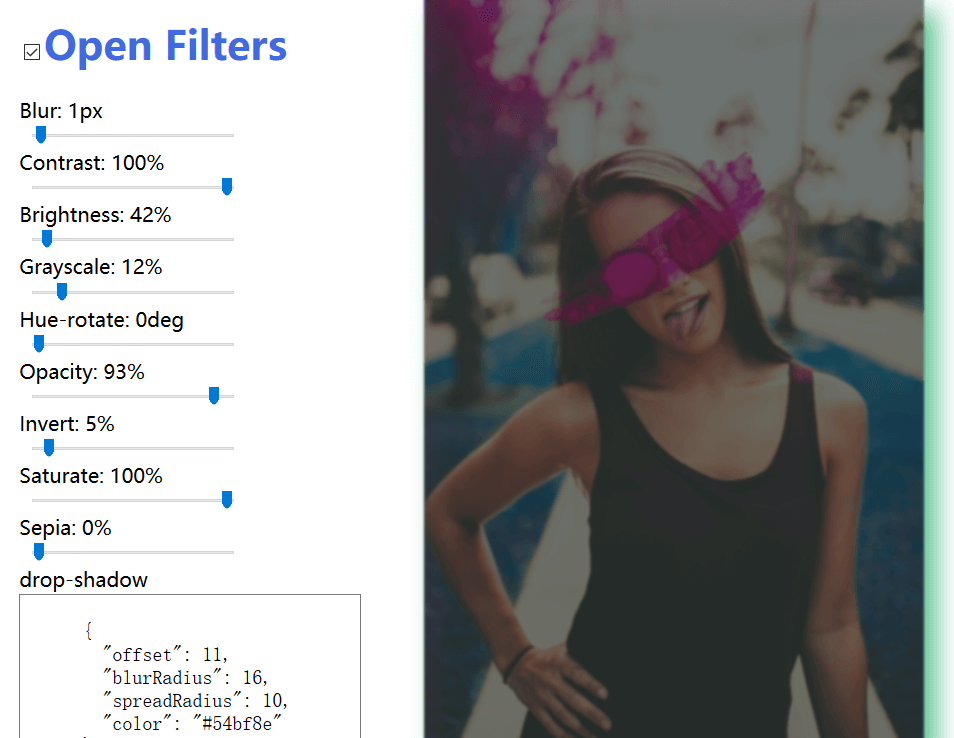
    今日推荐开源项目:《Vue 的图像处理组件 Imagvue》传送门:GitHub链接

    推荐理由:这个图像处理组件能够让你调节图像的亮度灰度模糊度等等,甚至还能改变整个图像的色调,作为图像处理组件来说功能已经足够了,如果有在使用 Vue.js 的同学需要的话可以考虑一下这个,如果不用 Vue 的同学则可以考虑使用 TOAST UI 的图像处理编辑器。

    TOAST UI Image Editor:https://github.com/nhnent/tui.image-editor

    今日推荐英文原文:《An A-Z of useful Python tricks》作者:Peter Gleeson

    原文链接:https://medium.freecodecamp.org/an-a-z-of-useful-python-tricks-b467524ee747

    推荐理由:开头从 A 到 Z 的 Python 小技巧集合,真的有26条那么多

    An A-Z of useful Python tricks

    Python is one of the world’s most popular, in-demand programming languages. This is for many reasons:

    • it’s easy to learn
    • it’s super versatile
    • it has a huge range of modules and libraries

    I use Python daily as an integral part of my job as a data scientist. Along the way, I’ve picked up a few useful tricks and tips.

    Here, I’ve made an attempt at sharing some of them in an A-Z format.

    Most of these ‘tricks’ are things I’ve used or stumbled upon during my day-to-day work. Some I found while browsing the Python Standard Library docs. A few others I found searching through PyPi.

    However, credit where it is due — I discovered four or five of them over at awesome-python.com. This is a curated list of hundreds of interesting Python tools and modules. It is worth browsing for inspiration!

    all or any

    One of the many reasons why Python is such a popular language is because it is readable and expressive.

    It is often joked that Python is ‘executable pseudocode’. But when you can write code like this, it’s difficult to argue otherwise:

    x = [True, True, False]
    if any(x):
        print("At least one True")
    if all(x):
        print("Not one False")
    if any(x) and not all(x):
        print("At least one True and one False")

    bashplotlib

    You want to plot graphs in the console?

    $ pip install bashplotlib

    You can have graphs in the console.

    collections

    Python has some great default datatypes, but sometimes they just won’t behave exactly how you’d like them to.

    Luckily, the Python Standard Library offers the collections module. This handy add-on provides you with further datatypes.

    from collections import OrderedDict, Counter
    # Remembers the order the keys are added!
    x = OrderedDict(a=1, b=2, c=3)
    # Counts the frequency of each character
    y = Counter("Hello World!")

    dir

    Ever wondered how you can look inside a Python object and see what attributes it has? Of course you have.

    From the command line:

    >>> dir()
    >>> dir("Hello World")
    >>> dir(dir)

    This can be a really useful feature when running Python interactively, and for dynamically exploring objects and modules you are working with.

    Read more here.

    emoji

    Yes, really.

    $ pip install emoji

    Don’t pretend you’re not gonna try it out…

    from emoji import emojize
    print(emojize(":thumbs_up:"))

    ?

    from __future__ import

    One consequence of Python’s popularity is that there are always new versions under development. New versions mean new features — unless your version is out-of-date.

    Fear not, however. The __future__ module lets you import functionality from future versions of Python. It’s literally like time travel, or magic, or something.

    from __future__ import print_function
    print("Hello World!")

    Why not have a go importing curly braces?

    geopy

    Geography can be a challenging terrain for programmers to navigate (ha, a pun!). But the geopy module makes it unnervingly easy.

    $ pip install geopy

    It works by abstracting the APIs of a range of different geocoding services. It enables you to obtain a place’s full street address, latitude, longitude, and even altitude.

    There’s also a useful distance class. It calculates the distance between two locations in your favorite unit of measurement.

    from geopy import GoogleV3
    place = "221b Baker Street, London"
    location = GoogleV3().geocode(place)
    print(location.address)
    print(location.location)

    howdoi

    Stuck on a coding problem and can’t remember that solution you saw before? Need to check StackOverflow, but don’t want to leave the terminal?

    Then you need this useful command line tool.

    $ pip install howdoi

    Ask it whatever question you have, and it’ll do its best to return an answer.

    $ howdoi vertical align css
    $ howdoi for loop in java
    $ howdoi undo commits in git

    Be aware though — it scrapes code from top answers from StackOverflow. It might not always give the most helpful information…

    $ howdoi exit vim

    inspect

    Python’s inspect module is great for understanding what is happening behind the scenes. You can even call its methods on itself!

    The code sample below uses inspect.getsource() to print its own source code. It also uses inspect.getmodule() to print the module in which it was defined.

    The last line of code prints out its own line number.

    import inspect
    print(inspect.getsource(inspect.getsource))
    print(inspect.getmodule(inspect.getmodule))
    print(inspect.currentframe().f_lineno)

    Of course, beyond these trivial uses, the inspect module can prove useful for understanding what your code is doing. You could also use it for writing self-documenting code.

    Jedi

    The Jedi library is an autocompletion and code analysis library. It makes writing code quicker and more productive.

    Unless you’re developing your own IDE, you’ll probably be most interested in using Jedi as an editor plugin. Luckily, there are already loads available!

    You may already be using Jedi, however. The IPython project makes use of Jedi for its code autocompletion functionality.

    **kwargs

    When learning any language, there are many milestones along the way. With Python, understanding the mysterious **kwargs syntax probably counts as one.

    The double-asterisk in front of a dictionary object lets you pass the contents of that dictionary as named arguments to a function.

    The dictionary’s keys are the argument names, and the values are the values passed to the function. You don’t even need to call it kwargs!

    dictionary = {"a": 1, "b": 2}
    def someFunction(a, b):
        print(a + b)
        return
    # these do the same thing:
    someFunction(**dictionary)
    someFunction(a=1, b=2)

    This is useful when you want to write functions that can handle named arguments not defined in advance.

    List comprehensions

    One of my favourite things about programming in Python are its list comprehensions.

    These expressions make it easy to write very clean code that reads almost like natural language.

    You can read more about how to use them here.

    numbers = [1,2,3,4,5,6,7]
    evens = [x for x in numbers if x % 2 is 0]
    odds = [y for y in numbers if y not in evens]
    cities = ['London', 'Dublin', 'Oslo']
    def visit(city):
        print("Welcome to "+city)
    for city in cities:
        visit(city)

    map

    Python supports functional programming through a number of inbuilt features. One of the most useful is the map() function — especially in combination with lambda functions.

    x = [1, 2, 3]
    y = map(lambda x : x + 1 , x)
    # prints out [2,3,4]
    print(list(y))

    In the example above, map() applies a simple lambda function to each element in x. It returns a map object, which can be converted to some iterable object such as a list or tuple.

    newspaper3k

    If you haven’t seen it already, then be prepared to have your mind blown by Python’s newspaper module.

    It lets you retrieve news articles and associated meta-data from a range of leading international publications. You can retrieve images, text and author names.

    It even has some inbuilt NLP functionality.

    So if you were thinking of using BeautifulSoup or some other DIY webscraping library for your next project, save yourself the time and effort and $ pip install newspaper3k instead.

    Operator overloading

    Python provides support for operator overloading, which is one of those terms that make you sound like a legit computer scientist.

    It’s actually a simple concept. Ever wondered why Python lets you use the + operator to add numbers and also to concatenate strings? That’s operator overloading in action.

    You can define objects which use Python’s standard operator symbols in their own specific way. This lets you use them in contexts relevant to the objects you’re working with.

    class Thing:
        def __init__(self, value):
            self.__value = value
        def __gt__(self, other):
            return self.__value > other.__value
        def __lt__(self, other):
            return self.__value < other.__value
    something = Thing(100)
    nothing = Thing(0)
    # True
    something > nothing
    # False
    something < nothing
    # Error
    something + nothing

    pprint

    Python’s default print function does its job. But try printing out any large, nested object, and the result is rather ugly.

    Here’s where the Standard Library’s pretty-print module steps in. This prints out complex structured objects in an easy-to-read format.

    A must-have for any Python developer who works with non-trivial data structures.

    import requests
    import pprint
    url = 'https://randomuser.me/api/?results=1'
    users = requests.get(url).json()
    pprint.pprint(users)

    Queue

    Python supports multithreading, and this is facilitated by the Standard Library’s Queue module.

    This module lets you implement queue data structures. These are data structures that let you add and retrieve entries according to a specific rule.

    ‘First in, first out’ (or FIFO) queues let you retrieve objects in the order they were added. ‘Last in, first out’ (LIFO) queues let you access the most recently added objects first.

    Finally, priority queues let you retrieve objects according to the order in which they are sorted.

    Here’s an example of how to use queues for multithreaded programming in Python.

    __repr__

    When defining a class or an object in Python, it is useful to provide an ‘official’ way of representing that object as a string. For example:

    >>> file = open('file.txt', 'r')
    >>> print(file)
    <open file 'file.txt', mode 'r' at 0x10d30aaf0>

    This makes debugging code a lot easier. Add it to your class definitions as below:

    class someClass:
        def __repr__(self):
            return "<some description here>"
    someInstance = someClass()
    # prints <some description here>
    print(someInstance)

    sh

    Python makes a great scripting language. Sometimes using the standard os and subprocess libraries can be a bit of a headache.

    The sh library provides a neat alternative.

    It lets you call any program as if it were an ordinary function — useful for automating workflows and tasks, all from within Python.

    from sh import *
    sh.pwd()
    sh.mkdir('new_folder')
    sh.touch('new_file.txt')
    sh.whoami()
    sh.echo('This is great!')

    Type hints

    Python is a dynamically-typed language. You don’t need to specify datatypes when you define variables, functions, classes etc.

    This allows for rapid development times. However, there are few things more annoying than a runtime error caused by a simple typing issue.

    Since Python 3.5, you have the option to provide type hints when defining functions.

    def addTwo(x : Int) -> Int:
        return x + 2

    You can also define type aliases:

    from typing import List
    Vector = List[float]
    Matrix = List[Vector]
    def addMatrix(a : Matrix, b : Matrix) -> Matrix:
      result = []
      for i,row in enumerate(a):
        result_row =[]
        for j, col in enumerate(row):
          result_row += [a[i][j] + b[i][j]]
        result += [result_row]
      return result
    x = [[1.0, 0.0], [0.0, 1.0]]
    y = [[2.0, 1.0], [0.0, -2.0]]
    z = addMatrix(x, y)

    Although not compulsory, type annotations can make your code easier to understand.

    They also allow you to use type checking tools to catch those stray TypeErrors before runtime. Probably worthwhile if you are working on large, complex projects!

    uuid

    A quick and easy way to generate Universally Unique IDs (or ‘UUIDs’) is through the Python Standard Library’s uuid module.

    import uuid
    user_id = uuid.uuid4()
    print(user_id)

    This creates a randomized 128-bit number that will almost certainly be unique.

    In fact, there are over 2¹²² possible UUIDs that can be generated. That’s over five undecillion (or 5,000,000,000,000,000,000,000,000,000,000,000,000).

    The probability of finding duplicates in a given set is extremely low. Even with a trillion UUIDs, the probability of a duplicate existing is much, much less than one-in-a-billion.

    Pretty good for two lines of code.

    Virtual environments

    This is probably my favorite Python thing of all.

    Chances are you are working on multiple Python projects at any one time. Unfortunately, sometimes two projects will rely on different versions of the same dependency. Which do you install on your system?

    Luckily, Python’s support for virtual environments lets you have the best of both worlds. From the command line:

    python -m venv my-project
    source my-project/bin/activate
    pip install all-the-modules

    Now you can have standalone versions and installations of Python running on the same machine. Sorted!

    wikipedia

    Wikipedia has a great API that allows users programmatic access to an unrivalled body of completely free knowledge and information.

    The wikipedia module makes accessing this API almost embarrassingly convenient.

    import wikipedia
    result = wikipedia.page('freeCodeCamp')
    print(result.summary)
    for link in result.links:
        print(link)

    Like the real site, the module provides support for multiple languages, page disambiguation, random page retrieval, and even has a donate() method.

    xkcd

    Humour is a key feature of the Python language — after all, it is named after the British comedy sketch show Monty Python’s Flying Circus. Much of Python’s official documentation references the show’s most famous sketches.

    The sense of humour isn’t restricted to the docs, though. Have a go running the line below:

    import antigravity

    Never change, Python. Never change.

    YAML

    YAML stands for ‘YAML Ain’t Markup Language’. It is a data formatting language, and is a superset of JSON.

    Unlike JSON, it can store more complex objects and refer to its own elements. You can also write comments, making it particularly suited to writing configuration files.

    The PyYAML module lets you use YAML with Python. Install with:

    $ pip install pyyaml

    And then import into your projects:

    import yaml

    PyYAML lets you store Python objects of any datatype, and instances of any user-defined classes also.

    zip

    One last trick for ya, and it really is a cool one. Ever needed to form a dictionary out of two lists?

    keys = ['a', 'b', 'c']
    vals = [1, 2, 3]
    zipped = dict(zip(keys, vals))

    The zip() inbuilt function takes a number of iterable objects and returns a list of tuples. Each tuple groups the elements of the input objects by their positional index.

    You can also ‘unzip’ objects by calling *zip() on them.

    Thanks for reading!

    So there you have it, an A-Z of Python tricks — hopefully you’ve found something useful for your next project.

    Python’s a very diverse and well-developed language, so there’s bound to be many features I haven’t got round to including.

    Please share any of your own favorite Python tricks by leaving a response below!


    每天推荐一个 GitHub 优质开源项目和一篇精选英文科技或编程文章原文,欢迎关注开源日报。交流QQ群:202790710;微博:https://weibo.com/openingsource;电报群 https://t.me/OpeningSourceOrg

  • 2018年9月12日:开源日报第188期

    12 9 月, 2018

    每天推荐一个 GitHub 优质开源项目和一篇精选英文科技或编程文章原文,欢迎关注开源日报。交流QQ群:202790710;微博:https://weibo.com/openingsource;电报群 https://t.me/OpeningSourceOrg



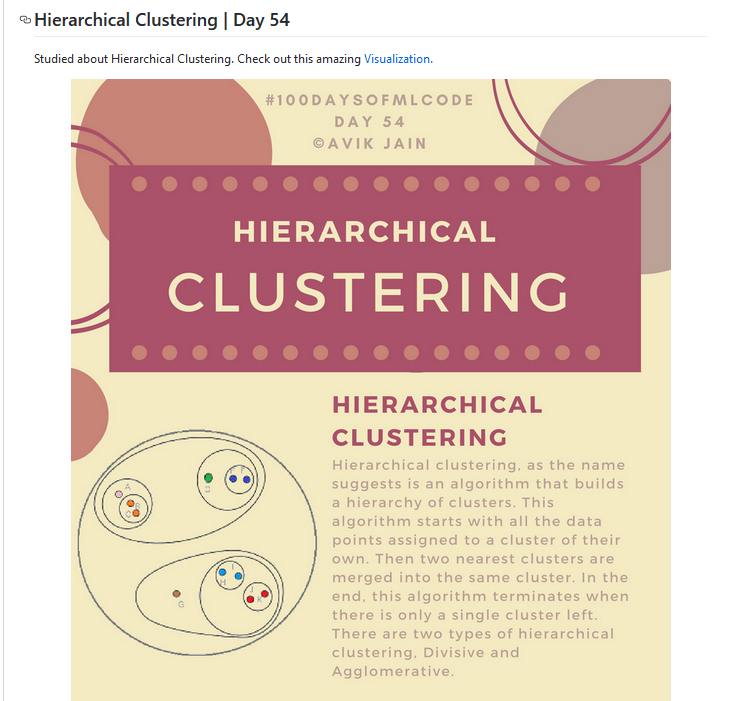
    今日推荐开源项目:《百日机器学习 100-Days-Of-ML-Code》传送门:GitHub链接

    推荐理由:这是一个注重概念的机器学习教程,顺手还提供了代码(当然了是 Python 的)和数据集。它主要讲关于机器学习用得到的概念,适合于代码基础不错但是刚开始接触机器学习的人。现在已经更新了一半了,唯一的不足就是,对于英语苦手的同学来说没办法对着图片用谷歌翻译可能会是个问题。


    今日推荐英文原文:《Is this real life?》作者:Emanuel Estrada TecGDL

    原文链接:https://medium.com/@a01633605/is-this-real-life-cd9c52f42efd

    推荐理由:在把你的软件从调试环境中拿到现实里之前,你最好对它进行几乎完美的测试。简而言之,就是自己作为使用者想办法破坏它,然后补上漏洞,直到你无法破坏为止。

    Is this real life?

    As a student, it often happens that you find yourself working on a project and think “Wow! I’ve worked so hard in this project there is no way in hell it can break”, but the very next day you go up to present your program and the teacher asks you to try some input and, guess what? It breaks!

    My most memorable experience if this occurrence happened a year ago when a friend of mine was presenting his sorting algorithm, but out of the blue the teacher suggested trying to input Russian and Chinese characters, which broke my friend’s program.

    So, have you guessed the moral of this fable? That’s right, understanding that this world is not perfect and your application needs to be ready to deal with that before deploying is essential!

    So how do you get ready for the real world? Understand the context, think of use cases, and most importantly test, test, test!

    “black wooden framed wall decor” by Francisco Gomes on Unsplash

    Thinking outside of the box

    We often hear the saying: “Think outside of the box!”, inviting us to be creative and think of innovative and unusual ways of solving problems. This time, I want you to take the saying a little more literally: think of your application outside that perfect environment in which it was developed in.

    In order to do this, it is important for developers to understand the context in which their app will be used everyday. If you are building an app for a hospital, you should have some idea of how the hospital works and thus build an app that fits their needs accordingly. You don’t have to become a doctor yourself, but doing some good research will give you the knowledge to develop a better-fitted application and even to feel more confortable around your client by not appearing completely lost when they talk to you.

    Having some knowledge on the domain will help you build better and more accurate use cases to test, because the better you understand the context and your users, the easier it will be to predict their behaviour. After all, remember that a good use case clearly and accurately explains what a system does, in language that’s easily understood.

    “red car on street” by Marc Kleen on Unsplash

    Test-drive that Ferrari before buying!

    I know the idea of buying a Ferrari if you have the money to do so may sound appealing to a lot of people, but trust me, if you don’t test drive, a lot could go wrong. What if that exact Ferrari you chose can’t speed properly? Or what if the AC doesn’t work? You may want to make sure before everything works before taking it home, right? It would be a bummer to find out there are problems with the AC in the middle of a road trip.

    Well, same thing goes for software. Before you sell or make a final release, you may want to test it out in the real world. And what’s the best part about it all? The client can start playing with it before its completely ready!

    In order to do this, you should consider implementing a testing cycle, which through several phases tests different parts of your program with different ways, and polishes your application for it to be more prepared to the real world.

    Graphic by Guru99

    A common way to test for real-life situations and allow users to start familiarizing with the software is the Alpha-Beta testing phases. The alpha phase allows developers to simulate users and user behaviour, while beta phase allows users to start playing with the program with the disclaimer that it is not completely finished and therefore may encounter bugs, but can expect that these bugs found will be fixed before the final release.

    In short, testing has to be extensive but the fact that you can even get the client involved in the process of debugging will make things a lot easier.

    Conclusion

    Understanding the context, thinking of use cases, and proper testing will make your final deployment much more smoother and estable. I encourage you to learn more by checking out Chapter 4 of Head First Object-Oriented Analysis and Design: A Brain Friendly Guide to OOA&D by O’Reilly Media. Make sure your app is ready for the real world!


    每天推荐一个 GitHub 优质开源项目和一篇精选英文科技或编程文章原文,欢迎关注开源日报。交流QQ群:202790710;微博:https://weibo.com/openingsource;电报群 https://t.me/OpeningSourceOrg

  • 2018年9月11日:开源日报第187期

    11 9 月, 2018

    每天推荐一个 GitHub 优质开源项目和一篇精选英文科技或编程文章原文,欢迎关注开源日报。交流QQ群:202790710;微博:https://weibo.com/openingsource;电报群 https://t.me/OpeningSourceOrg


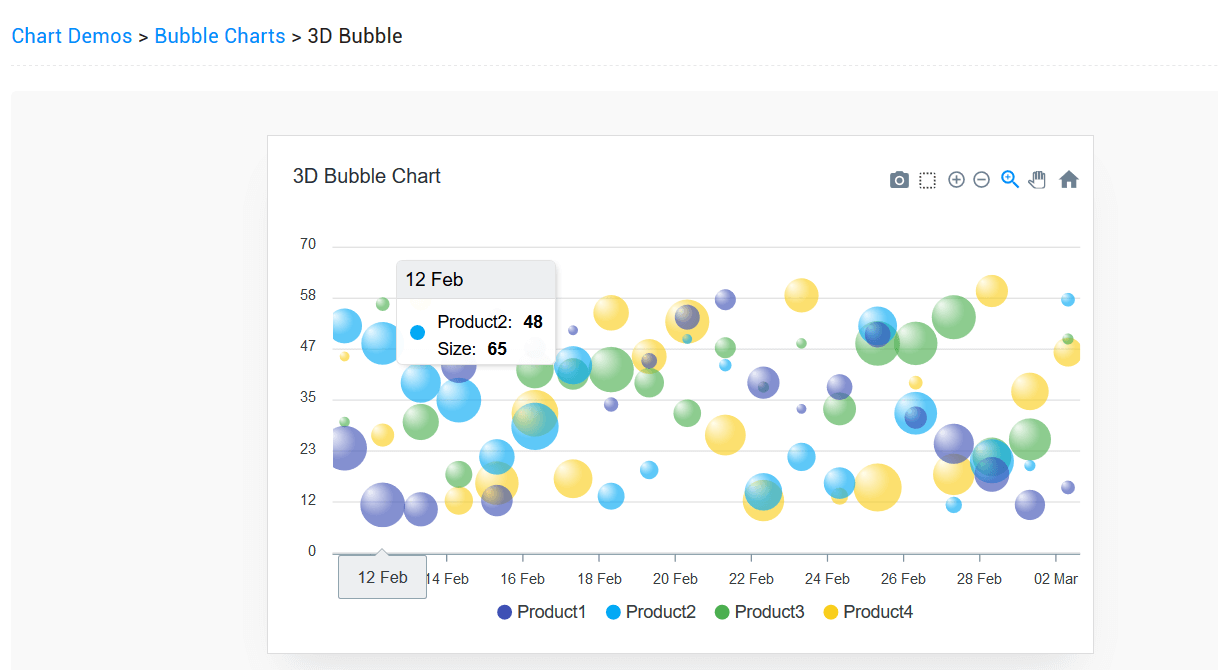
    今日推荐开源项目:《一个 JS 图表库 apexcharts.js》传送门:GitHub链接

    推荐理由:这个 JS 的图表库基本上包含了大部分常用类型的图表,折线图热度图气泡图等等都可以实现,如果你想在网站上添加常见的图表,这个库就可以放入考虑列表之中。


    今日推荐英文原文:《Understanding Js Data Types》作者:Shobhit Singh

    原文链接:https://medium.com/@shobhitsingh29/understanding-js-data-types-1ac8977ac8ae

    推荐理由:介绍了 JS 中的数字,字符串,数组,bool 型的数据类型,可以作为一篇帮助巩固基础的文章来看一看

    Understanding Js Data Types

    Introduction

    Data types are used to classify one particular type of data in programming languages. For instance, a number and a string of characters are different types of data that will be treated differently by JavaScript.

    This is important because the specific data type you use will determine what values you can assign to it and what you can do to it. This is to say, to be able to do operations with variables in JavaScript, it is important to understand the data type of any given variable.

    In this tutorial, we will go over how data types work in JavaScript as well as the important data types native to the language. This is not an exhaustive investigation of data types, but will help you become familiar with the options available to you in JavaScript.

    Dynamic Typing

    JavaScript has dynamic data types, meaning that type checking is done at runtime rather than compile time. Python’s data types are also dynamically typed.

    With dynamically typed languages, a variable of the same name can be used to hold different data types.

    For example, the variable t, defined as a variable by the var keyword, can be assigned to hold different data types, or can be initialized but left undefined:

    var t = 16;         // t is a number
    var t = "Teresa";   // t is a string
    var t = true;       // t is a Boolean
    var t;              // t is undefined

    Each of the variables t above can be set to any data type available in JavaScript; they do not need to be explicitly declared with a data type before they are used.

    Numbers

    JavaScript has only one number type, there is no separate designation for integers and floating-point numbers. Because of this, numbers can be written in JavaScript with or without decimals:

    var num1 = 93;
    var num2 = 93.00;

    In both cases above, the data type is a number and is the same regardless of whether or not the number has decimal points.

    Scientific exponential notation can be used in JavaScript to abbreviate very large or small numbers, as in the following examples:

    var num3 = 987e8;       // 98700000000
    var num4 = 987e-8;      // 0.00000987

    Numbers in JavaScript are considered to be accurate up to 15 digits. That means that numbers will be rounded after the 16th digit is reached:

    var num5 = 999999999999999;     // remains as 999999999999999
    var num6 = 9999999999999999;    // rounded up to 10000000000000000

    In addition to representing numbers, the JavaScript number type also has three symbolic values available:

    • Infinity — a numeric value that represents a positive number that approaches infinity
    • -Infinity— a numeric value that represents a negative number that approaches infinity
    • NaN — a numeric value that represents a non-number, standing for not a number

    Infinity or -Infinity will be returned if you calculate a number outside of the largest possible number available in JavaScript. These will also occur for values that are undefined, as when dividing by zero:

    var num7 = 5 / 0;   // will return Infinity
    var num8 = -5 / 0;  // will return -Infinity

    In technical terms, Infinity will be displayed when a number exceeds the number 1.797693134862315E+308, which represents the upper limit in JavaScript.

    Similarly, -Infinity will be displayed when a number goes beyond the lower limit of -1.797693134862316E+308.

    The number Infinity can also be used in loops:

    while (num9 != Infinity) { 
        // Code here will execute through num9 = Infinity
    }

    For numbers that are not legal numbers, NaN will be displayed. If you attempt to perform a mathematical operation on a number and a non-numeric value, NaN will be returned. This is the case in the following example:

    var x = 20 / "Shark";   // x will be NaN

    Since the number 20 cannot be divided by the string "Shark" because it cannot be evaluated as a number, the returned value for the x variable is NaN.

    However, if a string can be evaluated as a numeric value, the mathematical expression can be performed in JavaScript:

    var y = 20 / "5";   // y will be 4

    In the above example, since the string "5" can be evaluated as a numeric value in JavaScript, it is treated as such and will work with the mathematical operator for division, /.

    When assigning the value NaN to a variable used in an operation, it will result in the value of NaN, even when the other operand is a legal number:

    var a = NaN;
    var b = 37;
    var c = a + b;  // c will be NaN

    There is only one number data type in JavaScript. When working with numbers, any number you enter will be interpreted as the data type for numbers; you are not required to declare what kind of data type you are entering because JavaScript is dynamically typed.

    Strings

    A string is a sequence of one or more characters (letters, numbers, symbols). Strings are useful in that they represent textual data.

    In JavaScript, strings exist within either single quotes ' or double quotes ", so to create a string, enclose a sequence of characters in quotes:

    var singleQuotes = 'This is a string in single quotes.';
    var doubleQuotes = "This is a string in double quotes.";

    You can choose to use either single quotes or double quotes, but whichever you decide on you should remain consistent within a program.

    The program “Hello, World!” demonstrates how a string can be used in computer programming, as the characters that make up the phrase Hello, World! in the alert() below are a string.

    hello.html

    <!DOCTYPE HTML>
    <html>
    <head>
    <script>
    function helloFunction() {
        alert("Hello, World!");
    }
    </script>
    </head>
    <body>
    <p><button onclick="helloFunction()">Click me</button></p>
    </body>
    </html>

    When we run the code and click on the Click me button, we’ll receive a pop-up with the following output:

    Output
    Hello, World!

    As with other data types, we can store strings in variables:

    var hw = "Hello, World!";

    And display the string in the alert() by calling the variable:

    hello.html

    ...
    <script>
    var hw = "Hello, World!";
    function helloFunction() {
        alert(hw);
    }
    </script>
    ...
    Output
    Hello, World!

    There are many operations that we can perform on strings within our programs in order to manipulate them to achieve the results we are seeking. Strings are important for communicating information to the user, and for the user to communicate information back to the program.

    Booleans

    The Boolean data type can be one of two values, either true or false. Booleans are used to represent the truth values that are associated with the logic branch of mathematics, which informs algorithms in computer science.

    Whenever you see the data type Boolean, it will start with a capitalized B because it is named for the mathematician George Boole.

    Many operations in math give us answers that evaluate to either true or false:

    • greater than
    • 500 > 100 true
    • 1 > 5 false
    • less than
    • 200 < 400 true
    • 4 < 2 false
    • equal
    • 5 = 5 true
    • 500 = 400 false

    Like with other data types, we can store a Boolean value in a variable:

    var myBool = 5 > 8; // false

    Since 5 is not greater than 8, the variable myBool has the value of false.

    As you write more programs in JavaScript, you will become more familiar with how Booleans work and how different functions and operations evaluating to either true or false can change the course of the program.

    Arrays

    An array can hold multiple values within a single variable. This means that you can contain a list of values within an array and iterate through them.

    Each item or value that is inside of an array is called an element. You can refer to the elements of an array by using an index number.

    Just as strings are defined as characters between quotes, arrays are defined by having values between square brackets [ ].

    An array of strings, for example, looks like this:

    var fish = ["shark", "cuttlefish", "clownfish", "eel"];

    If we call the variable fish, we’ll receive the following output:

    ["shark", "cuttlefish", "clownfish", "eel"]

    Arrays are a very flexible data type because they are mutable in that they can have element values added, removed, and changed.

    Objects

    The JavaScript object data type can contain many values as name:value pairs. These pairs provide a useful way to store and access data. The object literal syntax is made up of name:value pairs separated by colons with curly braces on either side { }.

    Typically used to hold data that are related, such as the information contained in an ID, a JavaScript object literal looks like this, with whitespaces between properties:

    var sammy = {firstName:"Sammy", lastName:"Shark", color:"blue", location:"ocean"};

    Alternatively, and especially for object literals with a high number of name:value pairs, we can write this data type on multiple lines, with a whitespace after each colon:

    var sammy = {
        firstName: "Sammy",
        lastName: "Shark",
        color: "blue",
        location: "Ocean"
    };

    The object variable sammy in each of the examples above has 4 properties: firstName, lastName, color, and location. These are each passed values separated by colons.

    Working with Multiple Data Types

    While each program you create will contain multiple data types, it is important to keep in mind that you will generally be performing operations within the same data type. That is, you’ll be performing mathematics on numbers, or slicing strings.

    When you use an operator that works across data types, like the + operator that can add numbers or concatenate strings, you may achieve unexpected results.

    For example, when using the + operator with numbers and strings together, the numbers will be treated as a string (thus they will be concatenated), but the order of the data types will influence the concatenation.

    So, if you create a variable that performs the following concatenation, JavaScript will interpret each element below as a string:

    var o = "Ocean" + 5 + 3;

    If you the call the o variable, you’ll get the following value returned:

    Output
    Ocean53

    However, if you lead with numbers, the two numbers will be added before they are then interpreted as a string when the program runtime reaches "Ocean", so the returned value will be the sum of the two numbers concatenated with the string:

    var p = 5 + 3 + "Ocean";
    Output
    8Ocean

    Because of these unexpected outcomes, you’ll likely be performing operations and methods within one data type rather than across them. JavaScript, however, does not return errors when mixing data types, as some other programming languages do.

    Conclusion

    At this point, you should have a better understanding of some of the major data types that are available for you to use in JavaScript.

    Each of these data types will become important as you develop programming projects in the JavaScript language.


    每天推荐一个 GitHub 优质开源项目和一篇精选英文科技或编程文章原文,欢迎关注开源日报。交流QQ群:202790710;微博:https://weibo.com/openingsource;电报群 https://t.me/OpeningSourceOrg

  • 2018年9月10日:开源日报第186期

    10 9 月, 2018

    每天推荐一个 GitHub 优质开源项目和一篇精选英文科技或编程文章原文,欢迎关注开源日报。交流QQ群:202790710;微博:https://weibo.com/openingsource;电报群 https://t.me/OpeningSourceOrg

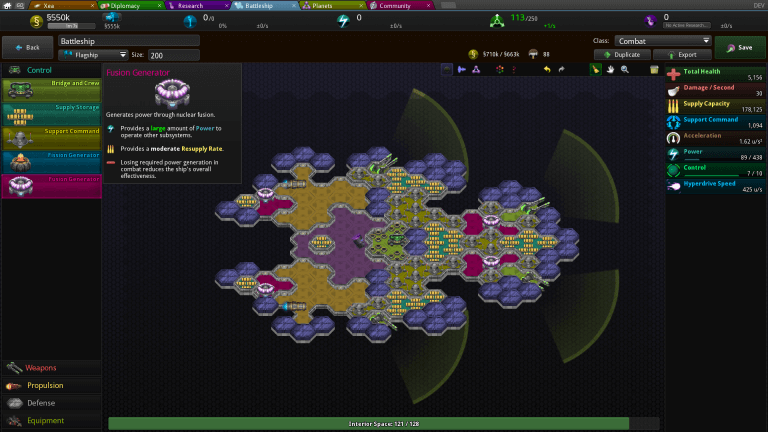
    今日推荐开源项目:《星星尺子源码 Star Ruler 2》传送门:GitHub链接

    推荐理由:这个项目是星星尺子……好吧,其实是星际统治者的源码,实际上,现在 steam 上好像还有这款游戏买,而且如果你用这个源码自己构建了游戏,那么同样也能拿去玩多人模式,有兴趣的朋友可以来看看这个游戏。


    今日推荐英文原文:《Top 10 JavaScript Charting Libraries For Your Web Development》作者:Mantra Malhotra

    原文链接:https://hackernoon.com/top-10-javascript-charting-libraries-for-your-web-development-d63286fdbbac

    推荐理由:顾名思义,这是介绍 JS 图表库的文章,兴许在需要 JS 制造一个图表的时候用得上它们

    Top 10 JavaScript Charting Libraries For Your Web Development

    Data visualization has become an integral part of the IT world today. Small as well as large firms need effective, clear and interactive ways to interpret their business data. To use and gain insights from the data generated by different web technologies, the data should be refined and visualized properly.

    In fact, if the data is well understood, then it leads to taking well-informed decisions in an organization over time. In web development, visualizing data could be very effective as it helps in creating interactive web pages. At the same time, you will need some tools to implement the same.

    In this blog, we have discussed top 10 JavaScript charting libraries for web development which can provide you more better ways to visualize the data.

    1) Flot

    License: Free

    Flot is one of the oldest charting libraries for web development and mainly focuses on the simple use and interactive features. It is used for jQuery, which means that you need to be familiar with basic jQuery to use it. On the other hand, it allows you to have a full control over the presentation, animation and user interaction.

    It is compatible with most modern browsers and compatible with previous versions up to IE6. Its plugin repository provides many other types of graphics, all contributed by the community. You can also consult various examples of charts made with Flot here.

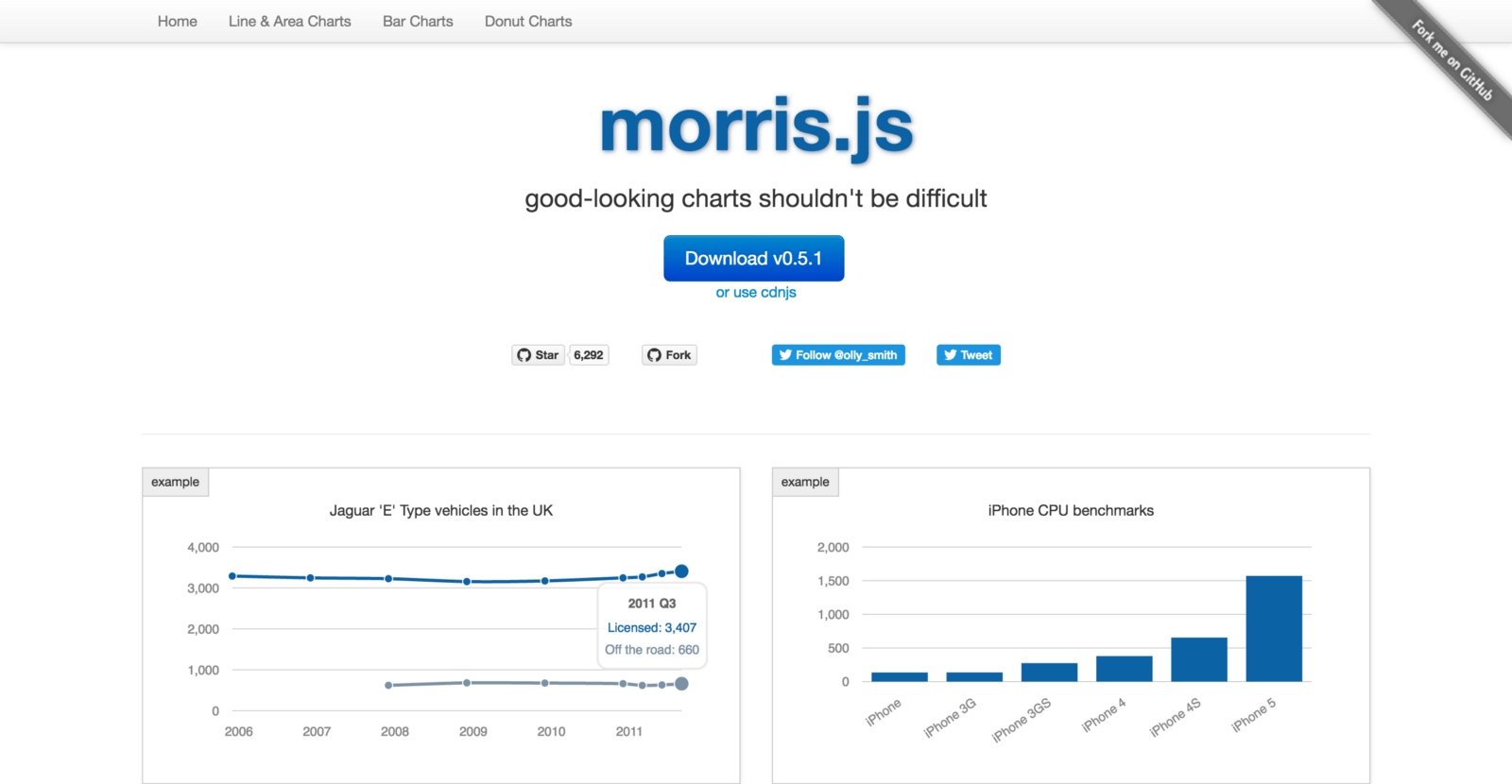
    2) Morris.js

    License: Free

    Morris is a perfect example of good-looking charts which is a lightweight library based on Raphael and jQuery. It provides a clean line, bar, simple area charts, and donut charts. It is one of the definite worth charting libraries for web development if you are looking for easy, quick and classy one.

    3) Dygraphs

    License: Free

    Dygraphs is an open-source JavaScript library that is best suited to extremely large data sets. It is interactive from the start, with pinch and zoom support even on mobile devices.

    Moreover, it is compatible with most modern browsers and compatible up to IE8. The options and personalized callbacks make it highly configurable too.

    4) Ember Charts

    License: Free

    Ember Charts provides an expandable and easy-to-use graphics set built in the D3.js and Ember.js framework. The developers of Addepar have been constantly working to improve the Ember experience with the additional libraries Ember Widgets, Ember Charts, Ember Tables.

    It is robust and polished which means the handling of errors for incorrect data ensures that your application does not fall if there is strange data. You can even create your own chart types by extending it.

    5) Google Charts

    License: Free but not open-source

    Google Charts provides a wide range of graphics/charts, for almost any type of data visualization need of your business. The charts are based on VML and HTML5 / SVG for previous versions of IE. All these charts are interactive, and some can also be panned / zoomable. You can take a look at its extensive graphics gallery here.

    6) Chartist.js

    License: Free

    Chartist provides an easy and intuitive use even for those who feel uncomfortable moving away from Excel sheets. Their graphics are responsive and independent DPI, that means it is a great solution if your graphics are meant to be used on any type of device viz. tablets, mobile devices, or desktop computers. It is based on SVG, which makes it compatible in the future.

    The best thing about Chartist.js is that it is a community effort, born out of frustration about the limitations provided by other graphics libraries for web development. That’s why they have taken care of various missing features and tweaks which can cause heartburn if you work with other JavaScript libraries for web development.

    7) Highcharts

    License: Free for non-commercial, paid for commercial uses

    Highcharts is one of the popular interactive charting libraries for web development, and like others, it is based on HTML5 / SVG / VML, which means it does not require additional add-ons. It supports a wide range of charts such as maps, spline, column, bar, angular meters, among others.`

    It provides an interface called Highcharts cloud to create interactive graphics online. Moreover, it is completely free for personal use. You only need to buy a license for commercial use.

    8) Sigma.js

    License: Free

    Sigma is one of the powerful JavaScript libraries for web development which mainly focused on presenting interactive graphs and networks for the web. Sigma libraries, as well as plugins, include a large number of interactive configurations. Once you’ve used Sigma, you’ll never again think that line charts are boring. So, take a close look at this rollover demo from Sigma.js and you’ll know what I mean.

    9) Chart.js

    License: Free

    Chart.js is one of the perfect JavaScript libraries for web development especially created for small projects, when you need clean, flat and elegant, fast JavaScript tables. It is a small open source library of only 11kb when it is minimized and compressed. This includes 6 types of central graphics naming radar, polar, line, bar, circular and donut), each in its own module, so you can even load only those your project needs, which further reduces your footprint.

    You can use HTML5 canvas elements to render diagrams and compatibility with polyfills to work in IE7 / 8.

    10) FusionCharts

    License: Free for non-commercial, paid for commercial uses

    FusionCharts presents one of the most complete JavaScript libraries for web development with more than 90 graphics and 900 maps, all ready to use immediately. They boast of having the best graphics in the industry and backing it with a powerful reporting experience through their panels that help to present the business functions in a bird’s-eye view.

    They also covered all the bases when it comes to formats like JSON and XML data format, the representation can be done through HTML5 / SVG or VML and the graphics can be exported in PNG, JPG or PDF format. FusionCharts extensions facilitate integration with any technology of your choice, such as PHP, jQuery, AngularJS, and Rails.

    Moreover, it is compatible across all types of devices and ultimately ensures cross-browser compatibility.

    Conclusion:

    So far we have seen the top 10 JavaScript charting libraries for web development. These have become the most powerful tools to visualize data in the form of beautiful, easy-to-understand interactive graphics. They facilitate the extraction and transmission of key patterns and knowledge that are often not apparent with static graphics and ultimately helps web development companies to create amazing business sites for their clients.

    By choosing the best tool from the above list, you can grow your business in the right manner. However, if you are finding any difficulty in choosing between the given tools, you can consult us at ValueCoders.

    ValueCoders is a leading web development company specializing in custom web development services in Reactjs, Vuejs, Angularjs and various other technologies. Hire developers from us to achieve success for your business.


    每天推荐一个 GitHub 优质开源项目和一篇精选英文科技或编程文章原文,欢迎关注开源日报。交流QQ群:202790710;微博:https://weibo.com/openingsource;电报群 https://t.me/OpeningSourceOrg0

←上一页
1 … 212 213 214 215 216 … 262
下一页→

Proudly powered by WordPress