• 开源镜像
  • 开源沙龙
  • 媛宝
  • 猿帅
  • 注册
  • 登录
  • 息壤开源生活方式平台
  • 加入我们

开源日报

  • 2018年9月17日:开源日报第193期

    17 9 月, 2018

    每天推荐一个 GitHub 优质开源项目和一篇精选英文科技或编程文章原文,欢迎关注开源日报。交流QQ群:202790710;微博:https://weibo.com/openingsource;电报群 https://t.me/OpeningSourceOrg
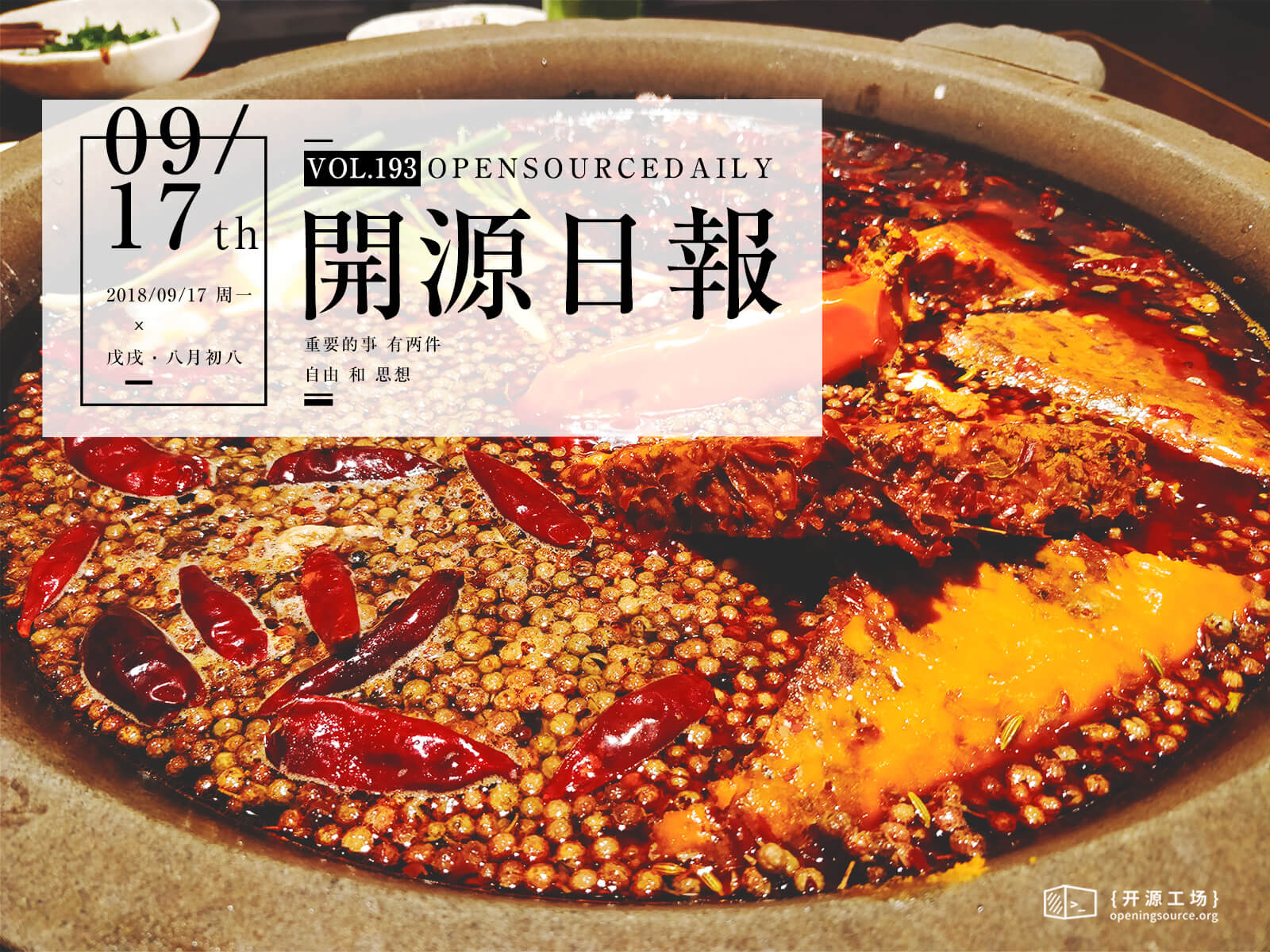

    今日推荐开源项目:《熊弟啊 LoginCritter》传送门:GitHub链接

    推荐理由:这是个移动端的登录界面与有意思的动画结合的项目,登录界面上的头像将会随着你的输入而做出各种各样的反应,兴许这可以作为一个很不错的思考方向来开发出新的登陆界面。

    今日推荐英文原文:《Notes to Myself on Software Engineering》作者:François Chollet

    原文链接:https://medium.com/s/story/notes-to-myself-on-software-engineering-c890f16f4e4d

    推荐理由:在软件工程的道路上发展时留下的笔记,包括开发过程,API 设计和职业发展三个方面

    Notes to Myself on Software Engineering

    1. Code isn’t just meant to be executed. Code is also a means of communication across a team, a way to describe to others the solution to a problem. Readable code is not a nice-to-have, it is a fundamental part of what writing code is about. This involves factoring code clearly, picking self-explanatory variable names, and inserting comments to describe anything that’s implicit.
    2. Ask not what your pull request can do for your next promotion, ask what your pull request can do for your users and your community. Avoid “conspicuous contribution” at all cost. Let no feature be added if it isn’t clearly helping with the purpose of your product.
    3. Taste applies to code, too. Taste is a constraint-satisfaction process regularized by a desire for simplicity. Keep a bias toward simplicity.
    4. It’s okay to say no — just because someone asks for a feature doesn’t mean you should do it. Every feature has a cost that goes beyond the initial implementation: maintenance cost, documentation cost, and cognitive cost for your users. Always ask: Should we really do this? Often, the answer is simply no.
    5. When you say yes to a request for supporting a new use case, remember that literally adding what the user requested is often not the optimal choice. Users are focused on their own specific use case, and you must counter this with a holistic and principled vision of the whole project. Often, the right answer is to extend an existing feature.
    6. Invest in continuous integration and aim for full unit test coverage. Make sure you are in an environment where you can code with confidence; if that isn’t the case, start by focusing on building the right infrastructure.
    7. It’s okay not to plan everything in advance. Try things and see how they turn out. Revert incorrect choices early. Make sure you create an environment where that is possible.
    8. Good software makes hard things easy. Just because a problem looks difficult at first doesn’t mean the solution will have to be complex or hard to use. Too often, engineers go with reflex solutions that introduce undesirable complexity (Let’s use ML! Let’s build an app! Let’s add blockchain!) in situations where a far easier, though maybe less obvious, alternative is available. Before you write any code, make sure your solution of choice cannot be made any simpler. Approach everything from first principles.
    9. Avoid implicit rules. Implicit rules that you find yourself developing should always be made explicit and shared with others or automated. Whenever you find yourself coming up with a recurring, quasi-algorithmic workflow, you should seek to formalize it into a documented process, so that other team members will benefit from the experience. In addition, you should seek to automate in software any part of such a workflow that can be automated (e.g., correctness checks).
    10. The total impact of your choices should be taken into account in the design process, not just the bits you want to focus on — such as revenue or growth. Beyond the metrics you are monitoring, what total impact does your software have on its users, on the world? Are there undesirable side effects that outweigh the value proposition? What can you do to address them while preserving the software’s usefulness?

    Design for ethics. Bake your values into your creations.

    On API Design

    1. Your API has users, thus it has a user experience. In every decision you make, always keep the user in mind. Have empathy for your users, whether they are beginners or experienced developers.
    2. Always seek to minimize the cognitive load imposed on your users in the course of using your API. Automate what can be automated, minimize the actions and choices needed from the user, don’t expose options that are unimportant, design simple and consistent workflows that reflect simple and consistent mental models.
    3. Simple things should be simple, complex things should be possible. Don’t increase the cognitive load of common use cases for the sake of niche use cases, even minimally.
    4. If the cognitive load of a workflow is sufficiently low, it should be possible for a user to go through it from memory (without looking up a tutorial or documentation) after having done it once or twice.
    5. Seek to have an API that matches the mental models of domain experts and practitioners. Someone who has domain experience, but no experience with your API, should be able to intuitively understand your API using minimal documentation, mostly just by looking at a couple of code examples and seeing what objects are available and what their signatures are.
    6. The meaning of an argument should be understandable without having any context about the underlying implementation. Arguments that have to be specified by users should relate to the mental models that the users have about the problem, not to implementation details in your code. An API is all about the problem it solves, not about how the software works in the background.
    7. The most powerful mental models are modular and hierarchical: simple at a high level, yet precise as you need to go into details. In the same way, a good API is modular and hierarchical: easy to approach, yet expressive. There is a balance to strike between having complex signatures on fewer objects, and having more objects with simpler signatures. A good API has a reasonable number of objects, with reasonably simple signatures.
    8. Your API is inevitably a reflection of your implementation choices, in particular your choice of data structures. To achieve an intuitive API, you must choose data structures that naturally fit the domain at hand — that match the mental models of domain experts.
    9. Deliberately design end-to-end workflows, not a set of atomic features. Most developers approach API design by asking: What capabilities should be available? Let’s have configuration options for them. Instead, ask: What are the use cases for this tool? For each use case, what is the optimal sequence of user actions? What’s the easiest API that could support this workflow? Atomic options in your API should answer a clear need that arises in a high-level workflow — they should not be added “because someone might need it.”
    10. Error messages, and in general any feedback provided to a user in the course of interacting with your API, is part of the API. Interactivity and feedback are integral to the user experience. Design your API’s error messages deliberately.
    11. Because code is communication, naming matters — whether naming a project or a variable. Names reflect how you think about a problem. Avoid overly generic names (x, variable, parameter), avoid OverlyLongAndSpecificNamingPatterns, avoid terms that can create unnecessary friction (master, slave), and make sure you are consistent in your naming choices. Naming consistency means both internal naming consistency (don’t call “dim” what is called “axis” in other places) and consistency with established conventions for the problem domain. Before settling on a name, make sure to look up existing names used by domain experts (or other APIs).
    12. Documentation is central to the user experience of your API. It is not an add-on. Invest in high-quality documentation; you will see higher returns than investing in more features.
    13. Show, don’t tell: Your documentation should not talk about how the software works, it should show how to use it. Show code examples for end-to-end workflows; show code examples for each and every common use case and key feature of your API.

    Productivity boils down to high-velocity decision-making and a bias for action.

    On Software Careers

    1. Career progress is not how many people you manage, it is how much of an impact you make: the differential between a world with and without your work.
    2. Software development is teamwork; it is about relationships as much as it is about technical ability. Be a good teammate. As you go on your way, stay in touch with people.
    3. Technology is never neutral. If your work has any impact on the world, then this impact has a moral direction. The seemingly innocuous technical choices we make in software products modulate the terms of access to technology, its usage incentives, who will benefit, and who will suffer. Technical choices are also ethical choices. Thus, always be deliberate and explicit about the values you want your choices to support. Design for ethics. Bake your values into your creations. Never think, I’m just building the capability; that in itself is neutral. It is not because the way you build it determines how it will get used.
    4. Self-direction  — agency over your work and your circumstances — is the key to life satisfaction. Make sure you grant sufficient self-direction to the people around you, and make sure your career choices result in greater agency for yourself.
    5. Build what the world needs — not just what you wish you had. Too often, technologists live rarefied lives and focus on products catering to their own specific needs. Seek opportunities to broaden your life experience, which will give you better visibility into what the world needs.
    6. When making any choice with long-term repercussions, place your values above short-term self-interest and passing emotions — such as greed or fear. Know what your values are, and let them guide you.
    7. When we find ourselves in a conflict, it’s a good idea to pause to acknowledge our shared values and our shared goals, and remind ourselves that we are, almost certainly, on the same side.
    8. Productivity boils down to high-velocity decision-making and a bias for action. This requires a) good intuition, which comes from experience, so as to make generally correct decisions given partial information, b) a keen awareness of when to move more carefully and wait for more information, because the cost of an incorrect decision would be greater than cost of the delay. The optimal velocity/quality decision-making tradeoff can vary greatly in different environments.
    9. Making decisions faster means you make more decisions over the course of your career, which will give you stronger intuition about the correctness of available options. Experience is key to productivity, and greater productivity will provide you with more experience: a virtuous cycle.
    10. In situations where you are aware that your intuition is lacking, adhere to abstract principles. Build up lists of tried-and-true principles throughout your career. Principles are formalized intuition that generalize to a broader range of situations than raw pattern recognition (which requires direct and extensive experience of similar situations).

    每天推荐一个 GitHub 优质开源项目和一篇精选英文科技或编程文章原文,欢迎关注开源日报。交流QQ群:202790710;微博:https://weibo.com/openingsource;电报群 https://t.me/OpeningSourceOrg

  • 2018年9月16日:开源日报第192期

    16 9 月, 2018

    每天推荐一个 GitHub 优质开源项目和一篇精选英文科技或编程文章原文,欢迎关注开源日报。交流QQ群:202790710;微博:https://weibo.com/openingsource;电报群 https://t.me/OpeningSourceOrg



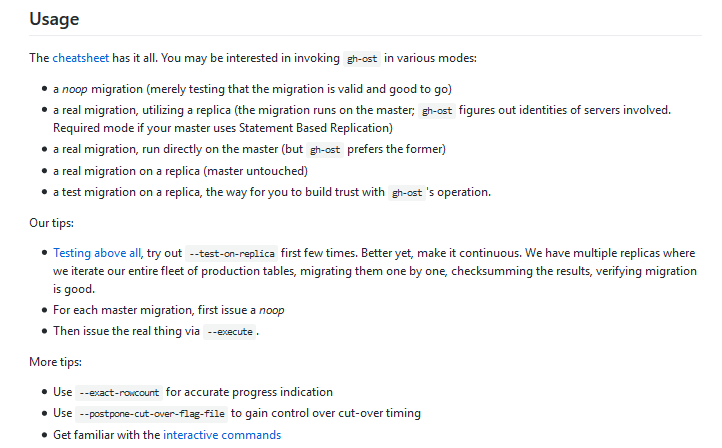
    今日推荐开源项目:《数据库迁移工具 gh-ost》传送门:GitHub链接

    推荐理由:GitHub 的 MySQL 在线迁移,正如它的标题所说,这个项目可以让你迁移你的数据库。它在真正的迁移功能之外还提供了迁移测试的功能,如果你是第一次使用这类型的工具,建议先使用测试功能,然后再开始真正的迁移。


    今日推荐英文原文:《What to expect as a software developer》作者:Jack Finlay

    原文链接:https://medium.com/@JackWFinlay/what-to-expect-as-a-software-developer-e38b9905f5e9

    推荐理由:作为一个开发人员,你肯定会遇上的各种经历

    What to expect as a software developer

    On the back of my previous article, I want to put forward some experiences and situations you should expect to encounter in your career as a software developer. The life as a developer can be full of fun and excitement, but there are also hard times. Your first accidental commit straight to master, your first failed peer review, your first awkward stand-up. These all form the start of your career, and here’s to that!

    Mistakes

    You can’t and won’t always be right.

    Photo by chuttersnap on Unsplash

    Being wrong

    You will be wrong about some things in your career. What matters is what you learn from it, there are many opportunities for this to take place. You might suggest a pattern that might not be suitable, you might suggest a solution that doesn’t meet the brief, you might make assumptions that you shouldn’t have.

    Expect to be wrong. It’ll happen, and it’s a good thing. Why? Because you will gain an opportunity to learn something new. When this happens, it’s a chance to be vulnerable and admit you made a mistake. Being vulnerable is what opens us up to making the best connections with those around us. It is a chance to improve your knowledge and make better connections with your team. Admit your mistakes early and you’ll find others more likely to help you fix the problem you may have caused.

    Making incorrect assumptions

    You will make the wrong assumptions at some point, everyone does. Many times I’ve seen others, and myself, make the wrong assumptions about a piece of work and end up not meeting the requirements. The easiest way to avoid this is to ask questions early and try not to assume anything.

    This is another opportunity to learn from your mistakes. If you do end up making the wrong assumptions, own up to it and work forward from there.

    Building the wrong thing

    This is generally a combination of the above. Many times I have built a feature wrong, or created something that doesn’t meet the requirements. It’s easy to get carried away with something when you are having fun with it. Be careful though, and make sure you are doing what is actually expected of you.

    I’ve seen developers spend so much time on other people’s work because it was more fun than theirs, only for them to end up not having done their own. This isn’t to say you shouldn’t help others, just prioritise your own work first. Put your oxygen mask on before helping others.

    Being right

    Equally important to being wrong is the ability to be right, and to express when you know you are correct. This helps others to appreciate your abilities and know that you have earned your place. If you don’t challenge what people think of you, you’ll never grow. You need to be careful about how you go about this one though, as over-confidence will generally not work in your favour.

    Over-confidence often doesn’t pay. It might help you in interviews, but when it comes to actually getting work done, no one really cares how good you think you are. They care about results. I’ve seen many developers crash and burn as they fly too close to the sun, elevated by their own ego.

    Change

    Life begets change and change begets challenge.

    Photo by Chris Lawton on Unsplash

    Changing requirements

    Most facets of software development will involve fulfilling predefined requirements. The problem is that these can change as you are working on something.

    Sometimes the client doesn’t really know what they want. This is one of the hardest challenges in software. There are tools and techniques to try alleviate this, but some clients just won’t play along. You will face difficult clients, there’s no doubt about that. I’ve faced a few and I can tell you it’s not a lot of fun. Every situation is different, use your knowledge and tools carefully as you try to navigate these treacherous adventures.

    Changing jobs

    Job-hopping is on the rise. It can be normal to only spend a few years at a company. Anecdotally, a lot of people just aren’t as loyal to their companies as our parents or grandparents were.

    Even if you don’t want to change jobs, it can be great experience to interview for other positions. I’ve been to interviews for roles I wasn’t overly interested in, and the practice was super helpful for the one I actually wanted.

    Tough times

    Not everything can be easy.

    Photo by Avgust Chech on Unsplash

    Technical hurdles

    There will be times where you just can’t fix an issue. This happens to practically everyone. I’ve seen even lead developers stop to take time to ask questions to other developers. Sometimes you just need to hit a full-stop and ask someone else. This is an opportunity to learn something new and grow from it.

    Pressure and stress

    You will face stress and pressure at some point. Things won’t always be smooth sailing. This can come from many different sources, including yourself.

    There will be pressure to perform to expectations. There’s not only pressure from your superiors, but the pressure you will put on yourself. This pressure you put on yourself is often greater than that from others.

    One source of this stress can be Imposter Syndrome. So called because it makes you feel like an imposter, like you aren’t worthy of your post, or that you will be found out for being a “fraud”. It’s difficult to get through. The best way I’ve found to get through it is to just keep doing your job, celebrate your achievements, and practice and work on your technical skills. You’ll get through it.

    Assumptions of your lifestyle

    When people hear you are a software developer. They often only hear one thing. Big money. Now, in most of the world, this isn’t true compared to the ridiculous amounts you see new graduates getting in Silicon Valley. For example, here in New Zealand, you can expect to earn slightly more than the average salary at first, raising to a pretty good amount of money after some time. It’s nowhere near what you see elsewhere, but on average, you’ll be better off than a lot of others. Money can make things difficult between friends, and even family. Though most troubles can be avoided by simply not talking about it, that’s not always the best approach. So try to keep this in mind.

    People won’t understand your job

    The other thing people tend to hear when you tell them you work in software is that you “know computers”. I can’t even count how many times I’ve had to explain that “No, I can’t help you fix your computer”, or “No, I can’t stop you from getting spam emails”. Although you may be able to help, it pays to pretend to be ignorant sometimes. The second you touch someone else’s computer, everything becomes your issue, or your problem to fix. I’ve seen it first hand, it can be a nightmare to deal with other people’s computer problems.

    People will ask you to hack things

    So far in my career, I have been asked to hack into someone’s payroll system so they get paid more, change a billing system to make them pay less for power, and to change people’s grades at their university. These are real life examples of the things people have asked me to do, and I declined them all.

    Though most of these requests are in jest, it pays to be serious with people when you decline their commissions to do what is not just wrong, but very, very illegal. People see it as a joke when they ask these kinds of tasks, but the reality is that, often, you may just actually have the ability to do as they ask, so it’s a good idea not to reveal as such.

    Good times

    So far it all sounds a bit gloomy, but there’s plenty to look forward to as well!

    “Bald man wearing pink shirt and sunglasses walks on sidewalk in front of graffiti that reads “good”” by Volkan Olmez on Unsplash

    Having fun

    Although software development brings about many challenges, it also brings about a lot of opportunity to have a lot of fun.

    It feels great to be able to program most of your day and see something tangible build up day-by-day. It’s even better to be paid for it. I love that I get to do what I enjoy every day.

    Learning

    You will learn a lot. Seriously, you might think you know a lot if you are at the start of your career, but that is simply not the case. There are the technical things you will learn, like how to use tooling and languages, but also things like soft-skills and how to work in a team. Time is humbling and teaches you more about things you thought you already knew.

    Making friends

    Not all your co-workers will be like the programmer stereotype, but sometimes they are and you may be too. Generally people with the same interests tend to get along pretty well. So don’t be surprised to make some great friends.


    Thanks for reading. I hope these insights are useful to you. Any questions? Feel free to ask below, tweet at me, or scream into the ether, whatever suits you.


    每天推荐一个 GitHub 优质开源项目和一篇精选英文科技或编程文章原文,欢迎关注开源日报。交流QQ群:202790710;微博:https://weibo.com/openingsource;电报群 https://t.me/OpeningSourceOrg

  • 2018年9月15日:开源日报第191期

    15 9 月, 2018

    每天推荐一个 GitHub 优质开源项目和一篇精选英文科技或编程文章原文,欢迎关注开源日报。交流QQ群:202790710;微博:https://weibo.com/openingsource;电报群 https://t.me/OpeningSourceOrg


    今日推荐开源项目:《游戏引擎 Xenko》传送门:GitHub链接

    推荐理由:这个项目是个 C# 游戏引擎,它不仅具备了该有的 UI 可视化编辑和场景编辑等等各种基础功能,还支持有关 VR 的测试预览,各种动画粒子效果也没有落下。如果有使用 C# 的朋友想玩游戏开发的话,这个应该是一个很好的选择。


    今日推荐英文原文:《Why developers should know how to write》作者:Derek Mei

    原文链接:https://medium.freecodecamp.org/why-developers-should-know-how-to-write-dc35aa9b71ab

    推荐理由:之前推荐如何写新闻报道的时候有人问我们为什么要学写作,要想得到这个问题的答案,看完这篇文章,就知道了

    Why developers should know how to write

    I recently came across an article by John Maeda about how writing — not coding — is design’s unicorn skill. That got me thinking about how writing plays a role in the life of developers.

    In today’s data-driven, data-heavy world, there’s so much content to consume. We’re constantly bombarded by videos, pictures, advertisements, podcasts, and articles. Each of these media has a different type of appeal, and it always seems like there’s strong competition to try to attract and retain our attention.

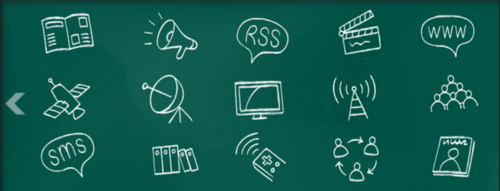
    A sampling of the different types of media channels available (image from Change Conversations).

    With the proliferation of different media channels in the past several decades, there has been a less of an emphasis on written content and more on the visual — specifically videos and images. According to this memo from 3M from 1997, people can process visuals 60,000 times faster than text.

    However, knowing how to write is still an important skill. Words can be one of the purest forms of expressing one’s thoughts. Words can be presented as letters, articles, or text messages. A writer will disseminate and share their thoughts in the form of ink on paper or digitized pixels on a screen.

    I’ve learned that writing well can be a catalyst for success, whether it be in the realm of personal growth, professional development, or social prosperity. A lot of the skills I’ve developed from writing dozens of articles in the past few years have translated over to my new full-time role as a software engineer at Putnam Investments.

    Photo by Aaron Burden on Unsplash.

    As a developer, here are five benefits I’ve come across by learning to write.

    1. Writing well makes you a better communicator

    The most obvious benefit I’ve realized from writing frequently is that writing well has made me a better communicator. As humans, we rely primarily on our words to convey our thoughts and feelings to others. By writing often, I’m able to express my thoughts easier, without having to worry about whether I’m using the right words, writing too much or too little, or being too vague or convoluted.

    Image from https://zalarieunique.ru.

    At work, I can draft concise emails or send instant messages without having to resort to a dictionary for the correct spelling of a word or a thesaurus to make myself sound smarter. When thoughts can flow freely from your mind to your hand, the words that come out on paper flow fluidly and don’t have to be manipulated to achieve a specific purpose.

    Writing, like many other crafts, takes years of practice to hone. The best part of writing is that the improvement is detectable. You can look at previous works and see visible improvement over time.

    2. Writing for an audience helps you write better documentation

    Part of the criteria for being a good developer is knowing how to communicate technical requirements and specifications to other stakeholders. Knowing your audience is an important part of writing — the same applies when communicating with stakeholders or writing any type of documentation.

    Photo by John-Mark Smith on Unsplash.

    When working with less technical team members, you have to explain technical terms and concepts in a way that makes sense and resonates to whoever you’re working with. For example, when working with product owners and designers, I usually try to provide a high-level overview of whatever I’m working on without getting bogged down in the details. For designers, I try to communicate how the feature should be implemented from a UX or UI perspective. For product owners, I try to frame my work from the perspective of the business.

    In addition, developers also have to communicate their work to other developers. Whether it be naming variables or function names, writing inline comments, or documenting how the system should work from a high-level, developers need to know how to write good documentation so that code is understandable and maintainable. Whenever I write documentation, I try to make it as complete as possible. Any developers working on my codebase will be able to understand the high-level structure, and also be able to contribute instantly without having to deconstruct and reverse-engineer the code.

    3. Writing makes you appreciate the idiosyncrasies of programming

    Back in 2011, a Redditor posted in the /r/programming subreddit about the differences and similarities between writing and programming. Some say that programming is akin to writing in that it’s a skill that isn’t conceptually difficult, but is something that is refined over time. Others state that writing is completely different than programming in that writing is a creative endeavor, whereas programming is a more involved science that requires a deeper understanding of the fundamental concepts.

    The general consensus, with minor disagreements in the nuances of each, is that both writing and programming require basic knowledge of the fundamentals — syntax, structure, and semantics. However, what differentiates an amateur from a veteran in each field is the ability to be creative and deal with the complexity of the system or topic at hand.

    A lot of these ideas touch upon the fields of linguistics and language.

    Writing teaches developers to think differently. For developers, writing code can feel restricted as there are a limited number of keywords, functions, and libraries that can be used. However, written languages allow for complete freedom in expression in a way that programming languages usually don’t allow.

    Ted Kaminski brings up another interesting point around the purpose of words as we use them in code and in other mediums.

    “For one, writing is meant to be read. Code is meant to be read and changed.” -Ted Kaminski

    Within the realm of writing, it appears as if a strict dichotomy has been created over time to separate the concerns of the writers from the readers. Writing seems to be set in stone, whereas code is an ongoing endeavor that seeks to improve upon the old.

    In many ways, writing “creatively” and writing code share many similarities, but knowing their differences makes me appreciate both much more.

    4. Writing gives you a chance to apply what you learn

    When I write, it always feels like I’m having a conversation with myself. Upon finishing a book or discovering something significant, I try to let my thoughts ruminate by writing an article on what I’ve learned. For me, I’ve found the best way to nudge my knowledge forward in a particular area is to write about that topic.

    On freeCodeCamp and so many other websites that provide basic development tutorials, authors write about a variety of different topics and concepts. Part of the reason why so many volunteer their time to write articles is not only so they can share their experiences and help others, but also so they can reinforce their learned knowledge of the topic they’re writing about.

    freeCodeCamp, one of the best resources for development tutorials and articles.

    When I write about topics I learn about, I usually conduct additional research that often results in me coming across snippets of information I wouldn’t otherwise be exposed to. When I write, I’m more inclined to remember what I’ve learned for the long term. Additionally, I sometimes also come across different perspectives and viewpoints that challenge my initial outlook. The whole process of writing is a living and ongoing conversation that allows me to process the information I come across and make my own judgments.

    Writing is a great way to organize and collect your thoughts (Photo by Radu Florin on Unsplash).

    Writing is a great way to digest and process the information we take in. However, erudition and intellect stem not from the quantity of information that we take in, but from our ability to process that information and draw meaningful conclusions from it.

    5. Writing as a form of catharsis

    This last reason why I think writing is important might not be as directly relevant to the role of a developer as the last four reasons. But I think it’s just as, if not more, important. A big part of the reason why I choose to write is because writing is a great outlet for my emotions and feelings. I don’t like keeping my feelings and thoughts bottled up, so I seek out writing as a form of catharsis.

    Photo by Álvaro Serrano on Unsplash.

    When I was younger, I used to write journal entries in a diary. Now I write about a variety of topics and publish them for the world to read. But every now and then, I’ll return to pen and paper to express my personal thoughts. I keep a private journal that I write in occasionally when I have doubts about my professional goals, personal life, social relationships, and everything in between.

    There’s nothing to writing. All you do is sit down at a typewriter and bleed.

    When I write about my feelings, it feels like I’m talking to a friend who is really good at listening. It’s a way for me to purge negative emotions and speak to an empty page without the fear of judgment.

    Writing has a lot of benefits, and although it might not be your preferred way to express your thoughts, it’s a needed and useful skill even in today’s cacophonous and chaotic world. Even if you’re a beginner to the world of writing, I recommend that you try sitting alone with your thoughts and let your mind flow freely. It’s amazing what you can come up with.


    Thanks for taking the time to check out my article!

    If you liked this article, drop a few claps, follow me on Medium, and recommend this article to your friends. Feel free to follow me on Instagram or connect with me on LinkedIn!


    每天推荐一个 GitHub 优质开源项目和一篇精选英文科技或编程文章原文,欢迎关注开源日报。交流QQ群:202790710;微博:https://weibo.com/openingsource;电报群 https://t.me/OpeningSourceOrg

  • 2018年9月14日:开源日报第190期

    14 9 月, 2018

    每天推荐一个 GitHub 优质开源项目和一篇精选英文科技或编程文章原文,欢迎关注开源日报。交流QQ群:202790710;微博:https://weibo.com/openingsource;电报群 https://t.me/OpeningSourceOrg

    今日推荐开源项目:《复古游戏 Pyxel》传送门:GitHub链接

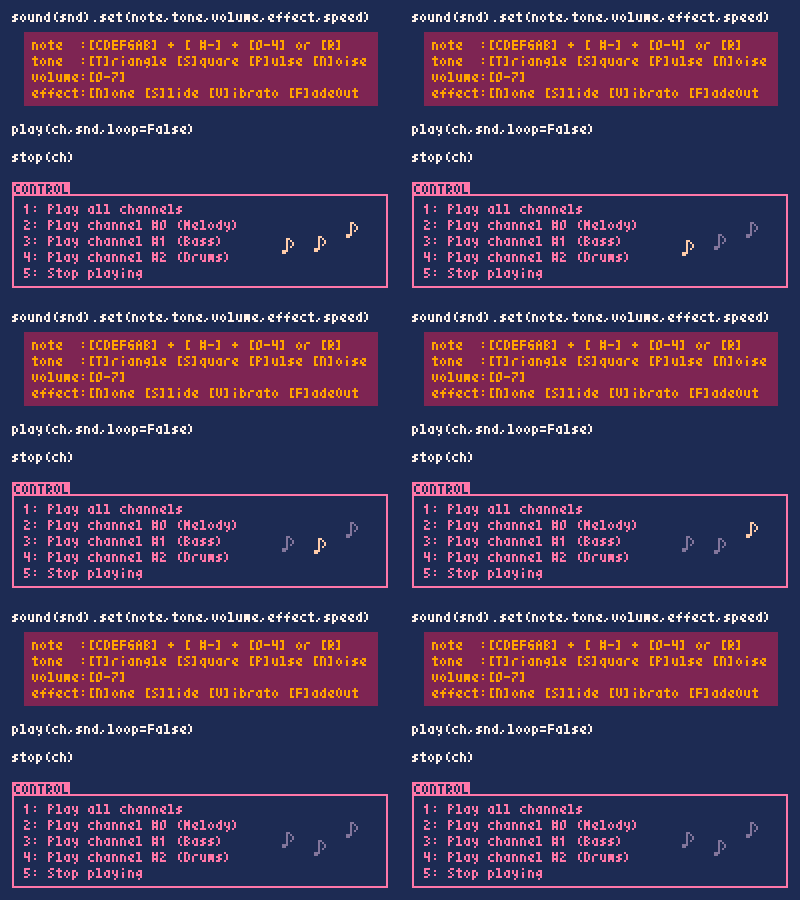
    推荐理由:这是个 Python 的游戏引擎,目的是做出复古风格的游戏。它不仅在画面上很复古——完全的像素风格,而且在功能上也很复古,比如只能使用16种颜色和同时播放4种声音。如果你对复古的游戏感兴趣,兴许这个项目会很对你的胃口。


    今日推荐英文原文:《How to Write Your Own Reusable React Component Library》作者:Connor Wilson

    原文链接:https://itnext.io/how-to-write-your-own-reusable-react-component-library-a57dc7c9a210

    推荐理由:在做自己的项目的时候你很容易发现自己会重复利用以前试用过的东西——组件或是其他什么,把这些容易重复的组件编写成一个库是一个不错的选择

    How to Write Your Own Reusable React Component Library

    Do you find yourself using some of the same components over and over in multiple projects? This is super common, and with a bit of time spent compiling these into one reusable project, you can save time and boost your efficiency in future projects.

    In this post I will create a boilerplate step by step that you can use to start your own component library. I will also develop the requirements and make pull requests along the way, as I mentioned in my last post.

    Before we get into coding, my first rule of new projects is always come up with a name and logo. It helps me get engaged in the project and power through that last 10% of work that can take 80% of the time. Also an emoji that’s relevant can help with any branding or marketing you may plan to do in the future. Most of my coworkers think I joke about this stuff. I’m dead serious.

    Once, you have your cool name and logo, go ahead and create your repository on GitHub. I’ll call mine rinse-react. It’s like Rinse, React, repeat.

    A drop and a cycle icon… pretty on the nose.

    Now we can make this thing. The first step is going to be setting up webpack to build our components into a single file that can be imported by other projects. In this example, we will publish to npm at the end.

    Setting up Webpack

    Webpack can be pretty intimidating. Having worked with it for a few years, I still prefer the simplest possible setup file. That’s what we will go for here! You can check out the requirements listed in the first issue of my repo, so I’ll just address the basic goals:

    1. Take in one file, like a src/index.js type file, and output one file, like dist/rinse.js.
    2. Handle all the cool file types we will want.
    3. Sneak in some new project housekeeping.
    4. Don’t forget to npm init because we are starting from scratch!

    The changes to our base repo (just license and readme from GitHub’s init) can be found in the first pull request.

    Creating Our First Component

    One of the nice things about building out these companion style libraries is that we can get down to writing some real code pretty quickly. We want to make sure we can scale this library at any time so I like to take a fairly robust approach to structuring folders from the get-go. You can check up on the requirements of this task in the issue, but here’s my usual approach:

    src
    ·· components
    ···· Button
    ······ index.js (export file)
    ······ Button.js (actual component code)
    ······ README.md (document each component!)

    There will be some other things in there eventually, such as unit tests and possibly some Storybook files (or other visual testing aide). Having a dedicated export file to basically import then export a component may seem a little overkill at first, but once you’ve added many dependencies and are wrapping components in translations and state, it comes in handy. It also helps if you want to introduce TypeScript later, but that is another conversation.

    If you would like to peruse the contents of the first component and the explanations of certain aspects, check out the pull request.

    How Can We See Our Work?

    One of the issues when developing these components is that using them in other projects can get wonky with linking and local development. Fortunately for us, there are a few ways of both documenting and visualizing components so you can work in isolation of the other projects. When you are done and push up your sweet shared component library, you can know what to expect in your app.

    There are a few methods, some of the notable methods include MDX and Styleguidist, but for this purpose I think Storybook fits best. To embark on this journey, I opened up an issue as always.

    Storybook’s latest v4.0.0 alpha supports Babel 7 and Webpack 4, so we will be using the absolute bleeding edge of the available tech. As time goes on and versions become more stable, the open source project I have started as a boilerplate here will be updated.

    To see how Storybook was configured, you can check out the pull request.

    Developing and Publishing

    At this point we actually have all the tools we need to start making stuff. We have an example component that we can see on a screen. One of the reasons I like this “all the component’s stuff goes in the same folder” business is because of a tool called Generact. This will allow you to rapidly duplicate and intelligently rename components, including their exports and stories. If you had other files, such as styles or unit tests, they would be similarly copied.

    Now, how do we use these new components? For this example, I have published my repo to npm. You can view it on its npm/rinse-react page.

    You can install this package as a dependency:

    $ npm i -S rinse-react

    And in your React project, try placing a Button.

    // In your component
    import { Button } from 'rinse-react';
    // In your render function
    <Button type="submit" onClick={this.submit}>Hello!</Button>

    If you’ve cloned your own copy and renamed it, the first time you publish, you can simply run:

    $ npm login
    # Enter your username, password and email for npmjs.com
    $ npm publish

    For future versions, depending on your changes, you can up the version:

    $ npm version [major|minor|patch]
    $ npm publish

    Your library is now in the cloud and available to be used as a dependency in any JavaScript project.

    What Next?

    There are quite a few places in our newly created library that could stand to be improved. The goal of this post (in Git, anything from tag 1.0.0 and prior) was to get an MVP component library up and running. You could expand your own library, starting with a few things:

    • TypeScript
    • Jest testing
    • CI like Travis or Circle
    • Some static documentation with something like docsify

    If you think of something cool to add, tweet me! Happy coding!


    每天推荐一个 GitHub 优质开源项目和一篇精选英文科技或编程文章原文,欢迎关注开源日报。交流QQ群:202790710;微博:https://weibo.com/openingsource;电报群 https://t.me/OpeningSourceOrg

←上一页
1 … 211 212 213 214 215 … 262
下一页→

Proudly powered by WordPress