• 开源镜像
  • 开源沙龙
  • 媛宝
  • 猿帅
  • 注册
  • 登录
  • 息壤开源生活方式平台
  • 加入我们

开源日报

  • 2018年10月19日:开源日报第225期

    19 10 月, 2018

    每天推荐一个 GitHub 优质开源项目和一篇精选英文科技或编程文章原文,欢迎关注开源日报。交流QQ群:202790710;微博:https://weibo.com/openingsource;电报群 https://t.me/OpeningSourceOrg


    今日推荐开源项目:《从零开始的操作系统(Ver2.0) os-tutorial》传送门:GitHub链接

    推荐理由:这应该是第二个关于操作系统的项目了,这个项目是一个创建操作系统的教程。对于一些人来说一开始就读内核代码可能实在有点太难了,所以作者决定自己写简单一些的创建操作系统教程。如果你们对使用树莓派和 Linux 内核学习操作系统开发感兴趣,也可以看看上一个从零开始。

    传送链接:https://opensourcedaily.org/2840/


    今日推荐英文原文:《Python Objects》作者:Stephen Chu

    原文链接:https://medium.com/@stephen.chu530/python-objects-5c484d413d6f

    推荐理由:介绍一个 Python 中的基本概念——什么是对象

    Python Objects

    Introduction

    For some of us learning Python, the behavior in Python can at times seem — quirky. To help ease the learning process, I’ll attempt to explain a fundamental concept that underlies everything in Python: Everything is an object! The sooner we can grasp this idea, the quicker we can start building things. For this short discussion, I’ll cover the concepts and the implementation of Python objects.


    ID and Type

    Before diving into the details, there are two key terms to keep in mind: IDs and Types.

    IDs are unique integers for every object in Python. Each object’s ID lasts for the entire duration of the python interpreter or more practically speaking, for the entire duration the Python script is running. Coincidentally, the object ID is also the object’s location in memory.

    To get an object’s ID, you can use the id() built-in function:

    >>> a = 1
    >>> id(a)
    10964896

    The number 10964896 is the object’s unique integer ID as well as it’s address space location.

    To get an object’s type, you can use the type() built-in function:

    >>> a = 1
    >>> type(a)
    <class 'int'>

    There are several different types in Python:int, float, complex, str, list, frozenset, tuple,dict, function, set, class, object, and None. In the above example, the variable a is an inttype.


    What is an Object?

    So everything in Python is an object, and every object has a unique ID and has a type associated with it — but what exactly is an object?

    An object is a type of variable that contains values and functions all grouped under one roof. This organization of values and functions are defined by a class. For example:

    >>> class sample_class:
    ...     def __init__(self):
    ...         pass

    The above class defines an object of the class sample_class. The details of the above example is not important, but know that every object in Python has a class definition that contains all the variables called attributes, and functions called methods that are associated with the object. An object is created based off their class definition and this action of creating an object is called instantiation.

    >>> example = sample()
    # An object 'example' is instantiated based on class 'sample_class'

    Once an object is instantiated based on its class definition, what can we do wit

    # ** Method 1: **
    >>> list_b = [1, 2, 3]
    >>> id(list_b)
    140419576066824
    >>> list_b += [4]
    >>> list_b
    [1, 2, 3, 4]
    
    >>> id(list_b)
    140419576066824
    # the object ID does not change as expected
    
    # ** Method 2: **
    >>> list_b = list_b + [5]
    >>> list_b
    [1, 2, 3, 4, 5]
    
    >>> id(list_b)
    140419576066936
    # the object ID changed! But this is not evidence that lists are
    # immutable


    h it? We can make changes to the object, but only if it is mutable.


    Mutable objects

    The definition of mutable means liable to change according to a quick Google search. In context of objects, mutable objects are objects that can change in place without having their IDs and type change. Let’s take a look at a list object:

    >>> list_a= [1, 2, 3]
    # list_a is a list type object with 3 elements
    
    >>> id(list_a)
    140423986856648
    # this is the current ID of our list_a
    
    >>> list_a.append(4)
    # let's add a new element 4 to the list
    
    >>> list_a
    [1, 2, 3, 4]
    # we see that 4 has been added
    
    >>> id(list_a)
    140423986856648
    # the ID of list_a has not changed!

    There are many other types that are mutable such as: bytearray, set, and dict. However a caveat: Depending on how you’re affecting change to these mutable types, a new object can be created, thus giving an impression the variable is immutable. For example:

    The above example is a clear demonstration of changing a list in two different ways gives two different implications. The first way retains the ID, and thus shows the list is mutable. The second way does not retain the ID which confuses the matter. So is a list mutable or immutable? What we need to do is pay attention to how the expression is evaluated.

    In Method 2, we changed the list using the list = list + element expression. This in fact creates a new object as shown, but it did not actually make changes to the object! It merely created a new object using the previous list plus the new element, and then assigned in back to the original pointer. The original object that contained [1, 2, 3, 4] is now sitting somewhere waiting to be garbage collected. The idea behind Method 2 is that even though on the surface it appears the list is not mutable, it actually is.

    Another way to understand mutable objects is to use the value equality operator and the object ID comparison operator.

    >>> a = [1, 2]
    >>> b = [1, 2]
    >>> a == b
    True
    >>> a is b
    False
    >>> id(a) == id(b)
    False

    From the above demonstration, both lists a and b have the same exact values, but their object IDs are different. This is the way of mutable objects to keep in mind.

    Immutable objects

    Immutable objects are objects that cannot change their contents. They are unchanging — aka immutable. Some examples of immutable objects are int, float, str, tuples, and frozenset.

    Immutable objects are called immutable because once the object is allocated space in memory, it can no longer change. The ID of the object along with the contents of the object will not change. If we were to create an immutable object, and then we wanted to change it’s value, then what would happen is a new object is created in a new address space. Then the pointer would point to the new object. The first object will remain in memory until garbage collection gets rid of it. For example:

    >>> a = "Hi"
    >>> id(a)
    140419576066824
    # the string object contains the characters "Hi"
    >>> a
    Hi
    
    >>> a += "t"
    >>> id(a)
    140419576066936
    # as shown here, the ID has changed because strings are immutable
    >>> a
    Hit
    
    >>> b = "Hi"
    >>> id(b)
    140419576066824
    # the new pointer for object b resumes the previous a ID

    Let’s try using the value equality operator and the object ID comparison operator.

    >>> a = "Hi"
    >>> b = "Hi
    >>> a == b
    True
    >>> a is b
    True
    >>> id(a) == id(b)
    True

    Why Python treats mutable and immutable objects differently

    The million dollar question regarding mutable and immutable objects in Python: Why are there two types? Is there some grand overall design decision why some objects are allowed to have their contents changed, while others are simply replaced all together?

    According to Sean Conroy’s article, Mutable vs Immutable objects in Python, the primary reason for having mutable and immutable objects is that this allows for efficient handling of changing content.

    For example, we can place multiple immutable strings into a mutable object like a list. Then using the list, we can then manipulate the different strings and concatenate them together without using additional space. If we were to perform concatenation on a group of strings without using a mutable object, then at each sub-stage during concatenation, additional memory space would be needed to hold the new string. This would be a colossal waste of resources.


    How arguments are passed to functions and what does that imply for mutable and immutable objects

    Every argument in Python is passed to functions in a process called Call-by-Object. What this means is that how the function handles the argument is entirely based on the type of object. In context of Python, the object being mutable or immutable is the determining factor.

    For example, if we pass an integer into a function, then the function will treat the integer argument as “pass-by-value” because an integer is immutable. If a list was passed into a function, then the function will treat it like a “pass-by-reference” and can make changes to the contents of the list that will actually affect the caller’s list.

    Understanding this subtle difference will help make working with objects in Python easier. Please consult the below sources for further reading and reference.


    Sources

    9. Lists – How to Think Like a Computer Scientist: Learning with Python 2nd Edition documentation
    A list is an ordered set of values, where each value is identified by an index. The values that make up a list are…www.openbookproject.net
    Immutable vs Mutable types
    I’m confused on what an immutable type is. I know the float object is considered to be immutable, with this type of…stackoverflow.com
    2.4 Mutable Data
    One powerful technique for creating modular programs is to incorporate data that may change state over time. In this…composingprograms.com
    Python tuples: immutable but potentially changing
    Python tuples have a surprising trait: they are immutable, but their values may change. This may happen when a tuple…radar.oreilly.com
    Mutable vs Immutable objects in Python – I Don’t Know, Read The Manual
    There are two types of objects in Python, Mutable and immutable objects. Mutable objects are more flexible in that…www.idkrtm.com
    Python2 Tutorial: Passing Arguments
    The passing of parameters and arguments in Python. Difference in Python to call by value and call by name.www.python-course.eu

    每天推荐一个 GitHub 优质开源项目和一篇精选英文科技或编程文章原文,欢迎关注开源日报。交流QQ群:202790710;微博:https://weibo.com/openingsource;电报群 https://t.me/OpeningSourceOrg

  • 2018年10月18日:开源日报第224期

    18 10 月, 2018

    每天推荐一个 GitHub 优质开源项目和一篇精选英文科技或编程文章原文,欢迎关注开源日报。交流QQ群:202790710;微博:https://weibo.com/openingsource;电报群 https://t.me/OpeningSourceOrg



    今日推荐开源项目:《React Native UI awesome-reactnative-ui》传送门:GitHub链接

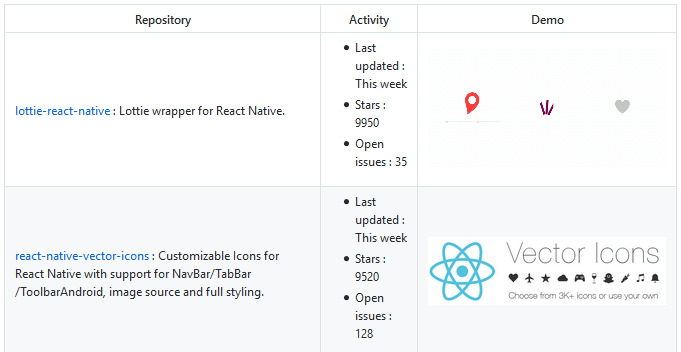
    推荐理由:这个项目集合了大量的 React Native 的 UI 组件,如果你想要找 UI 组件来用的话来这里看看准没错。每一款组件都提供了最近更新的时间和示例图等等这些信息,以确保浏览者能够快速的选定他们所需要的组件。


    今日推荐英文原文:《5 Tools To Speed Up Your App Development》作者:Appsee

    原文链接:https://medium.com/swlh/5-tools-to-speed-up-your-app-development-6979d0e49e34

    推荐理由:在开发过程中用得上的五个工具,它们可以帮助你减少成本,或者加快开发 app 的速度,它们的优缺点以及成本都已经写明了,在有需要的时候可以根据这些来选择适合的工具

    5 Tools To Speed Up Your App Development

    By Reinder de Vries, founder of LearnAppMaking.com

    Building an app is a costly and intensive process, both in time and financial resources. Sometimes you just don’t have the budget to build an expensive app, or you need to get to market quickly to seize an opportunity. Should you slash app features, or look elsewhere to speed up the app development process?

    In this article we’ll take a look at 5 different tools you can use to speed up your app development process. And that cuts both ways: you can reduce the cost of building an app, and at the same time release the app quicker.

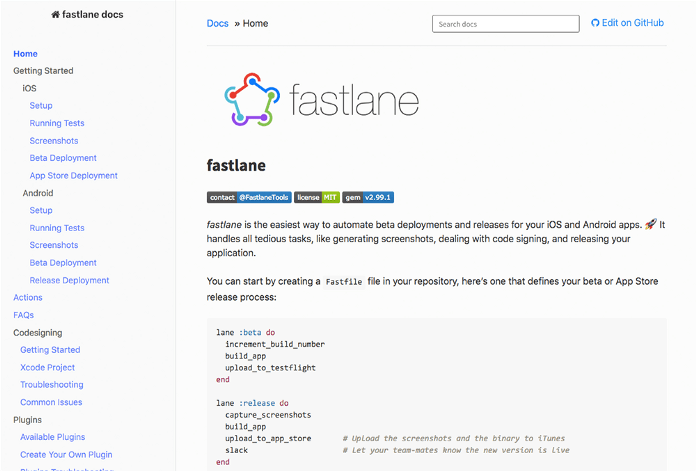
    Most of the tools we’ll check out also help you speed up your project’s iterations. Take fastlane, for instance, that automates manual app deployment tasks, so you can shorten your release cycle and spend more time on fixing bugs and implementing features.

    Let’s dive in!

    1. Parse Server

    The first tool we’re going to take a look at is Parse Server. It’s an open source cloud back-end, with a ton of additional services like databases, push notifications, file storage and user management.

    Here’s how it works:

    • Create an instance of Parse Server on a popular Platform-as-a-Service (PaaS) like Heroku
    • Connect your Parse Server instance to a popular Database-as-a-Service (DaaS) like mLab
    • Integrate your app with your new Parse Server instance, and start using some of its tools
    • Profit! You now have a full-fledged cloud-based back-end service at your disposal.

    Parse Server is the reincarnation of the late Parse.com service, that shutdown early 2017. Instead of providing a done-for-you service like Parse.com, Parse Server lets you roll your own custom cloud-based back-end.

    It’s open source, and you can set up your Parse Server instance on a number of infrastructure providers, like AWS, Heroku, Google App Engine, Azure and Digital Ocean.

    Parse Server connects with a number of back-end tools that are useful for app developers, such as push notifications and file storage. For each of those services you’ll likely need another service provider, like Amazon S3 or OneSignal. And although these tools are awesome, needing several service providers can complicate your setup and maintenance efforts. Parse Server is simply not as all-in-one as other platforms.

    A great feature of Parse Server are Cloud Functions. With JavaScript you can code simple tasks that get executed whenever an event in Parse Server is triggered, like uploading a file or storing a database object.

    Say you’ve got a movie recommendation app, like IMDB. When a user creates a movie review, you can hook into that event with server-side scripting, and send a push notification to the followers of that user to notify them about the new review.

    With Parse Server, app developers spend less time on building back-end services and maintaining webservers, and more time on building apps and features. It’s scalable, affordable, relatively easy to maintain, customizable, and comes with a ton of useful built-in tools.

    Pros

    • Supports a ton of platforms, including IoT
    • Excellent documentation and example code
    • Active open source community

    Cons

    • Requires a separate platform to run, like Heroku
    • Scaling options depend on infrastructure
    • It’s not all-in-one

    Pricing

    Open source and free, but you’ll need infrastructure like Heroku to run Parse Server. A simple setup starts at around $20/month.

    Platforms

    iOS, macOS, tvOS, Android, JavaScript, React, .NET, Unity, PHP, Arduino, Embedded C

    2. Fastlane

    fastlane is a tool that focuses on continuous integration and continuous deployment (CI/CD). That’s a fancy way of saying: whenever you create a new app version, it’s automatically pushed and published to end-users or beta testers. fastlane supports your workflow with automated tools and processes.

    Imagine you made an app, and you’ve just released version 1.0 in the App Store. A couple of weeks later you’ve found and fixed some bugs and implemented a new app feature. You want to distribute the improved version 1.1 of your app to beta testers, and subsequently roll it out to every user.

    Here’s what you do:

    • You create a new build, and publish it in App Store Connect
    • You manually make new app screenshots for every device model
    • You update your app’s metadata, screenshots, etc.
    • You push the beta build to the testers with TestFlight

    As a one-person developer, this is manageable. But imagine you’re working in a distributed team. And you’re working on multiple app versions at a time — the current version, with fixes, and the “2.0” with new features. Or you’re pushing out app updates every one or two weeks.

    You see that the deployment of your app, and its manual tasks, can take up quite some time! There’s gotta be a way to speed up and automate that process…

    That’s where fastlane comes in. While everyone’s app is stuck between QA and the lead developer who’s on vacation, your app is speeding along in the fastlane.

    Here’s what fastlane does:

    • Automate the creation of app screenshots, for multiple device models and languages
    • Automate distributing app beta builds, like setting the build version, managing code signing, uploading the app, and logging app changes
    • Automate the app publishing workflow, like setting meta data, uploading screenshots, and submitting the app for review
    • Automate code signing in your team, i.e. share development keys and certificates privately between the developers on your team

    In essence, fastlane consists of a bunch of actions, like uploading your app build, and workflows that connect multiple actions. Every one of these actions is scripted, which means you can customize them however you see fit. And fastlane integrates with the most popular CI/CD tools, like CircleCI, Jenkins and Travis CI.

    And the best of all? It’s open source! That means developers can contribute to the tool, and build their own actions and plugins. Every fastlane tool is extensively documented, including examples and best practices, which makes it a must-have in every app developer’s toolbox.

    Pros

    • Saves you a ton of time
    • Automates tedious tasks
    • Avoid mistakes by doing less manually

    Cons

    • Takes some effort to set up
    • Overkill for sole developers or infrequent builds

    Pricing

    Free and open source!

    Platforms

    iOS and Android

    3. App Design Templates

    The design of your app matters, period. Within App Store rankings you’ll consistently see well designed apps rank better than equivalent, poorly designed apps.

    Your app users care about a good user experience, more than ever. We install less apps, and spend more time in the apps we’re familiar with. On the one hand, users are less willing to take risks with an app they don’t know. On the other hand, app developers have an opportunity to stand out with impeccable design, UI/UX and branding.

    Sounds good, right? Well, not so quick! Designing an app from scratch takes a ton of time, money and resources. Maybe your in-house designer doesn’t have much experience designing mobile apps, or the budget for your lean and mean app prototype only accounted for a modest graphic design.

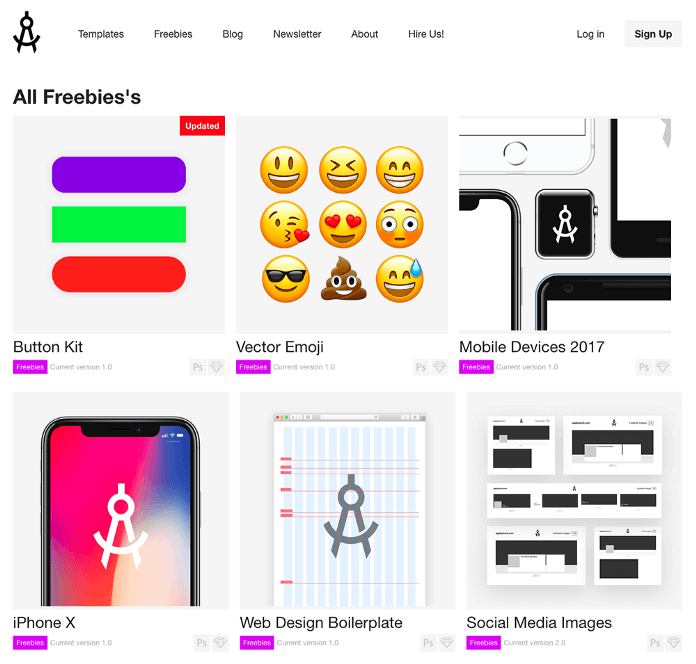
    That’s where a design template comes in. A design template is nothing more than ready-made pre-designed graphics for your app. You can adopt components and styles you like, or simply copy-and-paste the entire graphic design.

    Some of our favorite design templates include:

    • NOW, TETHR and DO by InVision
    • iOS 11 iPhone GUI from Facebook
    • Stark UI kit by Baianat
    • Stitch by Lina Seleznyova
    • Phoenix by Adrian Chiran
    • Apply Pixels by Michael Flarup

    Many design templates are specifically made for certain types of apps, like social, productivity or e-commerce apps. You can also use these graphic design templates to create mockups of your app.

    You can use Facebook’s iOS GUI template to create a 1-on–1 mockup of your app, using the default iOS layout and components. The templates from Apply Pixels help you to design things like your app icon and screenshot, and even show you how they look on your App Store page.

    When you use a design template, make sure you check its license and terms of use. An app design template may be freely available, but that doesn’t automatically mean you can use it, change it or charge for it. Original work is always copyrighted by its creator, so when in doubt, don’t use it or ask for explicit permission.

    Pros

    • Saves a lot of time and money
    • Affordable and often high quality
    • Most templates are customizable

    Cons

    • Takes time to customize
    • Takes time to find what you need
    • Licensing options aren’t always clear

    Pricing

    Free/Paid

    Platforms

    Any

    4. PaintCode

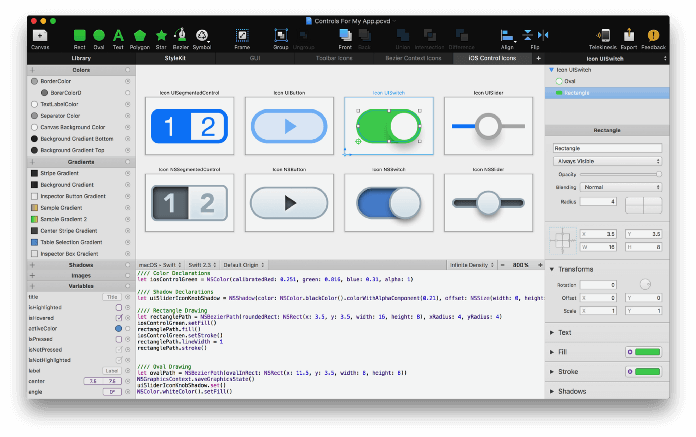
    The first time you see PaintCode do its thing, you’ll think it’s magic! It’s a simple and effective tool, and it does one thing very well: generating programming code for visually designed UI components.

    Here’s how it works:

    • You design a UI component, like a button, visually in PaintCode
    • PaintCode generates its Swift, Objective-C, Java, C#, JavaScript or SVG code
    • You use the code in your app, and the UI component appears on screen

    Traditionally, a developer writes that code by hand. A button is created, its color, text and borders set, and the button shows up in the app. That’s a simple UI component, so imagine how much time that takes when the components get more complex.

    Developers and designers often have to mediate between the designer’s wishes, and the degree a developer can recreate those designs in code. With PaintCode, a designer can create superb-looking UI components, and see those designs come to life in the app. Pixel-perfect, with zero back-and-forth, and no grumpy “Oh no, I can’t do THAT!” from developers.

    PaintCode exports its drawings to a single file, so you can simply re-import that file whenever the UI components are updated. You can also use parametric variables and expressions, for instance to update color shading to a new color scheme in one go.

    And it gets even better… PaintCode has a plugin for Sketch, a popular graphic design tool. With the plugin, you can directly export Sketch drawings to Swift or Objective-C. So you don’t have to recreate drawings in PaintCode, but export them directly from Sketch!

    PaintCode comes with a ton of tutorials, well-written documentation, and responsive support.

    Pros

    • Saves time and going back-and-forth
    • Flexible and customizable
    • Supports the 4 major app platforms

    Cons

    • Proficiency with design and development required
    • Some developers don’t like generated code
    • Limited support for Interface Builder-oriented workflow

    Pricing

    Free trial, $99/year for 1–3 person team

    Platforms

    iOS, macOS, Android and the web

    5. Awesome iOS and Android

    Awesome is technically not a tool, but a resource. And it’s a resource worth sharing!

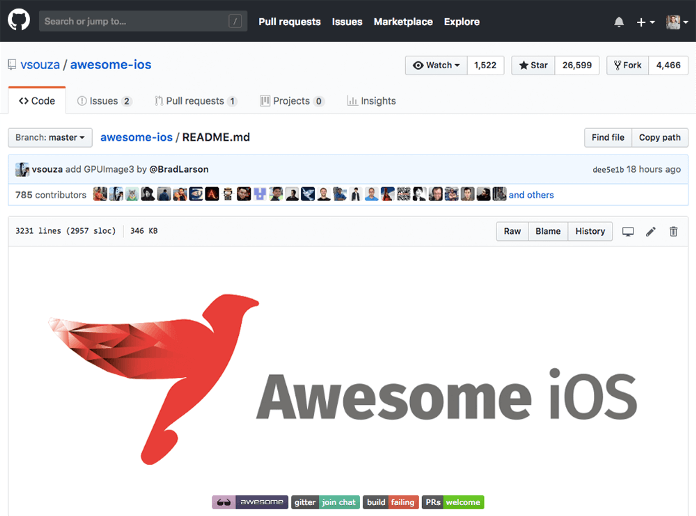
    Awesome is a list of resources, frameworks, libraries, courses, books, blogs, podcasts, tools and templates for app development. A simple search on GitHub shows that there are awesome lists for pretty much anything, ranging from iOS to Swift to Android to JavaScript.

    Our most favorite awesome lists are:

    • Awesome iOS by Vinicius Souza
    • Awesome Android by Jürgen Stumpp
    • List of awesome lists by Sindre Sorhus

    Further Reading

    You simply build better, more profitable apps faster by standing on the shoulders of giants. Why reinvent the wheel if you can build upon ready-made tools?

    Always remember to discover and understand how these tools work on the inside. An app template speeds up development now, but beyond the bootstrapping phase it pays dividends to invest in a graphic designer.

    Building on top of a cloud-based back-end service is convenient, but in some cases it’s smarter to build your own webservice. The wiser developer knows when to use which tool, and has a diverse set of tools in his toolkit.

    Having said that — don’t hold back. As we’ve seen, a quick and smart development process has plenty of benefits!

    Once you’ve built your app, and you’re looking for the best post-launch tools, check out these resources:

    • Top 11 iOS App Analytics Tools in 2018
    • Top 10 Android Analytics Platforms in 2018
    • The 15 Best iOS and Android Push Notifications Platforms

    每天推荐一个 GitHub 优质开源项目和一篇精选英文科技或编程文章原文,欢迎关注开源日报。交流QQ群:202790710;微博:https://weibo.com/openingsource;电报群 https://t.me/OpeningSourceOrg

  • 2018年10月17日:开源日报第223期

    17 10 月, 2018

    每天推荐一个 GitHub 优质开源项目和一篇精选英文科技或编程文章原文,欢迎关注开源日报。交流QQ群:202790710;微博:https://weibo.com/openingsource;电报群 https://t.me/OpeningSourceOrg

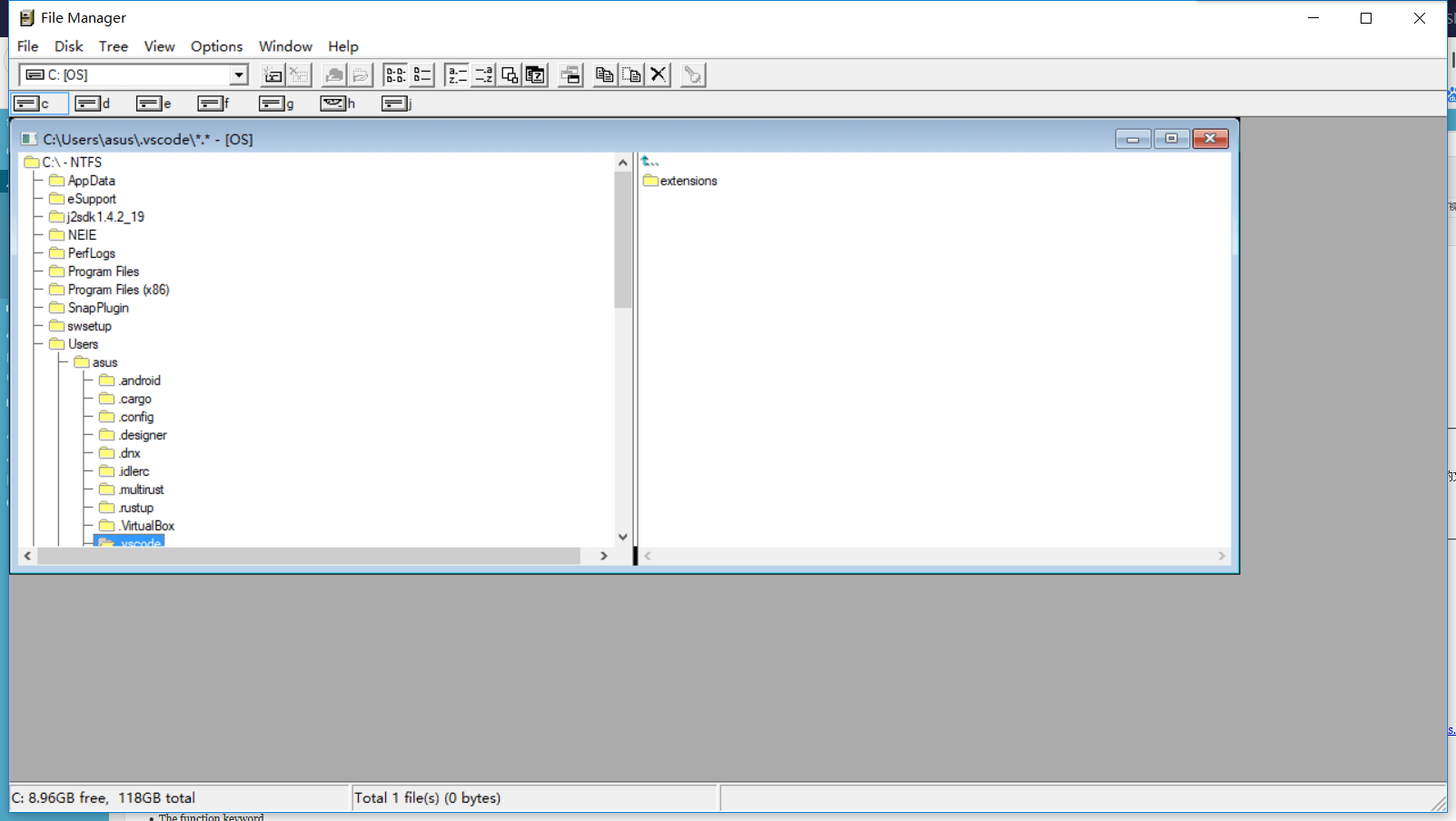
    今日推荐开源项目:《如同回到过去 WinFile》传送门:GitHub链接

    推荐理由:你能在这个项目里看到一个界面很古老的 windows 的系统文件管理器——包括未更改过的原版和作者自己增强之后的改版和它们两个的源代码。如果你并不对源代码感兴趣而只是想体验一下它的话,里面也放了可供直接打开的应用程序。看习惯了 win10 简单易懂的文件管理之后再回去看看以前的一大堆没有文字的图标,才会发现,技术的普及正是将功能的强大与操作的简单结合起来产生的成果。


    今日推荐英文原文:《Intro to Functions in Javascript.》作者:Celestino Salim

    原文链接:https://medium.com/@celestino.salim/intro-to-functions-in-javascript-1f20160df176

    推荐理由:介绍 JS 中的函数,对于刚刚起步的初学者来说值得一看

    Intro to Functions in Javascript.

    What are functions?

    Functions are “self contained” modules of code that accomplish a specific task. Functions usually “take in” data, process it, and “return” a result. Once a function is written, it can be used over and over and over again. Functions can be “called” from the inside of other functions.

    Defining Functions in Javascript

    In order to use functions we have to define them, the syntax may vary but most of the time, it will follow this structure:

    • The function keyword
    • A function name
    • A list of parameters
    • A block statement {}
    • An explicit return.
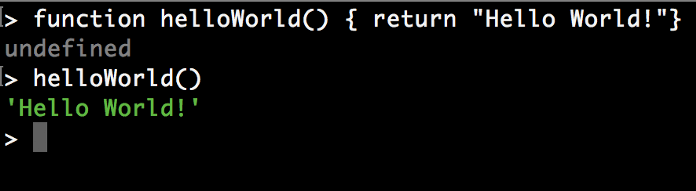
    function helloWorld(parameters) {
            return (parameters);
          }
    
    helloWorld("Hello, World!")

    This syntax is known as a function declaration, it can be invoked before it is defined because of hoisting. We’re not going to dig deeper into Hoisting, but it is important to know that it’s JavaScript’s default behavior of moving declarations to the top.

    Another syntax that we can use to define a function is function Expressions. Notice that in function declaration, the function has a name (helloWorld), while function expressions can be named or anonymous and they’re not hoisted. This means that they cannot be used before defining.

    const helloWorld = function(parameters) {
            return (parameters);
          }
    
    helloWorld("Hello, World!")

    And Arrow Function Expression is a shorter syntax for writing function expressions.

    const helloWorld = (parameters) => parameters
    
    helloWorld("Hello, World!")

    Function types in Javascript.

    Based on the above we can split functions into 3 different types.

    • Named function

    A named function is defined and then can be called when we need it by referencing its name and passing arguments to it.

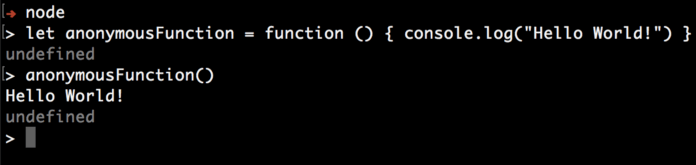
    • Anonymous function

    An anonymous function needs to be tied to something such as a variable or an event, in order to run.

    • Immediately invoked function expression(IIFE).

    An IIFE will run as soon as the browser finds it.

    In JavaScript, functions are first-class objects. One of the consequences of this is that functions can be passed as arguments to other functions and can also be returned by other functions.

    A function that takes other functions as arguments or returns functions as its result is called a higher-order function, and the function that is passed as an argument is called a callback function.

    Higher-order functions & Callbacks.

    A good example of higher-order functions & callbacks is the built ins .filter &.map methods.

    Filter() calls a provided callback function once for each element in an array, and constructs a new array of all the values for which callback returns a value that coerces to true.

    const drivers = [
    { name: 'Sally',   revenue: 400 },
    { name: 'Annette', revenue: 200 },
    { name: 'Jim',     revenue: 150 }];
    
    function driversWithRevenueOver(drivers, revenue) { 
     return drivers.filter(function(driver) {
      return driver.revenue > revenue 
     })
    }
    
    function driverNamesWithRevenueOver(drivers, revenue) {
     return driversWithRevenueOver(drivers,revenue).map(function(driver){ return driver.name })}

    The example above have a function called driverNamesWithRevenueOver that returns a function this is what we call higher-order function and the .map function(driver) is the callback function.

    Nested Functions

    A function can be nested, which means we can define a function inside another function and return it.

    function outer(){
     function inner(){
      return "Hello World!";
     }
     return inner;
    }
    
    outer()()

    Closures

    A closure is an inner function made accessible from outside of its parent function with in-scope variables and their values incorporated from the environment in which it was created. In that environment, it has access to its own local variables, to its outer function’s variables and the global variables (declared outside its outer function).

    function phrase(name) {
      const hello = "Hello"; 
    
      function printPhrase() {       
        console.log(hello + " " + name);  
      }
    
      printPhrase();
    }
    
    phrase("Gavin");

    In this code example, the printPhrase() function refers to the name variable and the hello parameter of the enclosing (parent) phrase()function. And the result is that, when phrase() is called, printPhrase() successfully uses the variables and parameters of the former to output:

    Hello Gavin
    undefined

    Pure Functions & Impure Functions.

    Pure Functions

    1. Always returns the same result if the same arguments are passed in. It does not depend on any state, or data, change during a program’s execution. It must only depend on its input arguments.
    2. The function does not produce any observable side effects such as network requests, input and output devices, or data mutation.
    function calculateSquareArea(x) {
       return x * x;
    }

    Impure functions

    This is an impure function because it depends on an external tax variable. A pure function can not depend on outside variables.

    const tax = 0.8
    
    function calculateTax(productPrice) {
     return (productPrice * (tax/100)); 
    }

    The benefits of using pure functions is they are immediately testable. They will always produce the same result if you pass in the same arguments.


    If you would like to know more about Javascript functions check the links belows.

    Pure vs Impure functions | JavaScript
    Characterestics of Pure Functions The return value of the pure functions solely depends on its arguments Hence, if you…javascript.tutorialhorizon.com
    Functions
    Generally speaking, a function is a “subprogram” that can be called by code external (or internal in the case of…developer.mozilla.org
    Functions
    Quite often we need to perform a similar action in many places of the script. For example, we need to show a…javascript.info
    JavaScript Functions
    JavaScript Functions – Learn Javascript in simple and easy steps. A beginner’s tutorial containing complete knowledge…www.tutorialspoint.com

    每天推荐一个 GitHub 优质开源项目和一篇精选英文科技或编程文章原文,欢迎关注开源日报。交流QQ群:202790710;微博:https://weibo.com/openingsource;电报群 https://t.me/OpeningSourceOrg
  • 2018年10月16日:开源日报第222期

    16 10 月, 2018

    每天推荐一个 GitHub 优质开源项目和一篇精选英文科技或编程文章原文,欢迎关注开源日报。交流QQ群:202790710;微博:https://weibo.com/openingsource;电报群 https://t.me/OpeningSourceOrg

    今日推荐开源项目:《如何正确学习 Node.js How-to-learn-node-correctly》传送门:GitHub链接

    推荐理由:RT,这整个项目都是围绕如何正确学习 Node.js 写的,Node.js 的简介和学习方法自然不用说,后面还包括了做 Node.js 开发用得上的一些技能,如果对 Node.js 感兴趣但是不知道从何入手的话,这篇文章肯定会适合你。

    Node.js 是什么(节选自该项目):

    Node.js 诞生于 2009 年,由 Joyent 的员工 Ryan Dahl 开发而成,之后 Joyent 公司一直扮演着 Node.js 孵化者的角色。由于诸多原因,Ryan 在2012年离开社区,随后在2015年由于 Node 贡献者对 es6 新特性集成问题的分歧,导致分裂出 iojs,并由 iojs 发布1.0、2.0和3.0版本。由于 iojs 的分裂最终促成了2015年 Node 基金会的成立,并顺利发布了4.0版本。Node.js 基金会的创始成员包括 Google、Joyent、IBM、Paypal、微软、Fidelity 和 Linux 基金会,创始成员将共同掌管过去由 Joyent 一家企业掌控的 Node.js 开源项目。此后,Node.js 基金会发展非常好,稳定地发布5、6、7、8等版本,截止发稿最新版本已经是8.6,长期支持版本是6.11。

    Node.js 不是一门语言也不是框架,它只是基于 Google V8 引擎的 JavaScript 运行时环境,同时结合 Libuv 扩展了 JavaScript 功能,使之支持 io、fs 等只有语言才有的特性,使得 JavaScript 能够同时具有 DOM 操作(浏览器)和 I/O、文件读写、操作数据库(服务器端)等能力,是目前最简单的全栈式语言。


    今日推荐英文原文:《11 React UI Component Playgrounds for 2018》作者:Jonathan Saring

    原文链接:https://blog.bitsrc.io/11-react-ui-component-playgrounds-for-2018-eef5a87a1bf8

    推荐理由:

    11 React UI Component Playgrounds for 2018

    Useful online playgrounds and editors for your UI components

    As the age of components is upon us, the building blocks of our application’s UI become a bigger part of our development process.

    When building with UI components, development speed and the ability to organize and share components becomes critical in the process.

    Many tools were formed in order to aid in this workflow, from docs builders to live online playgrounds and catalogs to faster sharing.

    To help you find the right tool, here is a short (unranked) rundown of some useful playgrounds to help you visualize, test, share and develop React components. Feel free to comment and add your own suggestions!


    1. Bit

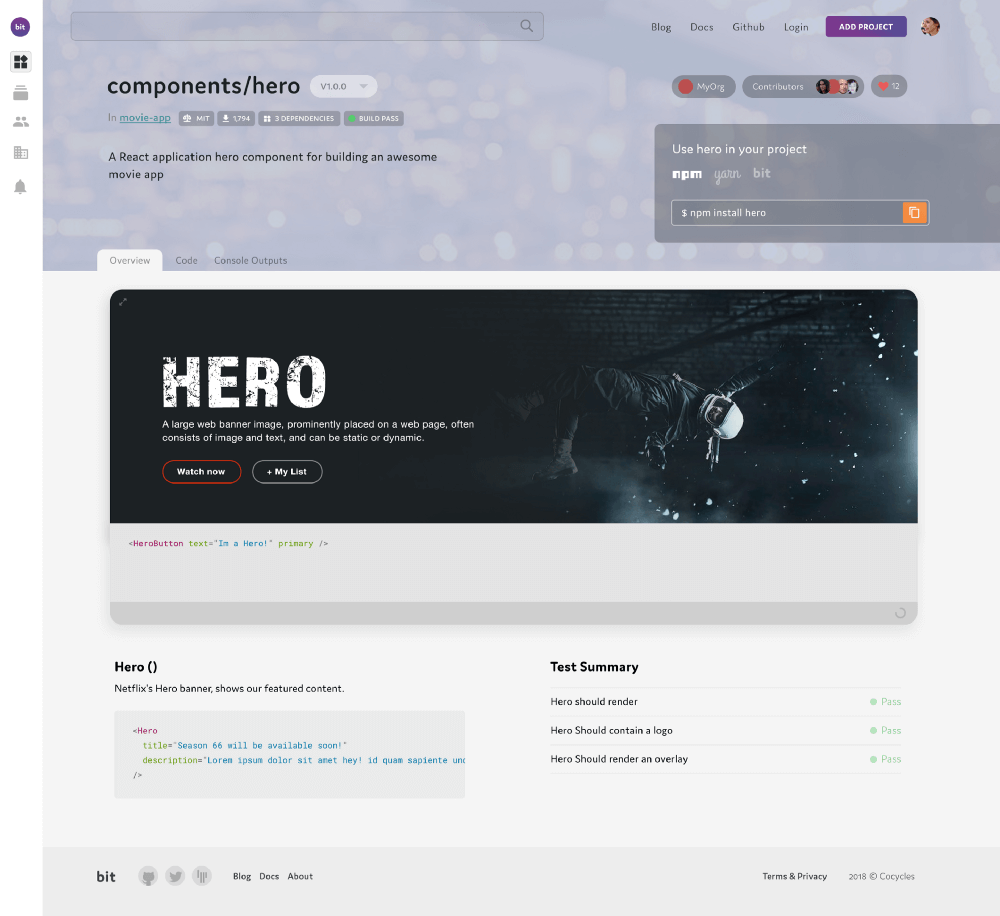
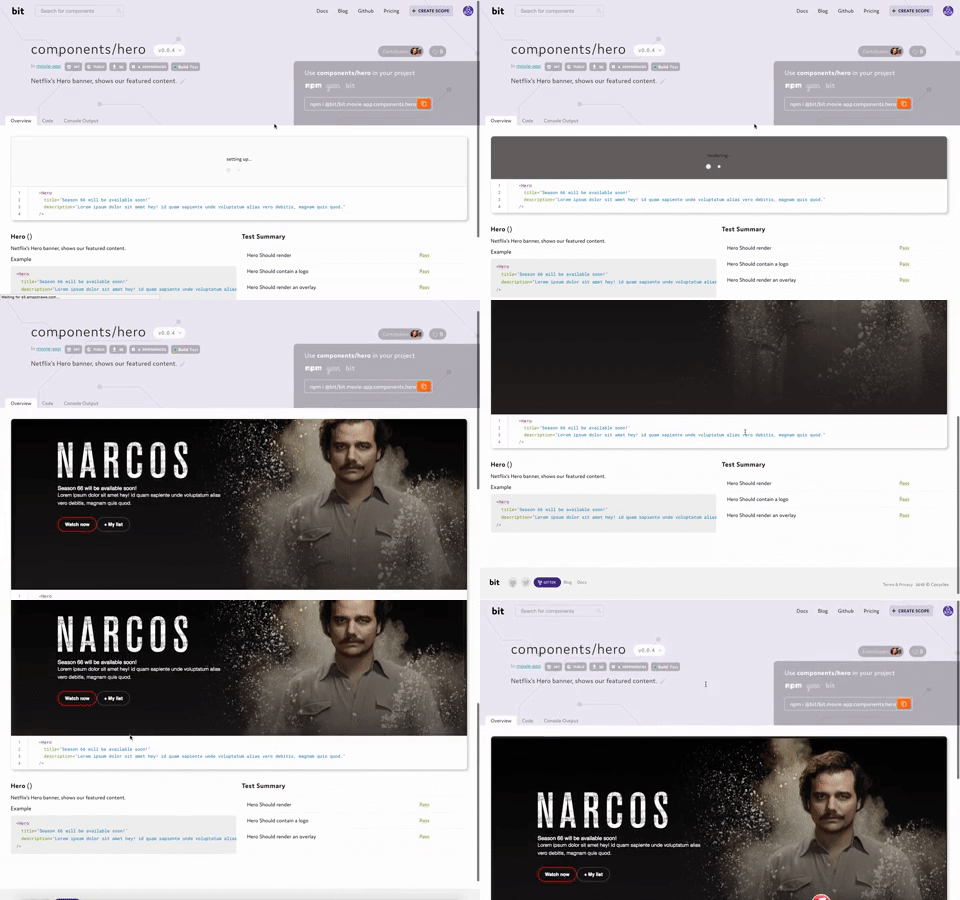
    A React Hero UI component from this Bit collection

    Bit’s component playground isn’t the most feature-rich playground on the list.

    However, Bit (GitHub) is the only tool that brings together a component playground with a full component discoverability, development and consumption workflow.

    Bit lets you isolate components (including dependancies) and share them from any project into a visual collection, from which your team can find, use and develop them anywhere.

    Every component is presented with a live playground, as well as test and build results which Bit runs for every component in isolation. If the component has JSDocs or .md files, Bit will auto-present the component’s docs as well.

    Once you choose a component you wish to use, you can install it (and only it) using NPM/Yarn -or- use Bit to import and develop it right from any project.

    Through Bit your team can organize and share components, forming a unified hub for your component design system and development in one place. Any team member can share components, update changes and stay in sync.

    Bit isn’t limited to React or even UI components, and can be used with any reusable JS and TS code (UI components, Plain JS, Node.js, GraphQL etc).

    Bit — Share and build with code components
    Bit helps you share, discover and use code components between projects and applications to build new features and…bitsrc.io

    Here’s a short video introduction.

    2. Codesandbox

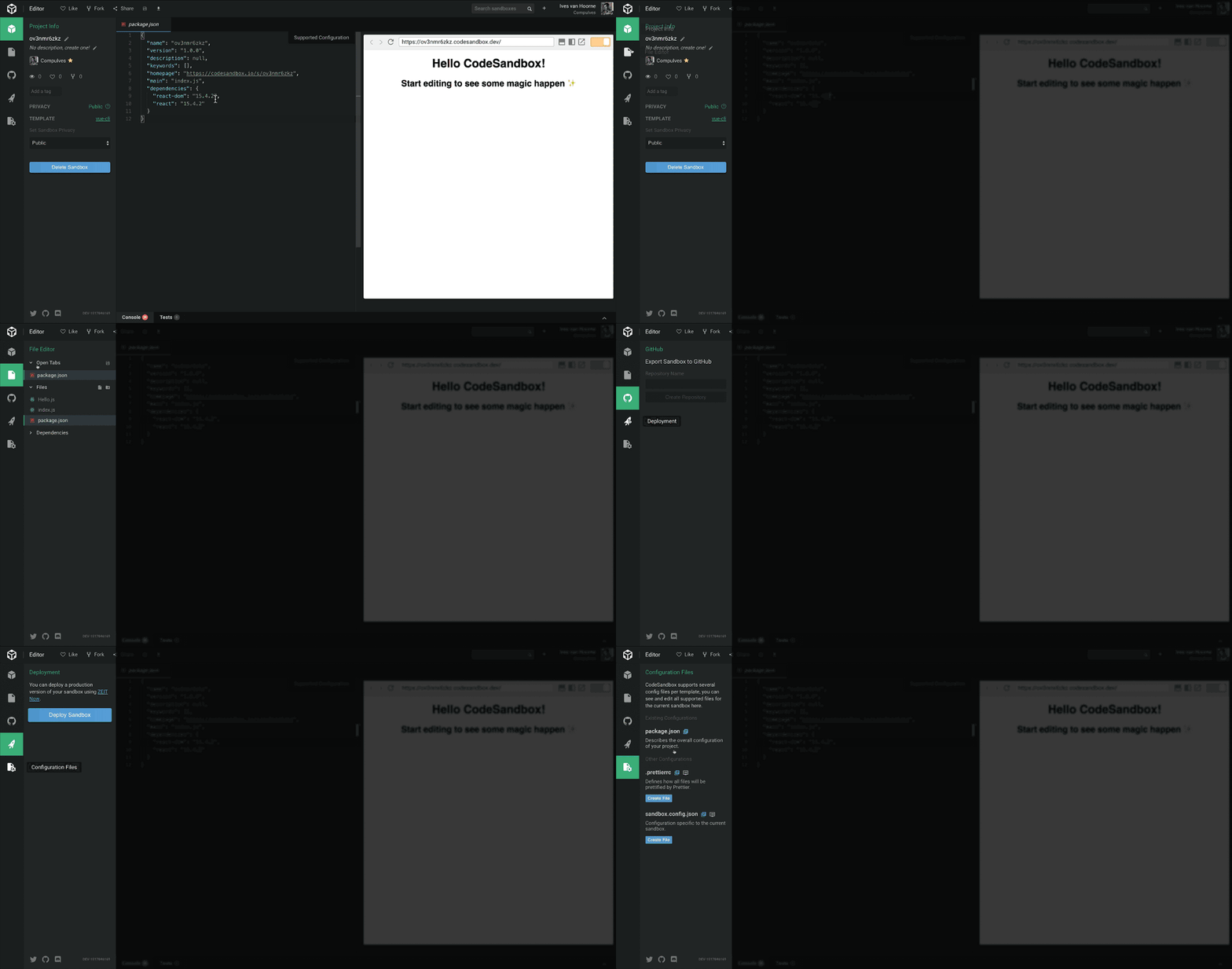
    Codesandbox is a great way to play with components online. Its awesome makers describe it as “an online code editor. It automates things like transpiling, bundling and dependency management for you so you can easily create a new project in a single click. After creating something interesting you can show it to others by just sharing the url. CodeSandbox features a live preview to show the result of the code while you’re typing”.

    With the release of v2.5, new UI improvements such as a new sidebar, “view-mode”, floating previews and more were introduced. It also provides configuration support, a neat integration to GitHub and an Angular template.

    The Codesandbox client is also released to GitHub.

    3. StoryBook and Styleguidist

    Storybook and Styleguidist are environments for rapid UI development in React. Both are great tools for speeding development of your Reacts apps.

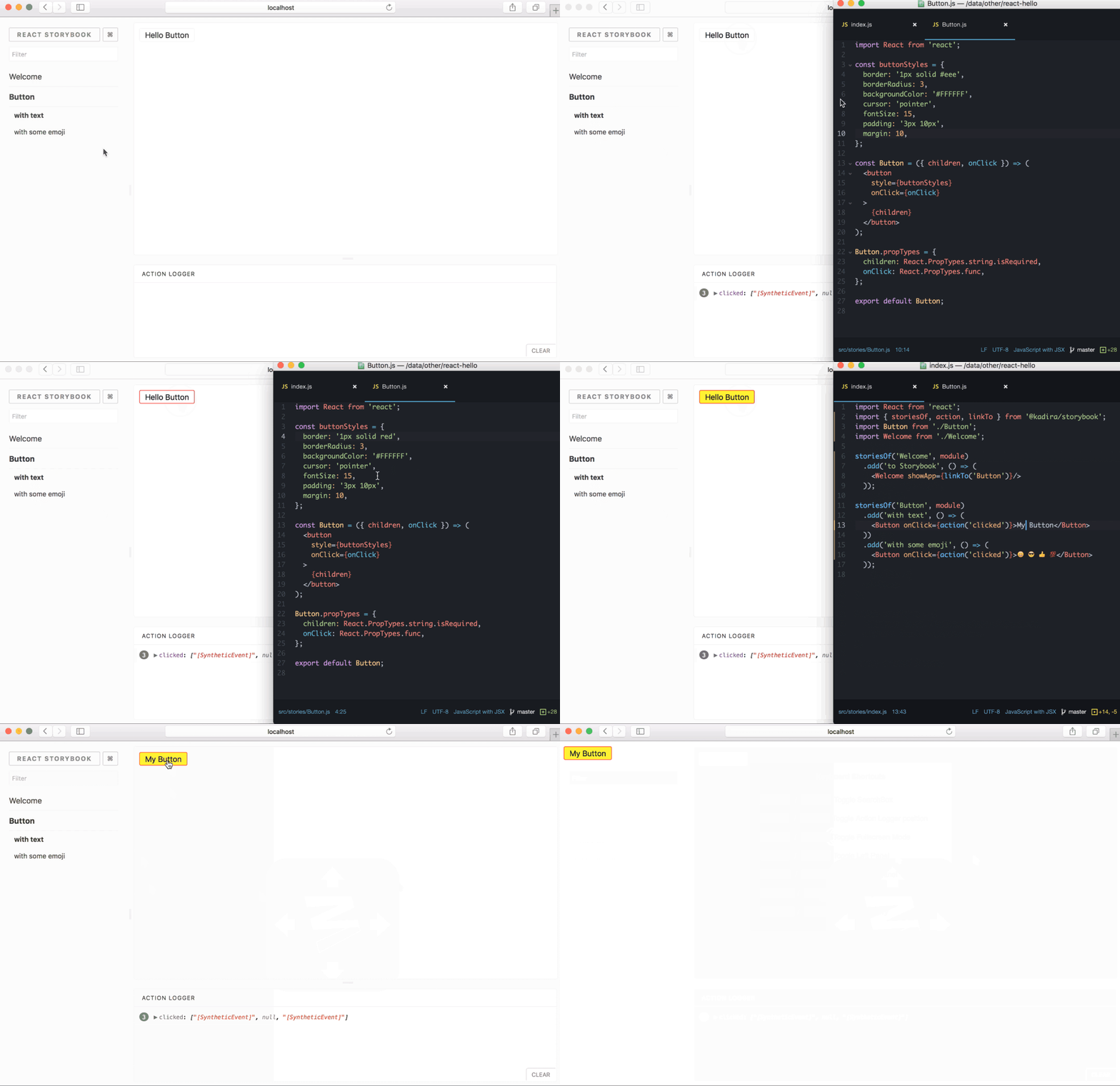
    With Storybook you write stories in JavaScript files. With Styleguidist you write examples in Markdown files. While Storybook shows one variation of a component at a time, Styleguidist can show multiple component variations. Storybook is great for showing a component’s states, and Styleguidist is useful for documentation and demos of different components.

    StoryBook

    It allows you to browse a component library, view the different states of each component, and interactively develop and test components.

    StoryBook helps you develop components in isolation from your app, which also encourages better reusability and testability for your components.

    You can browse components from your library, play with their properties and get an instant impression with hot-reload on the web. You can find some popular examples here. Plugins can help make your development process faster, so you can shorten the cycle between code tweaking to visual output.

    storybooks/storybook
    storybook — Interactive UI component dev & test: React, React Native, Vue, Angulargithub.com

    Styleguidist

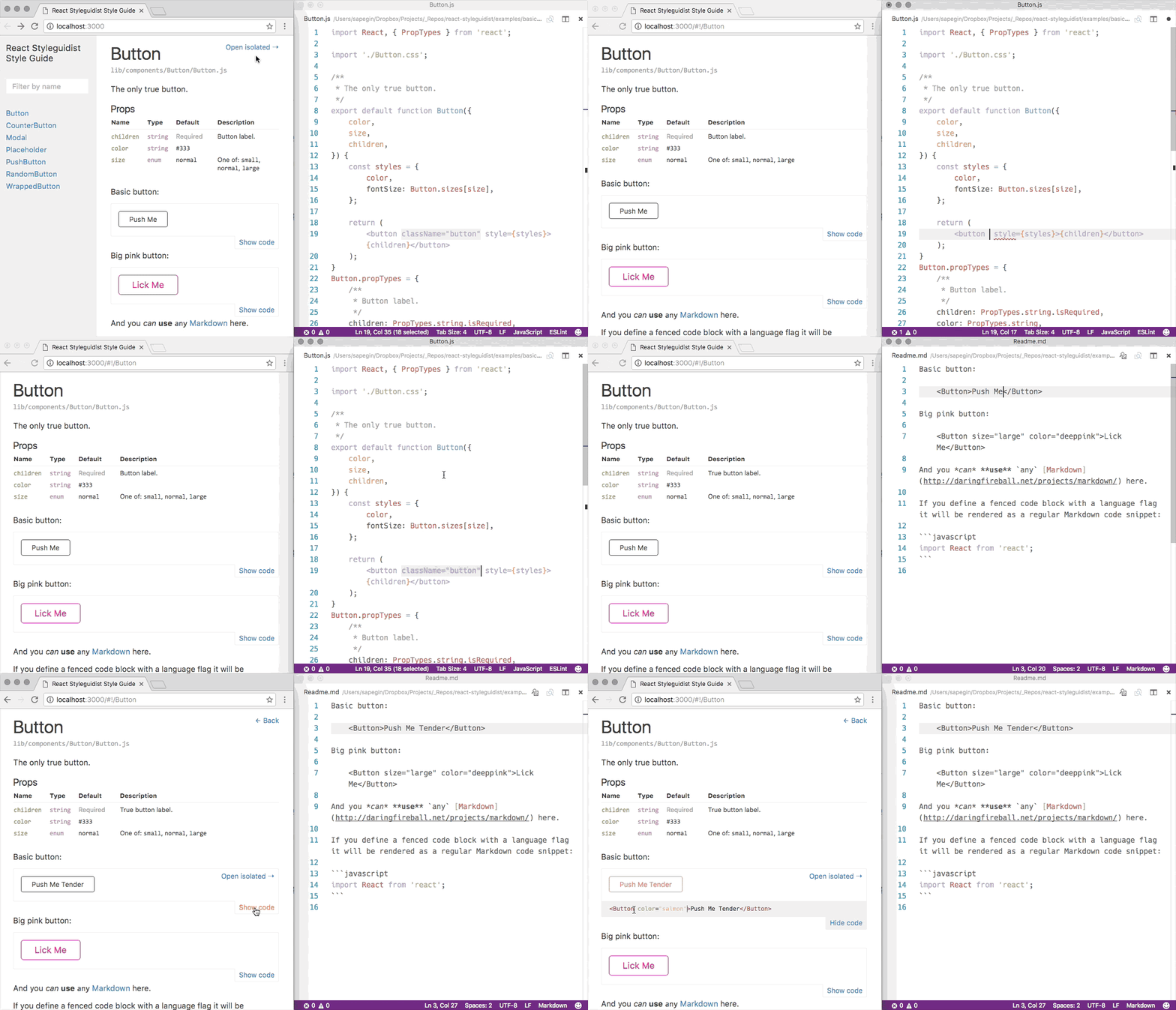
    React Styleguidist: isolated React component development environment with a living style guide
    Isolated React component development environment with a living style guidereact-styleguidist.js.org

    React Styleguidist is a component development environment with hot reloaded dev server and a living style guide that lists component propTypes and shows editable usage examples based on .md files.

    It supports ES6, Flow and TypeScript and works with Create React App out of the box. The auto-generated usage docs can help Styleguidist function as a documentation portal for your team’s different components.

    styleguidist/react-styleguidist
    Isolated React component development environment with a living style guide – styleguidist/react-styleguidistgithub.com

    4. React component playground

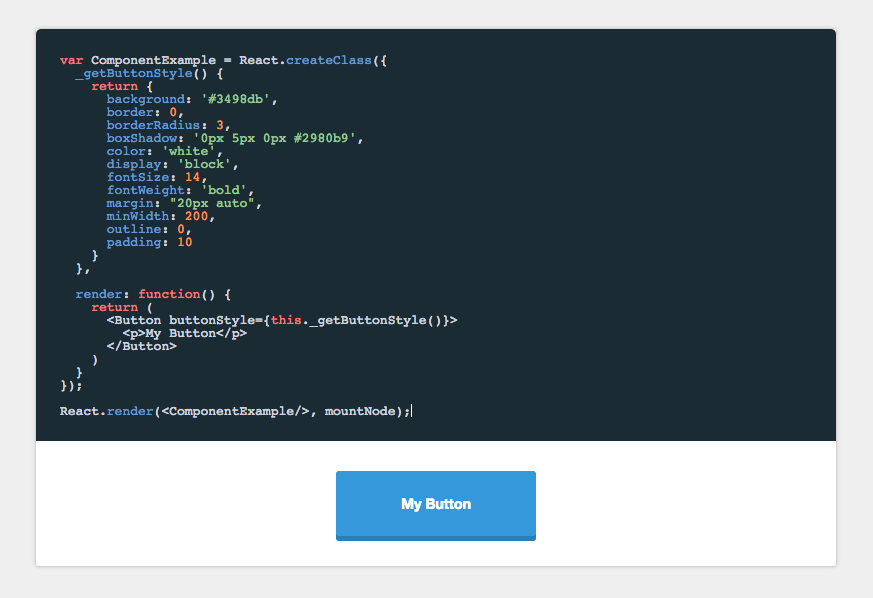
    Built by Formidable labs, component-playground is a component for rendering React components with editable source and live preview.

    It’s built for fast and easy setup and integration, with a babel-standalone build. It has a larger bundle size than react-live (see below), while using a more familiar editor setup.

    Note that unlike react-live, component-playground is not server-side renderable. However, it does support raw evaluation and pretty-printed output out-of-the-box. It’s a cool project, so feel free to take a look.

    FormidableLabs/component-playground
    A component for rendering React components with editable source and live preview — FormidableLabs/component-playgroundgithub.com

    5. Stackblitz

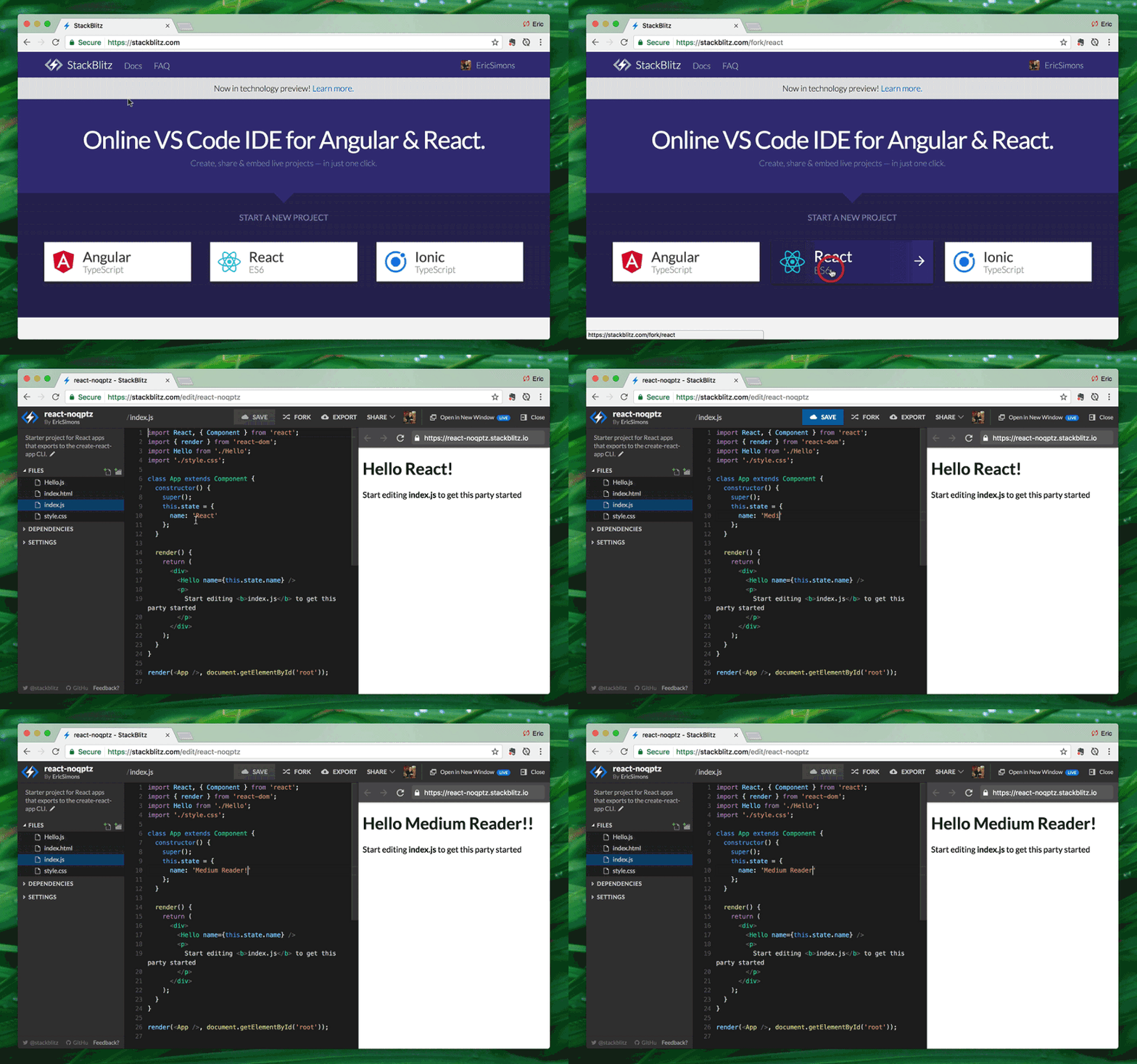
    Stackblitz is an “online IDE for web applications” powered by Visual Studio Code. Much like Codesnadbox, StackBlitz is an online IDE where you can create Angular & React projects that are made shareable via a URL link.

    It automatically takes care of installing dependencies, compiling, bundling, and hot reloading as you type. Intellisense smart completions (w/ type definitions from npm), Project Search (Cmd+P), Go to Definition, and other key VS Code features “just work” out of the box.

    StackBlitz also utilizes Progressive Web App API’s to run a live dev server in-browser, so you can keep on coding offline. The editor’s core packages are hosted in this GitHub repo. Feel free to jump in and start playing.

    The online code editor for web apps. Powered by Visual Studio Code. – StackBlitz
    Edit descriptionstackblitz.com

    6. React live

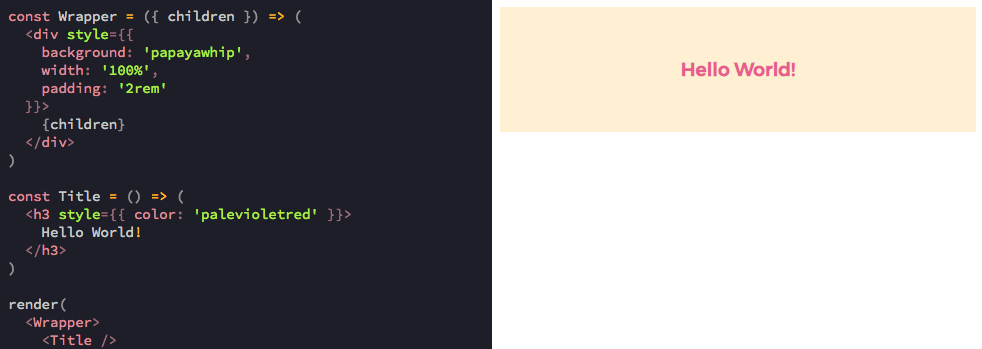
    Like react-component-playground, this too is a React playground by Formidable labs. React Live emphasizes the ability to render React components and present the user with editable source code and live preview.

    It supports server-side rendering and comes in a small bundle, transpiling your code through Bublé, while the code is displayed using Prism.js. The transpiled code is then rendered in the preview component, which does a fake mount, if the code is a component. react-live is more modular and customizable than component-playground, aiming to deliver a production-focused playground for live editing React code. Take a look.

    FormidableLabs/react-live
    A production-focused playground for live editing React components — FormidableLabs/react-livegithub.com

    7. JS Bin

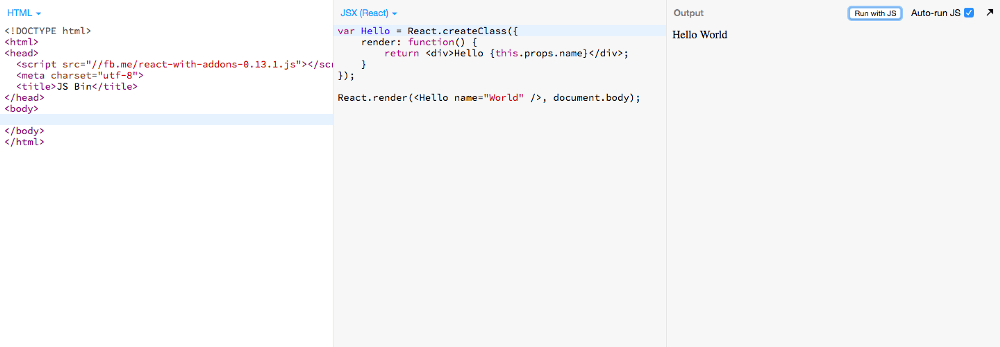
    The well familiar and loved open source collaborative web development debugging tool by Remy Sharp is a pioneer in online code playgrounds.

    JS Bin lets you write code and have it both save in real-time, and render a full preview in real-time. You can share and edit URLs to work together, while remote rendering lets view the output of your JS Bin on any device on any platform, updating in real-time.

    JS Bin provides processors out of the box including coffee-script, LESS, Markdown and Jade. You can also debug remote Ajax calls. With CSS and JSX support, it becomes a useful tool for playing with React components online. Here’s a short guide to setting up common React ecosystem tools using JS Bin.

    JS Bin
    A live pastebin for HTML, CSS & JavaScript and a range of processors, including SCSS, CoffeeScript, Jade and more…jsbin.com

    8. CodePen

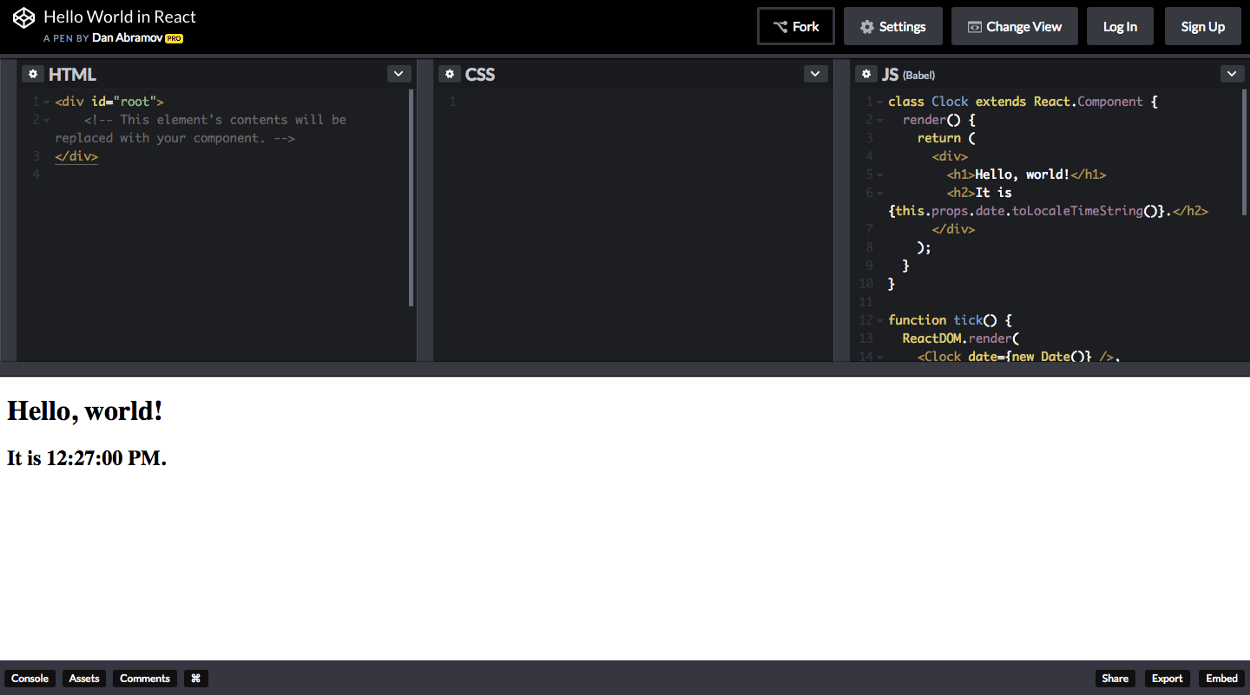
    CodePen is a widely popular online development environment for FrontEnd developers to play and share snippets in a visual way. It functions as an online code editor and open-source learning environment, where developers can create code snippets, creatively named “pens”, and test them.

    You can write HTML, CSS, and JavaScript snippets and get a real-time preview, debug, share and get a feeling of the code hands-on. Preprocessor syntaxes include Sass, LESS, Stylus, PostCSS. Markdown, Haml, Slim, Pug & more, and CodePen even has a special “presentation” mode for showcases.

    Here’s a useful Cheatsheet for setting up a React playground on CodePen.

    CodePen
    A front end web development playground.codepen.io

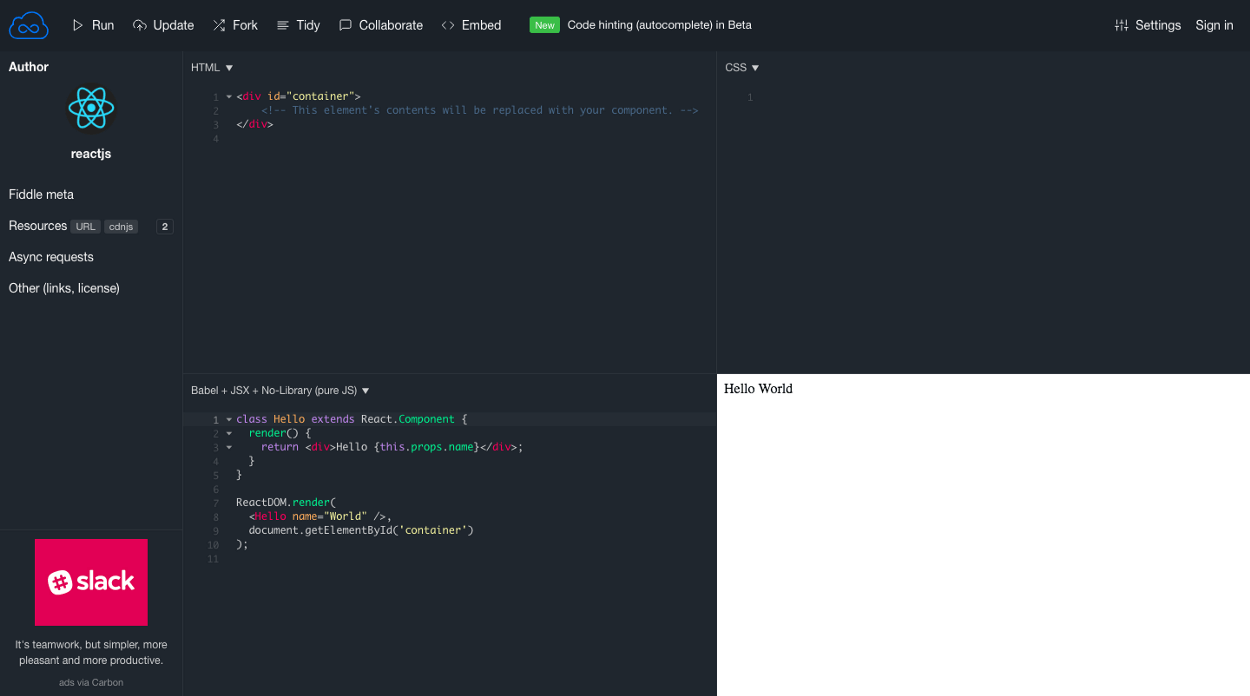
    9.JSFiddle

    Created at 2009 JS by Oskar Krawczyk and Piotr Zalewa JSFiddle is a veteran and widley popular tool for playing with code online. It provides panels where you can enter code and see the result, including:

    HTML — structure code, no need to add body doctype head, that’s added automatically

    CSS — styles. You can switch pre-pocessor to SCSS.

    JavaScript — behavior. There are many frameworks and code pre-processors you can use.

    You can save, run and even fork Fiddles to work and share with others, and even provides a GitHub integration so that you can skip the part of hosting code on JSFiddle and load it directly into the editor from a Github repository.

    Here are two options (1+2) for setting up a React setup with JSFiddle.

    Create a new fiddle – JSFiddle
    Test your JavaScript, CSS, HTML or CoffeeScript online with JSFiddle code editor.jsfiddle.net

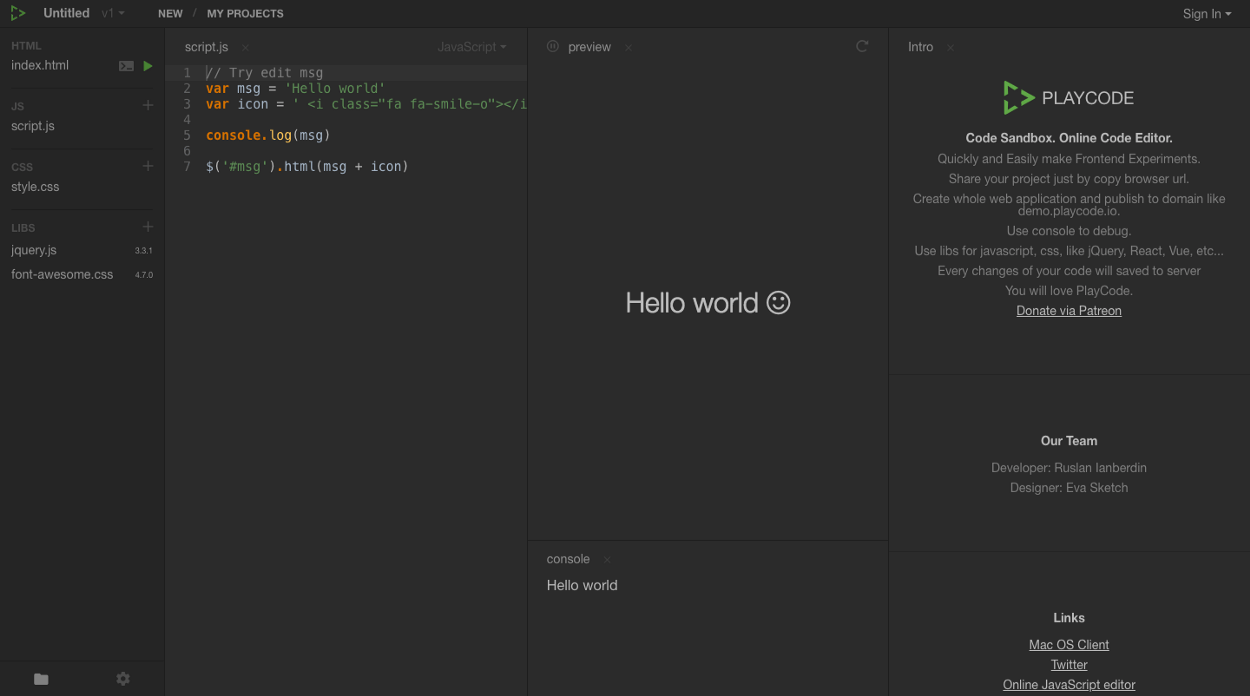
    10. PlayCode

    Playcode.io

    PlayCode – Code Sandbox. Online Code Editor.
    PlayCode – the fastest online Code Sandbox for Quickly and Easily make Frontend Experimentsplaycode.io

    11. UiZoo

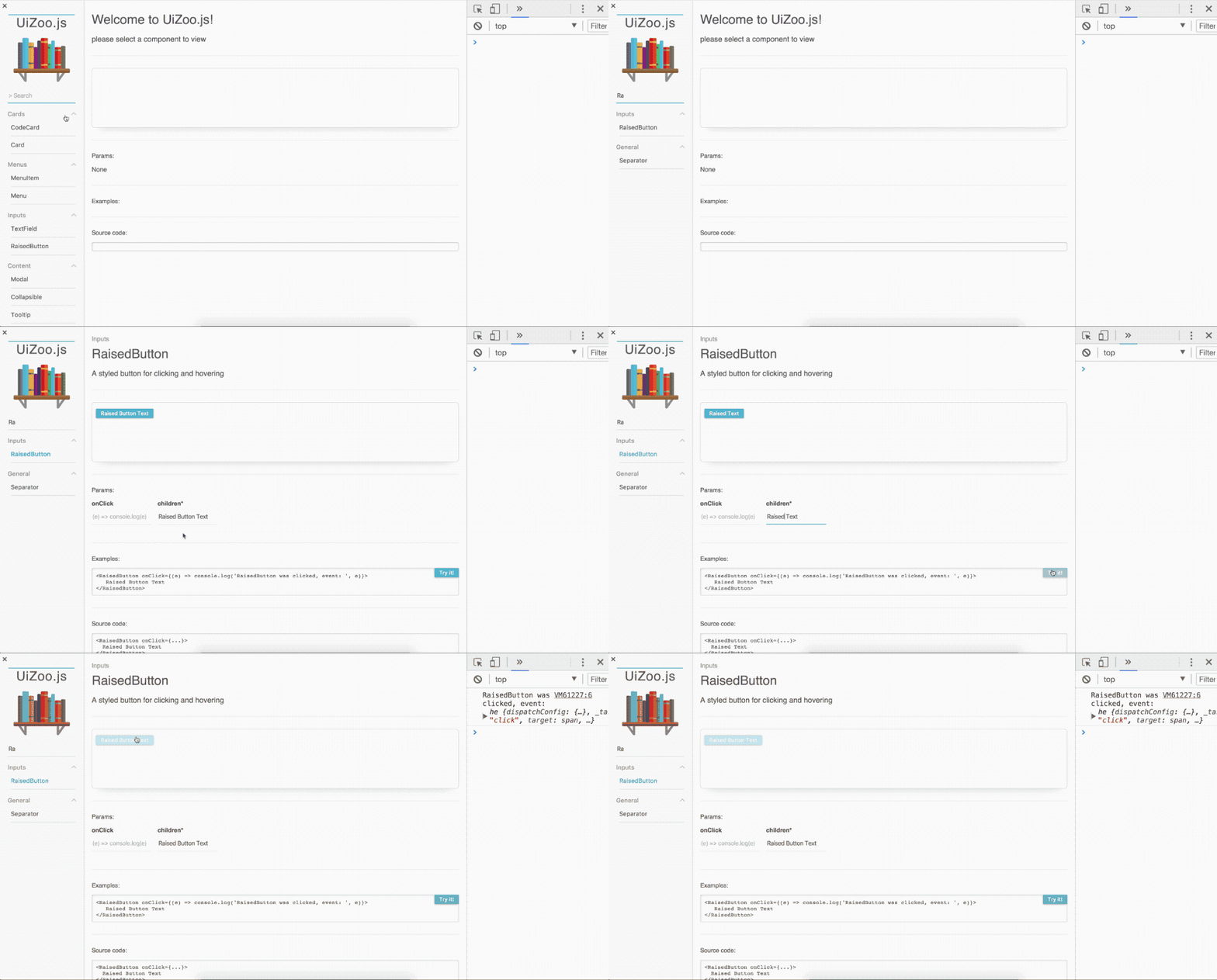
    Created by Noam Elboim UiZoo.js is a rather new and useful dynamic React component library that showcases your components, letting you develop them in an isolated environment and browse what you already have.

    You can provide the components and their docs to UiZoo.js, which creates a page for each component and a sidebar to search and filter components

    Using JSDoc it parses component’s documentation to show visual information on your component’s page, including description, possible props and full JSX examples. Using its own version of Doctrine, the project supports a wide variety of JSDoc tags. Feel free to jump in and take a look on GitHub.

    myheritage/UiZoo.js
    Dynamic React components library ?. Contribute to myheritage/UiZoo.js development by creating an account on GitHub.github.com

    Learn more

    9 React Styled-Components UI Libraries for 2018
    Like CSS in JS? here are useful React UI libraries built with styled components to choose from.blog.bitsrc.io
    How To Write Better Code in React
    9 Useful tips for writing better code in React: Learn about Linting, propTypes, PureComponent and more.blog.bitsrc.io
    11 React UI Component Libraries you Should Know in 2018
    11 React component libraries with great components for building your next app’s UI interface in 2018.blog.bitsrc.io

    每天推荐一个 GitHub 优质开源项目和一篇精选英文科技或编程文章原文,欢迎关注开源日报。交流QQ群:202790710;微博:https://weibo.com/openingsource;电报群 https://t.me/OpeningSourceOrg
←上一页
1 … 203 204 205 206 207 … 262
下一页→

Proudly powered by WordPress