• 开源镜像
  • 开源沙龙
  • 媛宝
  • 猿帅
  • 注册
  • 登录
  • 息壤开源生活方式平台
  • 加入我们

开源日报

  • 开源日报第432期:《实时教程 javascript-in-14-minutes》

    21 5 月, 2019
    开源日报 每天推荐一个 GitHub 优质开源项目和一篇精选英文科技或编程文章原文,坚持阅读《开源日报》,保持每日学习的好习惯。
    今日推荐开源项目:《实时教程 javascript-in-14-minutes》
    今日推荐英文原文:《Learning How to Learn JavaScript》

    今日推荐开源项目:《实时教程 javascript-in-14-minutes》传送门:GitHub链接
    推荐理由:古老但是有意思的 JS 教程。它采用了一个令人意外的模式运行——你需要在浏览器上跟着它一步步的操作,从而进入下一阶段。虽然说在浏览器上的操作比起在编辑器上有些许手感上的不同,但是把浏览器提供的可以实时输入命令的功能用起来是一个非常好的想法,和经常使用 JS 的浏览器页面相性相当不错。
    今日推荐英文原文:《Learning How to Learn JavaScript》作者:Jim Rottinger
    原文链接:https://medium.com/better-programming/learning-how-to-learn-javascript-1989eeae2122
    推荐理由:比起上面那个来说这篇文章讲的是相对更普通的 JS 学习方法——你应该在哪些地方花更大的功夫

    Learning How to Learn JavaScript

    Navigating the vast ecosystem of modern JavaScript is a daunting task. There is a wide array of front-end frameworks, a handful of module bundlers, and 1000s of utility libraries — not to mention all of the Node.js modules that can run on your machine or server. How do you know where to start? On which topics should you be spending your time?

    The are innumerable things I learned that I never ended up using, and other things I wish I had spent more time on. With the lessons learned over the course my 7 year career in mind, these are my recommendations on how you should learn JavaScript.

    1. Get comfortable with asynchronous JavaScript.

    If you look at the history of JavaScript (or web development in general), you will find that asynchronous JavaScript completely changed the game. It allowed websites to go from static pages with only client-side actions to full-blown applications in your browser. The ability to make an HTTP request and wait for the response without reloading the page, quite literally, changed the world wide web.

    It is safe to say that asynchronous programming is a core tenet of web development. That is where you should invest a lot of your time early on learning JavaScript, since it encapsulates other core tenets such as callbacks, promises, async/await, and fetch.

    Take some time to read the resources I am listing below, in order. They should give you a good idea of where to start with asynchronous programming.

    Recommended Resources:
    • The History (and Future) of Asynchronous JavaScript from the Okta developer blog https://developer.okta.com/blog/2019/01/16/history-and-future-of-async-javascript
    • Chapter 2: Callbacks from Kyle Simpson’s Async & Performance Book https://github.com/getify/You-Dont-Know-JS/blob/master/async%20%26%20performance/ch2.md
    • Chapter 3: Promises from Kyle Simpson’s Async & Performance Book https://github.com/getify/You-Dont-Know-JS/blob/master/async%20%26%20performance/ch3.md
    • Using Fetch from the Mozilla Development Network (MDN) https://developer.mozilla.org/en-US/docs/Web/API/Fetch_API/Using_Fetch
    • Async/Await Tutorial from scotch.io https://scotch.io/tutorials/asynchronous-javascript-using-async-await

    2. Learn the basics of TypeScript.

    I debated with myself for probably an hour on whether or not to include this, since this is a post about learning JavaScript and TypeScript is not JavaScript; it is a super-set of it and requires a build step to use. However, I believe in TypeScript so strongly that I had to include it.

    This recommendation has less to do with JavaScript than it does with best coding practices. JavaScript is a loosely typed, dynamic programming language. It is all too easy to write side-effect-vulnerable code when you are passing around variables and data objects that have no type contracts and no immutability. TypeScript alleviates these issues through adding strong typing and the ability to create readonly properties (among many other wonderful things).

    With that in mind, I recommend that you learn the basics of TypeScript as soon as possible. By “the basics” I mean: how to add type annotations to your variables, class properties, function arguments, and function return values. TypeScript is incredibly powerful and there is much more to learn than simple type annotations, but this first step will prevent you from regularly shooting yourself in the foot. It still amazes me how often the TypeScript compiler catches a bug that I did not see at first.

    Yes, the compiler is going to yell at you…a lot. That’s okay! It is your friend and it wants you to be a better programmer. Take the time to consider the error messages TypeScript gives you and I guarantee your code will improve significantly.

    Recommended Resources
    • TypeScript in 5 minutes from the official TypeScript documentation https://www.typescriptlang.org/docs/handbook/typescript-in-5-minutes.html
    • Play around in the online TypeScript REPL https://repl.it/languages/typescript
    • [Paywalled] TypeScript 4 hour workshop by Mike North https://frontendmasters.com/courses/typescript-v2/

    3. Understand why JavaScript frameworks exist.

    JavaScript frameworks have been around since I first got into web development back in late 2012. Back then, AngularJS reigned supreme, Backbone.js had a decent market share, and Ember was the hot up-and-comer (pun intended). Interestingly, even though they are now a thing of the past (replaced mostly by React and Vue), the issues that these frontend frameworks address have not changed much. For example:
    • Data Binding a View to a Controller. This is the most important one. Keeping the UI view synced up with the state of your frontend application is the primary reason for all front-end frameworks. Whether the framework is fully MVC, MVVM, or just a view layer, they all have a way to bind some state to a view and keep them in sync.
    • Reusable Components. This is the biggest thing that AngularJS got right. Component-based composition of your frontend views, with JS compiling your templates to HTML, is at the heart of modern frameworks like React and Vue, but has been around since AngularJS. Creating dynamic, reusable components is simply not possible, without using an existing framework or creating your own, because the web component’s API is very limited and doesn’t handle the data binding.
    These are just to name a couple off the top of my head. The point is that if you look behind the fancy wrenches, screwdrivers, and other tools, the nuts and bolts are the same. Tools change and technology evolves, but if you understand the core pain points of web development (the reasons why the tools exist in the first place), you will be in a much better position to understand and correctly use any present, future, or legacy framework.

    Recommended Resources
    • The Deepest Reason Why Modern JavaScript Frameworks Exist https://medium.com/dailyjs/the-deepest-reason-why-modern-javascript-frameworks-exist-933b86ebc445

    4. Learn two similar frameworks simultaneously.

    Piggybacking off my point on how the underlying issues that frameworks solve have not changed, I am now going to recommend that you learn two frontend frameworks at once. For instance, Vue and React.

    When using one framework heavily, it can be easy to start feeling like the syntax and patterns of that framework are part of the underlying language (JavaScript in our case). As the saying goes, if all you have is a hammer, everything starts to look like a nail. That saying, translated to programming talk, means that if you only ever use one framework, you will inherently start thinking about your solutions in terms of that framework and it will become your crutch instead of your power.

    Learning or knowing two frameworks at once can invert this thinking and give you more perspective into what the framework is actually doing for you. It is exactly like how learning a foreign language can actually make you better at your primary language. You see similarities and differences between the two and it has you thinking about what linguistic constructs led to those similarities and differences. Knowing two JavaScript frameworks can provide a similar perspective. By knowing two paths to the same solution you better understand the root problems they are addressing.

    5. Demystify the build process.

    It is not lost on me that I have made 4 recommendations now and only one of them has involved learning vanilla JS. Whether you like it or not, writing modern JavaScript involves a lot of tooling and frameworks, and the thing that ties them all together is the build process.

    Build tooling is the area that has changed the most throughout my career as this is where the biggest gains in performance and asset sizes can be found. Web-based companies and the open-source community are constantly trying to squeeze every small improvement that they can out of the build process, which leads to an ever-changing set of tools and processes.

    I have to admit, it took me a while to understand how tools like Webpack work. You set up a simple config, run a command, and suddenly you have a single file with optimized, minimized, and browser-compatible code. Build tools can seem like black magic because all of them strive to be zero-config or very-little-config. This is great for getting started with them but makes them daunting to approach when you actually have to do some custom configuration.

    It is incredibly important that you understand what these tools are doing for you. Try to understand what transformations your code is going through and in what order. Try to understand how your modules are being bundled, so you can optimize them better. Try to learn every configuration option because this has the biggest impact on performance and file size.

    Recommended Resources
    • Webpack from Nothing. Highly recommended! A great deep dive into the problems that webpack solves https://what-problem-does-it-solve.com/webpack/intro.html
    • Grunt and Gulp.js: Task Runner Tools to Streamline Your Front-End Development https://www.upwork.com/hiring/development/grunt-and-gulp-js-task-runner-tools-to-streamline-your-front-end-development/

    下载开源日报APP:https://opensourcedaily.org/2579/
    加入我们:https://opensourcedaily.org/about/join/
    关注我们:https://opensourcedaily.org/about/love/

  • 开源日报第431期:《开发也要遵守基本法 hacker-laws-zh》

    20 5 月, 2019
    开源日报 每天推荐一个 GitHub 优质开源项目和一篇精选英文科技或编程文章原文,坚持阅读《开源日报》,保持每日学习的好习惯。
    今日推荐开源项目:《开发也要遵守基本法 hacker-laws-zh》
    今日推荐英文原文:《Choosing the Right Platform for Your New App》

    今日推荐开源项目:《开发也要遵守基本法 hacker-laws-zh》传送门:GitHub链接
    推荐理由:前几天 GitHub Trending 上开发人员定律项目的中文版。这个项目里介绍了很多听名字就不明觉厉的定律和原则,但你并不需要完全遵守它们。实际上有些定律已经被我们所熟知(除了它的名字),比如经常听到的那个——项目完成的时间永远比预期长。兴许读完这些定律和原则,你能在接下来的开发中减少一些无用功,多把精力集中在更重要的地方。
    今日推荐英文原文:《Choosing the Right Platform for Your New App》作者:Allen Helton
    原文链接:https://medium.com/better-programming/choosing-the-right-platform-for-your-new-app-7d7820191d3d
    推荐理由:开源工场开发委提醒:平台多如毛,适合才最好;平台没选对,码农两行泪。

    Choosing the Right Platform for Your New App

    We live in a world overflowing with possibilities. We are inundated with potential options for everything we want to do. This includes development platforms when building a new application. It doesn’t matter if you’re building a mobile, desktop, or web application, you are provided with numerous different frameworks and technologies on which to write your code.

    Perhaps one of the most important decisions you can make when developing your app is the platform you are going to build on. Once you choose it and begin development, you’re stuck with it. Sure, you can refactor the solution after you implement it, but it’s simply that: a refactor. Changing the platform would require a rebuild. Therefore, we need to take all of our options into account to make sure we choose the right platform the first time.

    Have a Clear Vision

    Software development is a process. Deciding on the platform has its place in the process, but you must first decide what it is you’re going to build. Make sure you understand the problem you are facing and have an idea of how you want to solve it.

    A helpful technique I learned from some folks at AWS to coax out important details and design decisions is a product design meeting called a Working Backwards session. A Working Backwards session will make sure stakeholders from different parts of your organization are aligned with the vision and elicits feedback necessary to build a well-rounded product idea.

    Your vision doesn’t have to be complete before you move on to the next step, but it does have to be accepted by the stakeholders. Don’t spend time getting ahead if you haven’t received approval on your idea. Making your intentions clear is the most important part of your product vision.

    Decide on the Right Architecture


    Now that you have a clear vision of the problem you are trying to solve and how you want to solve it, determining the high-level architecture is your next step. What patterns best fit the problem? At what scale do you need the app to perform? Do you want an on-prem installable app or an app in the cloud? Do you want to take advantage of managed services or write your own?

    These are just a few of the many questions that drive the proposed architecture of a new product. Don’t get caught up trying to get too specific. Your goal is to decide on architectural patterns. The programming languages you are going to use don’t matter at this point. Remember, these are your steps to choose the platform you are going to build on.

    Explore Your Options

    With so many options out there for platforms, how do you decide which to build on? It is important to consider the estimated time to market and the size of the team building your app. Are you working on a tight deadline? Do you need something that is rock solid on day 1? Here are some options I’ve run across when building new applications from the ground up.
    • Build it all yourself — There are times when building an installable desktop app fits the need the best. You start from a blank slate and piece together your application. This offers tremendous flexibility, but it can be time-consuming. Also, since everything is hand-written, you have the highest risk factor due to human error.
    • Assemble vs Build — Thousands of companies exist today that specialize in one piece of an application, such as notifications, event busses, or document management. One platform ideation is to utilize as many of their services as possible so that you don’t have to write it all yourself. By assembling these services, you’ll end up with a quicker time to market and the responsibility of each service lies on the provider, meaning your team is not spending their time supporting, but rather innovating.
    • Platform as a Service (PaaS) — Rather than assembling services from different vendors together to make your super app, you can take advantage of a PaaS company. These companies have already done the heavy lifting of orchestration, compliance, and hosting. You simply build your application on top of their platform and utilize their builders. Companies like Twilio offer a rich set of features that make it entirely possible to build your entire app from their dashboard, spending a fraction of the time it would take to build it all yourself.
    • Low Code — A flavor of PaaS, low code platforms have also taken the complexity out of code writing and given you a fast track to application building. Low code tends to revolve around the idea of a visual designer to map out everything from your data entities to your user interface. When it’s time to compile, your visuals are generated into code behind the scenes and auto-deployed into a CI/CD pipeline. If you’re looking to get your application out as fast as possible, consider a vendor like Outsystems to get you started.

    Prove It Out

    Select a few of the options at your disposal and try to prove out your architecture with a Rapid Prototype. A Rapid Prototype is a high fidelity, functional proof of concept designed and developed in a single sprint. It is intended to provide a rich user experience and portray an idea to solicit feedback.

    Building a Rapid Prototype in each potential platform will help you directly compare the platforms against each other. It will also give you a chance to learn about the architecture as you implement it multiple times. Each iteration should lead to a clearer understanding of how it works and the best practices around the patterns you chose.

    To build a consistent Rapid Prototype, you need to decide on the proof of concept criteria that are most important to you and your stakeholders. Focus on your gamechanger. What can you build that will portray your idea the best? In the past, I have worked on teams who made light product specification documents and built the prototype as close to the spec as possible. This guaranteed the team was building the same product for each platform being assessed.

    An important part to remember when proving out the platforms is to give each of them an equal chance. If you’re like many software engineers today, you might turn your nose up at a low code platform because it “isn’t coding.” Even if you don’t fully agree with the premise, give it a fair chance and you might be surprised with the results. Remember, your job is to build an application, not just to write code.

    Get Objective with the Results


    Seeing the software generated by each platform side by side is one thing, but coming up with a definitive winner can be a challenge. So many factors come into play when deciding on the platform, from cost to developer experience to supportability, the software you see in front of you is just the tip of the iceberg. Come up with a grading scheme to be objective and get a decisive answer.

    When comparing platforms, I break my assessment into 8 categories:
    • Developer Experience — How is it for the developers? Can they get up to speed quickly? Is it easy to build a new feature or read someone else’s code?
    • Operations — How does the platform integrate with things like CI/CD, external services, or other managed services?
    • Architecture — Does the platform allow me to build the architecture I want? If not, what is the alternative? Of my core pieces of functionality, what is easy to implement? What is hard to implement?
    • Professional Services — Do I need a team of people to support the implementation of my software? What is necessary to onboard a new client? Do I even need professional services?
    • Company Collaboration — Could other applications in my company use or integrate with this platform? Conversely, does this platform integrate with the other applications in my company?
    • Business Operations — What is the cost of the platform? Does the platform vendor have long term viability?
    • Support and Maintenance — Will I be able to support my product easily when it reaches production? How will I be able to maintain the code or fix defects?
    • Security — Does the platform follow any compliance standards? Does it use proper authentication and authorization?
    Assign a letter grade to each one of the categories and give the platform an overall rating based on the categories. Give each of the categories an appropriate weight based on your company’s needs.

    Make the Call

    You’ve seen what each of the platforms can do first hand. You have learned about the architecture you want to implement and have the first-hand experience with each platform on how to implement it. You have come up with an objective grading scheme to assign a letter grade to each one. It’s time to make the call.

    Don’t argue with the results. If a platform you didn’t want to win has the best score, it’s the best option for the company. Nobody likes change and we don’t want to use something that we are unfamiliar with, but the good thing is that people are adaptable. They might fight you for a bit, but strong developers will come around and learn the benefits of the platform that allows them to be as performant as possible.

    Be sure to run the decision by the senior leadership in your company. Show them the Rapid Prototypes you built in each platform and show them the report card for each. This is a company decision and you want everyone to be onboard.

    You can use your Rapid Prototype as a starting point for your app! You don’t have to throw it away. You should have built a viable start to your application that you can extend into your production-ready application. Your work building the prototype has already put you ahead of schedule.

    Conclusion

    Take your time when choosing the platform for your new application. You’re going to be stuck with it for the life of your app. Get input from lots of different sources from around the organization. Any time you can bring in a new thought or opinion, you provide yourself an opportunity to make your application more well-rounded.

    Remember to be objective when grading your Rapid Prototypes. You need to have a list of criteria to map out the most important principles to you. If you can be objective, you have proof to stand by when you make your decision on the platform. It’s hard to argue with numbers.

    Learn as much as you can when running through your Rapid Prototypes. Learn about the platforms themselves, learn about how to implement your architecture, learn about how to be agile. Learning is the key to innovation. If you have an open mind and a willingness to learn, you will be amazed at the quality product you produce.
    下载开源日报APP:https://opensourcedaily.org/2579/
    加入我们:https://opensourcedaily.org/about/join/
    关注我们:https://opensourcedaily.org/about/love/

  • 开源日报第430期:《排位榜 github-rank》

    19 5 月, 2019
    开源日报 每天推荐一个 GitHub 优质开源项目和一篇精选英文科技或编程文章原文,坚持阅读《开源日报》,保持每日学习的好习惯。
    今日推荐开源项目:《排位榜 github-rank》
    今日推荐英文原文:《Stop Writing Code Comments》

    今日推荐开源项目:《排位榜 github-rank》传送门:GitHub链接
    推荐理由:方便查看 GitHub 上流行人物与 repo 的榜单。这个项目让你每次想要看看 GitHub 里最火热的项目或者是用户的时候不需要再开出高级搜索那些玩意儿,而是直接通过这个榜单就能查到,虽然说榜单上热门的 repo 来来去去暂时都会是那几位 tensorflow 啊 react 啊之类的就是了;不过如果 follow 你的人达到了 2600+ 的话,也能在热门用户榜上看到自己的名字。
    今日推荐英文原文:《Stop Writing Code Comments》作者:Brian Norlander
    原文链接:https://medium.com/@bpnorlander/stop-writing-code-comments-28fef5272752
    推荐理由:如果不需要注释就能看懂代码自然是最好的,如果没办法做到的话就不要犹豫写两行注释好好解释一下来的更快。

    Stop Writing Code Comments

    Stop writing code comments.

    There is usually a high correlation between bad code and code with a lot of comments. This is the most obvious sign of messy source code.

    The goal of every programmer should be to write code so clean and expressive that code comments are unnecessary. The purpose of every variable, function and class should be implicit in its name and structure. When you need to write a comment, it usually means that you have failed to write code that was expressive enough. You should feel a sharp pain in your stomach every time you write a comment.

    When someone else reads your code, they should not have to read the comments to understand what your code is doing. Well named classes and functions should guide the reader through your code like a well-written novel. When the reader looks at a new class or function they should not be surprised by what they see inside. Remember, very little of a developer’s work time is actually spent writing code, much more time is spent on reading code and understanding what it does.

    Comments Cover Up Failures

    I often see comments above variable or function names describing what the code does (or is supposed to do). These comments make it clear that the programmer was not able to think of an expressive enough name or that their function is doing more than one thing.

    Naming things in your code is extremely important. You should put a lot of effort into naming every piece of code accurately and precisely so that other developers can understand your code.
    // find employees by status
    List<Employee> find(Status status) {
      ...
    }
    
    In this example, the name find was not descriptive enough, so the author of this function needed to leave behind a descriptive comment describing what the function does. When we see the find function called from another module, it is a mystery what it does. What is it finding? What exactly does finding mean? Is it returning what it finds? How is it finding whatever it finds? Like Uncle Bob says in his book Clean Code, if you need to write a comment you have failed to express yourself through your code.

    We don’t want to have to examine the comment above each function to understand what it does.
    List<Employee> getEmployeesByStatus(Status status) {
      ...
    }
    
    Now it is obvious what this function does just by reading its signature, which makes the comment redundant. This brings me to the next way comments are failures.

    Redundant Comments

    These clutter up your code and are completely unnecessary. Adding many redundant comments trains the reader to skip over every comment, so when there is a comment that is important it will likely not be read.
    // this function sends an email
    void sendEmail() {
      ...
    }
    
    // this class holds data for an employee
    public class Employee {
      ...
    }
    
    /**
     * @param title The title of the CD
     * @param author The author of the CD
     * @param tracks The number of tracks on the CD
     */
    public void addCd(String title, String author, int tracks) {
      ...
    }
    
    The last example is mandated redundancy. Many organizations require this above every function and class. If your boss requires this, ask them not to.

    Wrong Level of Abstraction

    If you have a long function or need to document which part of your code does what, then you might be violating these rules:
    1. Functions should do one thing.
    2. Functions should be small.
    Here is an example
    // This function calculates prices, compares to sales
    // promotions, checks if prices are valid, then 
    // send an email of promotion to user
    public void doSomeThings() {
    
      // Calculate prices
      ...
        ...
        ...
    
      // Compare calculated prices with sales promotions
      ...
        ...
        ...
    
      // Check if calculated prices are valid
      ...
        ...
        ...
    
      // Send promotions to users
      ...
        ...
        ...
    }
    
    If you have pieces of code that can be separated into their own functions, then refactor it. When you have successfully encapsulated each portion of logic into a separate function, the code should read like a description of what it does.

    Refactored we have this:
    public void sendPromotionEmailToUsers() {
      calculatePrices();
      compareCalculatedPricesWithSalesPromotions();
      checkIfCalculatedPricesAreValid();
      sendPromotionEmail();
    }
    
    Instead of commenting each part of your code, each chunk of logic should be nicely encapsulated in its own function.

    First, this improves readability. Each chunk of code does not have to be read line by line. We can instead simply read the helper function name and understand what it does. If we want to know further details inside each function, we can always see the implementation.

    Secondly, it improves testability. In our example above, we can make a separate test for each function. Without encapsulating these separate functions it is difficult to test each part of the larger function sendPromotionEmailToUsers(). Functions that do more than one thing are hard to test.

    Lastly, it improves refactorability. By encapsulating each part of the logic into its own function, future changes will be easier to do and will be isolated to changing the behavior of that function only. When we have long functions with local variables that persist throughout the entirety of the function, it is hard to refactor the function without causing changes somewhere else because of how tightly coupled the function is.

    Commented Out Code

    Commented out code should be treated like roadkill. Don’t look at it, don’t smell it, don’t ask where it came from, just get rid of it. The longer you keep it there, the longer it makes the rest of the code smell.
    /*
    public void oldFunction() {
      noOneRemembersWhyIAmHere();
      tryToUnCommentMe();
      iWillProbablyCauseABuildFailure();
      haHaHa();
    }
    */
    
    If you try to uncomment the code, who knows if it will even compile? Will that section of code invalidate something else in the code? Just delete it. If you need it later, you can always check your Version Control System, because you are using a VCS, right?

    TODO Comments

    Don’t write TODO comments, instead maybe just… do it? Most of the time these comments get forgotten about and later on might become irrelevant or wrong. When another coder sees the TODO comment later on, how do they know if this still needs to be done? Delete these comments too.

    The only time a TODO comment is ok is if you are waiting for a merge from another teammate. This is not meant to last a long time, just until you can make the fix and submit it.
    “When you feel the need to write a comment, first try to refactor the code so that any comment becomes superfluous.” — Martin Fowler

    Comments Lie

    Another problem with comments is that they lie to us.

    When Jimmy makes a comment above the new function he wrote, he thinks he is helping out any future developer that sees his code. What he is really doing is setting a trap. His comment may lie (no pun intended) dormant for months or years not being touched, just waiting to become a nasty lie. Then one day during one of the hundreds of refactors and requirement changes, his comment becomes invalidated from some far away module.

    When you change a line of code, how do you know you didn’t just invalidate a comment somewhere else in the code? There is no way to know. Comments must rot.
    public class User {
      ...
    
      // this holds the first and last name of the user 
      String name;
    
      ...
    }
    
    Then later on a developer wants to split name into firstName and lastName.
    public class User {
      ...
    
      // this holds the first and last name of the user 
      String firstName;
      String lastName;
    
      ...
    }
    
    Bam! The comment is now wrong. You could update the comment to reflect the changes, but do you really want to manually maintain all of your comments after each change? You are a developer, not a documentor.
    But this comment is easy to notice and is no problem to change.
    Let’s see another example:
    // Process employees based on status
    void processEmployees() {
      ...
      List<Employee> employees = findEmployees(statusList);
      ...
    }
    
    // this finds Employees by a list of statuses
    List<Employee> findEmployees(List<String> statusList) {
      ...
    }
    
    Later on someone changes the function findEmployees so that it finds employees by a list of names instead of a list of statuses.
    // Process employees based on status
    void processEmployees() {
      ...
      List<Employee> employees = findEmployees(statusList);
      ...
    }
    
    // this finds Employees by a list of statuses
    List<Employee> findEmployees(List<String> nameList) {
      ...
    }
    
    First, the comment above findEmployees has been invalidated, so that needs to be changed. No problem, right? Wrong.

    The comment above processEmployees has also been invalidated, so that needs to be changed too. How many other comments were just invalidated by this small refactoring? How many lies were created in the source code by this one change? Alternative Solution:
    void processEmployees() {
      ...
      List<Employee> employees = findEmployeesByName(nameList);
      ...
    }
    
    List<Employee> findEmployeesByName(List<Name> nameList) {
      ...
    }
    
    If you name your functions accurately and precisely, comments will not be needed, and you won’t spread lies in your code.
    “Code never lies, comments sometimes do.” — Ron Jeffries

    When Comments Are Ok

    I know many developers are diehard supporters of code comments, and to them I must admit that sometimes comments are ok. You should still feel squeamish every time you write one, but sometimes they are a necessary evil.

    Complex Expressions

    If you have a complicated SQL or regex statement, then go ahead and write a comment. It can be difficult to express statements such as these cleanly and expressively in your code. Writing a comment above these expressions will help your fellow developers out greatly in their understanding of your code.
    // format matched kk:mm:ss EEE, MMM dd, yyy
    Pattern timePattern = Pattern.compile("\\d*:\\d*:\\d* \\w*, \\w*, \\d*, \\d*");
    

    Warnings

    If you need to warn other developers of side effects or bad things that will happen, it is ok to leave a comment near this code. These comments can act as harbingers of mysterious behavior in your code and add value to your code.

    Clarification of Intent

    If you can’t write expressive code, own up to your failure and write a comment. You are responsible for the code you write, so never leave poorly written code unexplained.

    If you must write a comment, make sure it is local. A non-local comment placed far away from what it is referencing is destined to rot and become a lie. A comment referencing a function or variable should be directly above it. A warning comment can be above or beside the code it is referencing. If your IDE supports comment highlighting, make your warning comments stand out from the rest of the code.

    I have established my feelings about code comments. I despise them, but I recognize that sometimes they are needed.

    So please, stop writing so many comments.
    下载开源日报APP:https://opensourcedaily.org/2579/
    加入我们:https://opensourcedaily.org/about/join/
    关注我们:https://opensourcedaily.org/about/love/

  • 开源日报第429期:《自动处理 AutoHotkey_L》

    18 5 月, 2019
    开源日报 每天推荐一个 GitHub 优质开源项目和一篇精选英文科技或编程文章原文,坚持阅读《开源日报》,保持每日学习的好习惯。
    今日推荐开源项目:《自动处理 AutoHotkey_L》
    今日推荐英文原文:《Failing Forward》

    今日推荐开源项目:《自动处理 AutoHotkey_L》传送门:GitHub链接
    推荐理由:AutoHotkey,这玩意能帮你执行一些自定制的宏,从而完成一些重复性很强的操作——登录游戏或者打开 VSCode 与 XShell 等等工作用得上的工具。虽然写好宏可能需要一些时间(有时还需要自己动手确定鼠标坐标),但是完成之后一定程度的自动化会赚回它们,只需要启动宏,然后泡杯咖啡或者拿瓶快乐水,回来就可以正式开干了。
    今日推荐英文原文:《Failing Forward》作者:John Martinez
    原文链接:https://medium.com/better-programming/dealing-with-failing-a-technical-interview-7f043db3711d
    推荐理由:如何从基本血崩的面试中找点有用的东西回来

    Failing Forward


    That’s me in the yellow tie.

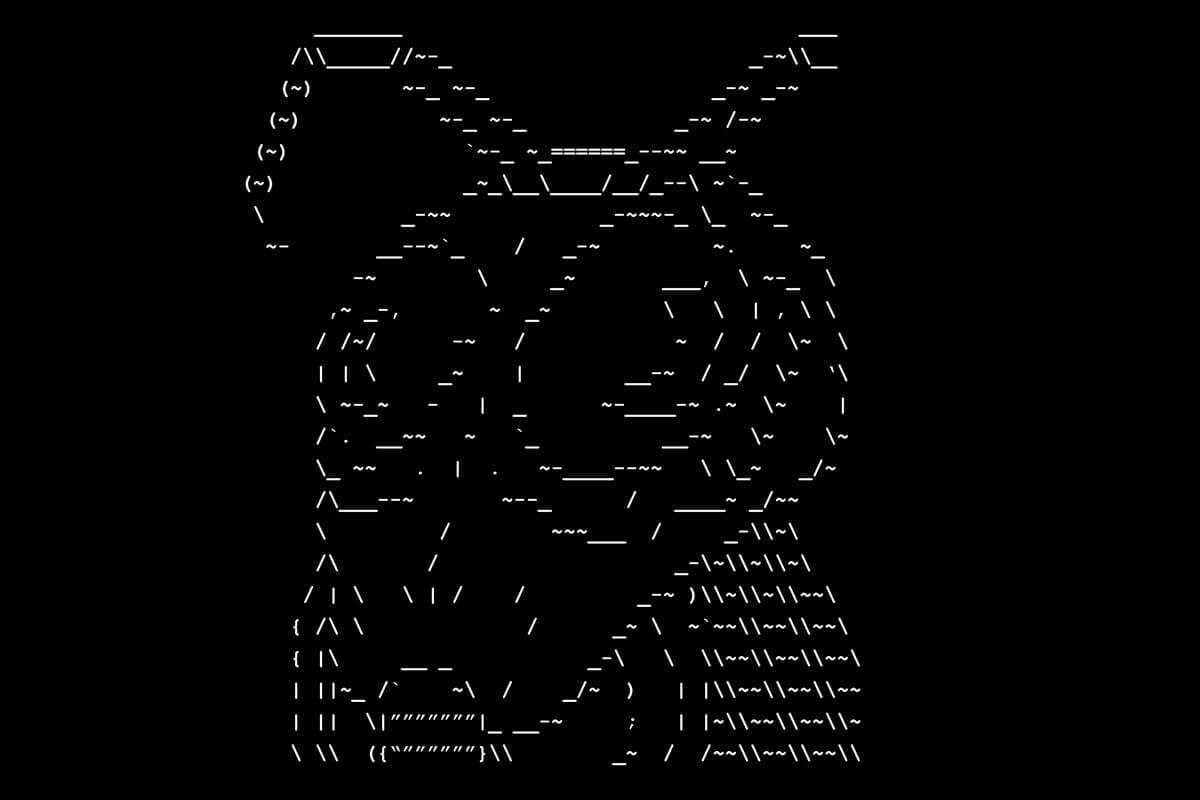
    I used to play this game called Armageddon. It’s a MUD, short for multi-user dungeon, which is basically a text-based online role-playing game. You make a character and are immediately thrust into a world where survival is your number one priority. The game is brutal. The world, at some point thousands of years ago, suffered a terrifying catastrophe that transformed the vast majority of the planet’s surface into an inhospitable desert.

    There’s very little that can protect or save you. Venturing out into the desert on your own can mean dying of starvation or thirst, getting lost in a sandstorm, falling off a cliff, sinking into a sea of ash, or getting mauled by any number of horrible and hungry creatures. Worst of all, when your character dies, they’re dead for good. The game’s iconic mantis head appears as your character loses their last hit point, effectively sending you back to the game’s main menu.

    I’ve seen this head dozens of times.

    The game can be incredibly difficult for new players to get into. You spend so much time making your character and writing out this interesting backstory and description, but you go outside the gates and instantly get lost in a sandstorm and eaten by a giant dung beetle. What are you supposed to do in that situation?

    I was very persistent. I made a new character, only to get them killed by accidentally starting a fight with an NPC guard. I have new information regarding how to play: avoid giant dung beetles and make sure you type the correct keywords. OK, time for a new character.

    Eventually through trial-and-error, I learned how to survive in the game. My starting skills weren’t high enough to fight off any monsters, so I needed to find somewhere I could train them up safely. There’s a newbie-friendly guild you can join that helps you level up your fighting skills. The way your character learns new skills? Through failure. When you fail at something, you gain a skill up. Hit someone with your sword? Fantastic, you deal damage. Miss someone with your sword? Dang, but now you’re ever so slightly less likely to miss again.

    Armageddon taught me a lot about failure. More specifically, learning through failure. I became enamored with this type of system. Most games reward winning, but Armageddon rewarded losing. Perhaps it wasn’t an immediate reward, but eventually, after dozens upon dozens of misses and failures, your character’s skills would grow and become legendary. That dung beetle that killed me so many weeks ago? Now it’s a cakewalk. Sandstorms? Now my character can navigate with his eyes closed. All of these things that seemed impossible, through failure, have become not only possible, but easy.

    Up until that point I had never really considered failure to be a worthwhile option. I would beat myself up for failing. Instead of reflecting on everything I did, I would beat myself up for everything I didn’t do. It was pure hindsight. I was so afraid of failure that I found myself simply refusing to even try. After all, losers fail. But if I don’t fail, then I can’t possibly be a loser!

    Unrelated album cover.

    I recently had a technical interview for a company I’m incredibly interested in. I spent hours preparing for it—studying technical interview questions, doing problems at home, speaking with other employees. The day of the interview I felt ready. Nervous, but ready.

    Five minutes in, I realized I was done for. The interviewer laid out their first question, and I felt like they might as well have asked me to perform brain surgery. I was in over my head. None of my studying had prepared me for this!

    Old me would’ve shut down. Old me would’ve curled into a fetal position and eaten a box of Oreos in shame. But I’m not old me. I’m current me, and when the anxiety that so often precedes failure felt like it was beginning to creep into my psyche, a thought popped into my head: “I am not at all prepared for this, so I’m going to spend the next hour learning everything I can.”

    I did exactly that. I started asking the interviewer all sorts of questions, and by changing the context of that hour from “an interview” to “a learning experience,” I could feel all of the anxiety welling up inside me fade away. I felt confident asking the interviewer for clarification and additional info. I didn’t stop pressing him until I felt like I understood what he was asking of me. From there I started coding as best I could, taking his advice along the way without feeling like I was messing everything up.

    Eventually, I managed to get through the first part of his question. The second part came, and I was completely unequipped to answer it. No worries, my anxiety was gone. I wasn’t even thinking about the interview at this point. It was almost a tutoring session, a free one-hour class.

    In that hour I think I learned more about recursion, complex problem solving, problem framing, and ternary operators than I did in the past few weeks of study and practice. I thanked my interviewer graciously and earnestly. When the phone call ended, I couldn’t help but laugh. I was so out of my element, and it didn’t even matter!

    Just like my character in Armageddon, I learned a little bit from that failure. Maybe that alone won’t be enough to bring me great success, but perhaps the next failure, or the next, next failure will. These ultimately small failures are all adding up to something in the end.

    I like to think Armageddon put that little spark into me, and over time that spark became a philosophy that has shaped me into the person I am today. Someone who can confidently say, “I fail sometimes, and that’s great!”

    下载开源日报APP:https://opensourcedaily.org/2579/
    加入我们:https://opensourcedaily.org/about/join/
    关注我们:https://opensourcedaily.org/about/love/

←上一页
1 … 151 152 153 154 155 … 262
下一页→

Proudly powered by WordPress