• 开源镜像
  • 开源沙龙
  • 媛宝
  • 猿帅
  • 注册
  • 登录
  • 息壤开源生活方式平台
  • 加入我们

开源日报

  • 开源日报第998期:《nacos》

    5 1 月, 2021
    开源日报 每天推荐一个 GitHub 优质开源项目和一篇精选英文科技或编程文章原文,坚持阅读《开源日报》,保持每日学习的好习惯。
    今日推荐开源项目:《nacos》
    今日推荐英文原文:《Microsoft says SolarWinds hackers viewed source code》

    今日推荐开源项目:《nacos》传送门:项目链接
    推荐理由:Nacos是阿里巴巴推出来的一个新开源项目,这是一个更易于构建云原生应用的动态服务发现、配置管理和服务管理平台。Nacos致力于帮助您发现、配置和管理微服务。Nacos提供了一组简单易用的特性集,帮助您快速实现动态服务发现、服务配置、服务元数据及流量管理。
    今日推荐英文原文:《Microsoft says SolarWinds hackers viewed source code》作者:Steven Musil
    原文链接:https://www.cnet.com/news/microsoft-says-solarwinds-hackers-viewed-source-code/
    推荐理由:SolarWinds黑客继续蔓延的相关消息。 据美国国务院、网络安全和基础设施安全局(CISA)和安全公司称,俄罗斯一个情报机构进行了一场复杂的恶意软件活动,影响了美国的地方、州和联邦机构以及包括微软在内的私营公司, 这次大规模的入侵事件始于今年早些时候,黑客入侵了SolarWinds公司的IT管理软件,其中包括财政部高层领导使用的电子邮件系统。

    Microsoft says SolarWinds hackers viewed source code

    The hackers who carried out a sophisticated cyberattack on US government agencies and on private companies were able to access Microsoft’s source code, the company said Thursday.

    A Microsoft investigation turned up “unusual activity with a small number of internal accounts” and also revealed that “one account had been used to view source code in a number of source code repositories,” the company said in a blog post. Microsoft said that the account didn’t have the ability to modify code and that no company services or customer data was put at risk.

    Microsoft zealously guards its source code, the foundation of its software, but it does provide access to certain “qualified” customers, governments and partners for debugging and for reference.

    “The investigation, which is ongoing, has also found no indications that our systems were used to attack others,” the company said.

    A Russian intelligence agency is suspected of carrying out the massive campaign, which reportedly affected an email system used by senior leadership at the Treasury Department. It started earlier this year, when hackers compromised IT management software from SolarWinds. The Austin, Texas-based company sells software that lets an organization see what’s happening on its computer networks.

    Hackers inserted malicious code into an update of that software, which is called Orion. Around 18,000 SolarWinds customers installed the compromised update onto their systems, the company said.

    US national security agencies have called the breach “significant and ongoing.” According to an analysis by Microsoft and security firm FireEye, both of which were infected, the malware gives hackers broad reach into impacted systems.

    Microsoft earlier said it had identified more than 40 customers that were targeted in the hack. More information is likely to emerge about the hack and its aftermath.
    下载开源日报APP:https://opensourcedaily.org/2579/
    加入我们:https://opensourcedaily.org/about/join/
    关注我们:https://opensourcedaily.org/about/love/
  • 开源日报第997期:《变成文件 TabFS》

    4 1 月, 2021
    开源日报 每天推荐一个 GitHub 优质开源项目和一篇精选英文科技或编程文章原文,坚持阅读《开源日报》,保持每日学习的好习惯。
    今日推荐开源项目:《变成文件 TabFS》
    今日推荐英文原文:《When Programming, Remember That Elephants Don’t Bite — Mosquitoes Do》

    今日推荐开源项目:《变成文件 TabFS》传送门:项目链接
    推荐理由:这个项目可以根据浏览器打开的页面,在本地创建文件记录它们的数据,比如 URL,标题以及页面内的图片与脚本文件等等。而且可以反其道而行之,通过修改本地文件来对浏览器的页面产生影响,比如最简单的通过删除文件关闭页面等等,更何况现在有五花八门的方法能够对本地文件开刀,从而使得直接通过本地文件与浏览器进行对话成为可能。
    今日推荐英文原文:《When Programming, Remember That Elephants Don’t Bite — Mosquitoes Do》作者:Zachary Minott
    原文链接:https://medium.com/better-programming/when-programming-remember-that-elephants-dont-bite-mosquitoes-do-5eacde4bf451
    推荐理由:错误越是产生于细枝末节越难以发现,但并不代表越不严重

    When Programming, Remember That Elephants Don’t Bite — Mosquitoes Do

    It’s the tiny mistakes you make that have the biggest drawbacks

    On June 24, 1996, the European Space Agency’s unmanned Ariane 5 rocket exploded only 37 seconds after launch. $370 million and a decade of development were flushed down the drain in a single moment.

    The cause? A simple software bug that attempted to store a 64-bit float variable that can represent billions of potential values into a 16-bit integer that can only represent 65,535 potential values. There literally wasn’t enough space allocated to make it into space.

    The lesson? It’s the smallest bugs that cause the largest, costliest, and most potentially dangerous issues.

    Elephants Don’t Bite, They Just Want to Be Your Friends

    When reaching program failure, almost every blatantly obvious mistake reveals itself in code. These are mistakes that cause clearly discernable compiler or runtime errors that unmask their identities through the user interface or on compilation.

    These mistakes are nearly never a cause for concern because it’s made apparent to us as developers that these are issues that immediately need to be addressed.

    Most likely, when an error is visible, we attempt to fix it immediately and will never find ourselves shipping an unquestionably unfinished product or code to production that doesn’t meet the expectation of what is aiming to be achieved.

    Elephants don’t bite because we can easily tame them and train them in an intuitive way. They never cause any problems in the long run and don’t do any damage unless you let them. They make themselves easily identifiable and basically say, “Hey, friend. Look at me! Give me your attention and I’ll show you affection. You won’t regret it.”

    Mosquitoes Can Swarm You, Give You Lyme Disease, and Kill You

    On the other side of the spectrum, we have mosquitoes — the seemingly inconsequential parts of the code that aren’t made obvious and may mask themselves as hidden figures lurking in the backburners of seemingly working code. They’re ready to pounce and condense the product of your code into shambles.

    These could be logical errors, unscalable and non-bulkified design, unclean and messy code, and deficient, non-optimal algorithms.

    The problem that lied in the Ariane 5 rocket launch was that they copied working code over from the previously successful Ariane 4 rocket launch — code that they obviously thought would translate but clearly couldn’t match the needs and updated requirements of the environment the Ariane 5 rocket needed.

    These types of errors are small but unveil themselves in the biggest ways.
    • Logical errors can cause your product to have issues in the way it’s processing and displaying information, taking away from the functionality that was desired and shaving points off a good user experience. This alone can cause you to lose engagement from the audience even when you, as a developer, saw no concerning or immediately discernable issues with the way the application was running.
    • Unscalable and non-bulkified design can cause issues such as the Ariane 5 explosion. They had a piece of code that worked under lower computationally intensive environments but didn’t work within environments that are computationally intensive. Ignoring such things can cause system failure, as the system wasn’t designed to handle large-scale operations. Such issues normally identify themselves in well-written test code that aims to put as much stress on the system as possible, but if you don’t write test classes that handle those cases, you may have a black swan waiting to reveal itself and surprise you in malicious ways.
    • Unclean and messy code can make it tremendously difficult for anyone to identify errors or issues in the code. On top of that, it increases development costs drastically over time, as the code becomes increasingly difficult to extend and modify. This, in turn, causes things to break more easily and errors to make themselves more present and common. One look at messy code should immediately raise red flags that should incite you to start refactoring.
    • Non-optimized algorithms can again lead to poor performance when it comes to computationally intensive operations. It’s easy to gloss over this detail — especially if you’re not yet comfortable with refactoring your code to perform better algorithmically. You normally notice this detail when you’re experiencing long load times, timeouts, or limitations (especially if you’re working with cloud back ends). Something may work well alone, but you need to aim to program with the knowledge that something that works well alone won’t necessarily work well in conjunction with large data sets and other components.
    Let these mosquito bites go overlooked long enough and you’ll be in for a big, unhappy surprise. The good news is that there are many ways you can mitigate and minimize the impact of these errors.

    Get the Bug Repellent!

    OK, maybe I’m taking this metaphor too far, but I think you get the point. Let the small things go unnoticed, and eventually, you’ll be faced with the biggest issues down the road.

    In a way, I feel for the programmers of the Ariane 5 incident, but such things make you realize the importance of writing code very carefully and deliberately backed by an immense amount of stress testing and test-driven development.

    Programming is so much more than just writing code that compiles and executes. It takes careful and thoughtful consideration — not the drunken sailor approach that plagues many new and seasoned programmers who just slap together pieces of code as if they were trying to fit a cylinder into a square hole. It fits, but it just isn’t right and will not hold up by any means.

    So that’s why it’s best to program with these questions in mind when building out code:
    1. Is my code overly complex? How can I simplify this?
    2. Have I written rigorous test classes for my code that have strong assertions and tests for multiple different data-saturated and computationally intensive scenarios? Am I aware of all the limitations of my code?
    3. Are my functions small? Can I abstract methods from large functions into smaller functions?
    4. Do my variables, classes, and functions have very clear and specific names? Can anyone look at my code and know exactly what it’s doing simply by reading the names?
    5. Am I duplicating way too many methods that could instead be reused and have generic functionality among multiple different processes? Are my duplicate methods absolutely necessary and do they merit a different scenario of functionality?
    6. How am I handling errors? Am I throwing errors, using try-catch blocks, and running null checks on variables? Is there a specified process in place to ensure smooth functionality when an error is caught?
    7. Is my code easily extendable and scalable? If modifications are being made, would I need to worry about any dependencies?
    8. Is my code bulkified and optimized to handle large amounts of data? Will my code raise an error or time out if put under too much stress?
    There are definitely many more questions that you could be asking yourself that can be compiled into an exhaustive list. However, it’s the questions above that I believe may be of the greatest importance yet are most commonly lacking.

    Mitigate the risk of any errors in your code by doing things that limit the potential of unknown errors and make the state of Schrodinger’s cat known rather than “unknown until observed.”

    Parting Thought

    It’s the tiny things that you do consistently that yield the biggest outcomes. The big things you do rarely ever take the spotlight.

    So stop worrying about making huge mistakes. Those big mistakes aren’t what should be concerning you in the long run, as the big mistakes you make are easily fixed, resolved, and strategically tackled.

    It’s the small, tiny errors and inconsistencies that you output on a daily basis that should really be a huge cause for concern. Always find ways to mitigate those errors and ensure that you can somehow conclude the definitive outcome of your code base given strenuous and varying scenarios.
    下载开源日报APP:https://opensourcedaily.org/2579/
    加入我们:https://opensourcedaily.org/about/join/
    关注我们:https://opensourcedaily.org/about/love/
  • 开源日报第996期:《模拟器 goboy》

    31 12 月, 2020
    开源日报 每天推荐一个 GitHub 优质开源项目和一篇精选英文科技或编程文章原文,坚持阅读《开源日报》,保持每日学习的好习惯。
    今日推荐开源项目:《模拟器 goboy》
    今日推荐英文原文:《Code, Archeology, and Line Breaks》
    元旦假期:下一期开源日报将在 2021 年 1 月 4 日恢复更新

    今日推荐开源项目:《模拟器 goboy》传送门:项目链接
    推荐理由:goboy 是使用 go 语言编写的 GameBoy 模拟器,支持大部分 GB 游戏和部分 CGB 游戏。目前还在开发中,如果对 GO 语言有一定基础并且对该模拟器感兴趣的话,欢迎在 GitHub 上投稿。
    今日推荐英文原文:《Code, Archeology, and Line Breaks》作者:Donovan So
    原文链接:https://medium.com/better-programming/code-archeology-and-line-breaks-86b38da32ca7
    推荐理由:虚拟的数据和实际的现实生活密不可分,从来源于老式打字机的回车换行符 \r\n ,到电脑中的“废纸篓”图标,再到 GitHub 的北极归档计划。未来的人们将从我们的代码中学到什么?

    Code, Archeology, and Line Breaks

    Did you know \r and \n are remnants of typewriters?

    (Photo by Bernard Hermant on Unsplash.)
    Have you ever wondered how a new line is stored on a computer? You know, what happens when you hit “enter” in a text editor?

    On Windows, a new line is stored as the weird sequence \r\n. For example, the following text:

    Hello
    World!


    Is actually stored as Hello\r\nWorld! on a Windows system. It turns out \r is called a carriage return and \n is called a line feed. They are special characters that have their origins from typewriters. In the past, when people reached the end of a line on a typewriter, they pushed on a lever that did two things:

    1. It returned the carriage that held the paper so the typing position was moved to the start of a line. 2. It fed a line so the typing position was moved downwards by one line.

    The combination of carriage return and line feed effectively moved the current typing position to the beginning of a new line.

    Today, the advent of modern computers and word processors have eliminated the need for typewriters. What’s left are the obscure special characters, \r and \n, in our machines. My mind was blown the first time I learned about this — what a piece of human history hidden in everyday code!

    Side note: Mac and Linux systems simply use the line feed character \n instead of the more verbose sequence \r\n to represent a new line. While it is more storage-efficient, it is technically not as “historically accurate.”

    There are more examples. The term “programming bug” was publicized because an actual bug once caused a machine to malfunction. The reason the programming language Fortran ignores whitespace is that people used to code on punchcards and it was easy to insert whitespace by mistake. It’s fascinating to think about how many anecdotes and patterns of human behaviors are hidden in something as mechanical and lifeless as computer software.

    (Source: Beverly Hills Lingual Institute)
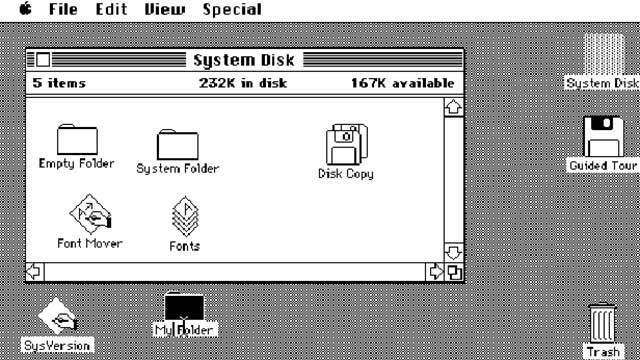
    On the other hand, we sometimes include elements from our real lives in our software intentionally. Designers call it a skeuomorphism, which means the incorporation of old familiar ideas into new ones. In a computer user interface (UI), folders resemble the shape of paper folders. Delete buttons look like trash bins. Save buttons look like floppy disks. The mapping from real-world objects to UI components helps people to quickly understand their functions. It gives people comfort because they are able to draw from their past experiences while interacting with new technologies. Skeuomorphism is most helpful during the initial transition period to new technologies, but when people eventually get used to the new tech, it loses its purpose. All that remain are legacy designs that have recognizable meanings, but not origins (I’m sure not everyone reading this knows what a floppy disk is).

    In 2020, GitHub, the largest software hosting service on the planet, announced the Archive Program. One of its initiatives is to archive all existing code repositories into a vault deep in an Arctic mountain. I suspect that in a hundred years’ time, archeologists will no longer study bones and ancient artifacts but our software. They will no longer dig for fossils but hard drives. They will no longer inspect cave paintings but pieces of lasered glass (yes, that’s how Microsoft’s Project Silica is planning to preserve large amounts of data for over 10,000 years). What will our future generations learn about us from our code?

    In a more philosophical sense, what will our future generations not learn about us? My Google search history, Amazon purchases, and Spotify playlists are used to train machine learning models that can predict my behaviors accurately. The countless images and videos on Facebook and YouTube can be used by models to identify me by my appearance, my voice, or even my walking posture.

    Don’t forget the sea of texts that companies use to train their voice assistants, translation services, grammar checkers, and more. Just recently, the GPT-3 model, which is trained on over 100 billion parameters, has shown uncanny general-purpose language capabilities that rival those of real humans. It has been used to create bots that generate code from plain English, write entire blog posts from short prompts, or engage in full real-time conversations with humans.

    More and more facets of our existence can now be reduced to parameters in a neural network. After we’re gone, we’ll still continue to exist as bits and numbers.

    What can future generations learn about us? What’s left for future generations to learn about us? Is our unprecedented technology boom helpful for future archeologists? Does having everything laid out so nakedly take away some of its beauty? Only time will tell.


    下载开源日报APP:https://opensourcedaily.org/2579/
    加入我们:https://opensourcedaily.org/about/join/
    关注我们:https://opensourcedaily.org/about/love/
  • 开源日报第995期:《uni-app》

    30 12 月, 2020
    开源日报 每天推荐一个 GitHub 优质开源项目和一篇精选英文科技或编程文章原文,坚持阅读《开源日报》,保持每日学习的好习惯。
    今日推荐开源项目:《uni-app》
    今日推荐英文原文:《Pop-ups about cookies constantly interrupt you online. Here’s how they could go away》

    今日推荐开源项目:《uni-app》传送门:项目链接
    推荐理由:uni-app 是一个使用 Vue.js 开发小程序、H5、App 的统一前端框架。官网地址:https://uniapp.dcloud.io 开发者使用 Vue 语法编写代码,uni-app 框架将其编译到 小程序(微信 / 支付宝 / 百度 / 字节跳动 / QQ / 钉钉)、App(iOS/Android)、H5 等多个平台,保证其正确运行并达到优秀体验。
    今日推荐英文原文:《Pop-ups about cookies constantly interrupt you online. Here’s how they could go away》作者:Laura Hautala
    原文链接:https://www.cnet.com/news/why-youre-hounded-by-pop-ups-about-cookies-and-how-they-could-go-away/
    推荐理由:如果你曾经抱怨Cookie的弹窗占据了你的半个屏幕,这个消息你一定很感兴趣。一项新的法律可以帮助过滤这些烦人的东西,这些东西经常会传递一些看似自相矛盾的信息,比如 “我们使用cookies来让你的体验更好”。加利福尼亚州选民在11月批准了一项以隐私为导向的投票措施,该措施为公司创造了一种激励措施,以防止Cookie弹窗肆虐。

    Pop-ups about cookies constantly interrupt you online. Here’s how they could go away

    If you’ve ever growled in anger when a pop-up about cookies takes over half your screen, we’ve got news for you. A new law could help phase out the annoyances, which often deliver seemingly self-contradicting messages such as “We use cookies to make your experience better.”

    California voters approved a privacy-oriented ballot measure in November that creates an incentive for companies to stop pestering you about cookies. It can be hard to tell from many of the pop-ups, but businesses are asking you to give them permission to install small files on your web browser so they can sell or share data about your browsing habits. The process for making these messages less common is already underway.

    The California attorney general is tasked with defining a browser setting that will let you automatically tell websites not to share or sell your data. By the time the new law comes into effect in 2023, major web browsers are expected to offer the setting as a privacy feature. At that point, companies will get to remove a button that says “Do not sell my personal information” from their websites if they honor the browser setting without splashing pop-ups across your screen asking you to opt back in to the sale of your data.

    The cookie pop-ups come from a well intentioned place. In an effort to give Californians more control over their privacy, an earlier state law gave consumers the right to opt out of the sale of their personal data, including their web browsing habits. But the cookie pop-ups often do little to inform users of their privacy rights, instead urging them to just click “okay” to clear their screens from distractions.

    The more recently approved law aims for something rare: privacy protection without constant interruption. It may sound small, but pop-ups are already indignities that slow down your workflow or, more likely, chip away at the joy of wasting time online. Pop-ups that simply annoy when they’re meant to protect consumers add insult to injury.

    Here’s more about how the change could come about, and how soon you can say goodbye to cookie pop-ups.

    Explain to me again why we have cookie pop-ups?

    Californians started seeing these pop-ups a lot after a state law called the California Consumer Privacy Act, or CCPA, went into effect this year. Spearheaded by Alastair Mactaggart, a Bay Area real estate developer, the law gives consumers the right to ask companies to delete their personal data and to not sell it. The data covered includes browsing habits.

    Businesses subject to the law have to let users opt out of the sale of their data. As a result, companies are required to tell visitors to their websites how their data might end up in the hands of third parties, often in the form of pop-ups. They can also ask users to opt back in, also with pop-ups.

    Because of California’s overwhelming size and economic importance, some companies have made following the state’s law their default practice. As a result, the pop-ups have been popping up outside the Golden State, too.

    Why are the pop-ups so obnoxious?

    People don’t like cookie pop-ups. Elon Musk complained about them on Twitter, and a cottage industry of browser extensions that block the pop-ups has flourished. (CNET doesn’t vouch for these extensions.)

    The reasons consumers don’t like them are pretty straightforward. In addition to slowing down the user experience, the pop-ups don’t always make it easy for website visitors to state their preferences. Some websites include a button in the pop-up that says “Don’t sell my data.” Other websites don’t make it so simple, offering only a link to the company’s privacy policy.

    From the privacy policy page, users can sometimes request that businesses not share their data with third parties. Other times, the website offers still more links to the sites of individual third-party ad companies where users can customize their preferences even further.

    The system isn’t ideal, something Mactaggart acknowledges. “It’s frustrating when you go through those links,” he said. “The whole thing’s confusing.”

    How will the new law reduce cookie pop-ups?

    The new law, also supported by Mactaggart, updates the CCPA. The law doesn’t ban cookie pop-ups, but it creates an incentive that advocates hope will make them far less common.

    Companies have a choice. They can honor the browser setting, which will be a simple feature you can turn on or off to tell companies not to sell or share your data and stop asking you to opt back in via pop-ups or other requests. Or the companies have to display a button on their websites that says “Do not sell my personal information.”

    If companies take the first choice, “you’re able to browse and know that the website is not selling your information,” said Ashkan Soltani, a privacy expert who has worked with a group of like-minded technologists to develop a browser setting called the Global Privacy Control. Soltani and his colleagues hope California will adopt their setting as the standard in the state’s privacy regulations.

    Will companies really stop asking me to let them sell my data?

    The new law’s advocates are banking on it. According to Mactaggart, companies don’t like having to display the button that says “Do not sell my personal information” because it reminds consumers that most companies are collecting their data all the time.

    If companies can get out of displaying that text, they’ll stop asking users to opt back into the sale of their data, he says. We won’t know how effective the law will be until it’s enforced in two years.

    Will I benefit from this if I don’t live in California?

    The cookie pop-ups aren’t limited to Californians’ web browsers, something Carnegie Mellon University privacy expert Lorrie Cranor noticed from personal internet use on the East Coast. “Even when you’re not in California, you get a lot of it,” she said.

    If the law is successful, non-Californian web users are likely to see fewer of the interrupting messages.

    Additionally, companies including Mozilla and Microsoft have already extended privacy rights guaranteed in the previous California privacy law to all US users. Businesses may do the same thing with the new law, proactively offering to honor the browser setting beyond California.

    Do I really have to wait until 2023 for all this to come into effect?

    The law won’t be enforced until 2023, but you’ll see some benefit sooner. In the coming year, you can look forward to major web browsers rolling out settings that let you tell websites not to sell or share your data.

    Some privacy-oriented browsers and browser extensions already offer this setting, including the Brave browser, the DuckDuckGo Privacy Browser and the EFF’s Privacy Badger browser extension.
    下载开源日报APP:https://opensourcedaily.org/2579/
    加入我们:https://opensourcedaily.org/about/join/
    关注我们:https://opensourcedaily.org/about/love/

←上一页
1 … 9 10 11 12 13 … 262
下一页→

Proudly powered by WordPress